


 netYurt
Weekly review meeting at head office. The question on the table looks simple: “How many students do we have this term, how many owe money, and which dormitory has a staff shortage?” Student records come from one program, installment and donation tracking from Excel files, and staff information from a third source. The same question gets three different answers from three different sources.
Our first goal in netYurt was to answer this question from a single source. The way to do that was not a new report screen but rebuilding the backbone of the data.
The project in brief
netYurt is an enterprise management system we developed for a long-established education organization that runs hundreds of student dormitories, branches and education centers across Turkey. From person and institution records to accounting, from scholarship and donation tracking to human resources, from process management to bulk communication, the organization's entire operation is managed from a single system. The platform runs with more than 15 main modules, hundreds of screens and tens of thousands of person records, and has grown with the organization over the years.
One person, several roles
At the root of the scatter was the fact that the same person was recorded in different lists with different spellings. When a student graduated, they could appear as a separate record in the alumni list; when they received a scholarship, in the scholarship recipient list; when they made a donation, in the donor list. Each list was correct on its own but inconsistent together, and it was impossible to merge them without weeding out duplicate records.
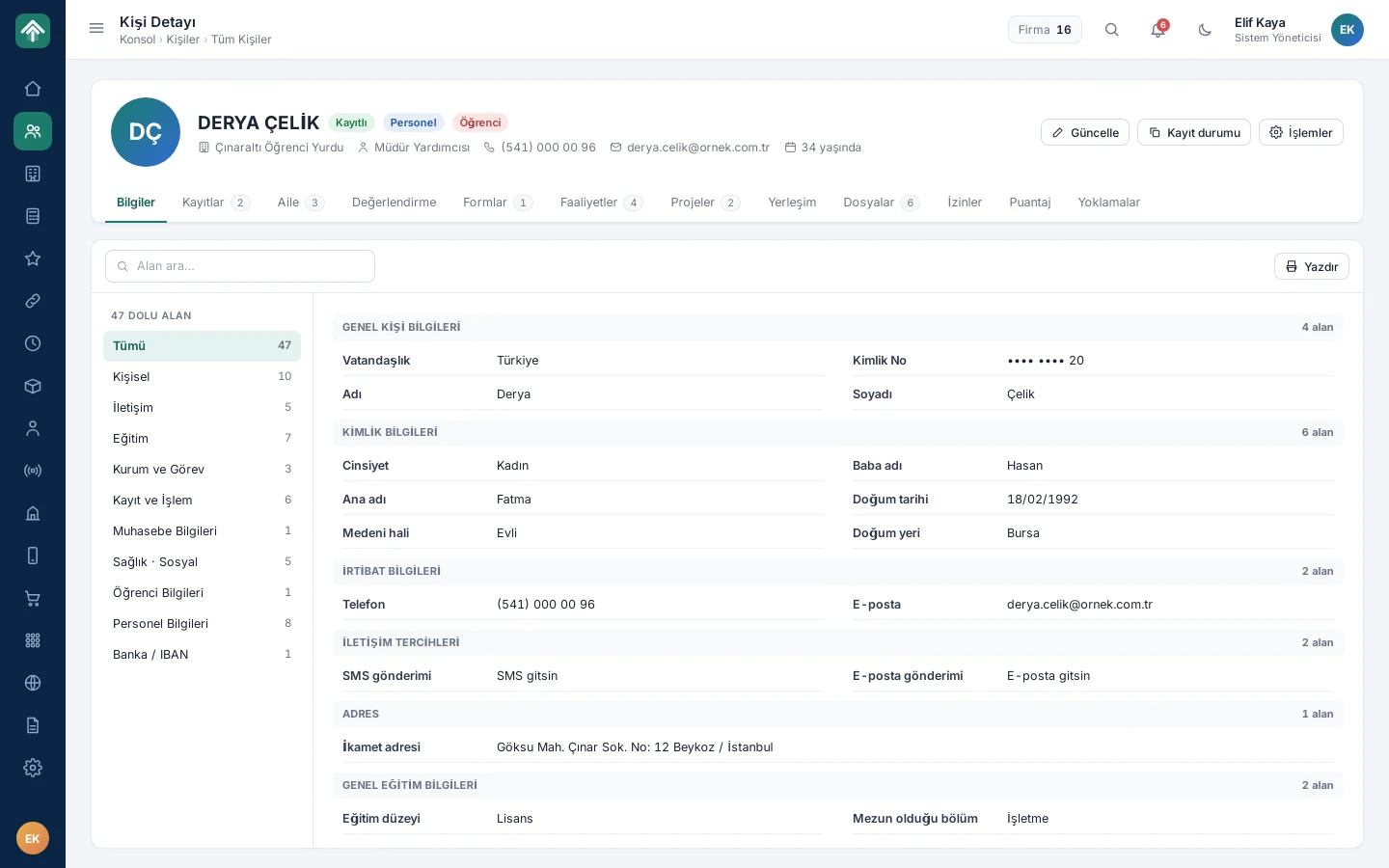
We put the concept of the person at the center. Student, staff member, alumnus, scholarship recipient, donor and tenant are no longer separate lists; they are different roles of the same person record. On the person card, identity details, badges showing the roles and tabbed details sit together; among more than forty fields, the user goes straight to the information they are looking for with field search. To clean up the duplicate records accumulated over the years, duplicate detection and record merging tools also became part of the system; these tools remain in the system after the initial migration. In the person card's tabs, records, family information, forms, timesheets and attendance roll calls are gathered under the same person. In the person list too, students, staff, alumni, scholarship recipients and donors sit in the same table; with the category filter, the desired role is isolated in one click.
Institutions in a single tree too
We applied the same approach to institutions. Dormitories, branches, education centers and suppliers were defined in a single institution structure, as a hierarchical tree running from head office to region, branch, dormitory and unit. Each institution's contact, address, map and service information sits on its own card.
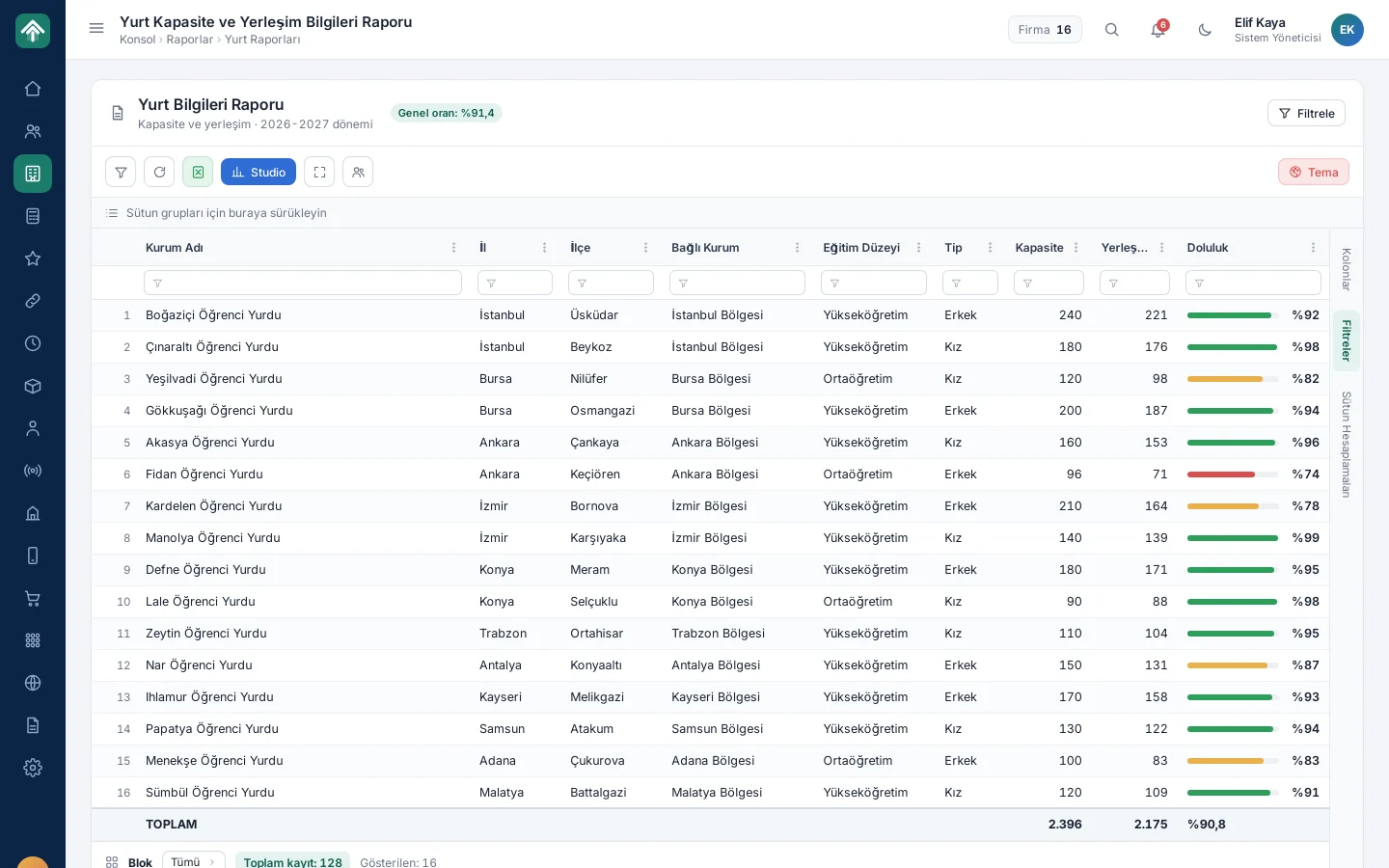
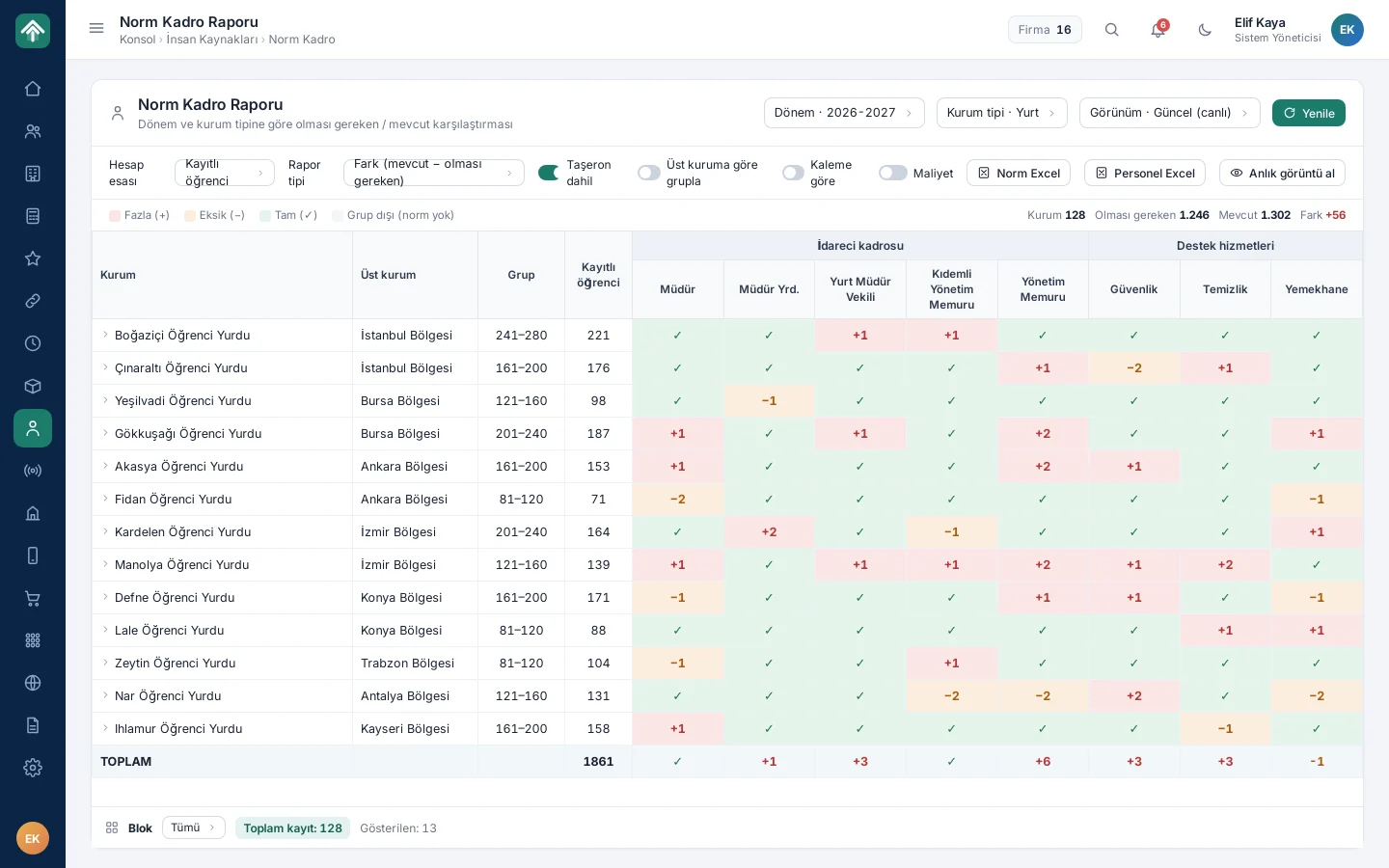
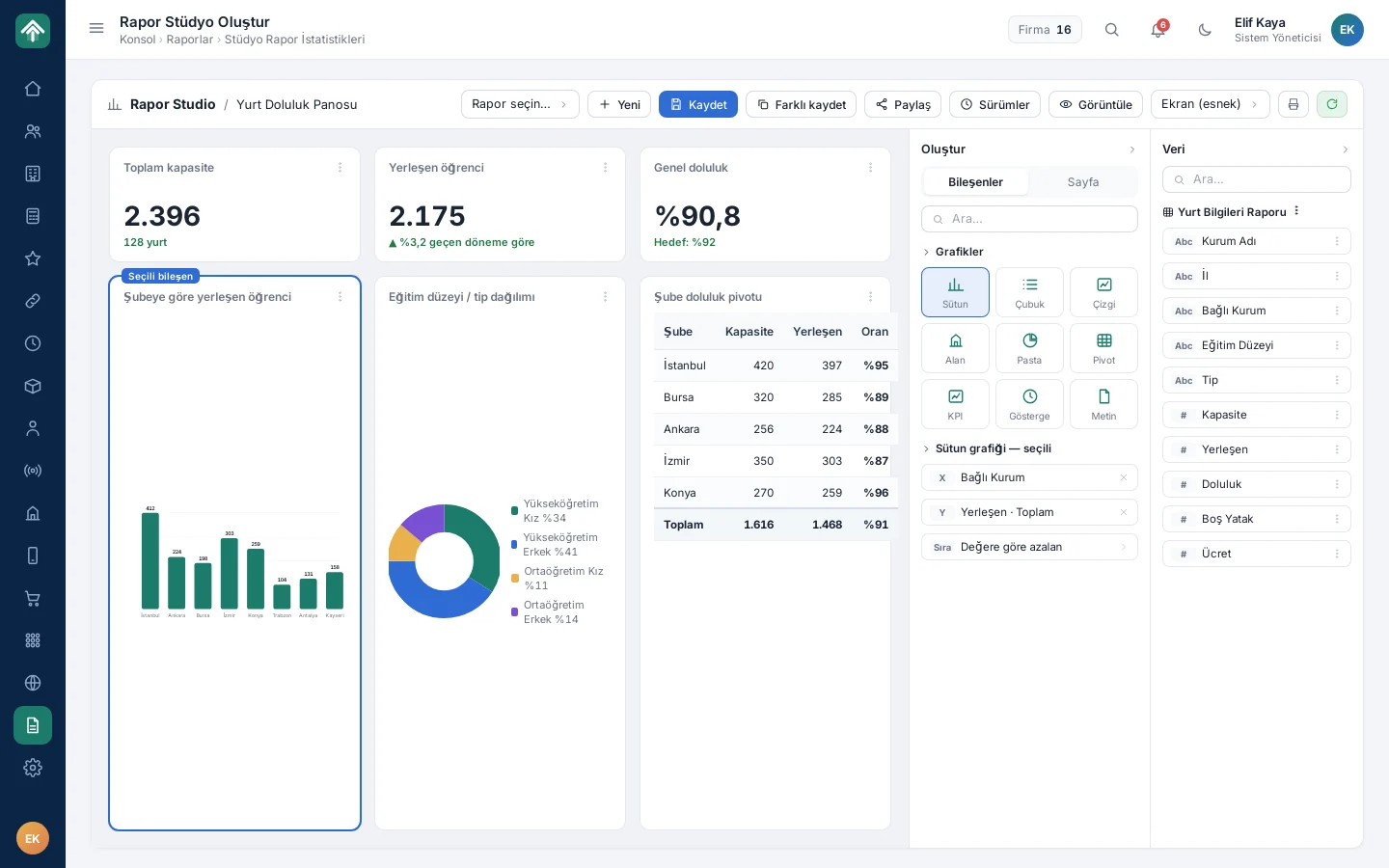
Once these two backbones were in place, the accounting, scholarship, human resources, process management and communication modules were added on top of them in turn. Every part of the question from the meeting is now answered from the same source: the dormitory capacity and placement report gives each dormitory's occupancy rate with a term-over-term comparison; student installments and scholarship payments are tracked tied to the same person record; the staffing norm report shows the gap by comparing the number of staff each unit should have with the current number. Cash, bank, customer account and installment records are also transferred two-way with the commercial accounting software. The dormitory report can be filtered by branch, province, education level and dormitory type, and terms can be compared with each other. As the project grew with the organization, needs such as staffing norm planning, evaluation forms, tracking of sacrificial animal (kurban) shares, dormitory internet access, the library and the alumni portal were also added on top of the same backbone.
The benefit of a single person record was seen most in money and communication flows. The scholarship flow runs on the same person record from request to approval and from payment creation to the payment list; before a payment list is created, IBAN details are checked, and cancellation and withdrawal requests are approved in separate queues. The duplicate finder also works in the donor list. In bulk SMS sending, even when recipients are selected by group, person or Excel list, a single message goes to the same number. On the human resources side, leave, timesheet, payroll and staff pay transactions also run tied to the same staff record. On the accounting screen, account movements are followed by date, account and institution; in the bottom bar, the cash, advance and bank status is visible instantly.
The same report, each person's own scope
A single source carried a risk: not everyone should see everything. Different permissions and visibility were needed at the head office, region, branch, dormitory and unit levels. A branch manager should see only their own branch, a regional coordinator several branches, and head office everything.
We split authorization into two layers. The role determines which page can be entered; the scope assigned to the user determines which institutions are visible on that page. This way there is no need to write a separate report for each level: the same report shows only the relevant branches and dormitories according to the scope of the person who opens it. The position hierarchy is part of the same structure: the organization chart is built from position definitions, can be reordered by dragging and can be exported as an image.
What we learned in the field
- Backbone first, modules second. Every module added before the person and institution structure was settled would have carried the mess over to a new screen.
- A role is a relationship, not a list. Keeping a scholarship recipient not as a separate person but as one of a person's roles made the history that runs from student days to graduation traceable on a single card.
- Turn cleanup into a tool. Duplicate detection and merging did not remain a one-off data migration chore.
- Separate authorization into role and scope. The same report screen serves every level, from head office to the dormitory.
If a simple question like “How many students do we have?” does not have a single answer, the problem is not in the report but in the backbone of the data.
How many answers does the same question get in your organization?
If you operate with several branches, facilities or units and keep the same person in different lists, we can plan together how to bring your data onto a single backbone. You can examine the modules on the netYurt project page and write to us from our contact page.
About the author
Selin Kaya
Digital Content Specialist
As a digital content specialist at Karatsoft, she prepares the blog articles. She explains in plain language what the products and projects are for and how they are used.



Comments
0No comments yet. Be the first to comment!
Leave a Comment
Feel free to share your thoughts and feedback with us.