


 Evion EV Charge
Towards midnight, one connector of a two-connector charger in a shopping mall car park develops a fault. No driver has called and no complaint has come in; but on the map in the admin panel, that charger's color has already changed. The operator on shift selects the charger and disables the faulty connector; the other connector keeps on charging. The next morning, the field team sets out knowing what the problem is.
That this scene is possible in Evion EV Charge rests on a decision we made at the very start of the project: to tie the charger fleet not to the manufacturer's software but to a common protocol.
The project in brief
Evion EV Charge is an end-to-end platform we developed to operate electric vehicle charging stations from a single hub. The chargers in the field, the admin panel the operations team uses from the browser and the drivers' Android and iOS app all connect to the same central server. Pricing, customer records, collection, EPDK (Energy Market Regulatory Authority) notifications, GİB (Turkish Revenue Administration) charging unit registration and invoice requests run centrally and automatically. Thanks to the multi-tenant architecture, partner operators such as shopping malls, hotels or public institutions see only their own locations.
One question at procurement: does the charger support OCPP?
The operator building the charging network wanted to manage a fleet made up of different brands from a single screen, without being locked into the charger manufacturers' own management software. In the field, older chargers speaking OCPP 1.6 and newer ones speaking OCPP 2.0.1 coexisted. The two versions differ in their message structures, security models and notion of a transaction; the driver and the operations team, however, should never see this difference.
We abstracted the difference in the server layer. On the map, in the tariff structure and in the transaction list, every brand and version looks the same. What this gives the operator is strategic: in choosing chargers, the only verifiable question becomes “does the charger support OCPP 1.6 or 2.0.1?”, and the network can be renewed in stages without replacing the whole fleet at once. A new charger is defined in the central system, its connectors are entered, its tariff is applied and it is put into service.
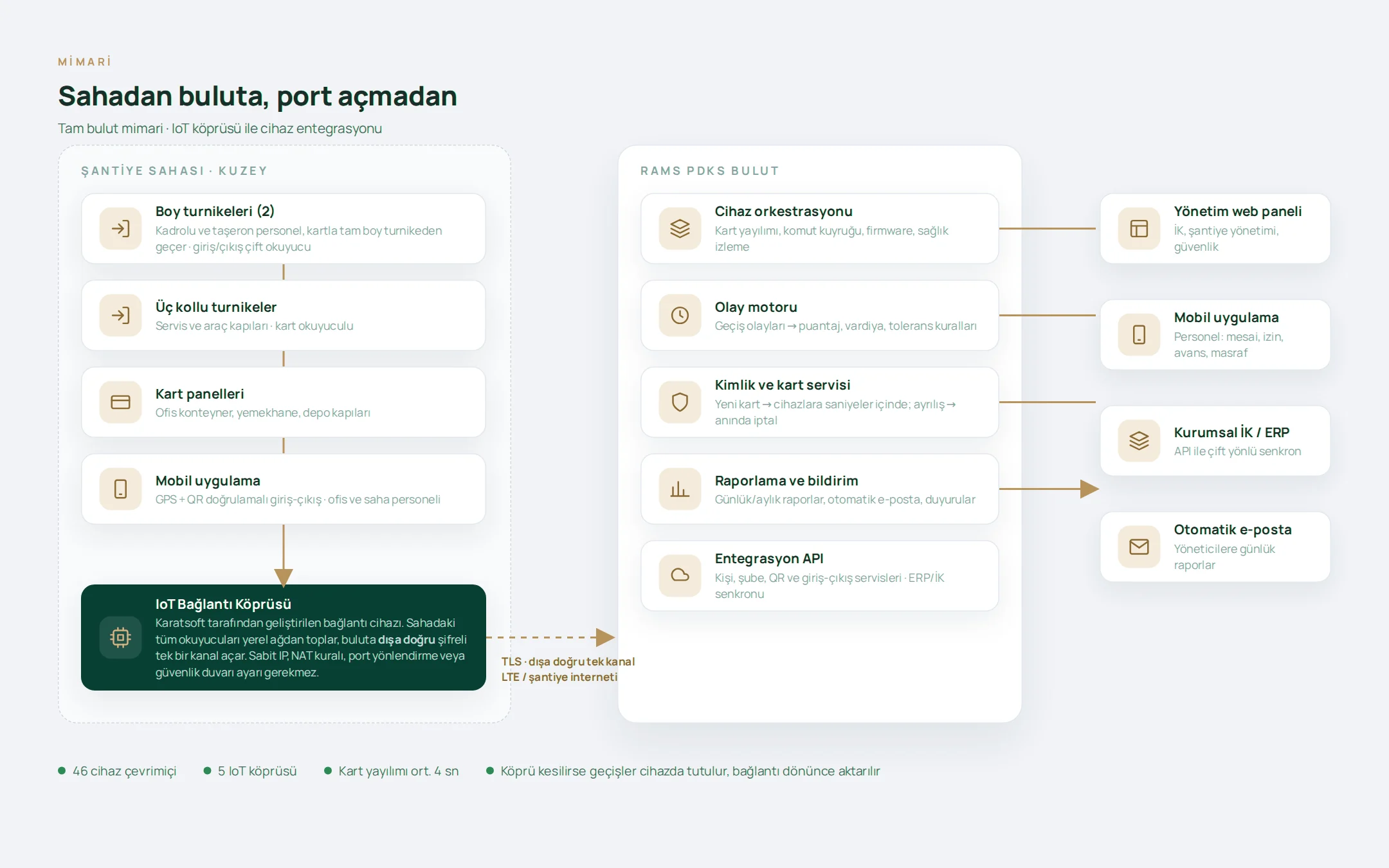
The second critical decision was where decisions would be made. The charger only passes on the information “this identity wants to connect to this connector”; identity, wallet and reservation checks are done centrally. Because customer definitions, pricing and balance checks are not spread across the chargers, a rule change is still made in a single place as the network grows.
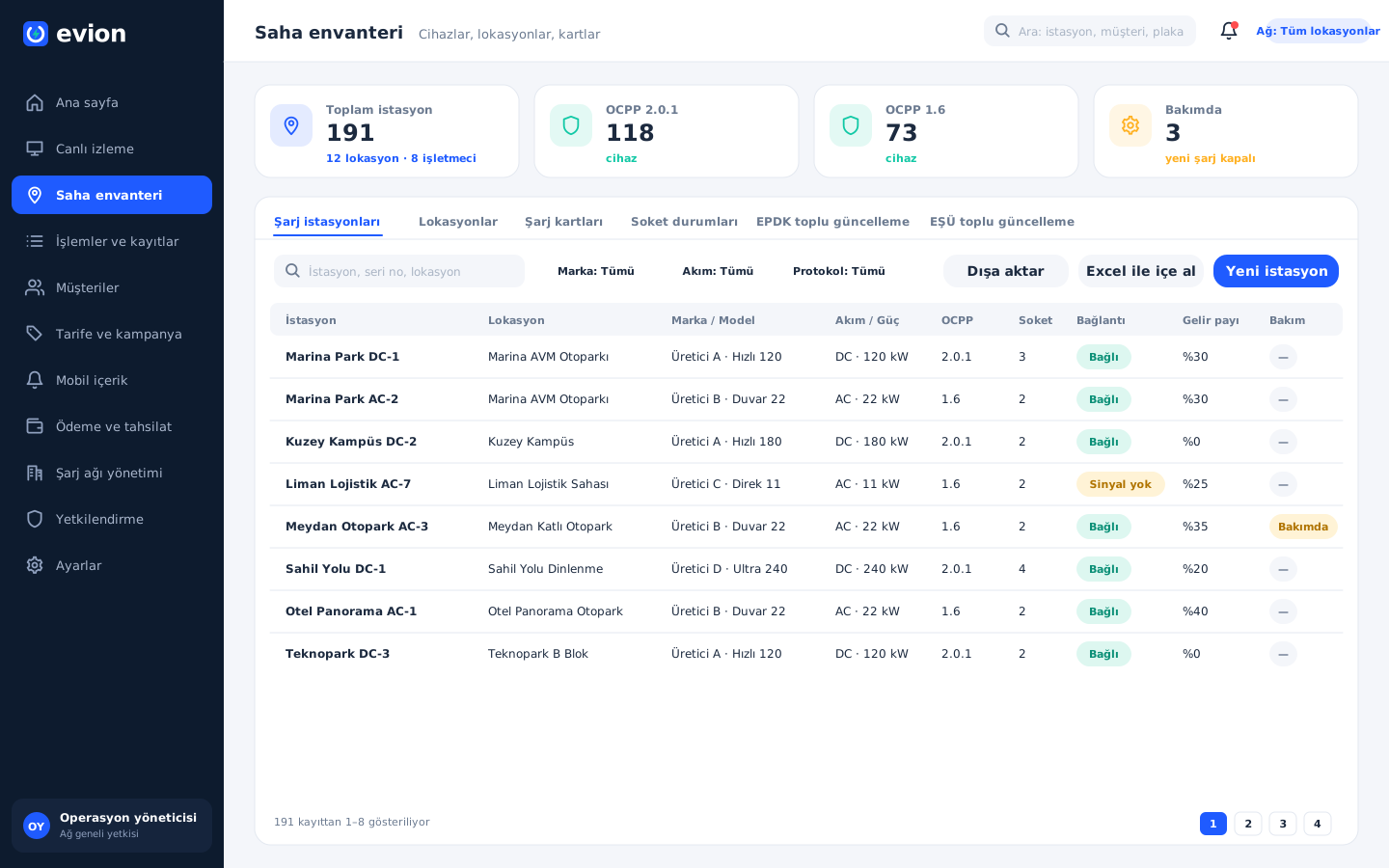
The field inventory is the everyday face of this approach. Each charger's brand, model, current type, power, serial number, EPDK numbers, installation number, revenue share and maintenance status sit in a single record; chargers can be imported in bulk with an Excel template. When a location is linked to a partner operator, all the chargers at that address automatically fall within the operator's scope, with no need for individual assignment. The connector status screen, in turn, gathers all connectors in a single list with their current status, last meter reading, live power, short code, QR code and EPDK connector number; starting and stopping a charge or enabling and disabling a connector is possible from here as well.
Seeing the fault before the complaint
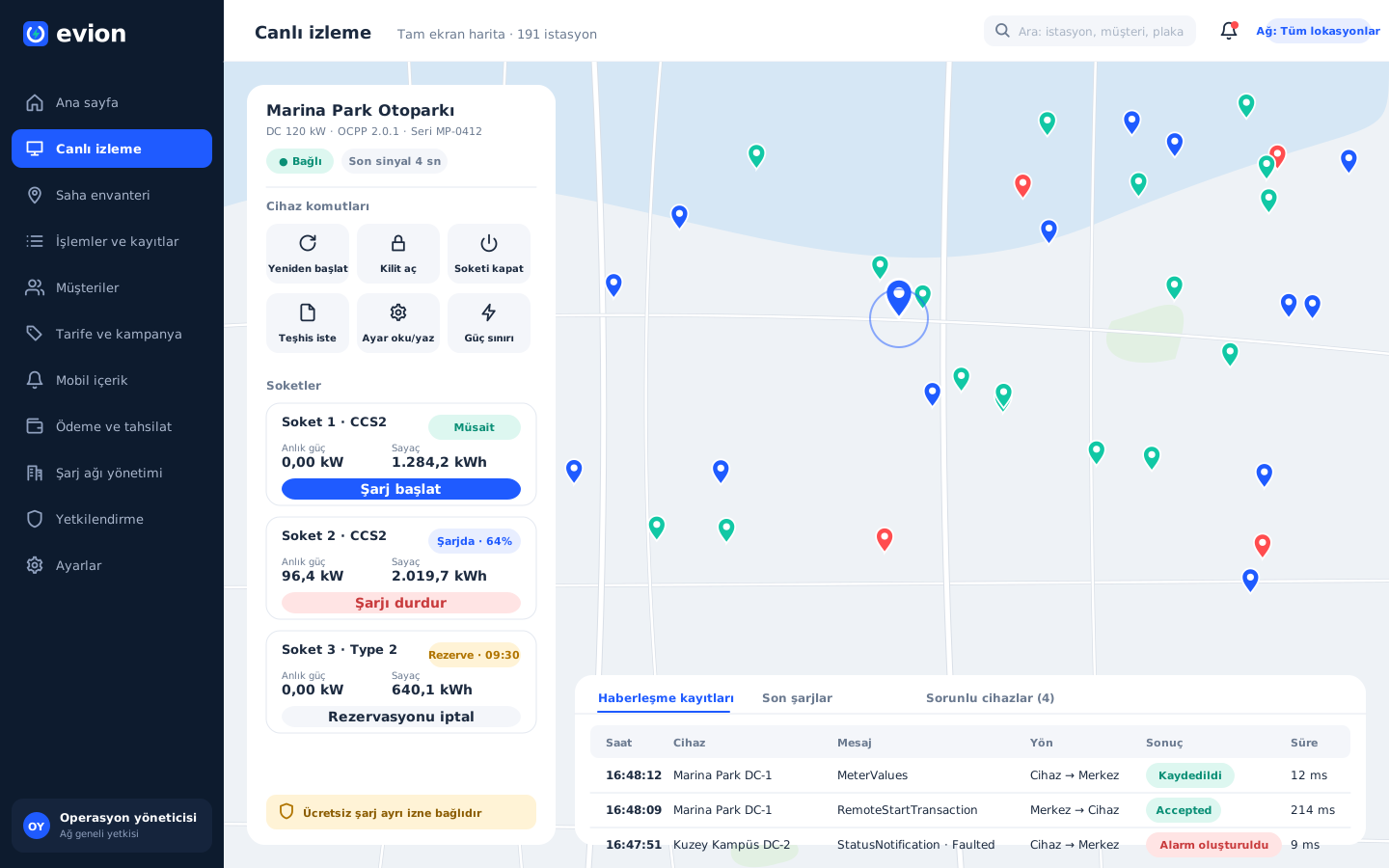
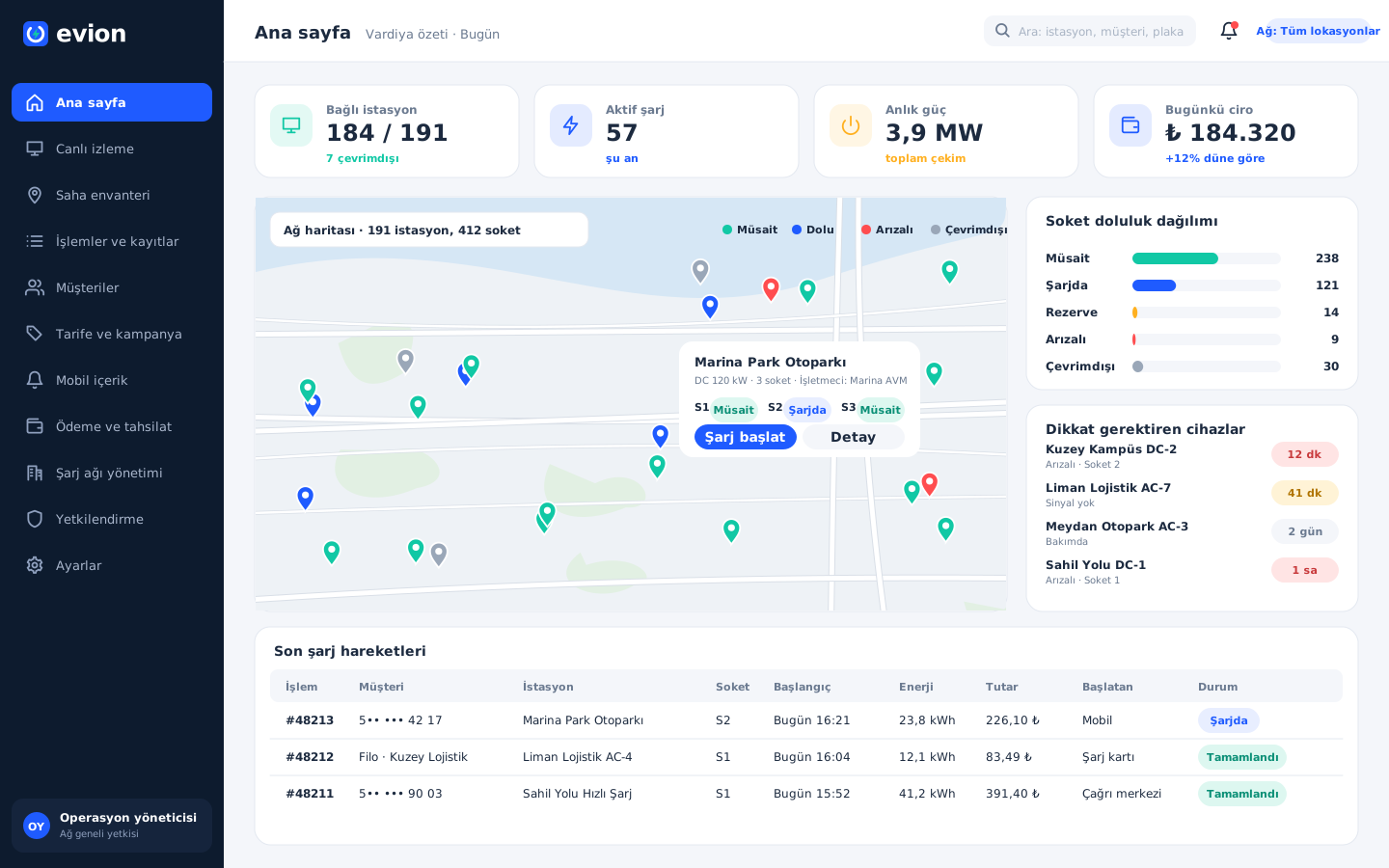
Chargers report their own status changes and send a regular connection signal. Chargers that report a fault or have not sent a signal for a long time are collected in a separate list, and their color on the map changes instantly. The home page opened at the start of a shift shows the number of connected and disconnected chargers, the connector occupancy distribution, the live power and the chargers that need attention on a single screen.
On the live monitoring screen, the selected charger's connection status, connectors, meter and live power open in a side panel. From here the charger can be restarted, the cable lock can be released, a connector can be disabled and enabled, a power limit can be applied, settings can be read and changed, and a software update and a diagnostics file can be requested. Bulk actions can be applied to chargers at the same location; the power limit comes in handy at the hours when the facility's electrical infrastructure is under strain. Every command sent, the charger's response and the result are on record; if the charger is not connected, the command options are disabled anyway. The logs are also separated for the support team: the events chargers report to the central system are kept in chronological order, while the commands going from the central system to the charger are kept on separate screens, with what was sent, what the charger replied and what the result was.
Site visits only when needed
Situations that cannot be resolved remotely are left to the field: physical damage, part replacement, an installation problem or a charger that never connects. The team knows the nature of the problem before setting out; the diagnostics file obtained from the charger is used in the conversation with the manufacturer's service. In planned maintenance, the charger is put into maintenance status, and during this time no new charge can be started from either the panel or the mobile app.
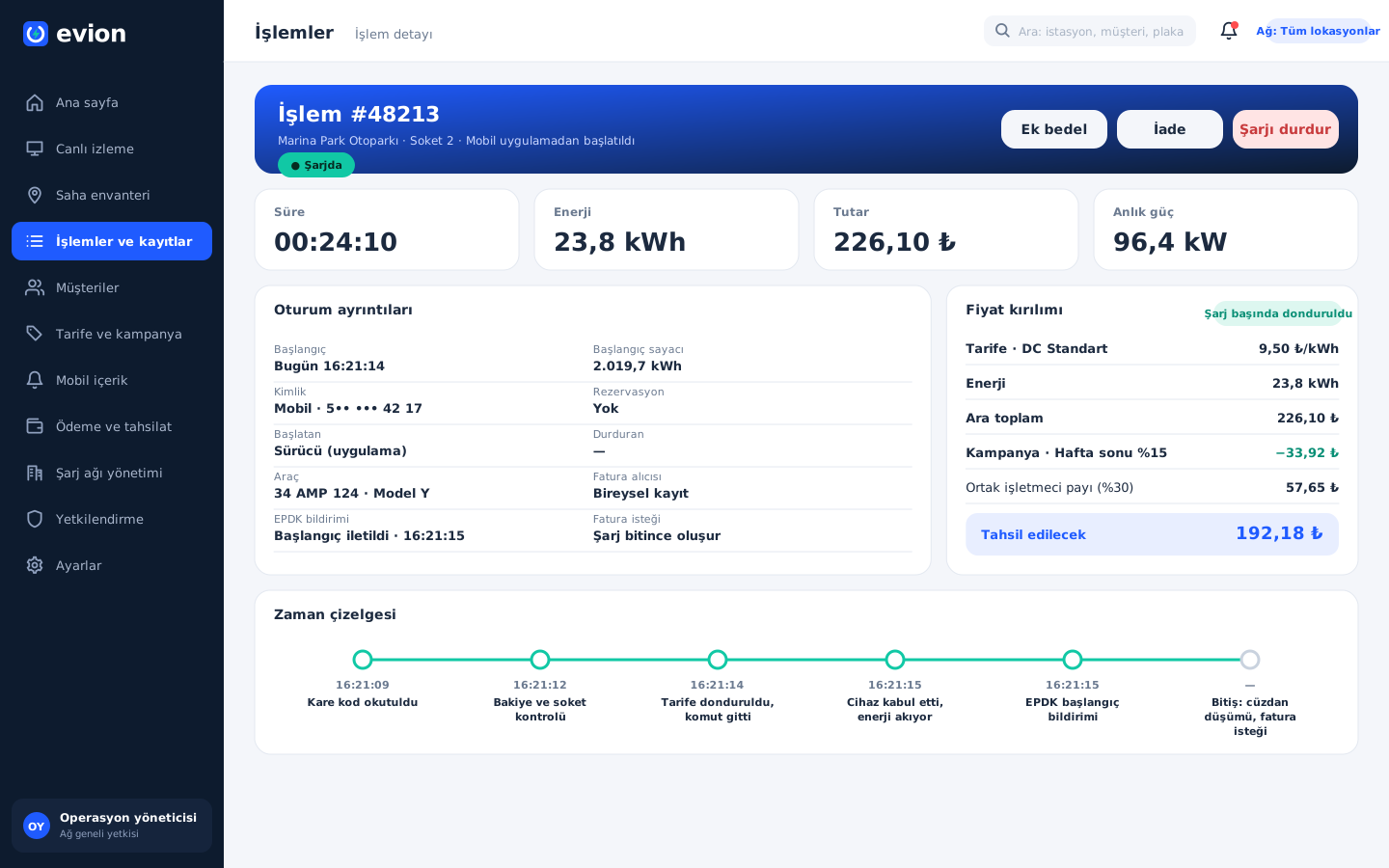
On the driver's side, the same central system is at work. For a driver whose phone has switched off or who cannot scan the QR code, the call center selects the connector on the map and the customer's card and starts the charge on their behalf. Who started the charge, who stopped it and whether it was free are written to the audit log.
What we learned in the field
- A protocol is a procurement strategy. Brand independence gave the operator back its freedom in choosing chargers and the flexibility to renew the network in stages.
- Decisions should stay central. The charger reports, the central system decides; a rule change does not have to be spread across the field.
- Manage faults at the connector level. A fault in one connector should not take the whole charger out of service.
- Keep a record of every command. The suspicion that “the charger did not carry out the command” is settled by looking at the command logs.
In a charging network, every unnecessary site visit means both time and cost. A structure that leaves site visits to physical problems does not require the team to grow at the same pace as the network.
Whose software is your network tied to?
If you manage your charging network with the panels of several manufacturers, learn about faults from driver complaints, or send a vehicle out to the field for every problem, we can evaluate together a structure operated from a single hub. You can see the platform's other components on the Evion EV Charge project page and reach us from our contact page.
About the author
Zeynep Çelik
Digital Content Specialist
She is part of Karatsoft's digital content team and writes blog articles. She explains in clear language which need each project and product answers and how it works in practice.



Comments
0No comments yet. Be the first to comment!
Leave a Comment
Feel free to share your thoughts and feedback with us.