


 Bayi360
On the same morning, two sales reps in two different districts sell the same product to two different dealers. The stock in the warehouse is not enough for both, but at the moment of ordering nobody knows it. The problem only surfaces in the warehouse, during packing: one dealer will receive a short shipment, an invoice will have to be corrected, and a sales rep will have to explain.
Bayi360's rule engine was born as the answer to exactly this moment: making sure that every order placed in the field stays the same in the warehouse and on the invoice.
The project in brief
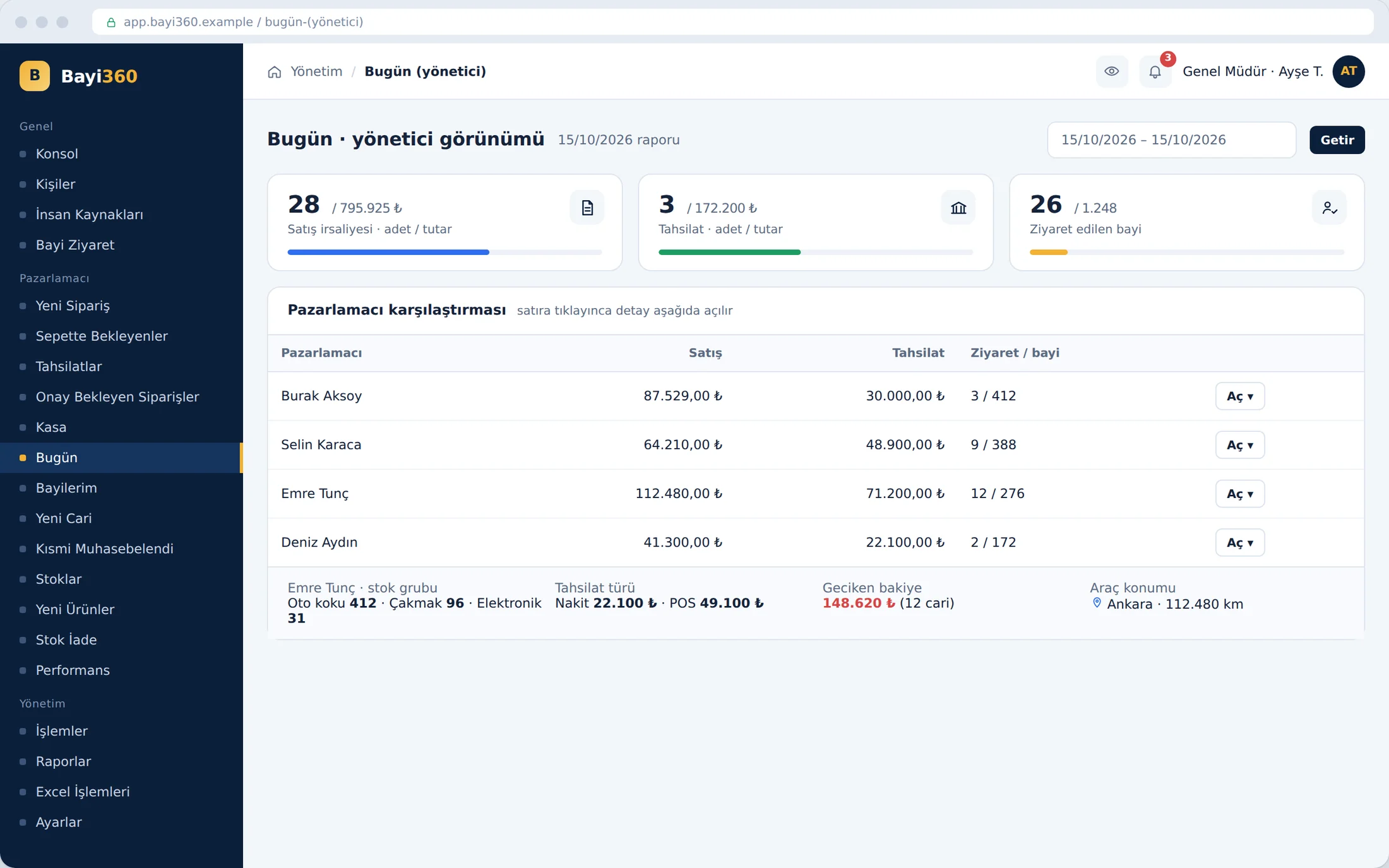
Bayi360 is a B2B field sales platform, fully integrated with the ERP, that we developed for a distributor supplying fast-moving consumer goods to hundreds of retail outlets across Turkey. Orders, collections, warehouse, logistics, promotions, returns and bank reconciliation are managed in an operations layer built on top of the ERP without modifying it. Sales reps, accounting, the warehouse and dealers see the same data within their own authorization limits. This article describes the rules that run behind the order screen.
Sellable quantity: stock minus everyone else's carts
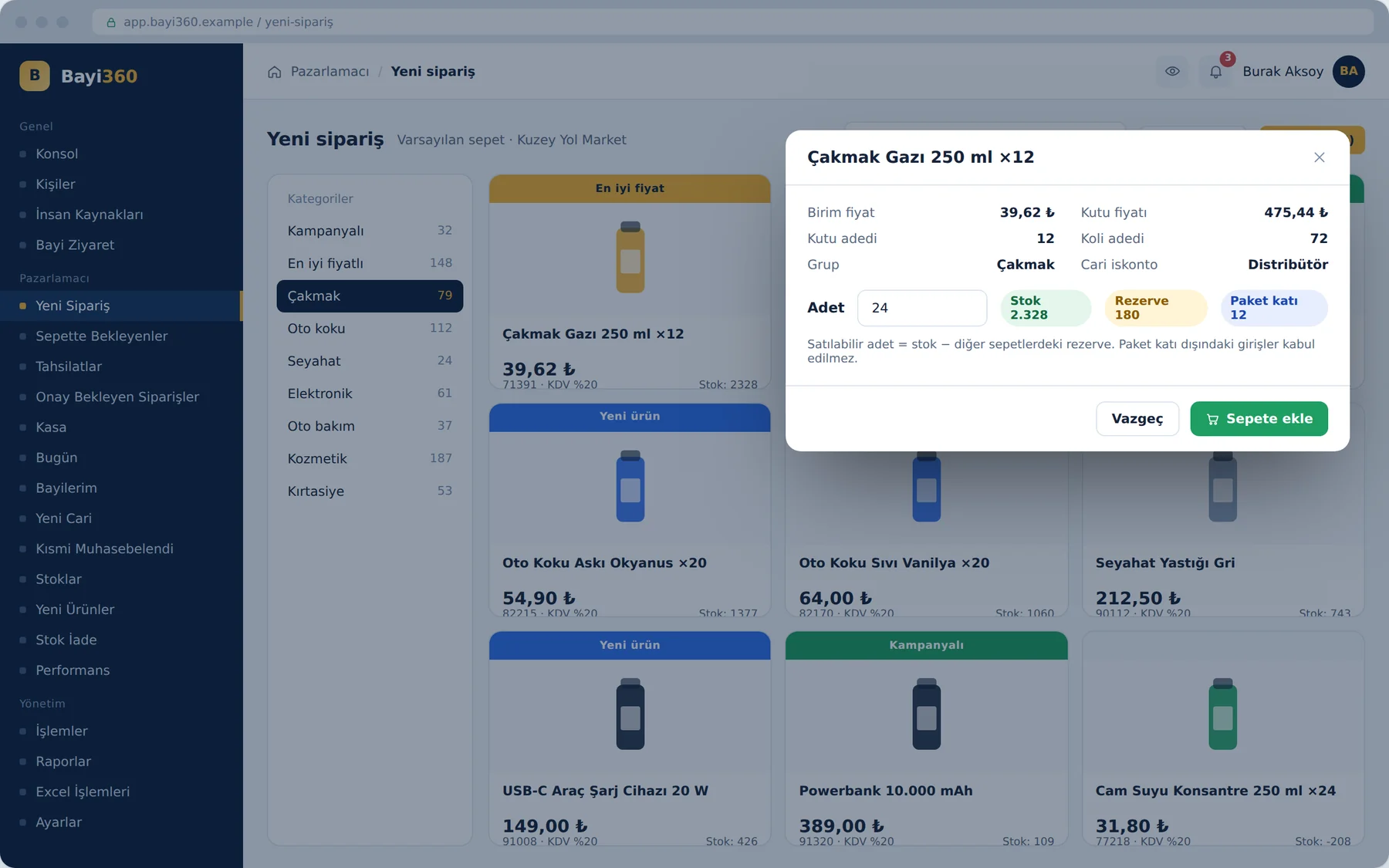
In the old setup, a sales rep could see only the stock quantity in the warehouse. Yet products waiting in other sales reps' and dealers' carts at that moment were claiming a share of the same stock. In Bayi360, a sales rep who opens a product's details sees stock, reserved quantity and pack multiple side by side. The sellable quantity is calculated by deducting the quantities in all other carts from the stock; if the demand exceeds this limit, the system stops the sale with an “insufficient product quantity” warning. This prevents two sales reps from selling the same product at the same time.
Pack multiples are checked per product at the same time. For a product packed in tens, an entry of fifteen units is rejected; only pack multiples are accepted. If the rule is somehow skipped on the ERP side, a second gate kicks in: before the order goes to logistics it is rounded up to the next multiple, and the change is logged with the old and new quantities. Orders whose quantity changes during integration are also reported to the sales rep in a report that goes out every evening.
Which products appear on the order screen is also governed by a rule. For a product to be open for sale in the field, it must have been activated in the admin panel and have a stock balance in the accounting records; a product with zero stock does not show up in the list even if it is active. Ready-made product bundles can also be defined for specific customer groups: when a sales rep taps the bundle's image, its contents are transferred to the cart in one go. For large lists there is bulk cart upload with an Excel template; the same product list can be assigned to several customer accounts at once.
Dealer-specific prices and six-level chained discounts
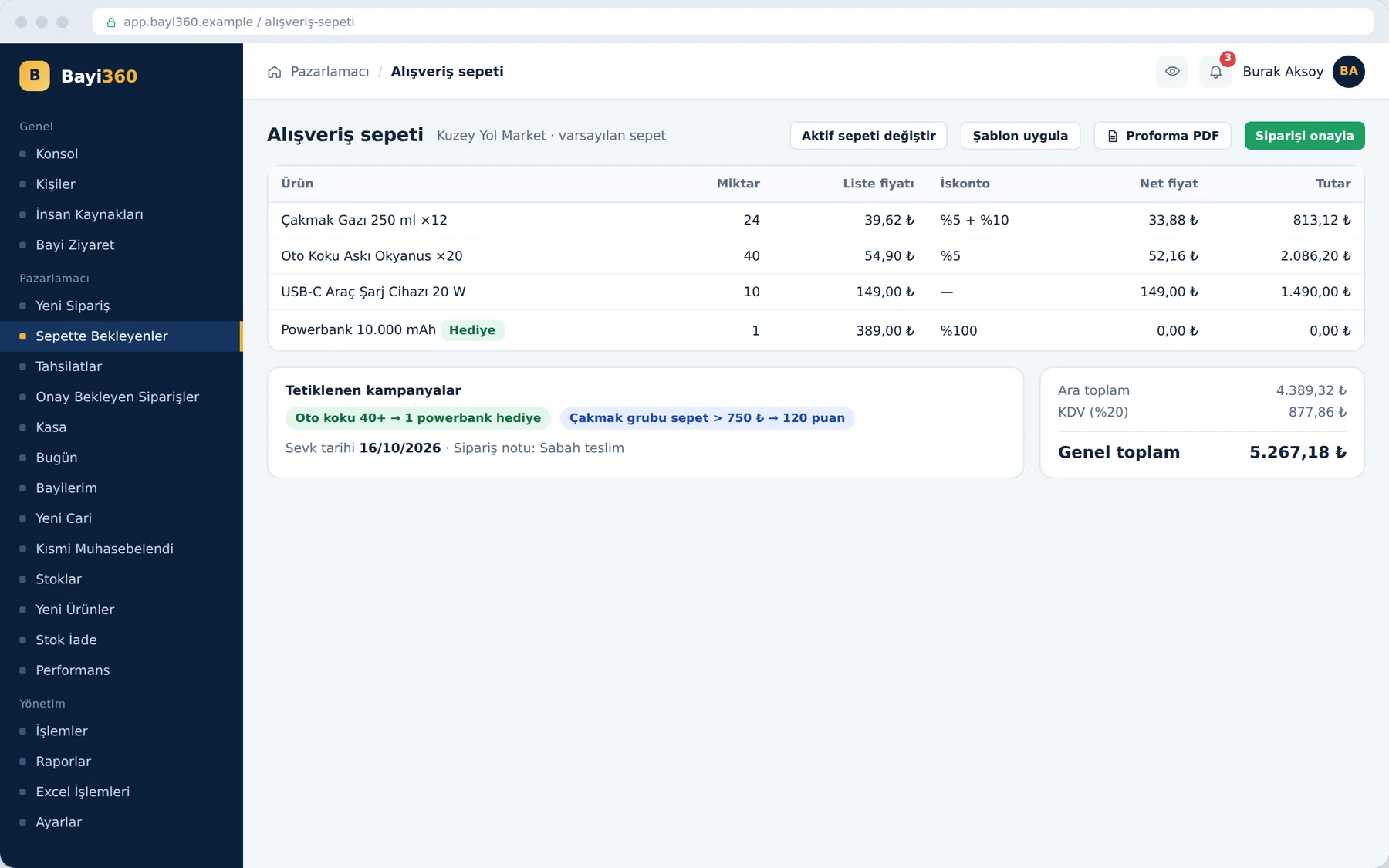
Price lists differed from dealer to dealer, and this difference had to be calculated flawlessly in the field. The moment a sales rep selects a customer account, the list prices on the product cards are struck through and the net price defined for that dealer replaces them. Discounts can be defined on individual stock items, through the discount definition hierarchy, or on stock groups, and they are applied in sequence up to six levels: for example, first 5%, then 10%, then 25%. The type of a discount definition cannot be changed after it is saved; deactivating a rule that is no longer used, rather than deleting it, preserves the traceability of past pricing. When the statutory VAT rate changes, pending orders can be recalculated in bulk according to the current definition on the stock card.
Before anything is posted to accounting, the cart gives the financial summary of the transaction. The chained discounts, the promotions that were triggered and the grand total including VAT are sent to the dealer as a pro forma; once approved, the pro forma becomes an order. For an urgent order a second cart can be opened, the current cart can be set to inactive and resumed later where it left off, and templates prepared by managers are applied with a single click.
Promotion engine: the shipment must keep the promise
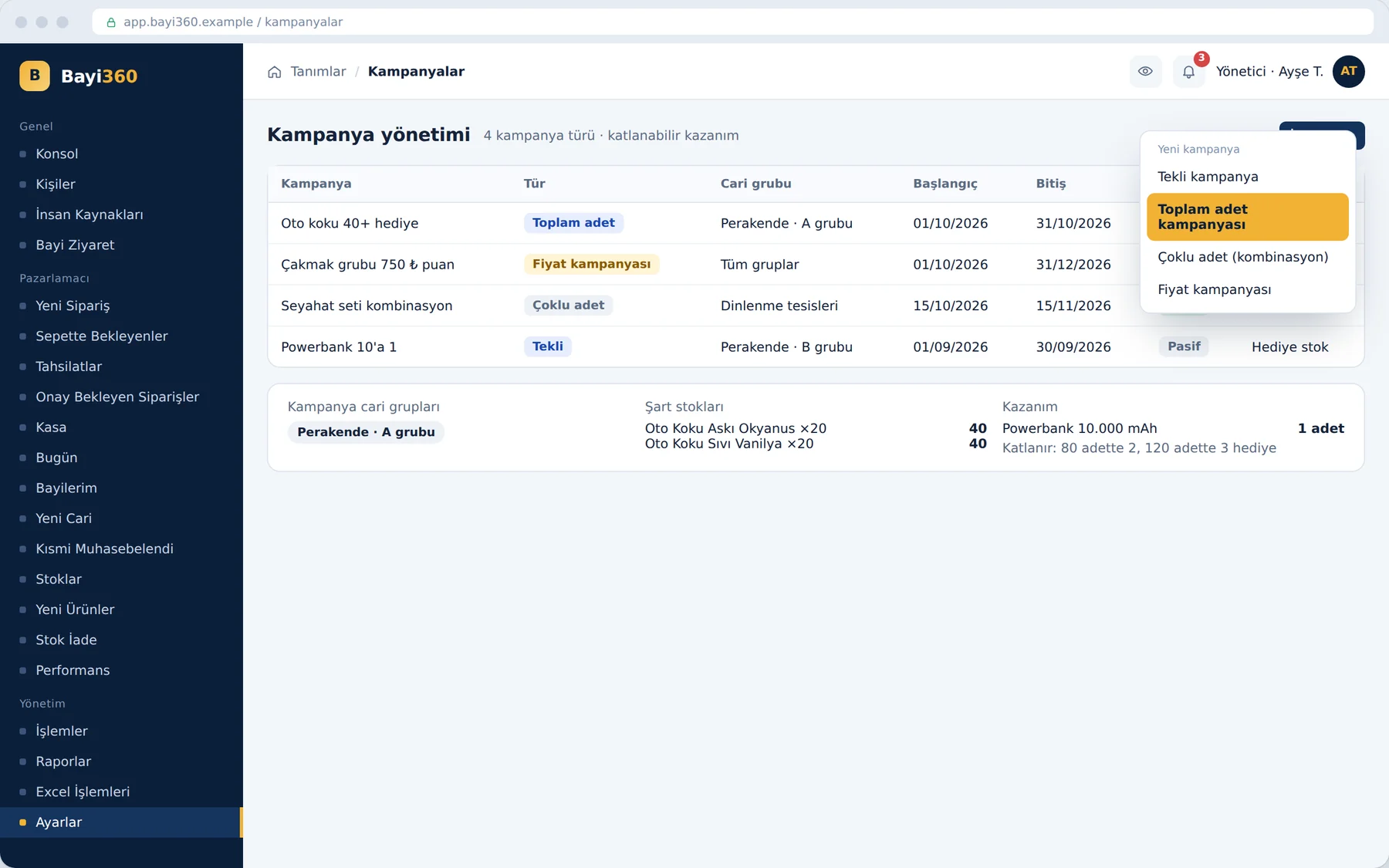
The promotion engine we brought live in the third phase recognizes four promotion types: a single-item promotion that triggers when a given stock item reaches a target quantity; a total-quantity promotion that looks at the sum of several stock items; a multi-quantity promotion that requires mandatory quantities of different products; and a price promotion that kicks in when the cart amount in a stock group exceeds a threshold. The reward can be a gift product, a discount rate or points.
Rewards multiply: in a promotion that gives one gift for every ten units, two gifts are added automatically to the cart of a dealer who buys twenty units. In combination promotions the weakest link decides: the reward is calculated with the multiplier of whichever product in the conditions lands on the lowest multiple. Points and gift quantities grow with the purchase multiple, while the discount rate stays fixed. When a parent customer group is added to a promotion, adding its sub-groups separately is blocked; this way no duplication arises in the definition.
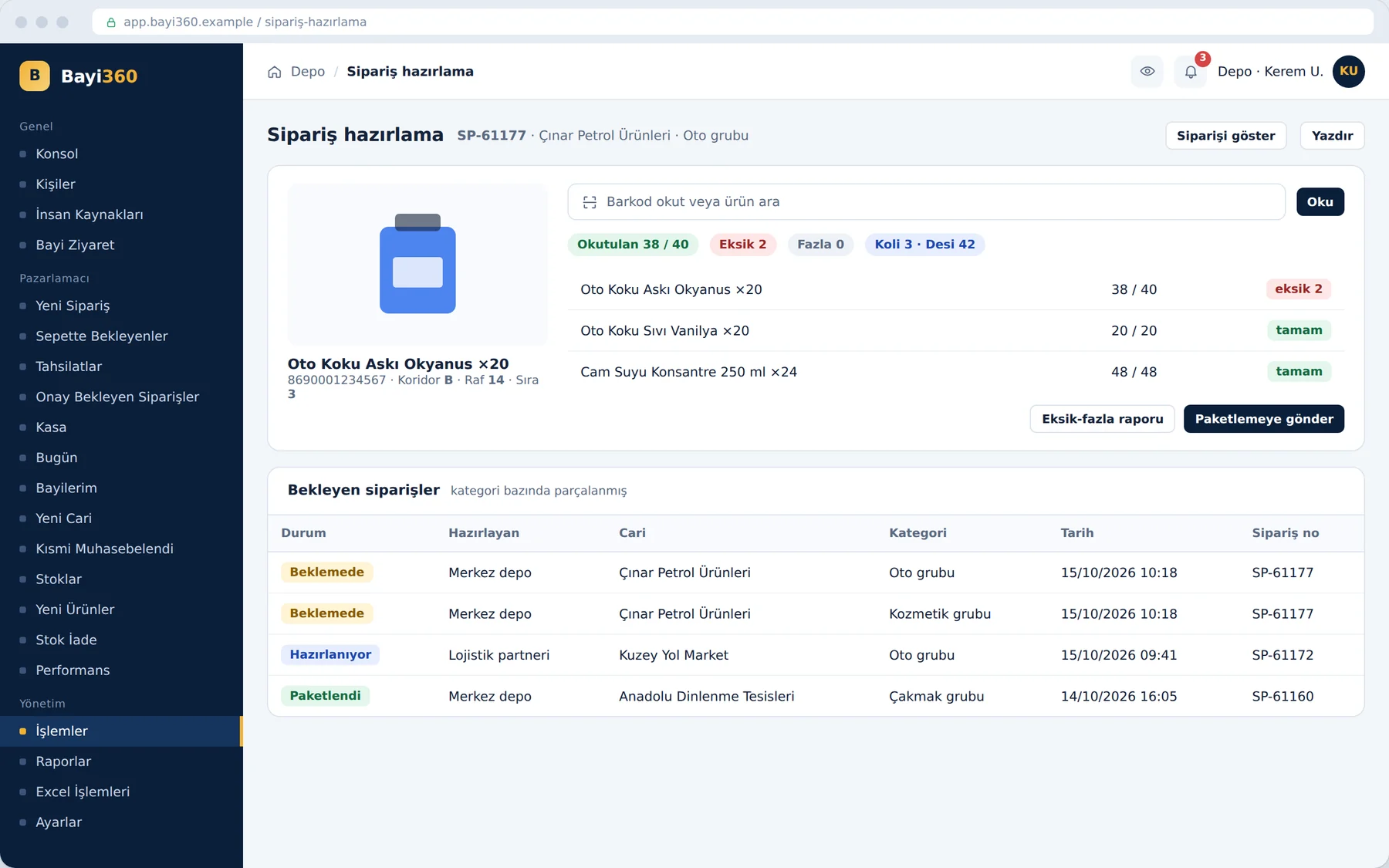
The hard part was shipment, because what is promised at the moment of ordering and what physically leaves the warehouse are not always the same. That is why promotions are re-validated during packing: a gift product waits in “paid” status until the conditions are met and turns “free” once they are satisfied. If a product that comes up short at packing pushes the quantity below the promotion's lower limit, the system cancels the reward at the waybill stage or recalculates the amounts according to the current quantities. As a result, the invoice and the physical dispatch match exactly.
What we learned in the field
- Take the rule to the field. When pack multiples and reserved stock were checked at head office, the error was caught at shipment; when they are checked at the moment of ordering, it never occurs.
- Give the rule a second gate. A pack rule that is skipped on the ERP side is caught and recorded before it goes to logistics.
- Validate the promise and the shipment separately. Because a promotion is calculated at the order and re-validated on the waybill, invoices are not corrected afterwards.
- Flexibility must not replace the rule. The second cart, the inactive cart and templates give the field speed; but all of them pass through the same rule engine.
In a B2B sales operation, the most expensive mistake is the one that nobody notices in the field but everybody notices in the warehouse. Moving the rules to the moment the order is entered closes this mistake at its source.
Where do your order rules run?
If your price lists vary by dealer, your pack rules are unknown in the field, or your promotions create surprises on the invoice, it is possible to move the rules to the moment the order is entered. You can look at Bayi360's other modules on the project page, and write to us to discuss your own setup.
About the author
Zeynep Çelik
Digital Content Specialist
She is part of Karatsoft's digital content team and writes blog articles. She explains in clear language which need each project and product answers and how it works in practice.


Comments
0No comments yet. Be the first to comment!
Leave a Comment
Feel free to share your thoughts and feedback with us.