Skip to content
Project
  • Web
  • Mobile

netYurt

Dormitory Management System

An enterprise system that brings person, accounting, scholarship, human resources and process management together in a single system for an education organisation running hundreds of student dormitories, branches and education centres.

  • ERP
  • Commercial accounting software
  • SMS
netYurt - Dormitory Management System showcase image

Project Summary

netYurt is an enterprise management system we developed for a long-established education organisation that runs hundreds of student dormitories, branches and education centres across Türkiye. From person and institution records to accounting, from scholarship and donation tracking to human resources, from process management to bulk communication, the organisation's entire operation is managed from a single system.

The system is a web-based, phone-friendly platform that runs with more than 15 main modules, hundreds of screens and tens of thousands of person records. Every list and report uses the same table framework; once users have learned one screen, they have learned the whole system. With features such as role-based authorisation, two-step verification, passwordless sign-in with Passkey and Report Studio, both the security side and the decision-support side are designed to match the scale of the organisation.

Your next transformation

Let's plan a similar transformation for your operations

Tell us what you need; we'll set out the scope, integrations and roadmap in writing in the first meetings. Built around the way you work, without touching your ERP, accounting or banking systems.

  • Written scope and roadmap
  • Integrated with your existing systems
  • Post-launch support from the same team
Explore other projects
Project details

A closer look at the netYurt screens

The main screens and their highlights: on every image we magnify the area that matters most. Tap an image for details.

Sign-in and account security

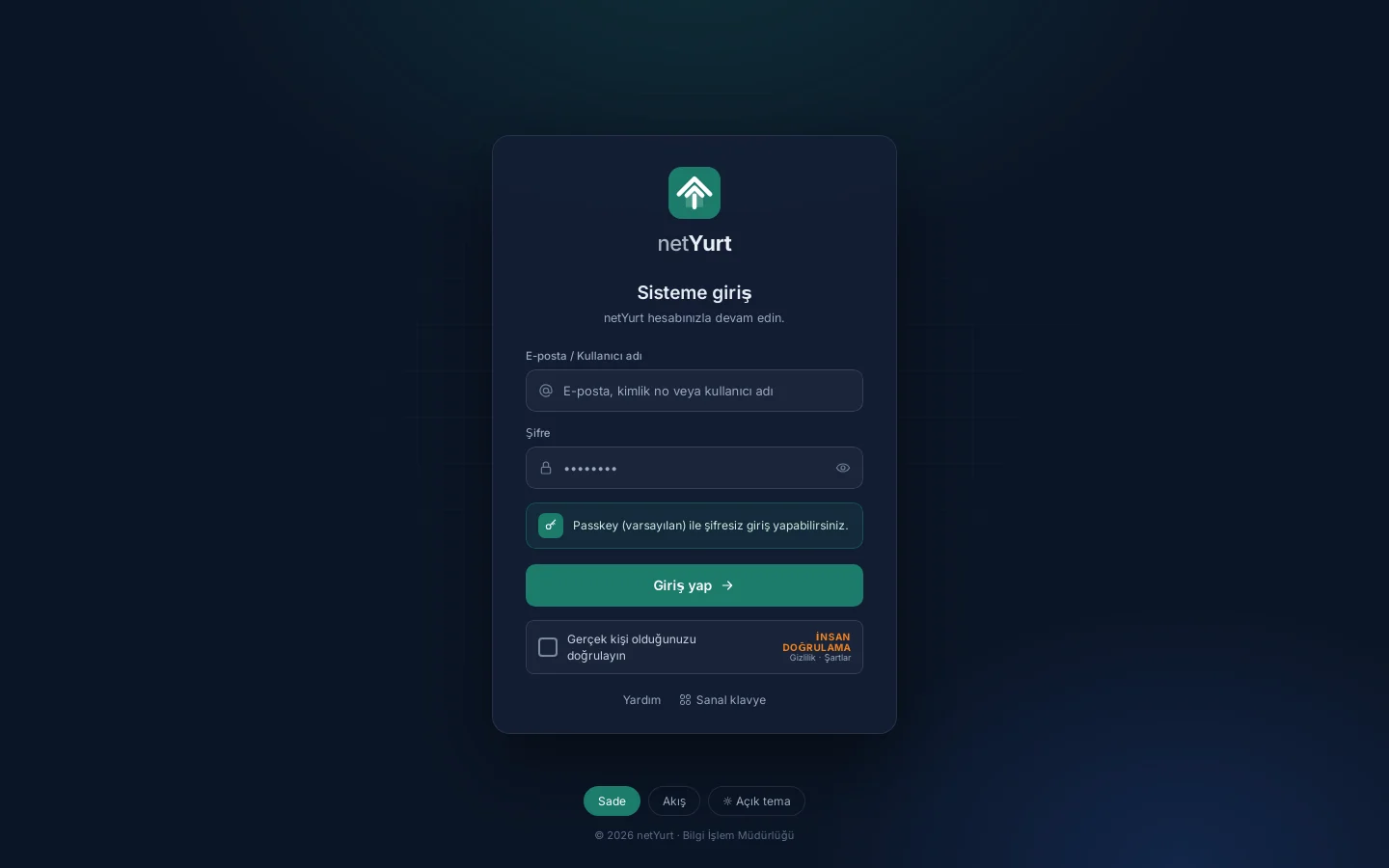
Several people use the same computer in the dormitories, so we built the new sign-in screen around that reality. Users sign in with their e-mail, ID number or username, pass human verification and, if they wish, type their password on the virtual keyboard as a safeguard against keyloggers. On an account with a Passkey, the device's own screen lock (PIN, etc.) is enough; no password is needed.

Sign-in and account security

Verification methods

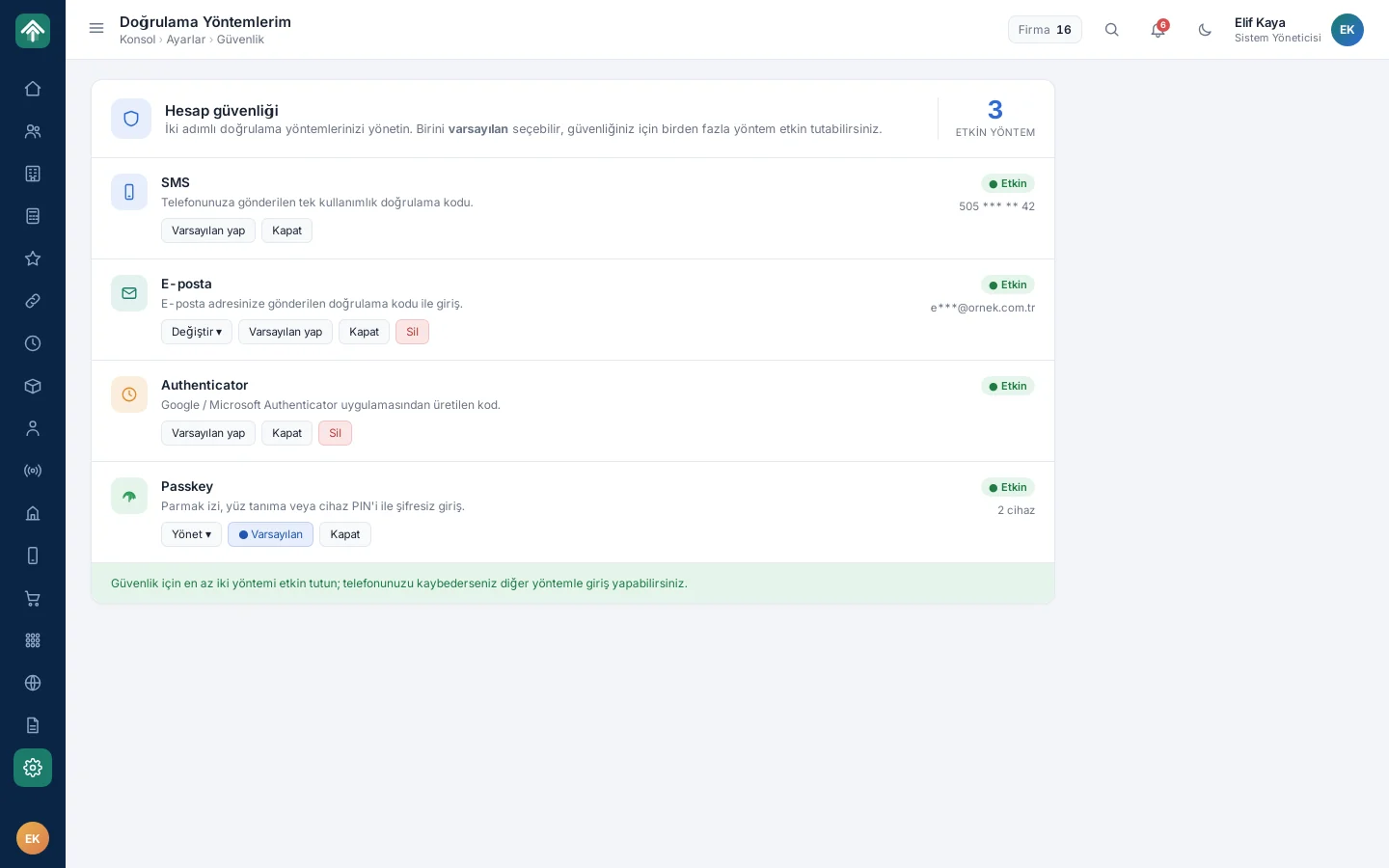
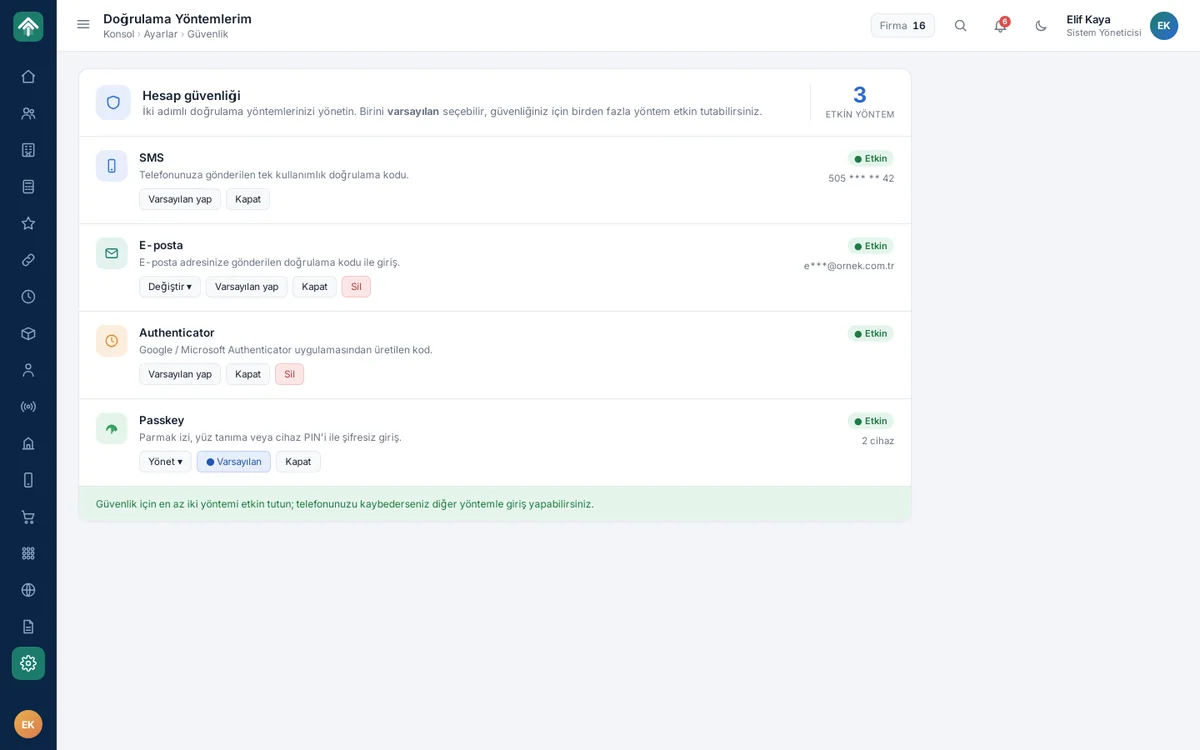
Each user manages their two-step verification methods from their own security settings: SMS, e-mail, Authenticator and Passkey. They turn each method on or off separately, or make one of them the default; the sign-in screen puts the default method first. The screen recommends keeping at least two methods enabled; when one is unavailable, the user signs in with another.

Verification methods

Console (overview)

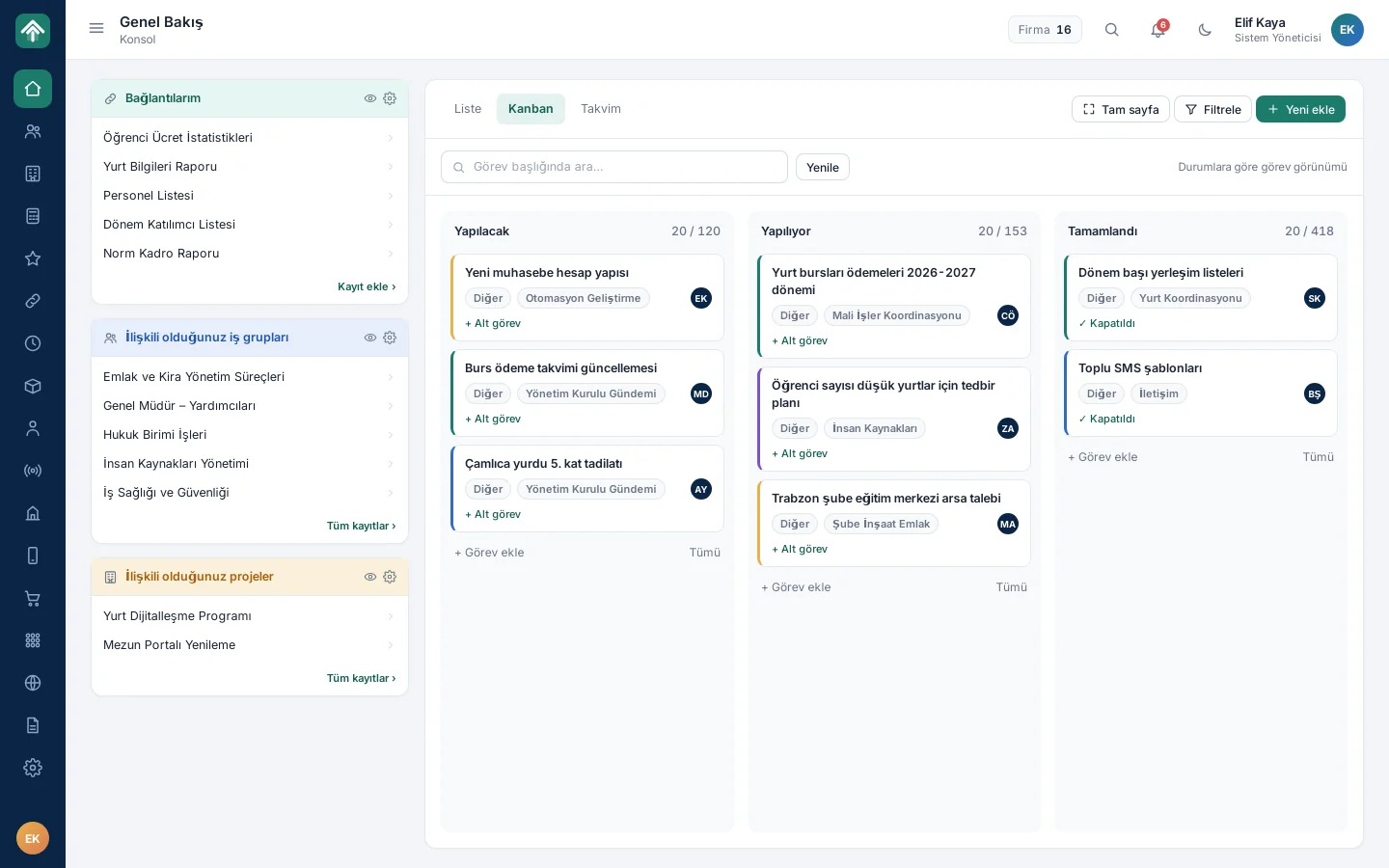
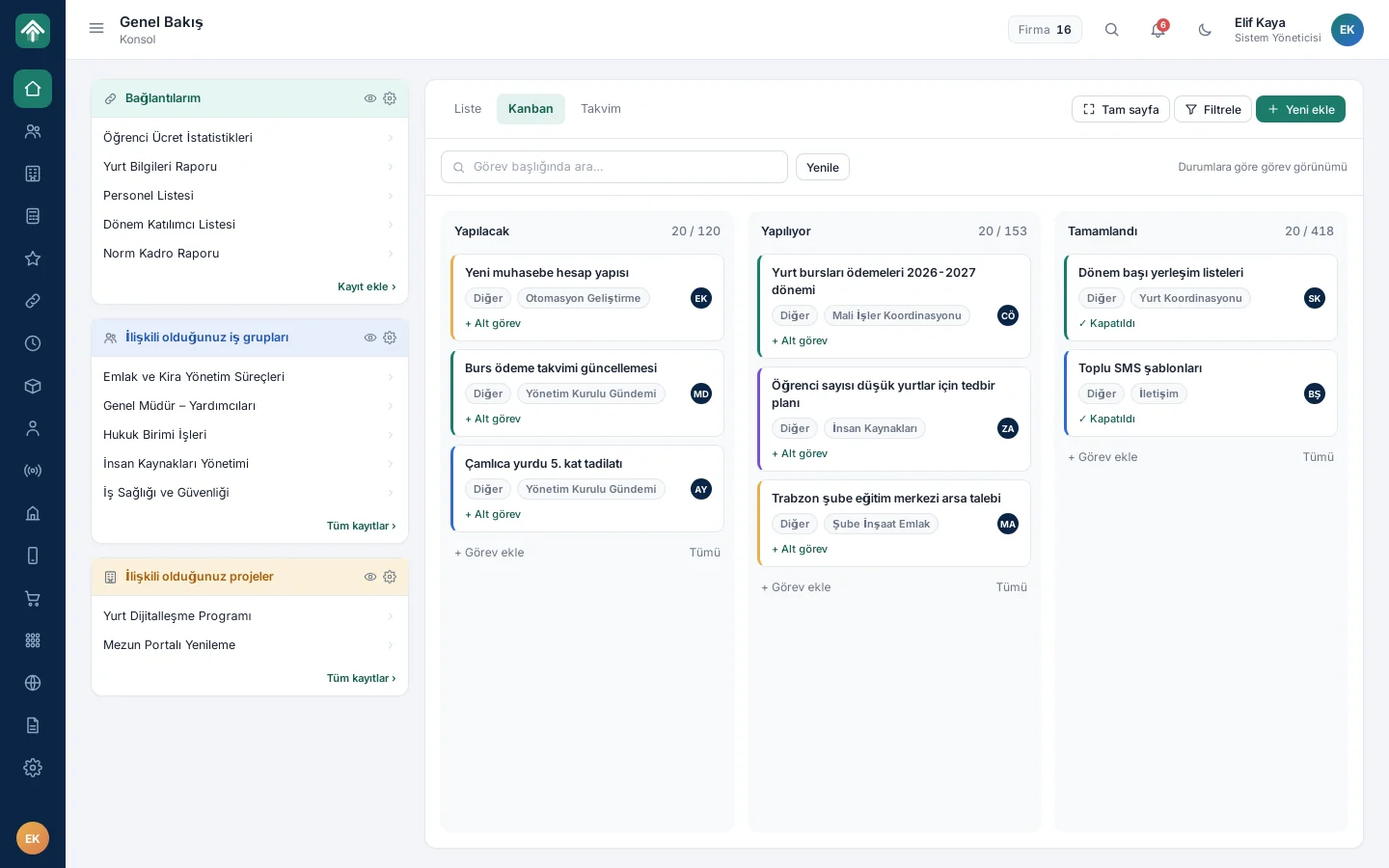
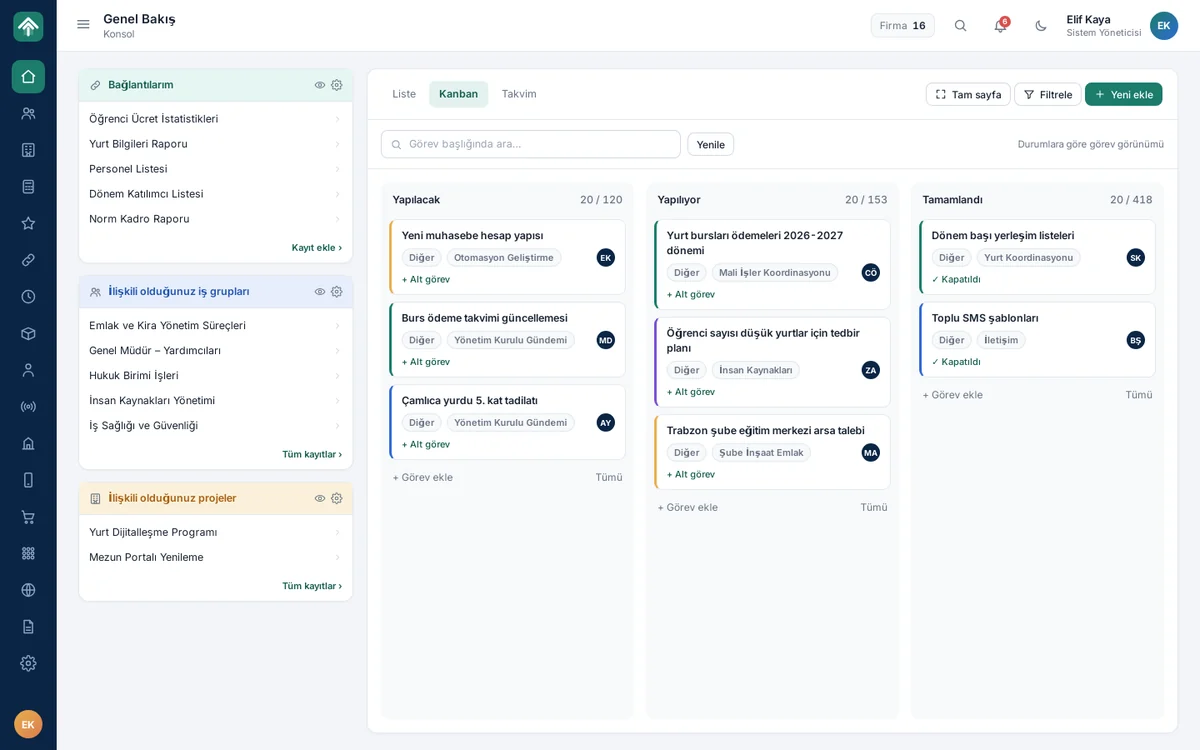
Users start the day from the console. On the left are shortcuts to the reports and lists they use most, along with the work groups and projects they are associated with; the Kanban board on the right gathers tasks in To Do, In Progress and Done columns. Adding tasks, creating subtasks and searching for tasks are on the same page too; users do not wander through menus to reach their work.
Console (overview)

Person management

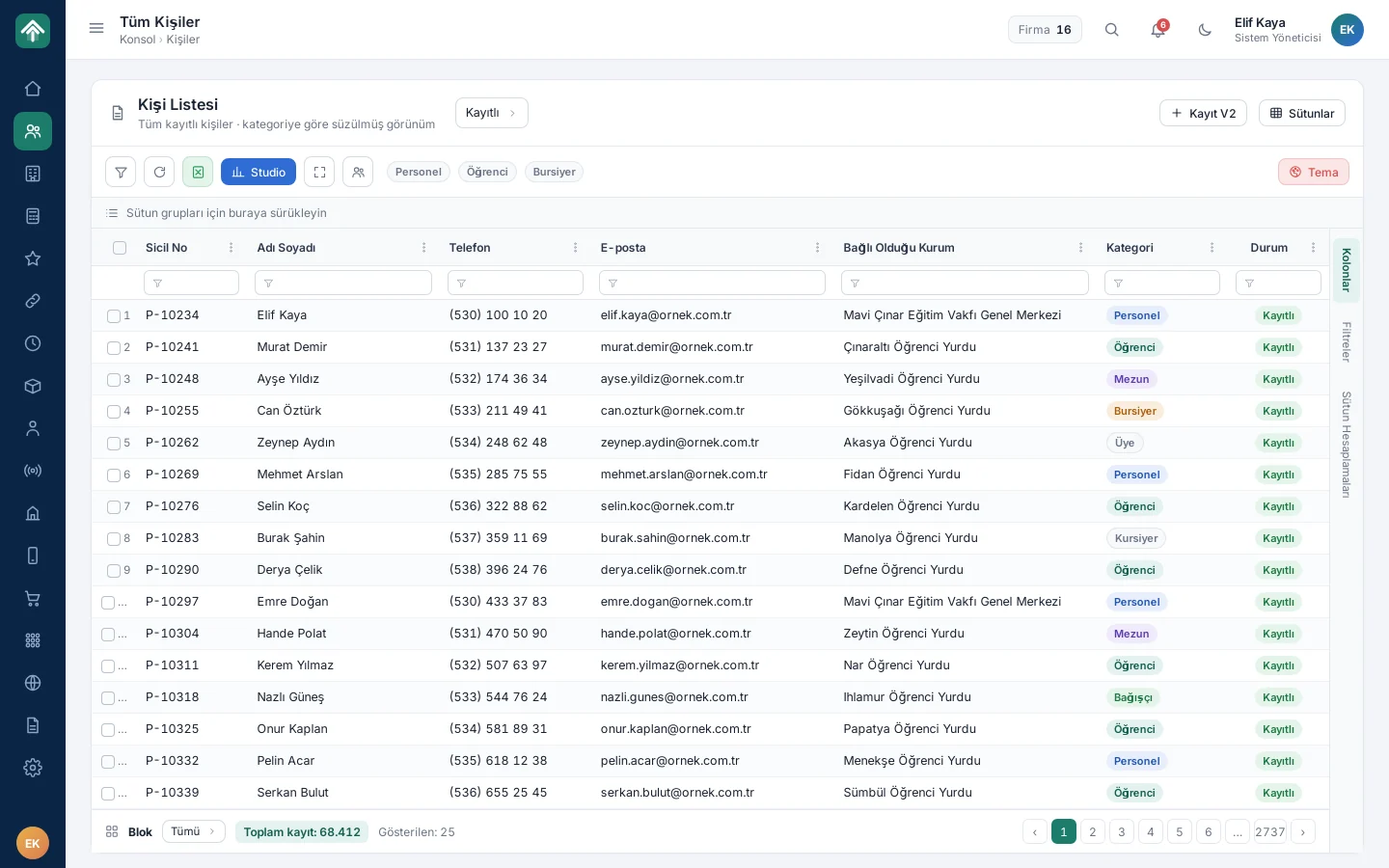
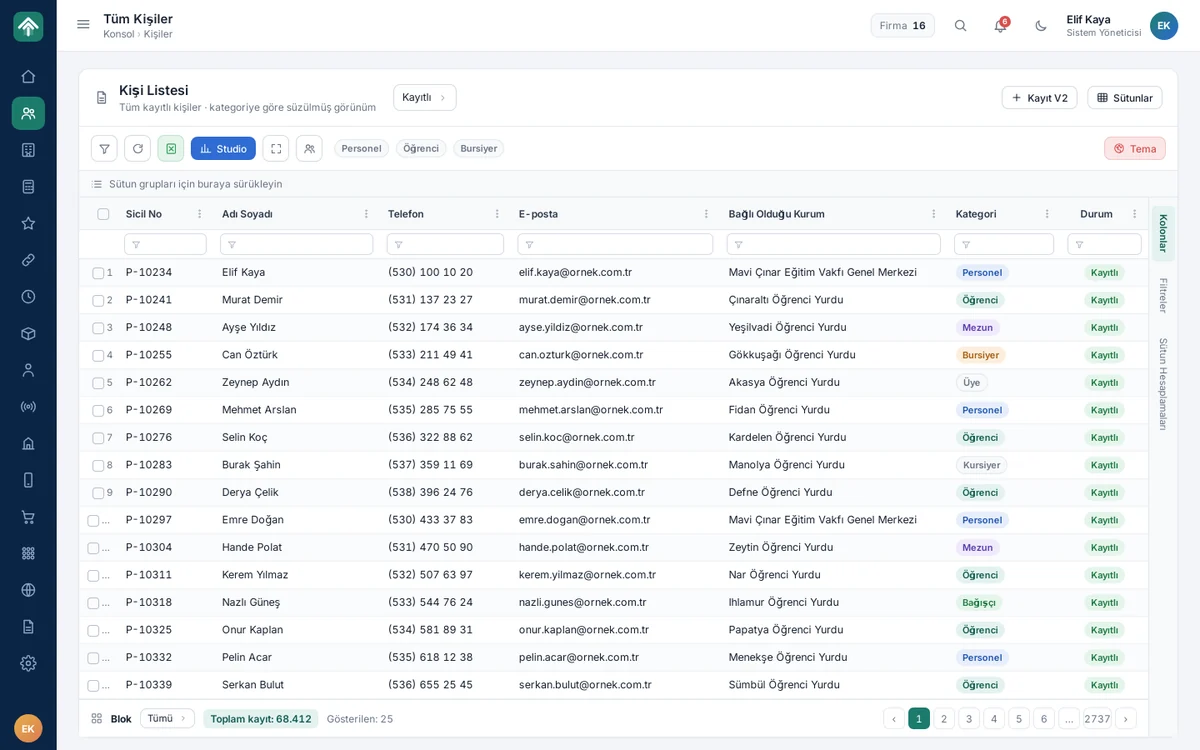
Students, staff, alumni, scholarship recipients and donors are not in separate lists but in the same person list; each person's category stands out with a badge. Users filter tens of thousands of records with the filter row under the headings, group them by dragging a column, and page through the results. The same table framework runs in every list in the system; whoever learns one list learns them all.
Person management

Person details

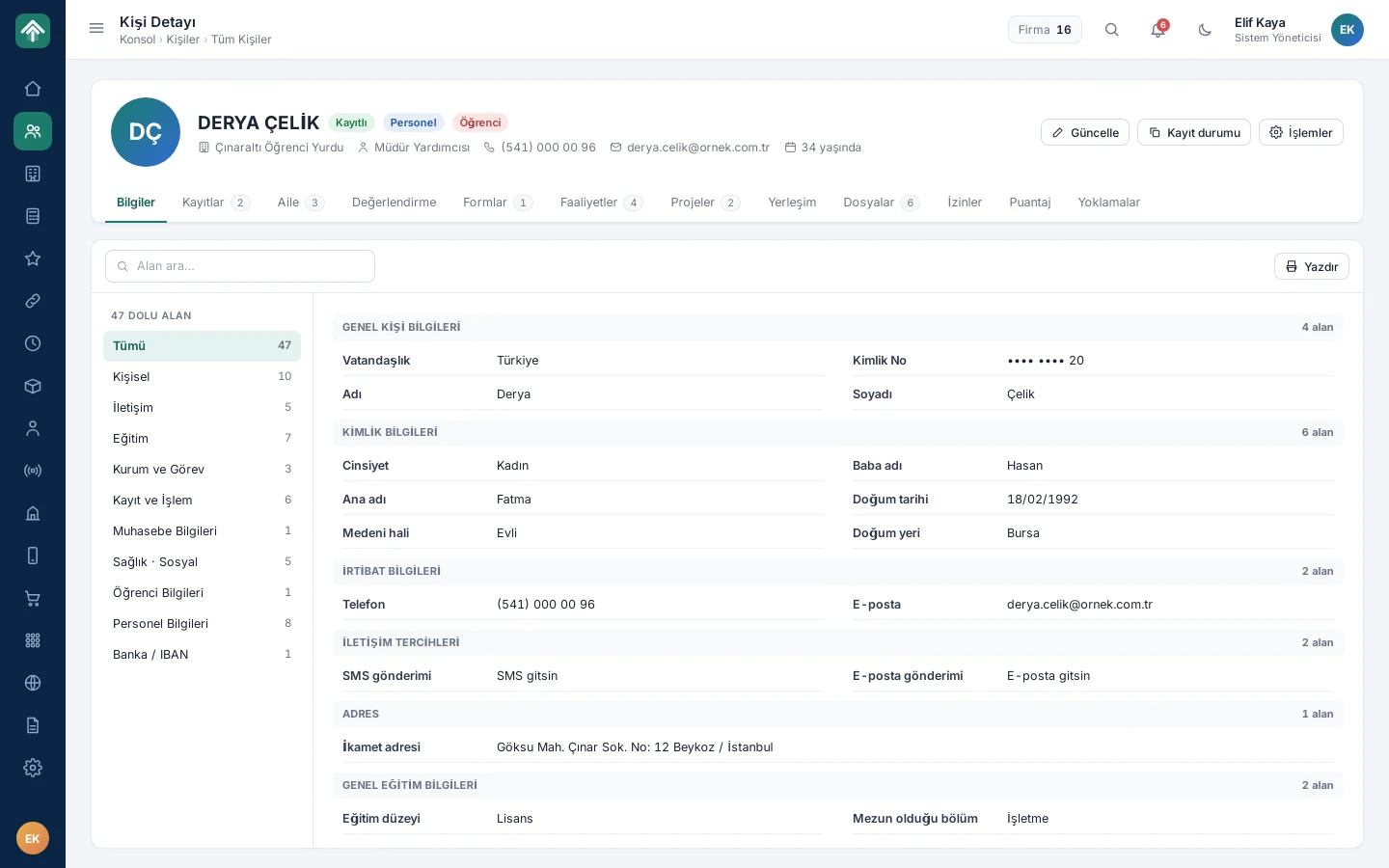
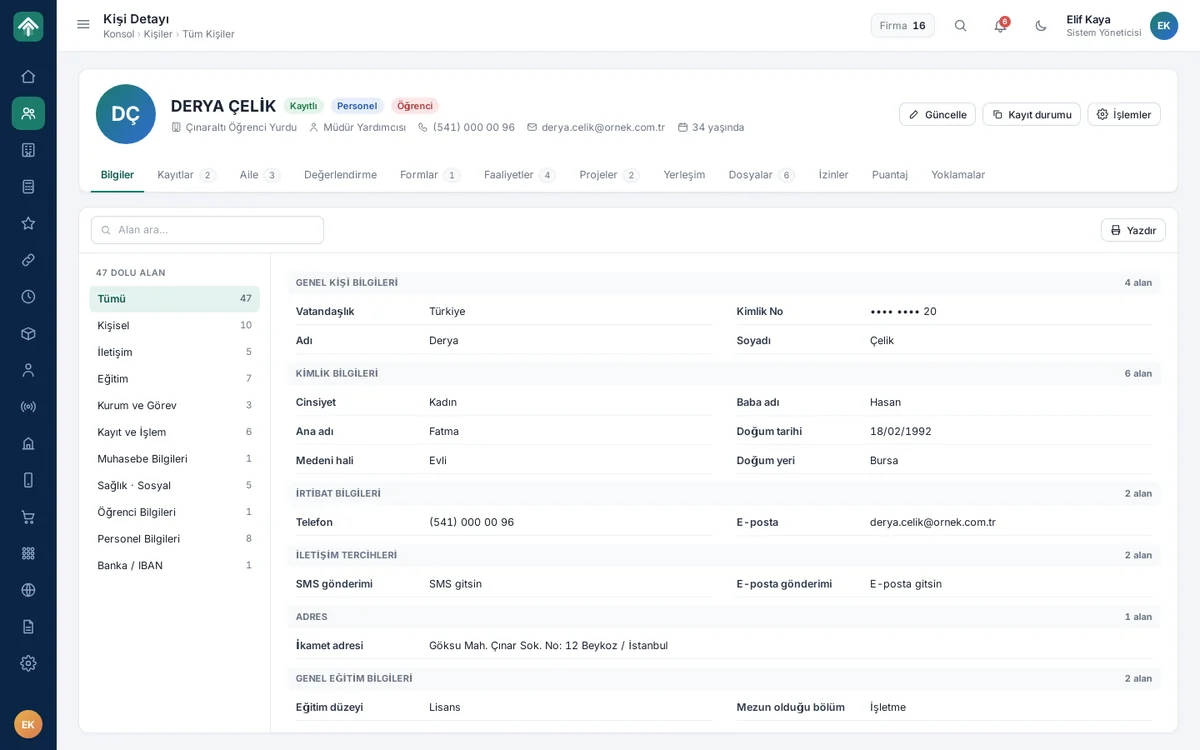
The top band of the person card brings together identity details, the institution the person belongs to, their position and badges showing their roles. The tabs below separate records, family information, forms, activities, files, leave, timesheets and roll calls. So as not to get lost among more than 40 fields, users type into the field search box and go straight to the information they need.

Person details

Institution and dormitory management

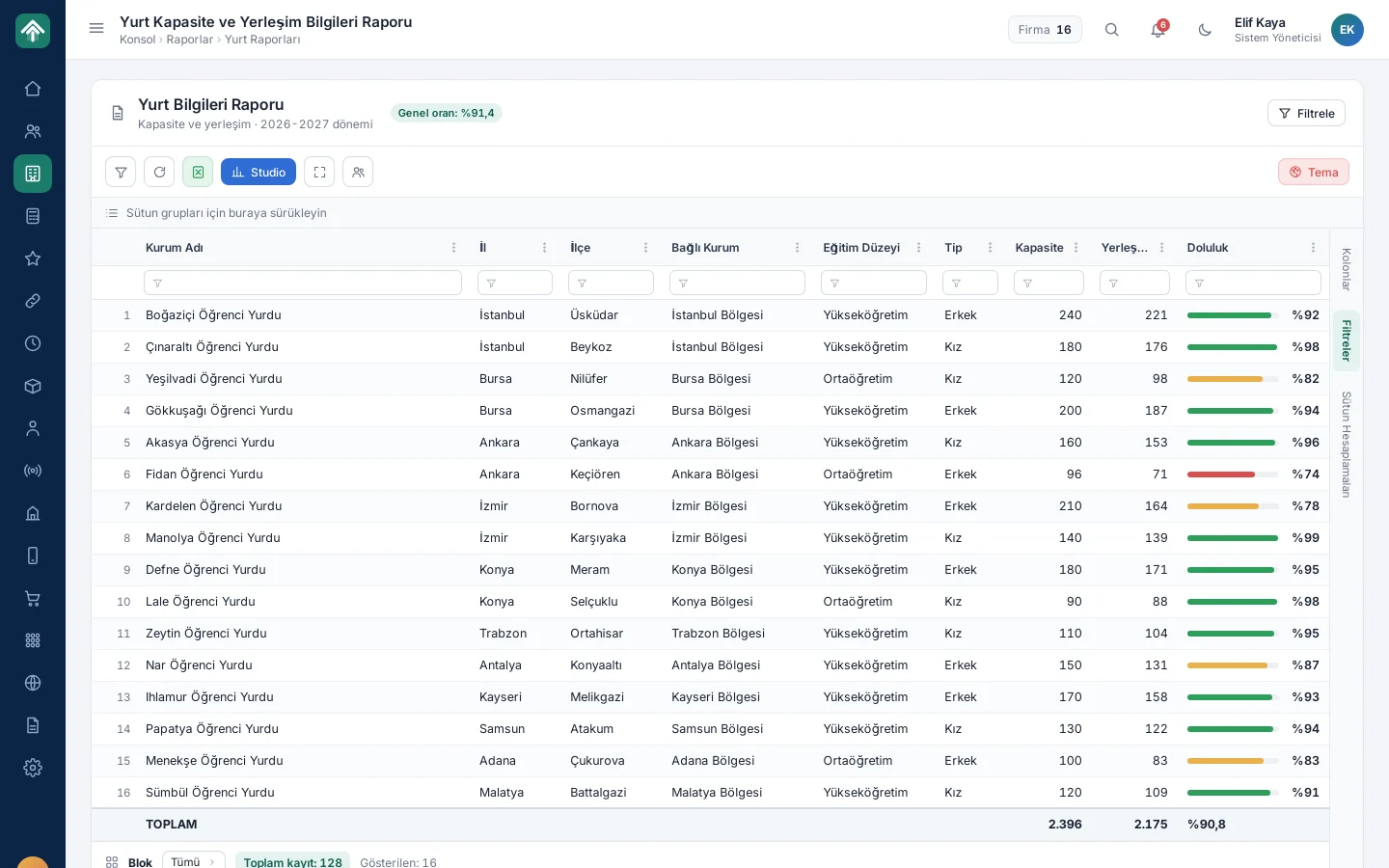
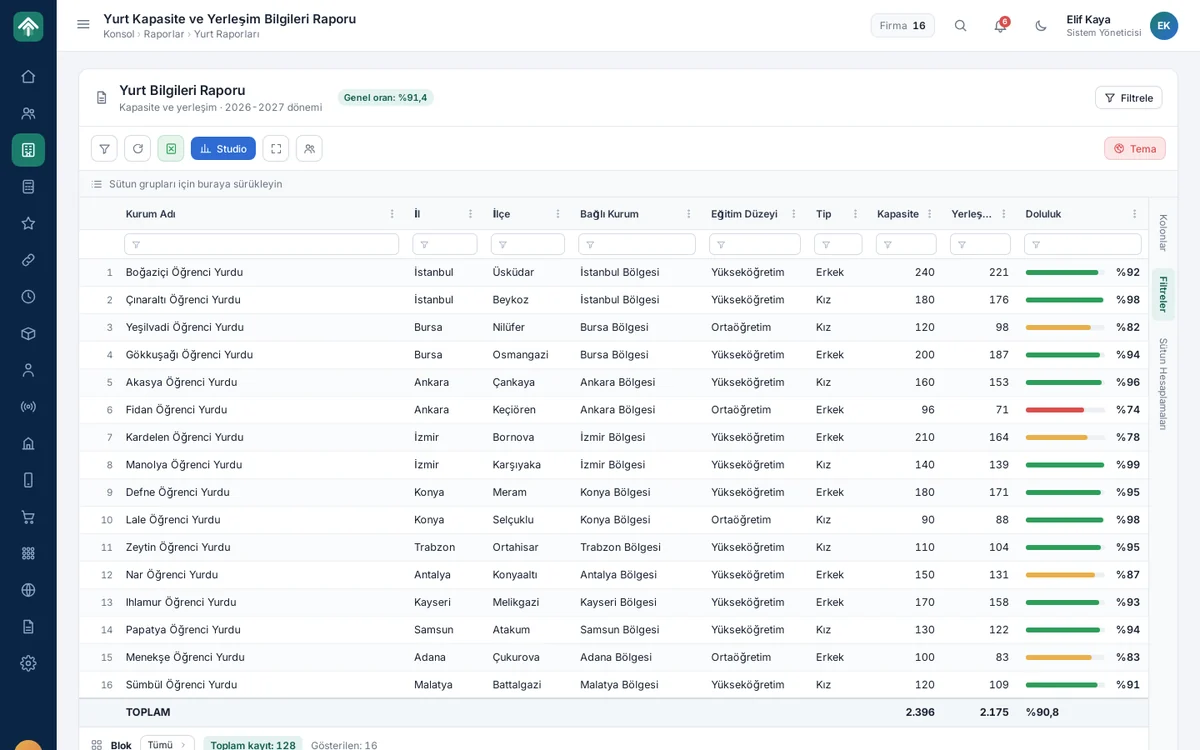
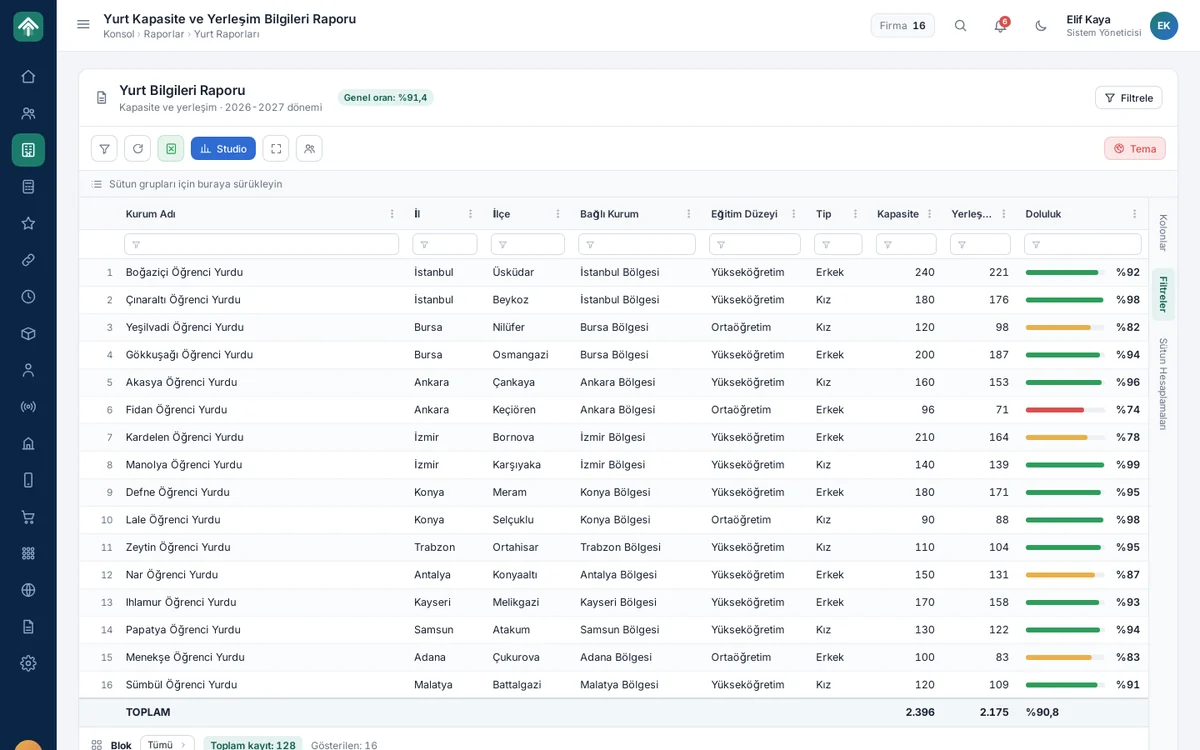
The dormitory capacity and placement report gives each dormitory's capacity, number of students placed and occupancy rate in a single table; a coloured bar immediately highlights low occupancy. With the filter drawer, users narrow the report by region, branch, education level and term. The footer row summarises total capacity and the overall occupancy rate on the same screen.

Institution and dormitory management

Accounting

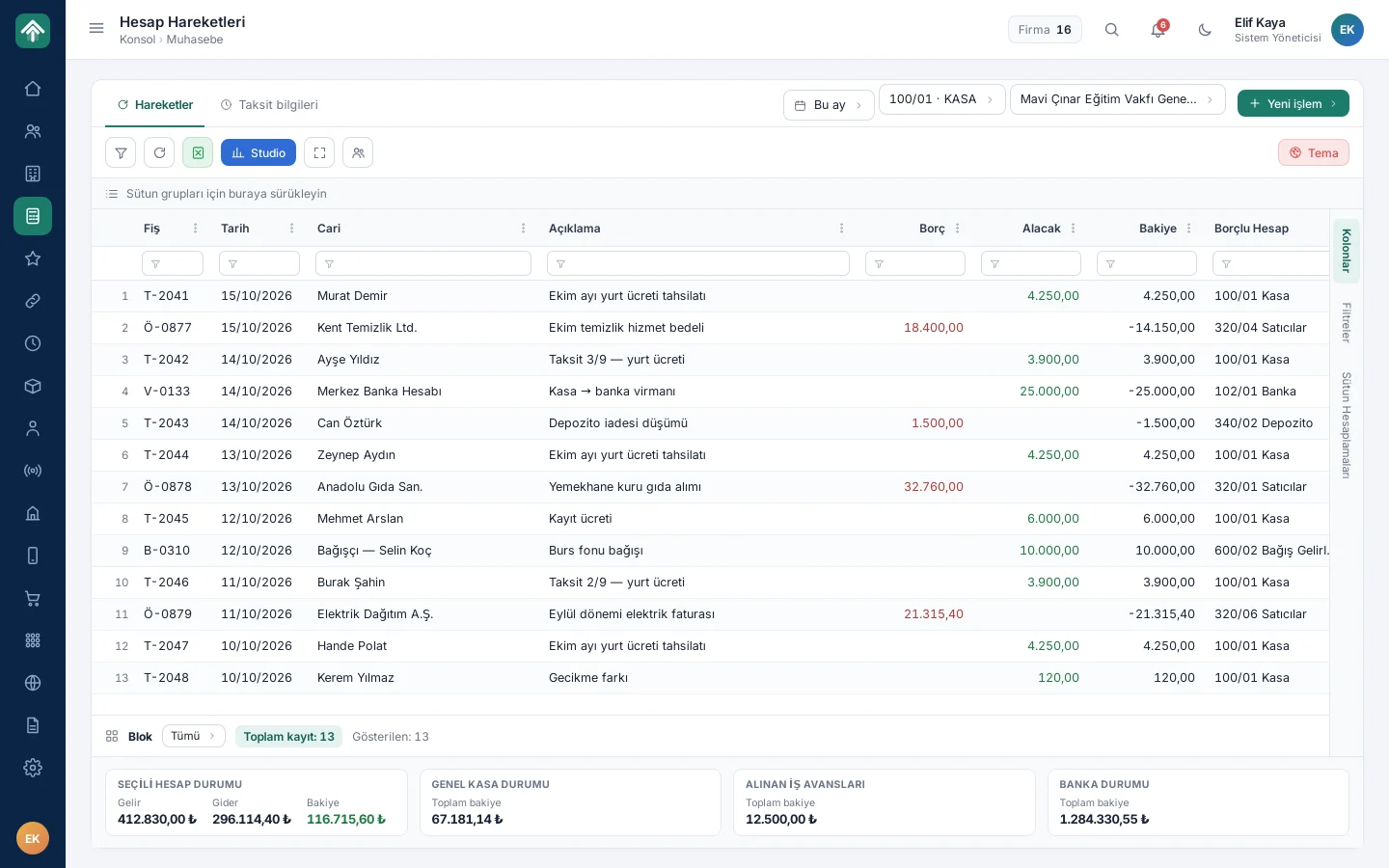
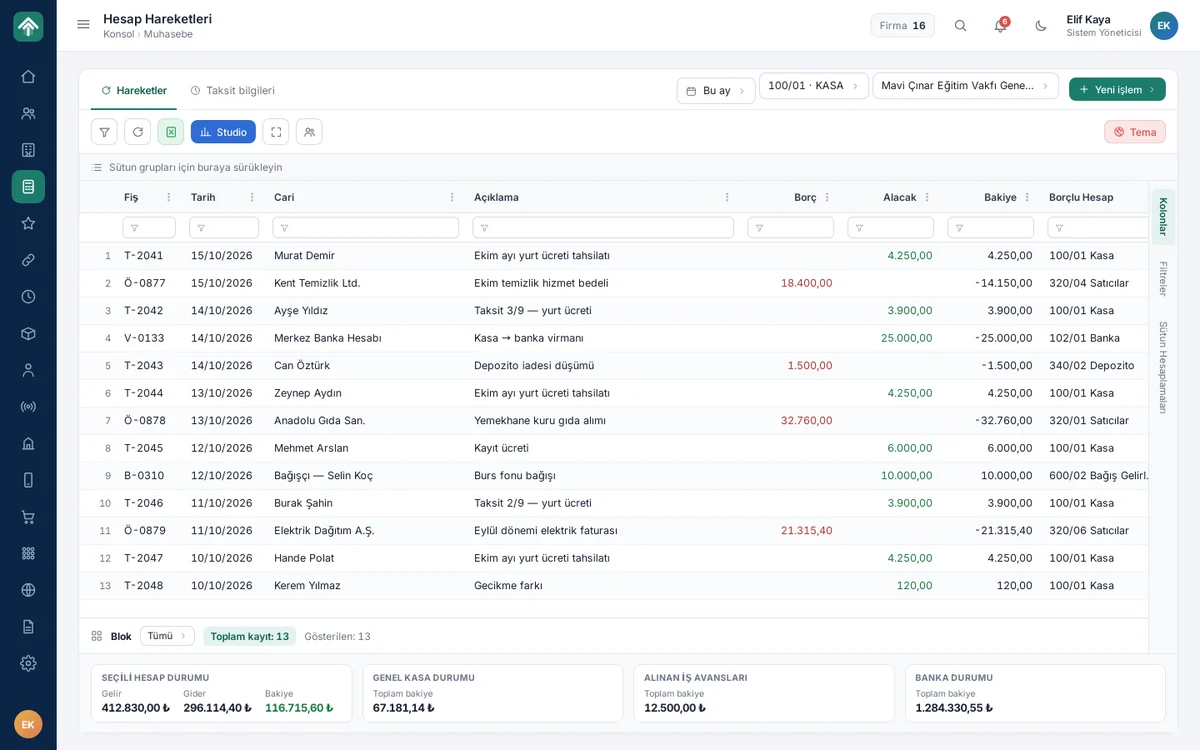
The screen lists account transactions by date, account and institution; each row shows the voucher, customer account, description, debit, credit and balance. Users enter collection, payment and transfer vouchers here with the New transaction button. The bottom strip shows cash, work advance and bank status in real time; the system exchanges transactions in both directions with the commercial accounting software.

Accounting

Scholarship and donation tracking

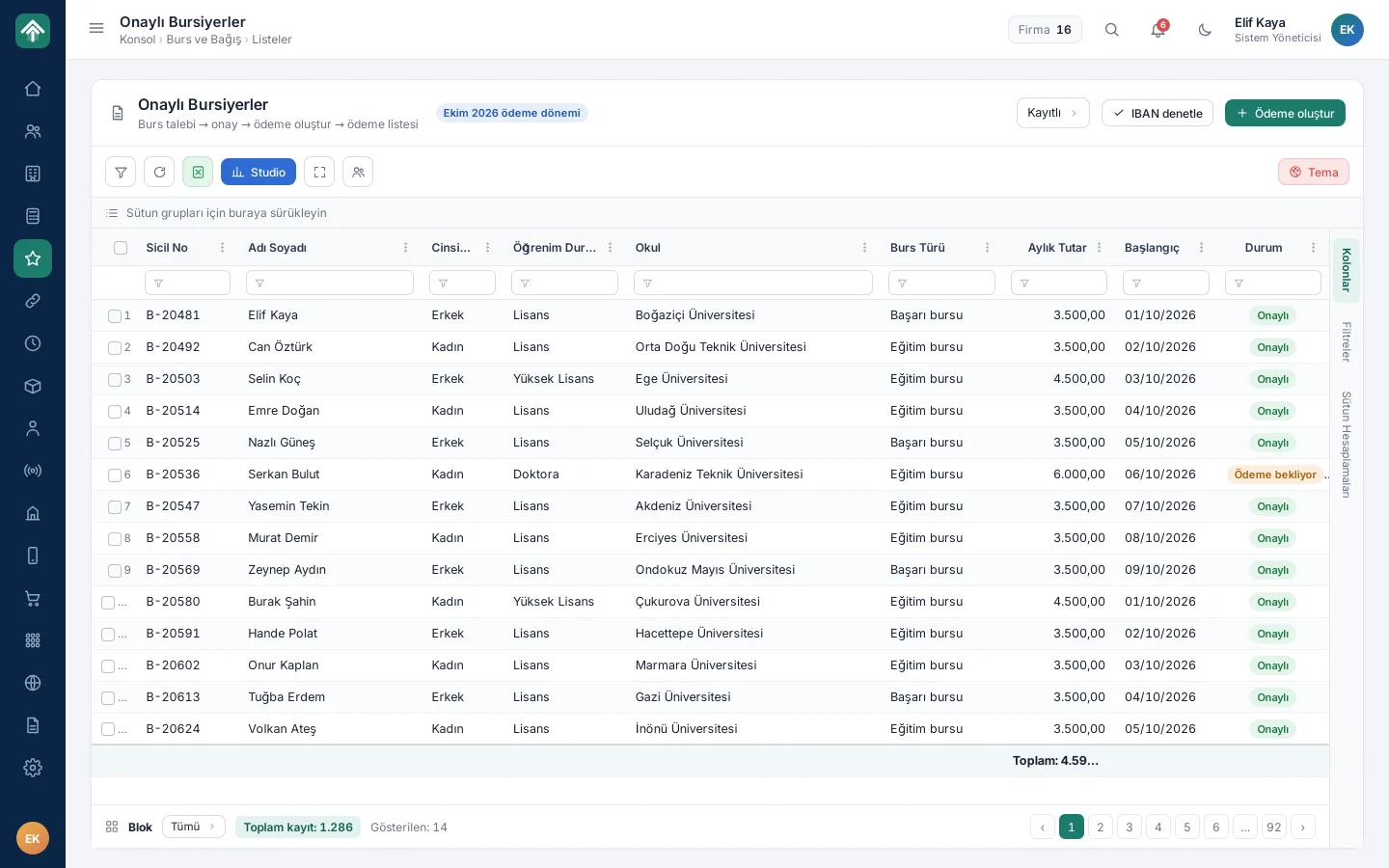
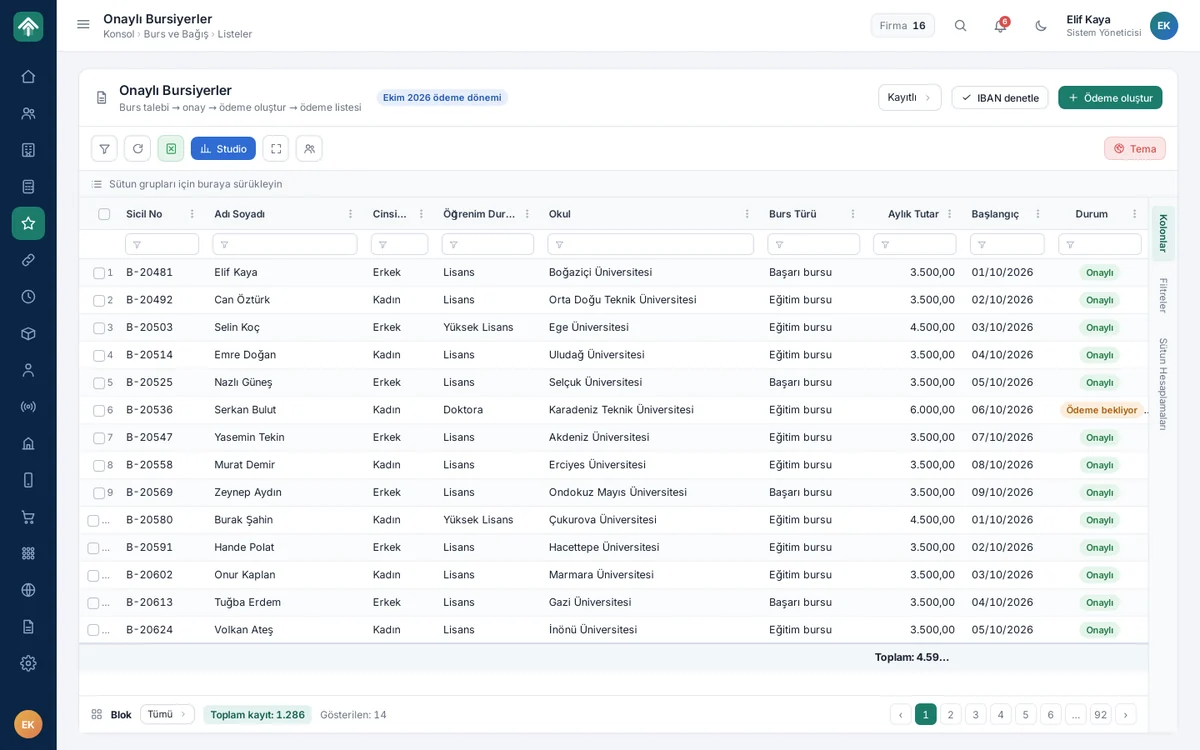
The scholarship flow runs in four steps: scholarship request, approval, payment creation and payment list. The Approved Scholarship Recipients screen shows each student's education level, scholarship type, monthly amount, start date and status. Before creating the payment list, users check the bank details with the Verify IBAN button, then prepare the list with Create payment.

Scholarship and donation tracking

Process and task management

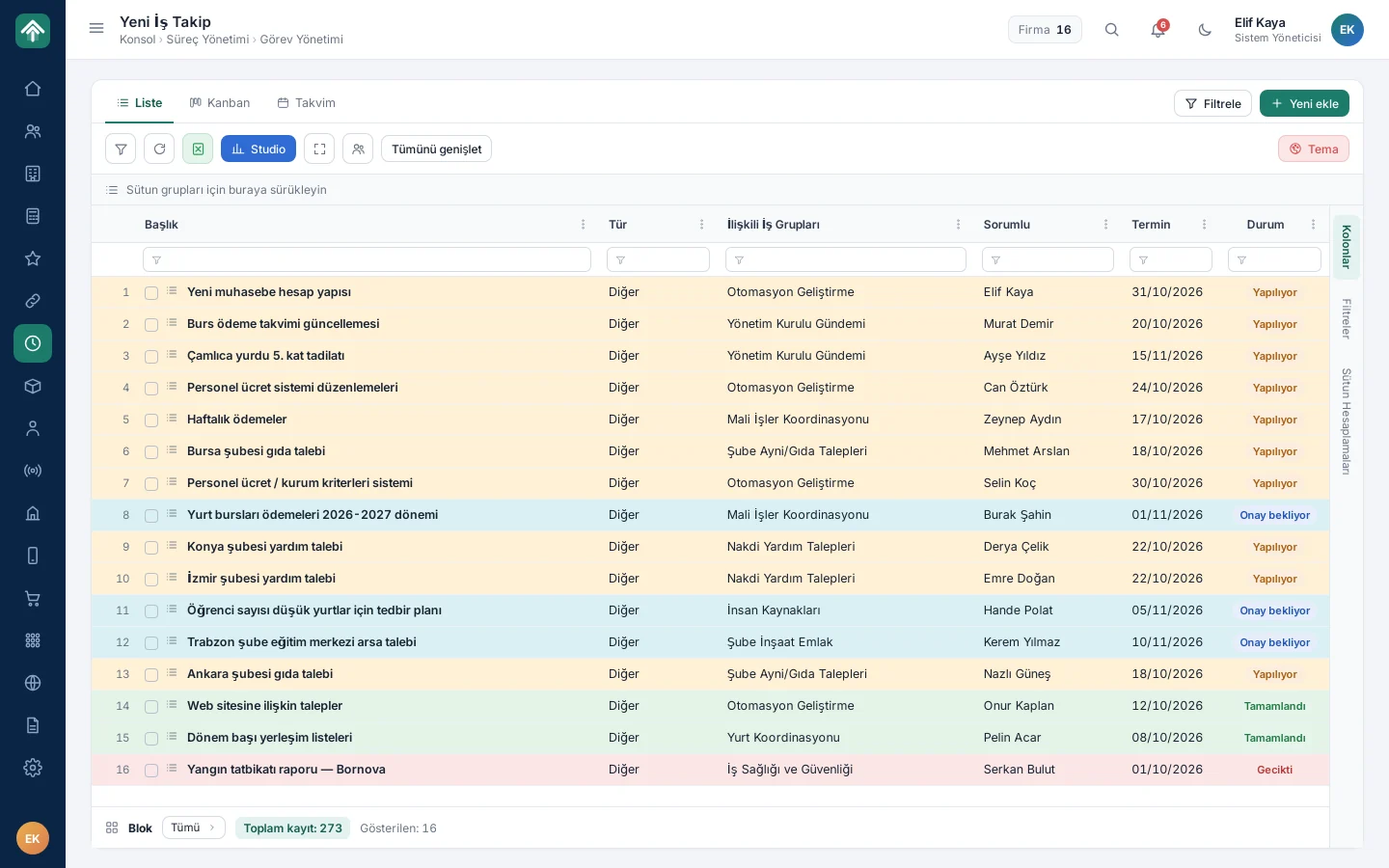
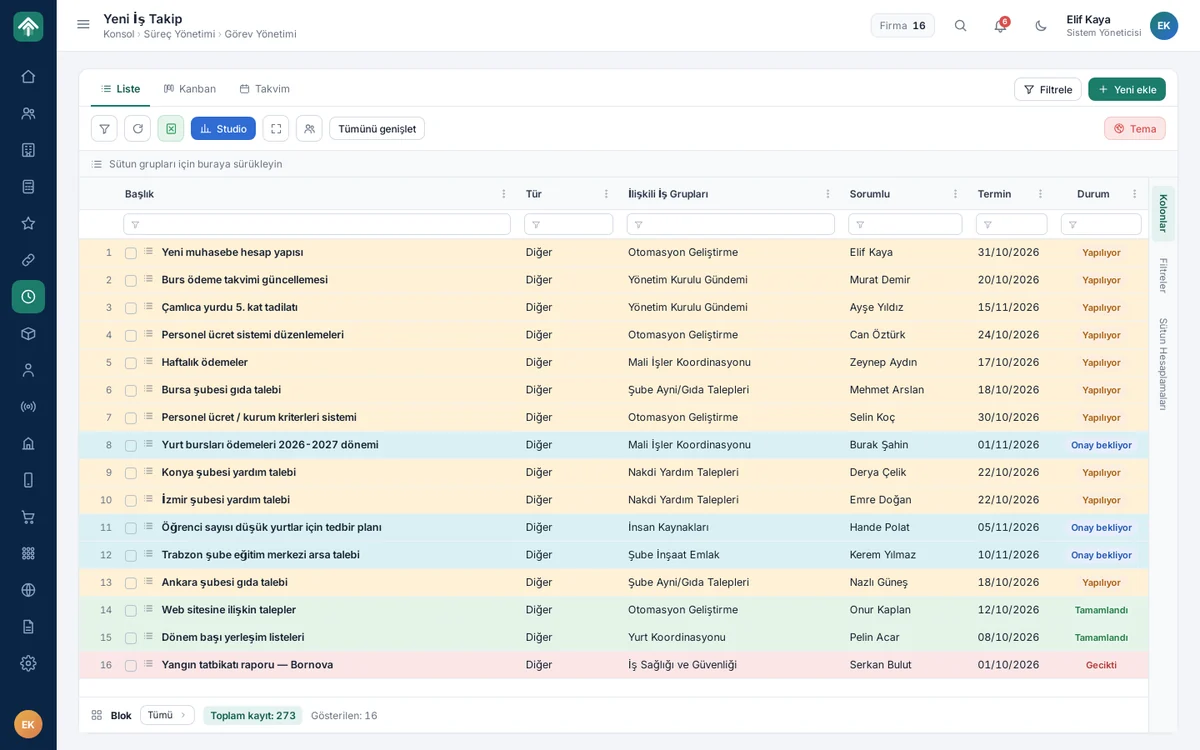
The work tracking screen lists tasks by title, work group, assignee, due date and status; the row colour shows at a glance whether a task is in progress, awaiting approval, completed or overdue. Users switch the same tasks to a Kanban or calendar view with one click. Subtasks progress under their parent task; the Expand all button opens them all at once.

Process and task management

Manager dashboard

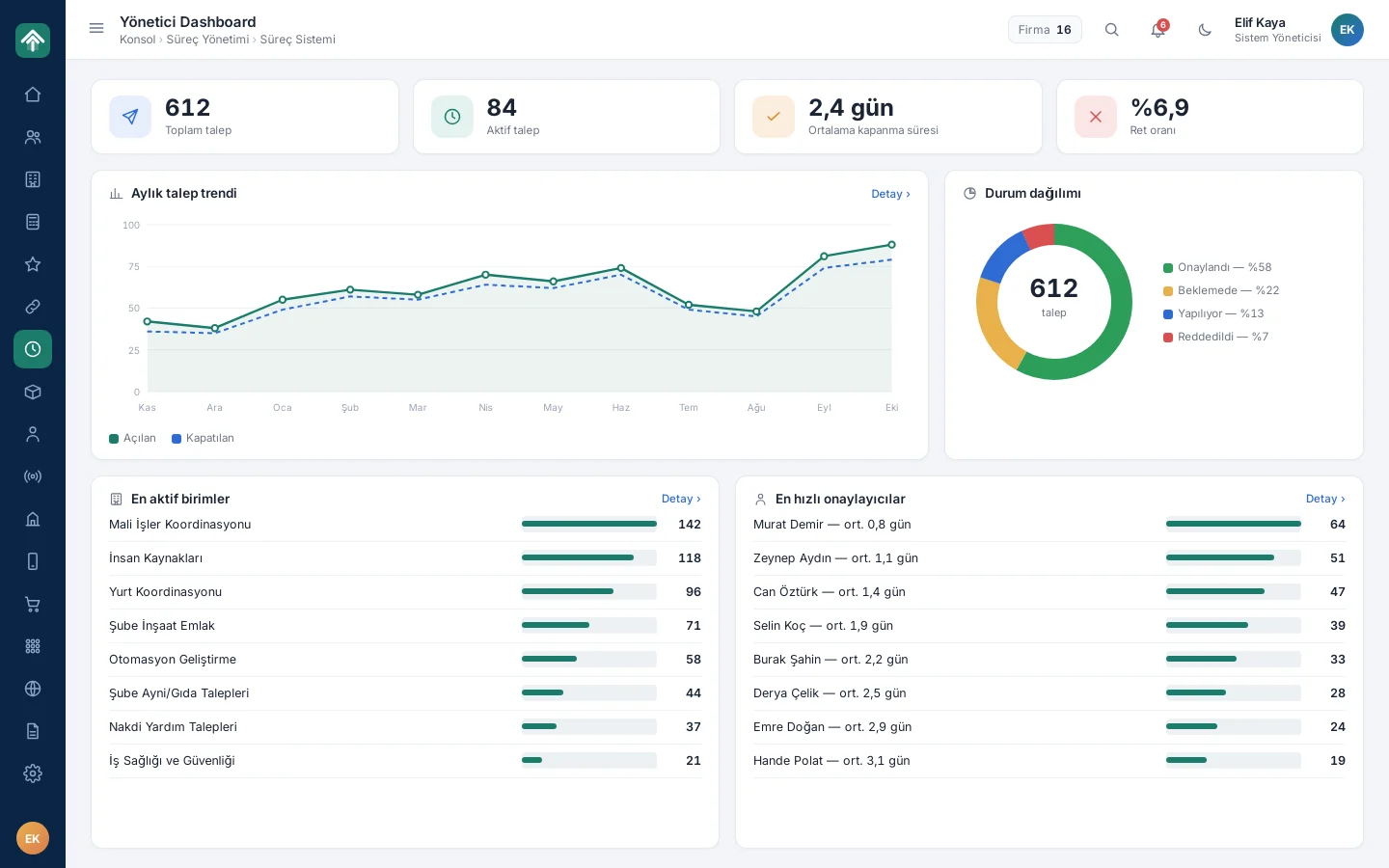
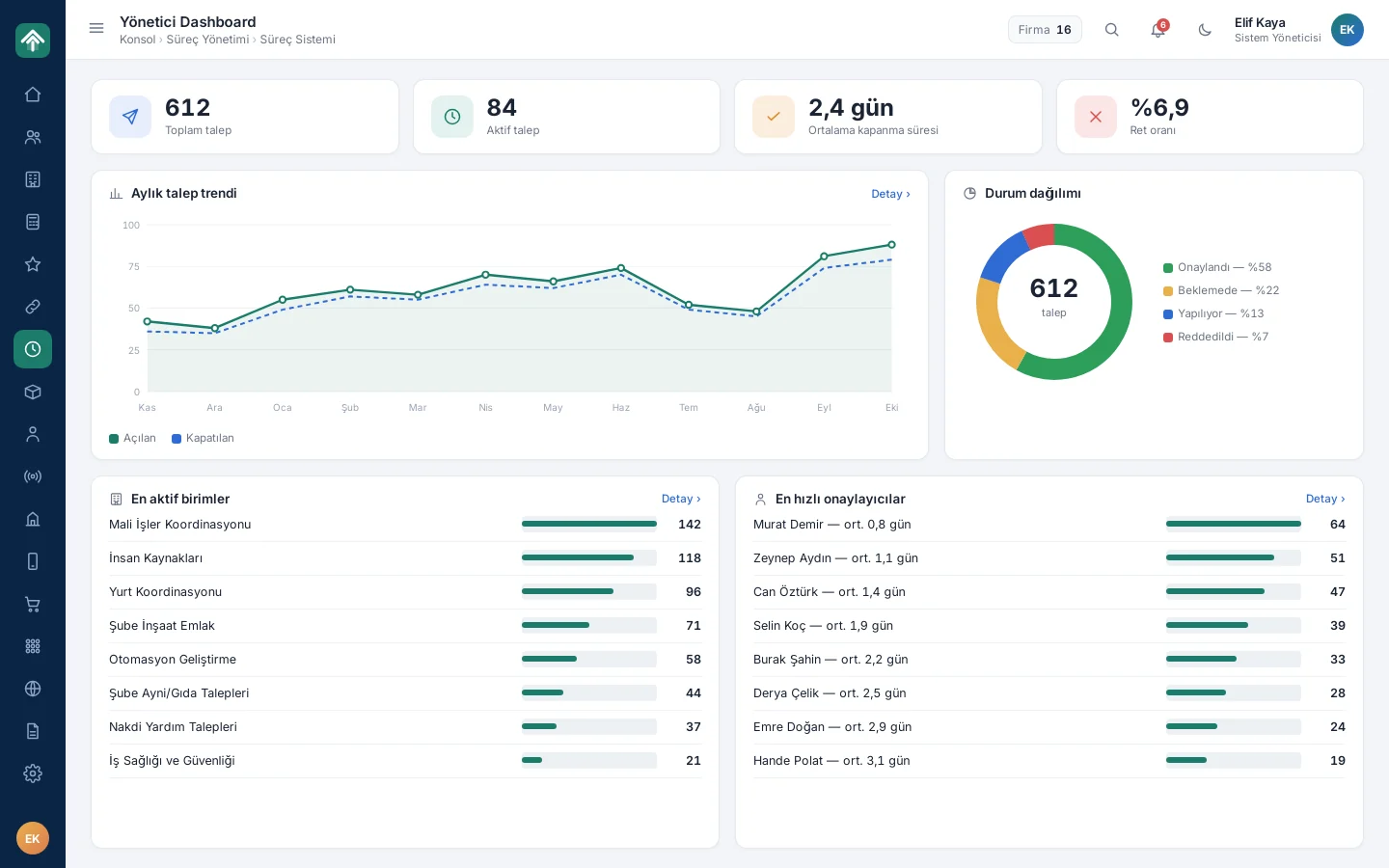
The manager dashboard summarises the requests coming into process management on a single screen: total and active request counts, average closing time and rejection rate sit at the top. Below are the monthly trend of opened and closed requests, the status distribution, the most active units and the fastest approvers; managers see where the workload is concentrated without asking for a separate report.

Manager dashboard

Human resources

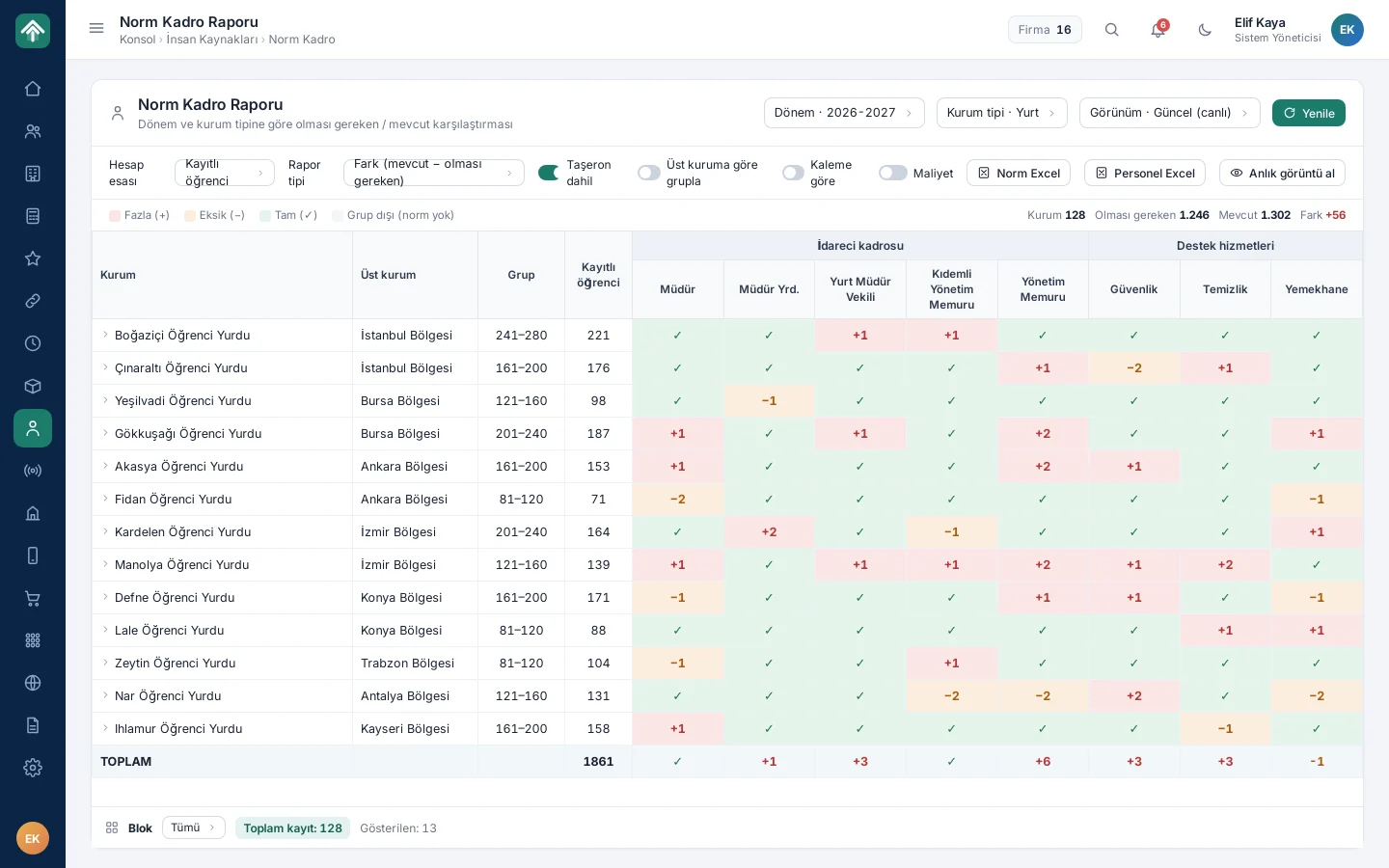
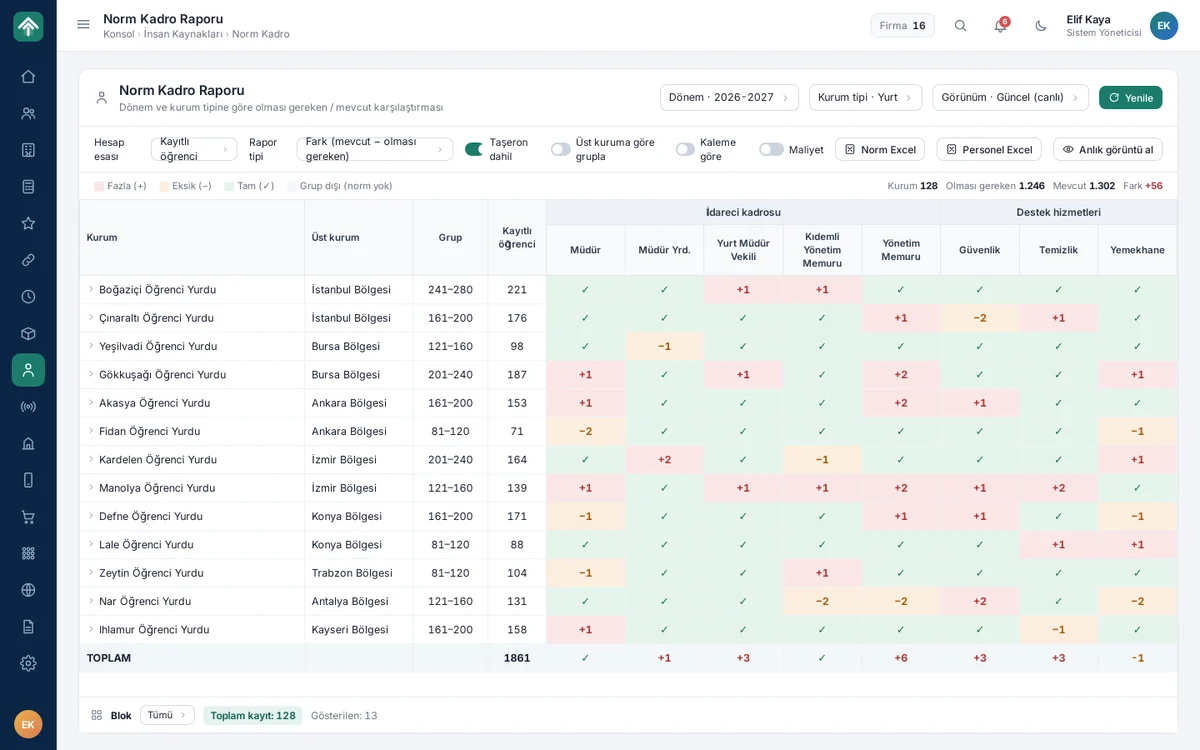
The staffing norm report compares the staff each dormitory and unit should have with the current staffing, position by position. It shows a surplus in red, a shortfall in orange and full staffing in green; the head office sees in a single table which dormitories have a gap in deputy managers, security or cleaning staff, and plans the term accordingly.

Human resources

Position hierarchy

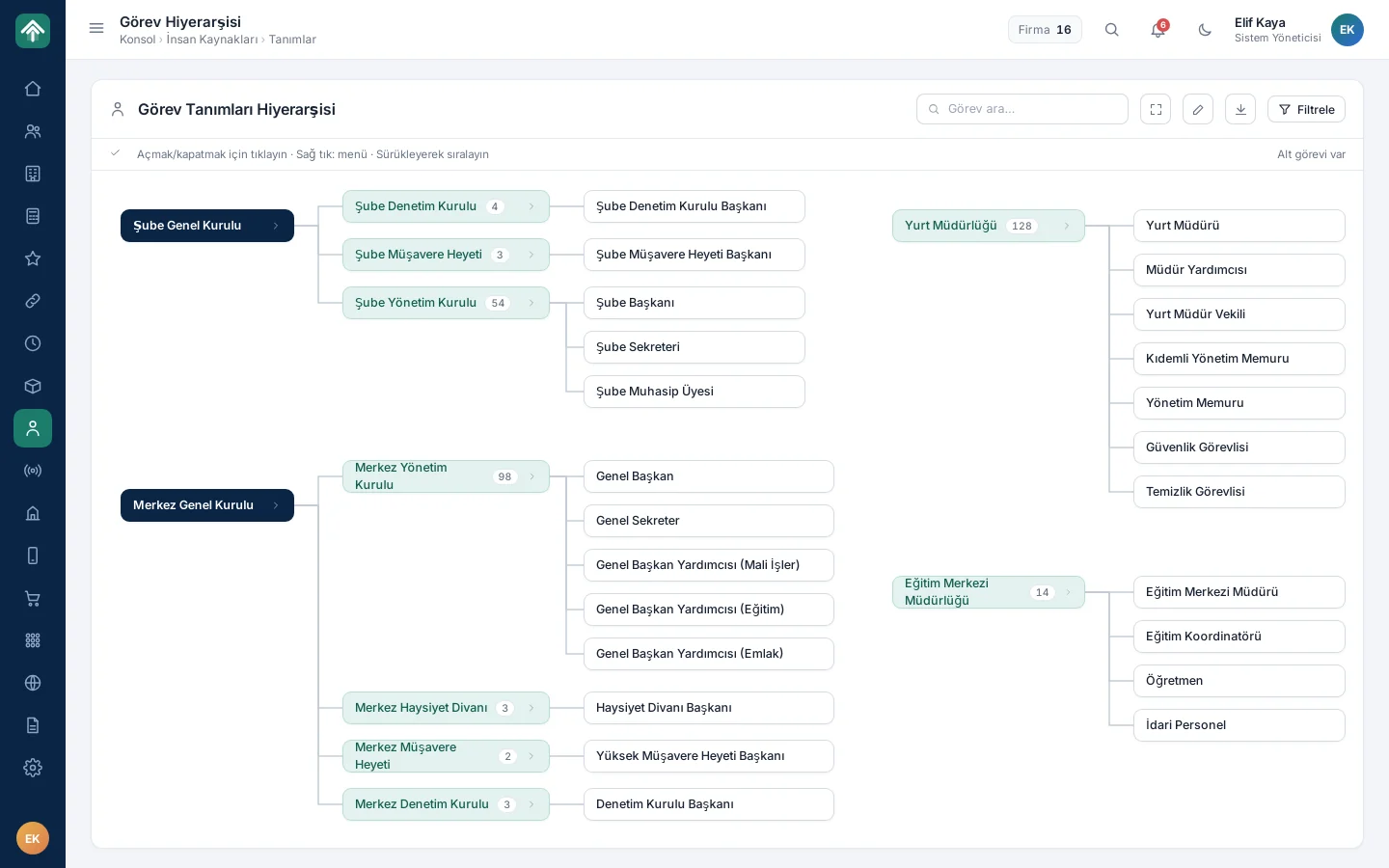
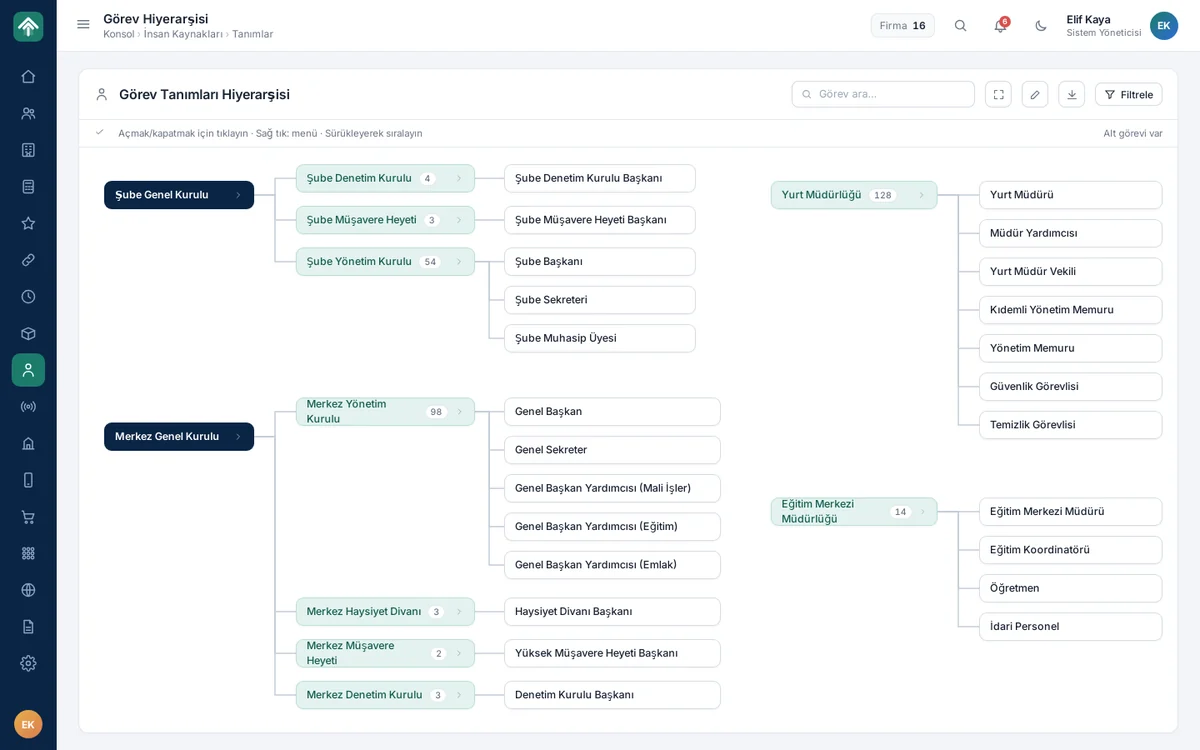
The position hierarchy shows all position definitions, from the branch and central boards to the dormitory and education centre directorates, in a single organisation chart. Users open and close branches by clicking, act through the right-click menu, and reorder positions by dragging; they examine the chart with search, filters and full screen, and export it as an image.

Position hierarchy

Communication tools

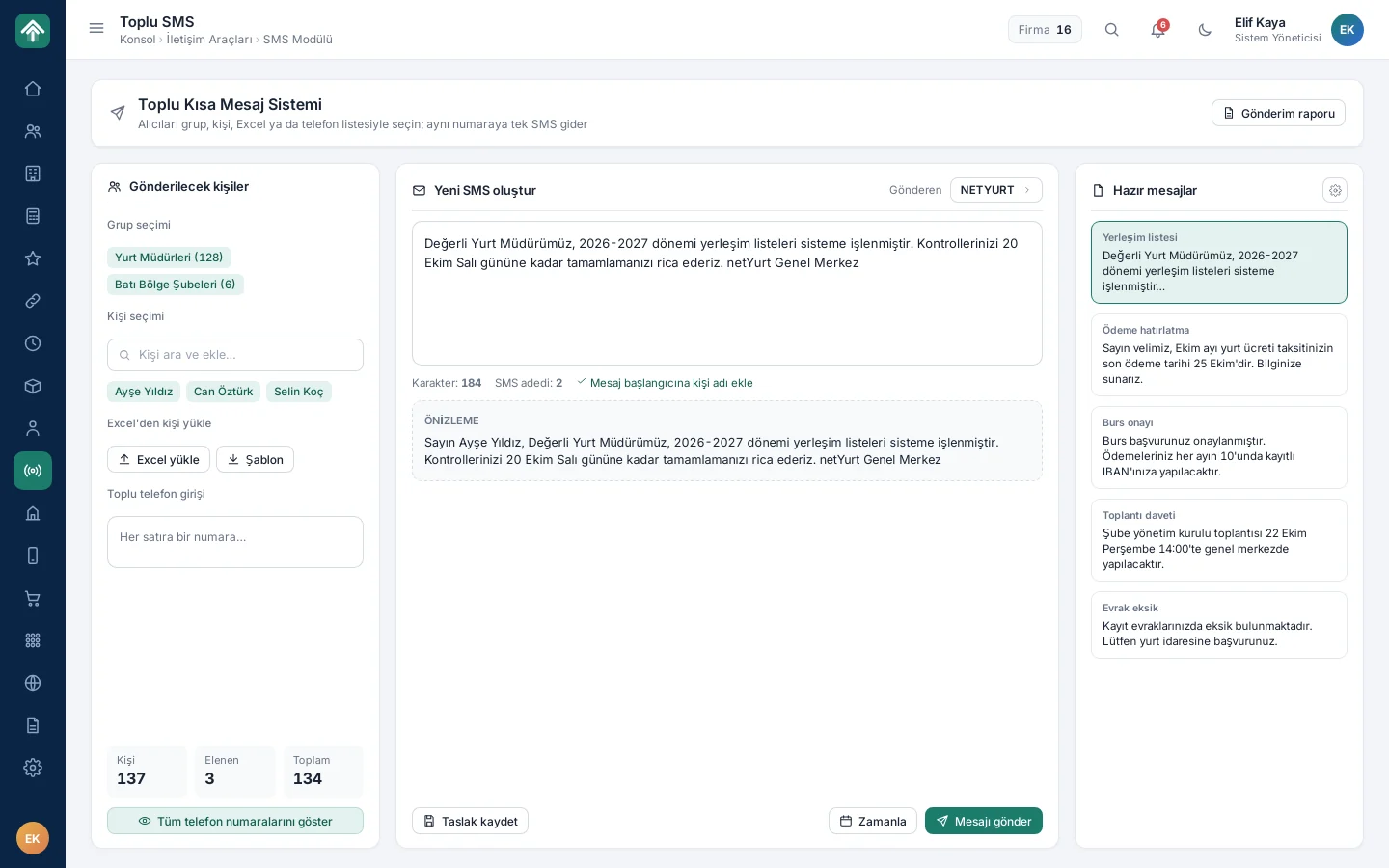
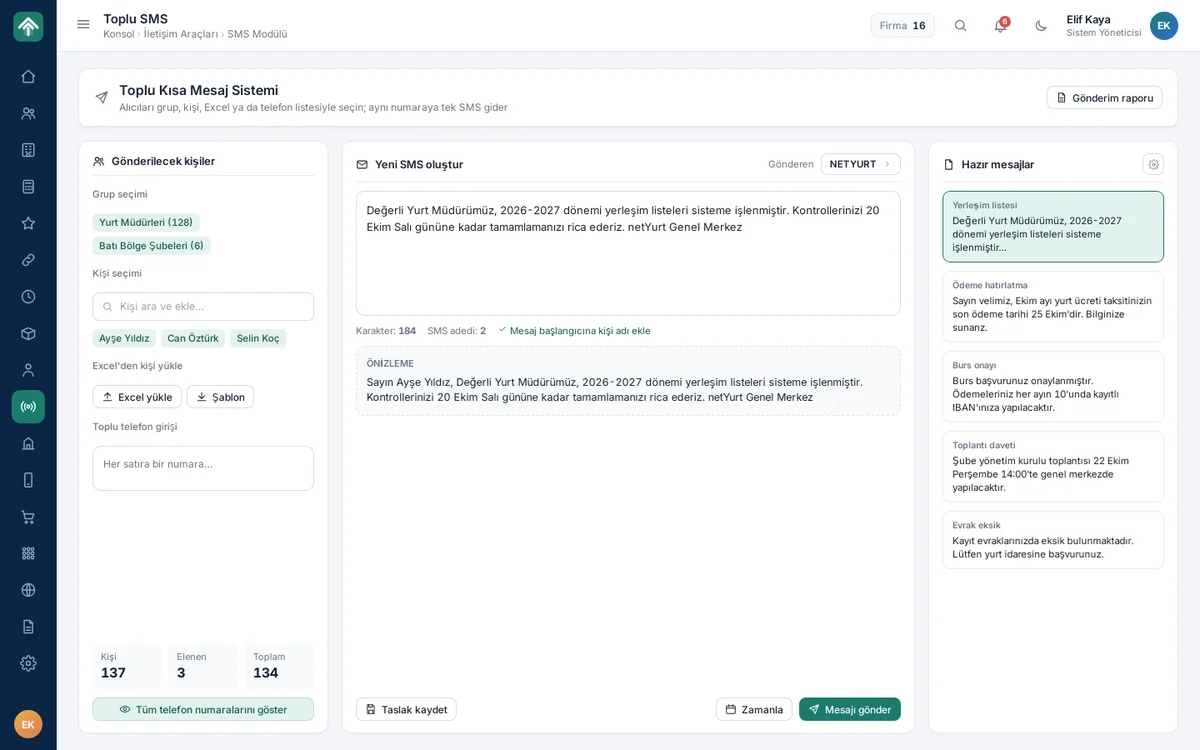
On the bulk SMS screen, users select recipients by group, person, Excel file or a manually entered phone list; only one message goes to the same number. Ready-made templates such as payment reminders, scholarship approvals and meeting invitations speed up writing; the person's name is added at the start of the message, and the preview shows the final text before sending.

Communication tools

Evaluation forms

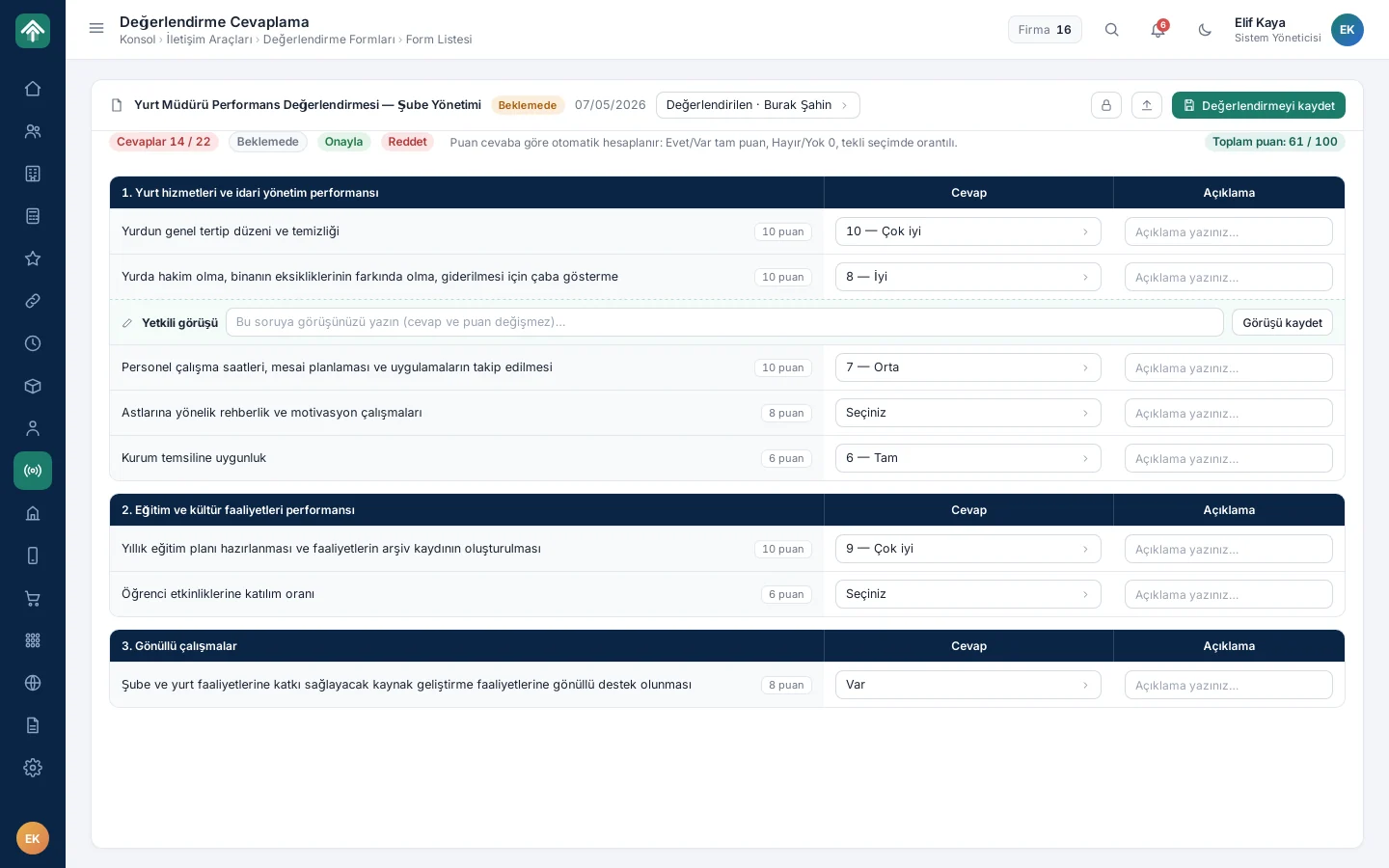
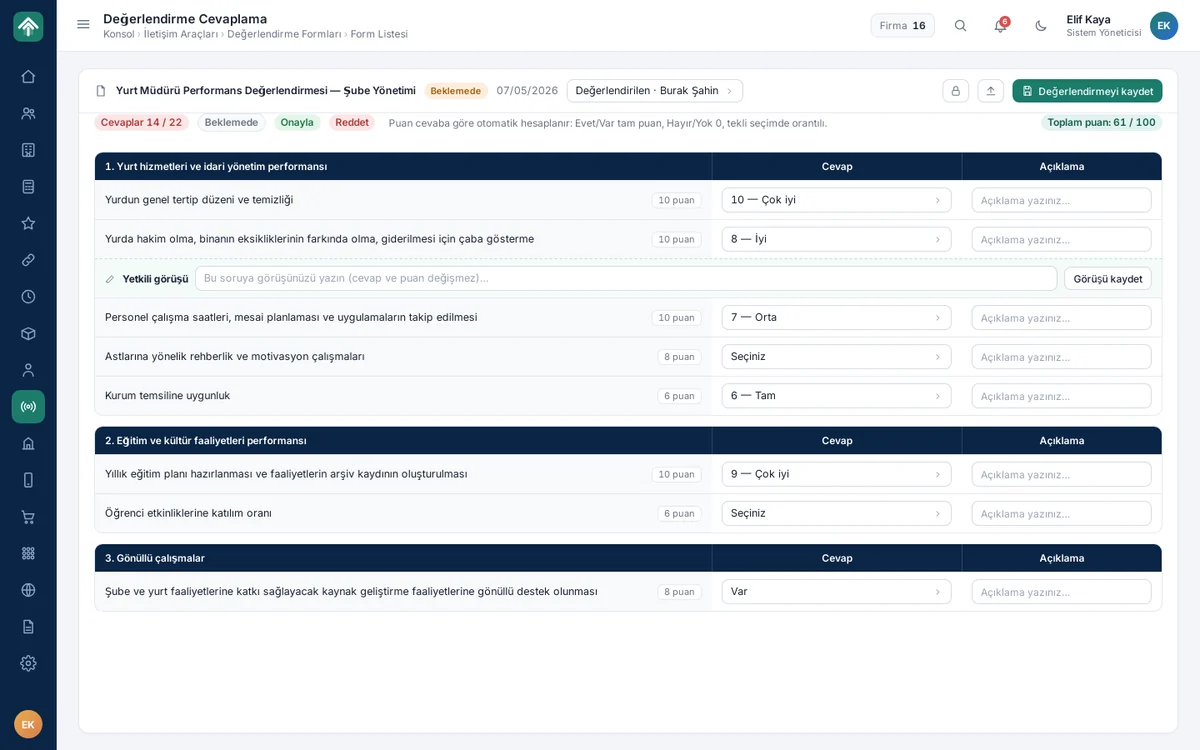
Evaluation forms consist of scored question sections; as the evaluator selects answers, the system calculates the score and shows the total at the top of the form. A comment can be written for each question; an authorised role adds its opinion without touching the answer or the score, even when the form is locked. At the end of the evaluation, the form concludes with an approval or rejection decision.

Evaluation forms

Stock and asset management

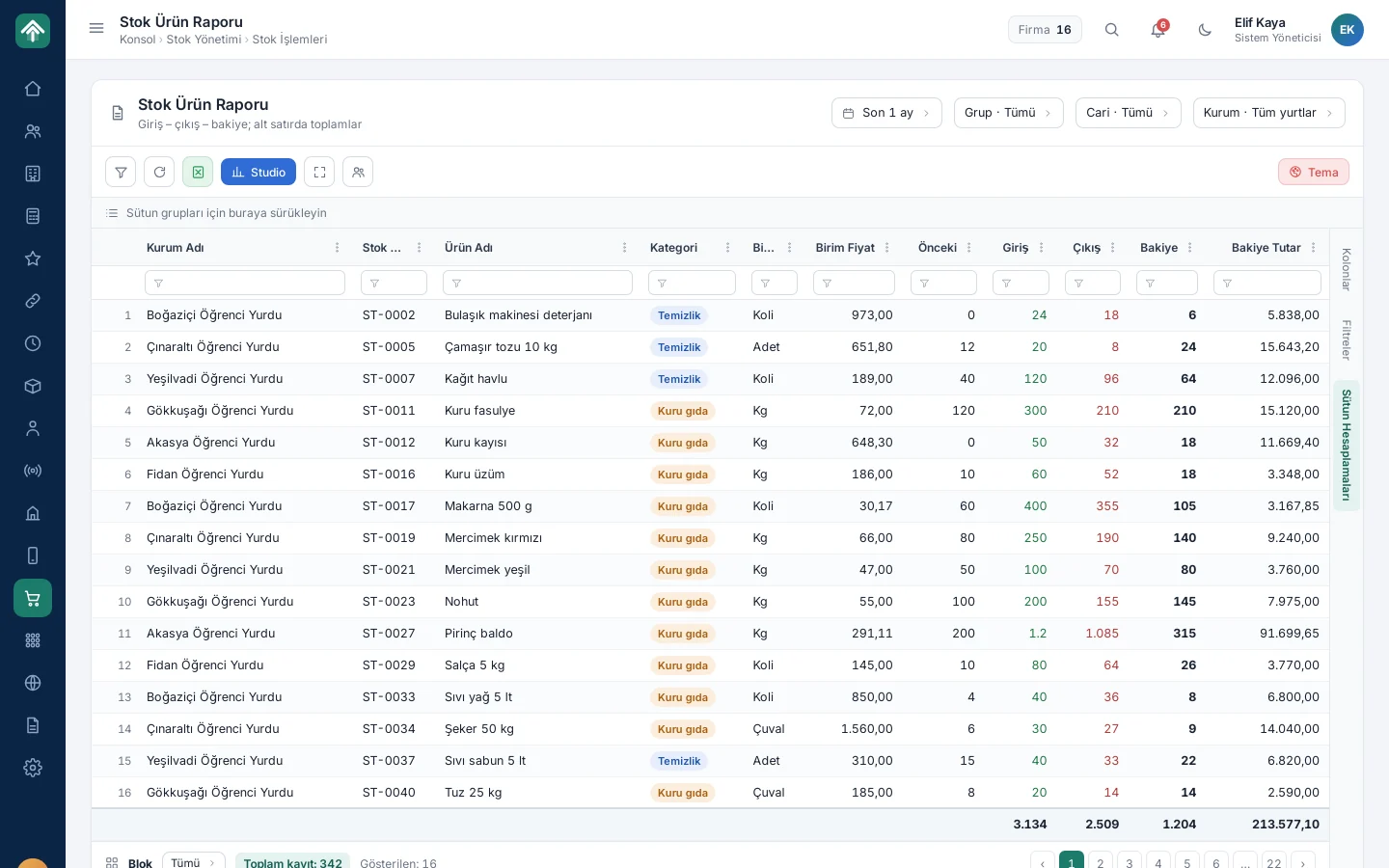
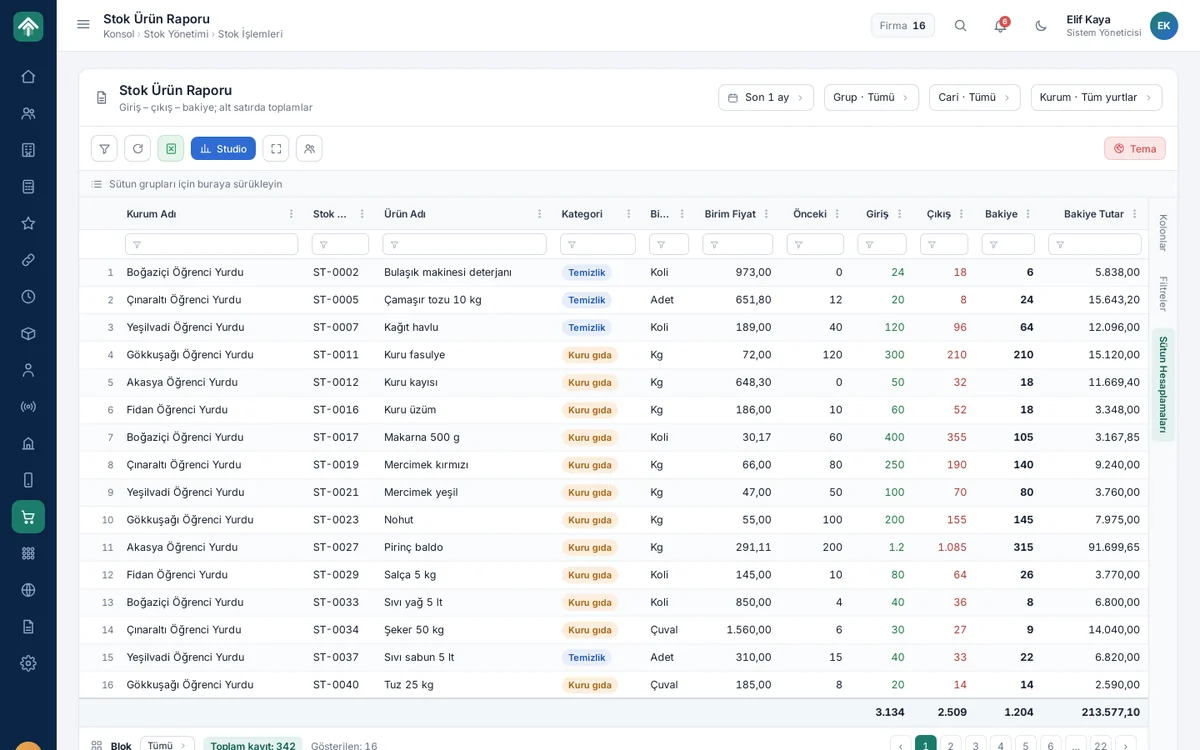
The stock item report lists, for every item in the dormitories such as cleaning and food supplies, the previous balance, incoming, outgoing and remaining quantity with unit price and amount; the footer row gives the totals. Users narrow the report by period, group, customer account and institution. Alongside the stock flow from product card to order, fixed assets are tracked with QR labels.

Stock and asset management

Library and applications

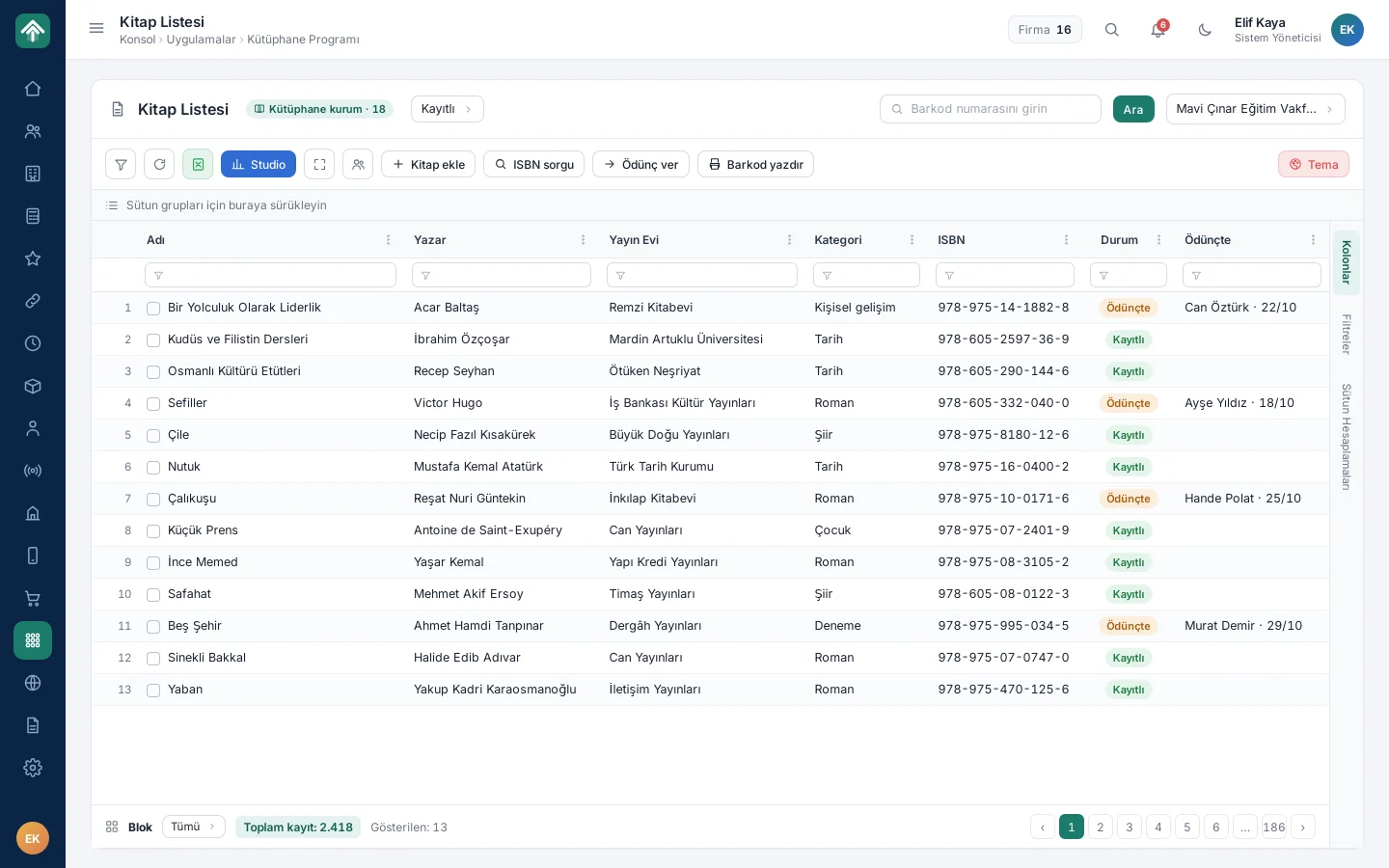
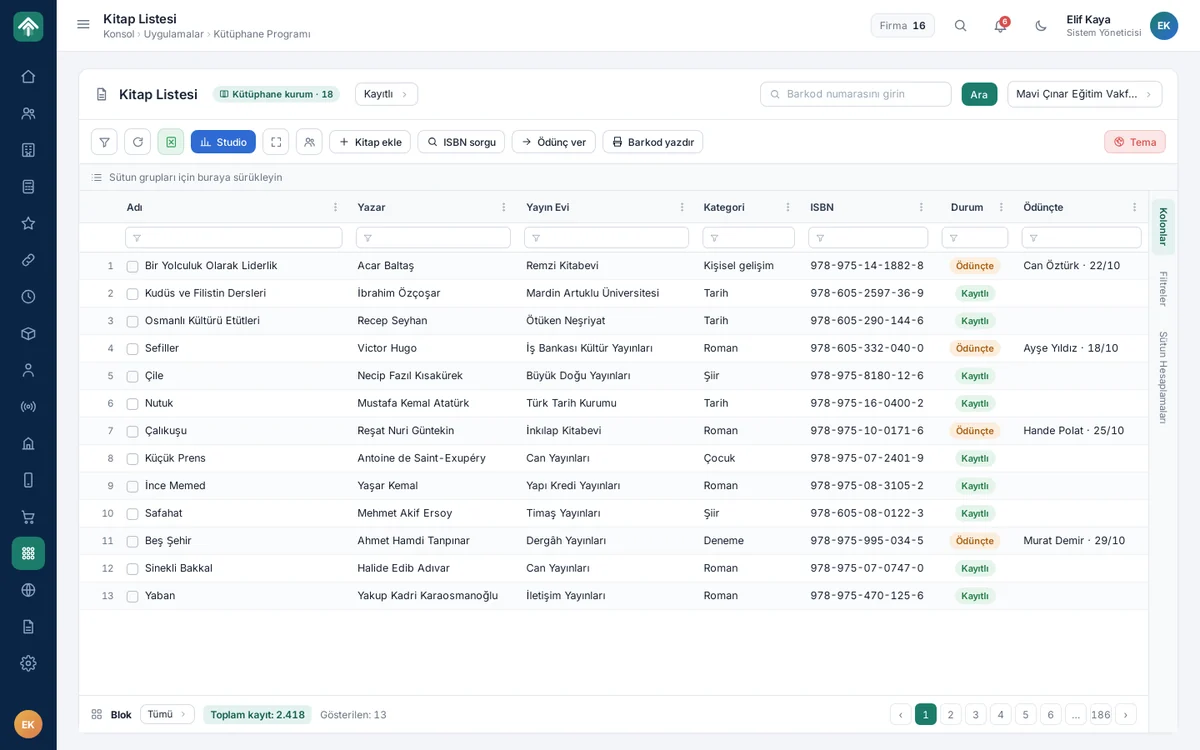
In the dormitory libraries, every book is recorded with its title, author, publisher, category and ISBN; the librarian finds a book by barcode, lends it and takes it back from the same screen. The list shows who has which book, with the date. The library runs in the same package as applications such as dormitory internet access and document control.

Library and applications

Report Studio

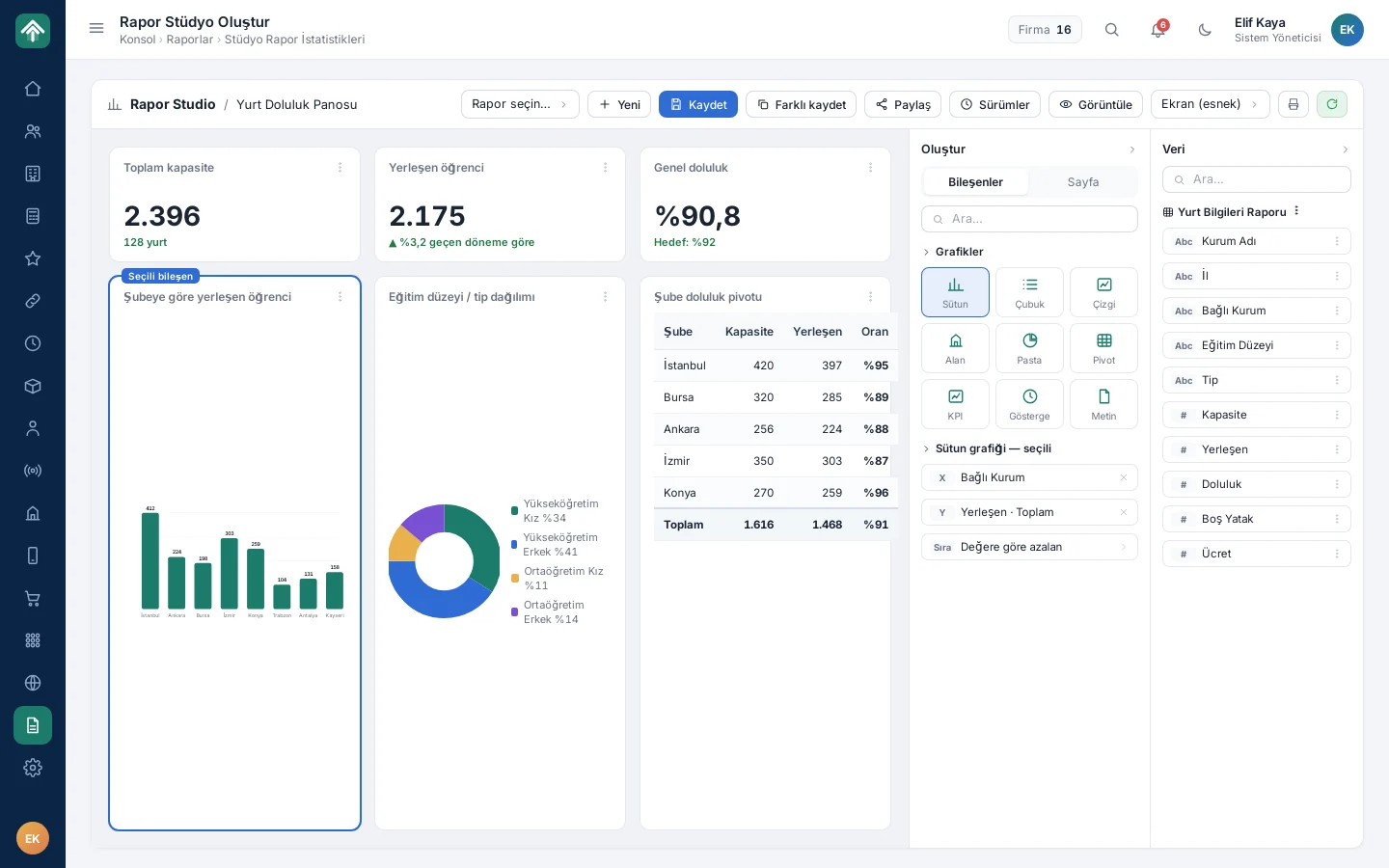
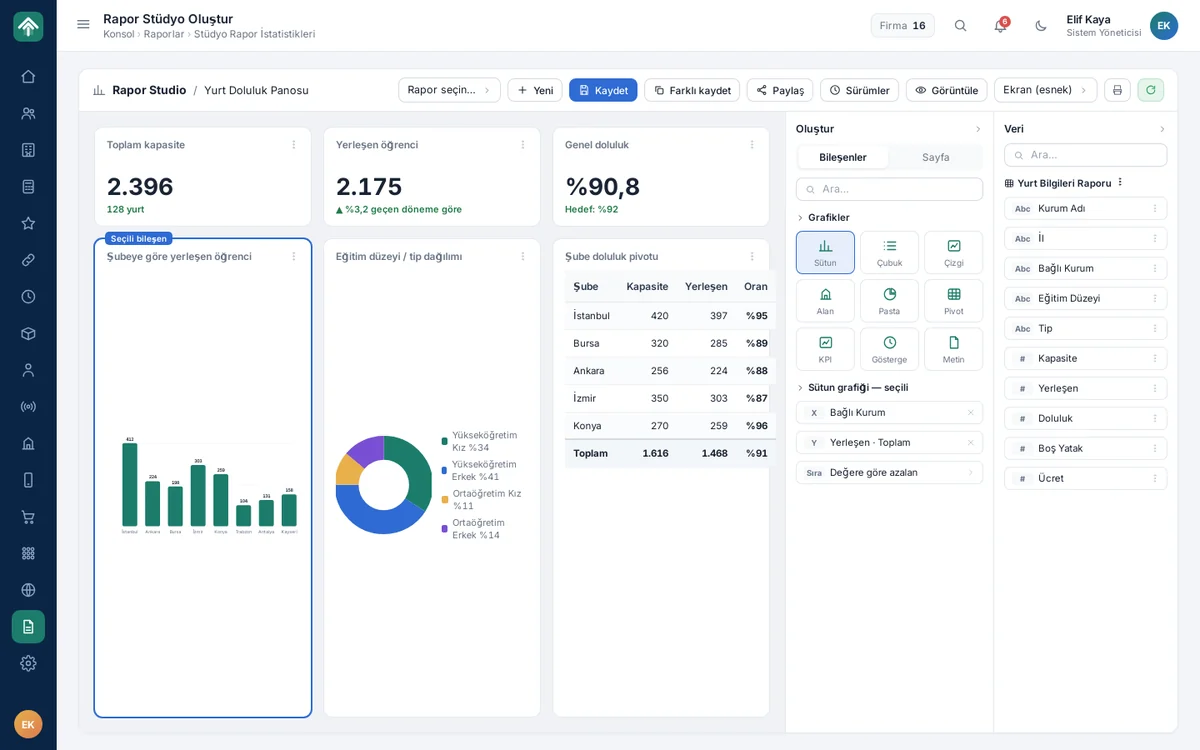
In Report Studio, an authorised user takes any table with its current filter and, by dragging fields, builds column, line, pie, pivot, KPI and gauge components. The dormitory occupancy dashboard on screen was prepared this way; reports are saved, versioned, shared by role, person or institution, and printed in A4 landscape layout.

Report Studio

Dark mode and mobile

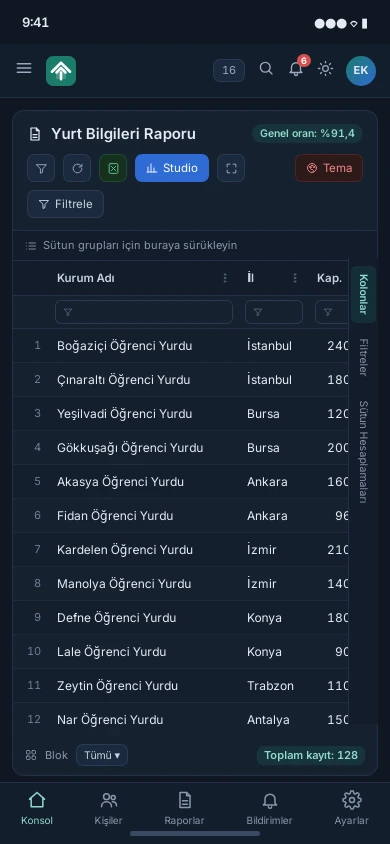
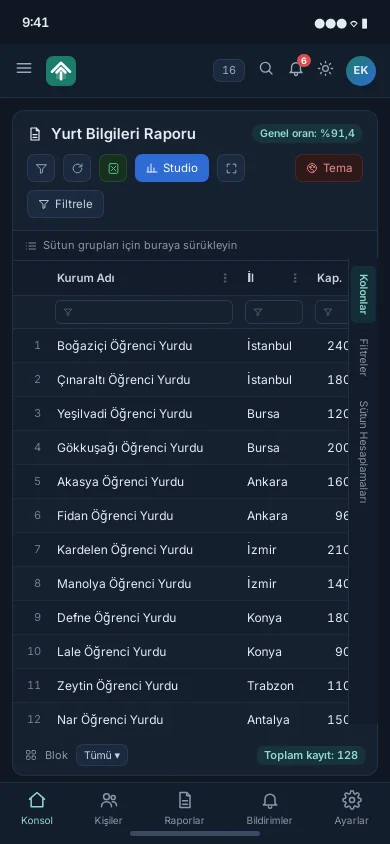
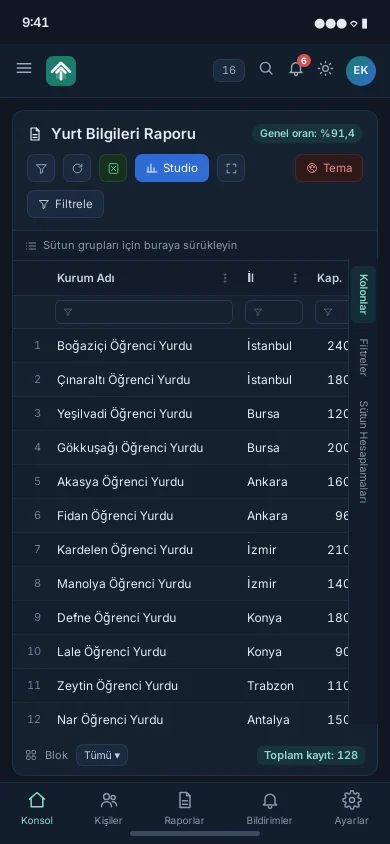
The new interface supports the dark theme and the phone view from the ground up; users choose between the classic and the new theme as they wish. On a phone the menu collapses, panels stack vertically, tables scroll horizontally, and the bottom bar takes users to the console, people, reports, notifications and settings with a single tap; the dormitory report opens in the field too, with its filter and Excel tools.

Features

Key features of the project

Single person record, multiple roles

Single person record, multiple roles

Students, staff, alumni, scholarship recipients, donors and tenants on the same record; clean data with duplicate detection and merging tools.

Hierarchical institution structure

Hierarchical institution structure

Head office, region, branch, dormitory and unit in a single tree; contact, address, map and service information for each institution.

Role- and scope-based authorisation

Role- and scope-based authorisation

Role permissions per page, visibility per user; the same report shows everyone their own scope.

Shared table framework

Shared table framework

Column filters, grouping, column calculations, Excel/CSV export and saved views in every list; learn it once.

Report Studio

Report Studio

Charts, pivots, KPIs and dashboards from any table by drag and drop; save, version and share by role, person or institution.

Dormitory capacity and placement tracking

Dormitory capacity and placement tracking

Capacity, occupancy rate, student placement and term comparison per dormitory.

Accounting and ERP integration

Accounting and ERP integration

Cash, bank, customer account and instalment tracking; two-way transfer of vouchers, invoices and bank transactions with commercial accounting software.

Scholarship and donation management

Scholarship and donation management

Scholarship request, approval, payment creation and payment list flow; donation and share records, duplicate finder, donor list.

Process and task management

Process and task management

List / Kanban / Calendar views, subtasks, SLA badges, task inbox and manager dashboard.

Human resources

Human resources

Leave, timesheets, payroll, staff pay, staffing norm report and organisation chart (position hierarchy).

Evaluation forms

Evaluation forms

Scored question sections, automatic score calculation, authorised opinion, period keys and comparison reports.

Bulk communication

Bulk communication

Recipient selection by group, person or Excel, personalised bulk SMS, ready-made message templates and delivery reports.

Stock and asset management

Stock and asset management

Product card, stock voucher, request and order flow; QR-labelled fixed asset tracking.

Layered sign-in security

Layered sign-in security

Human verification, virtual keyboard, two-step verification by SMS / e-mail / Authenticator / Passkey, passwordless sign-in.

Two themes, dark mode, mobile

Two themes, dark mode, mobile

Classic and new interface on the same code; dark mode and phone view supported from the ground up.

Web and alumni portal management

Web and alumni portal management

News, pages, tenders and dormitory presentation pages; alumni portal user and content management from the same panel.

Application modules

Application modules

Library (ISBN/barcode, lending), dormitory internet access (automatic password), document control, projects and activity records.

Keep scrolling

Project presentation

Presentation

Move between slides with the arrow keys or by swiping.

Full screen (opens in a new tab)

How we work

Your project could be next

This project was run on the same four principles; yours will be too.

  1. We start with analysis

    Scope, integrations and roadmap are written down and agreed in the first weeks; no surprises along the way.

  2. We don't touch your existing systems

    ERP, accounting, banking, e-invoicing: whatever you run, we integrate on top of it and your data stays where it is.

  3. Security is designed in from day one

    Role-based access, two-factor authentication, data-protection compliance and a log of every action are built into the foundation, not bolted on later.

  4. We're still here after go-live

    Maintenance, monitoring and new releases come from the team that built the project; someone who knows your system is always a call away.