

 netYurt
On a Monday morning, a dormitory manager logs in to the system. The screens they are used to are right where they were; but now they have a choice: if they wish, they can switch to the new interface, which has a dark mode and works on phones. The same week, a coordinator at a regional office turns the dormitory occupancy list they check every day into a dashboard by dragging and dropping, and shares it with their team.
Both are the result of renewing a system that has been used every day for years without users having to stop their work. In this article we describe netYurt's most recent infrastructure renewal.
The project in brief
netYurt is an enterprise management system we developed for a long-established education organization that runs hundreds of student dormitories, branches and education centers. Person and institution records, accounting, scholarships and donations, human resources, process management and bulk communication are managed in more than 15 main modules, in a single web-based, phone-compatible system. The project has grown with the organization over the years; from staffing norm planning to the library, from the alumni portal to dormitory internet access, new needs were added in every period. News, pages, tenders and dormitory presentation content, as well as the alumni portal, are managed from the same panel.
When every module wants its own report
Accounting wants a trial balance, human resources a timesheet, management a trend chart. Writing a separate screen for every report was becoming unsustainable as the number of modules grew. On top of that, when each list's filters, export and view worked differently, users had to learn every screen separately.
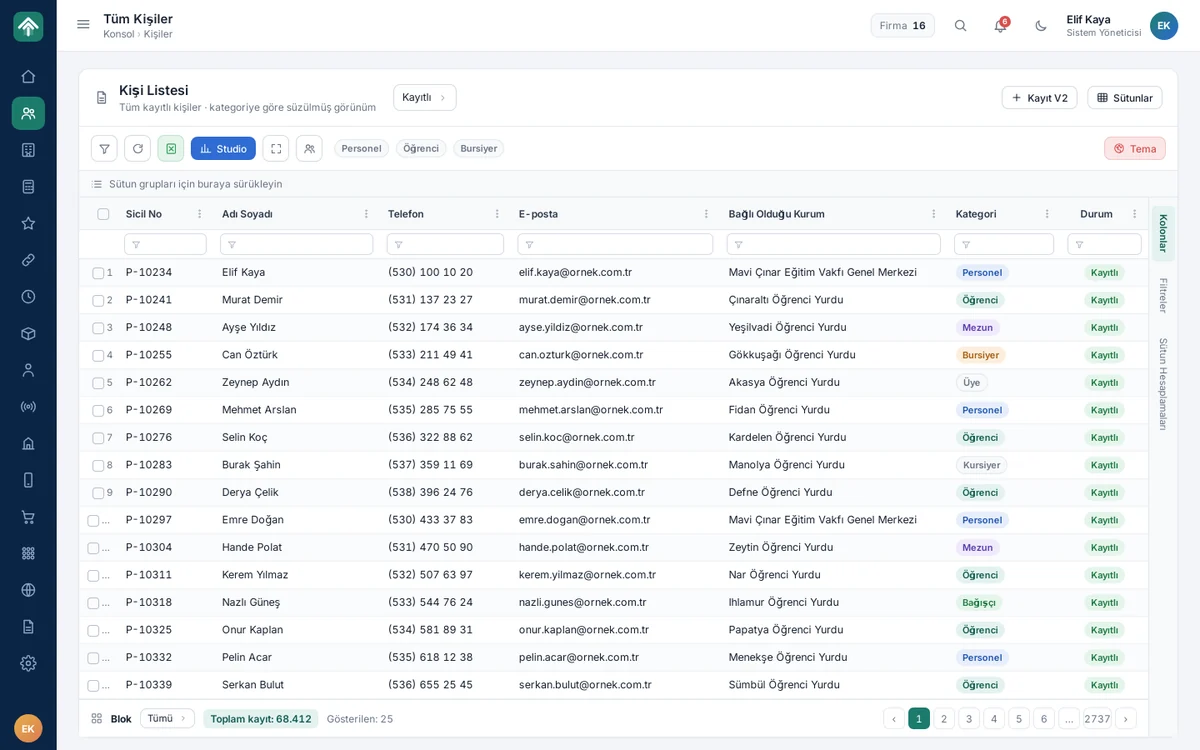
The first step of the solution was a shared table component. We moved all list and report screens to this new framework: column filters, grouping, column calculations, pagination, one-click Excel and CSV output and saved views work the same way in every list. Once a user has learned one screen, they have learned the whole system.
Small decisions in the interface serve the same purpose. When a column header is dragged to the area above the table, the list is grouped by that column; column selection, filters and column calculations open from a side panel. Users start the day from a console that holds shortcuts to their frequently used screens, related work groups and the Kanban task board.
Every table turns into a dashboard
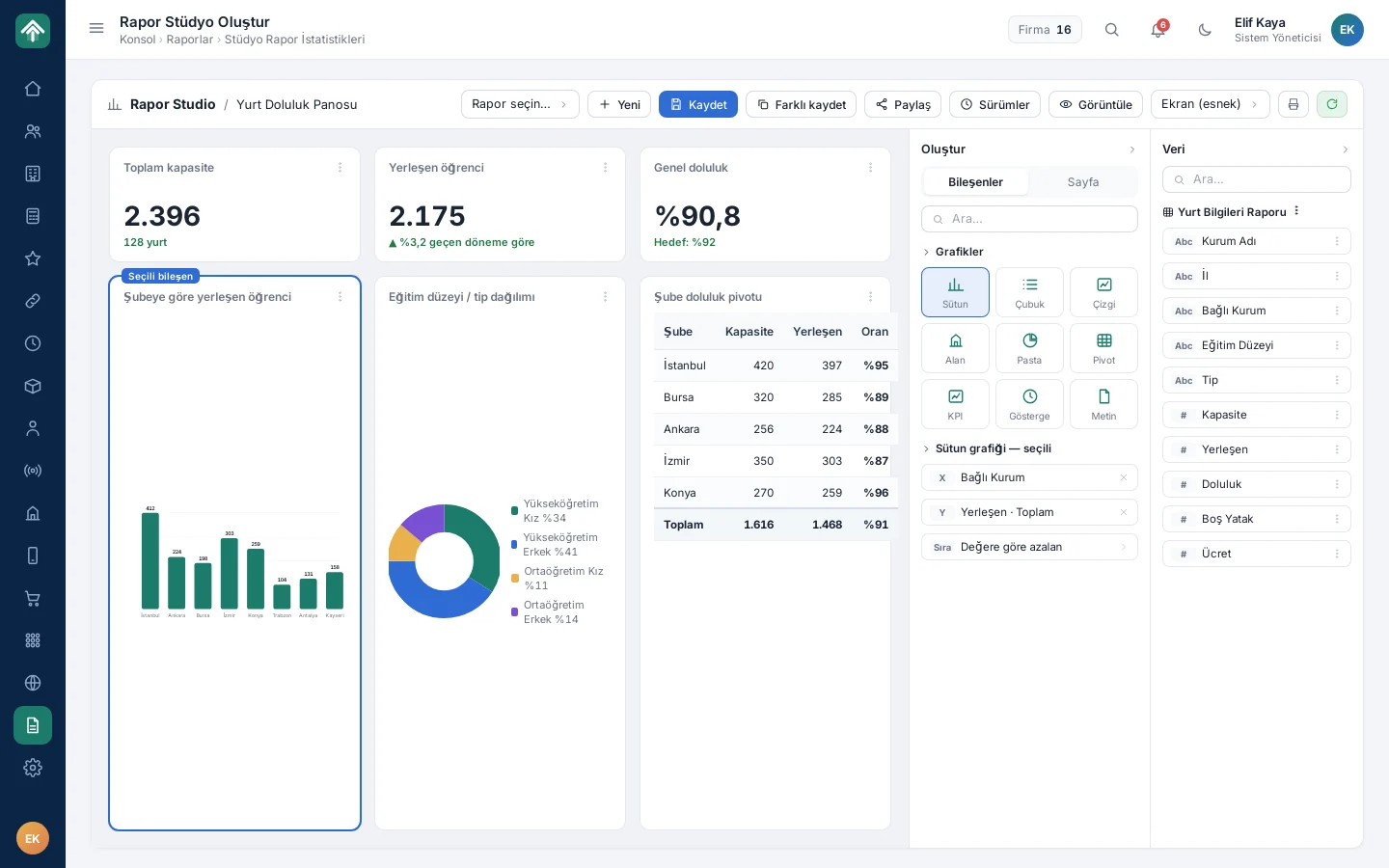
The real payoff of the shared framework emerged in the second step. An authorized user takes any table, with its current filter, into Report Studio; by dragging and dropping columns they build column, bar, line, area or pie charts, pivot tables, and KPI and gauge components. A report prepared in a screen or landscape A4 page layout is saved, versioned and shared by role, person or institution. Reports can also be built from ready-made data sources that are not tied to a table. The ability to bring a table into the Studio is limited to authorized users; as in the rest of the system, page permission is determined by role, and visibility by the user's scope.
As a result, there is no need to write a separate screen for every new reporting need. A unit that wants the trial balance, the timesheet or the trend chart can meet its need on the same framework, with a dashboard it builds itself. The manager dashboard in process management also shows request counts, the monthly trend, the status distribution and the most active units at a glance.
Two themes, one codebase: leaving the switch to the user
The real constraint was timing. The infrastructure was being renewed while the system was live, and hundreds of users could not stop their work. So the new table framework and the new interface theme had to run alongside the old structure, on the same code. This renewal was the last link in our approach of building the system in four layers from the start: first the data backbone and the authorization model, then the operations modules, then the reporting layer, and finally the new interface.
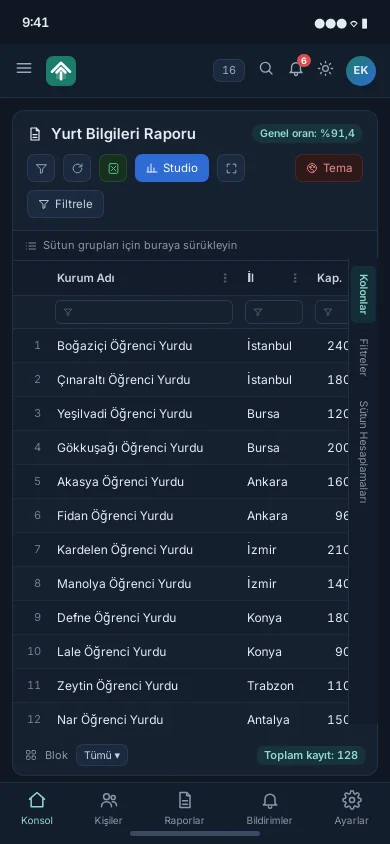
We kept the existing interface and added a new, dark-mode and phone-compatible theme next to it. Users pick the theme they want; both themes use the same codebase. No module was rewritten; only the theme layer changed. On a phone the menu collapses, panels stack vertically and tables scroll horizontally; reports can also be opened in the field, and nothing needs to be installed apart from the browser. The transition thus proceeded without interruption and in stages; users were able to move to the new interface at their own pace.
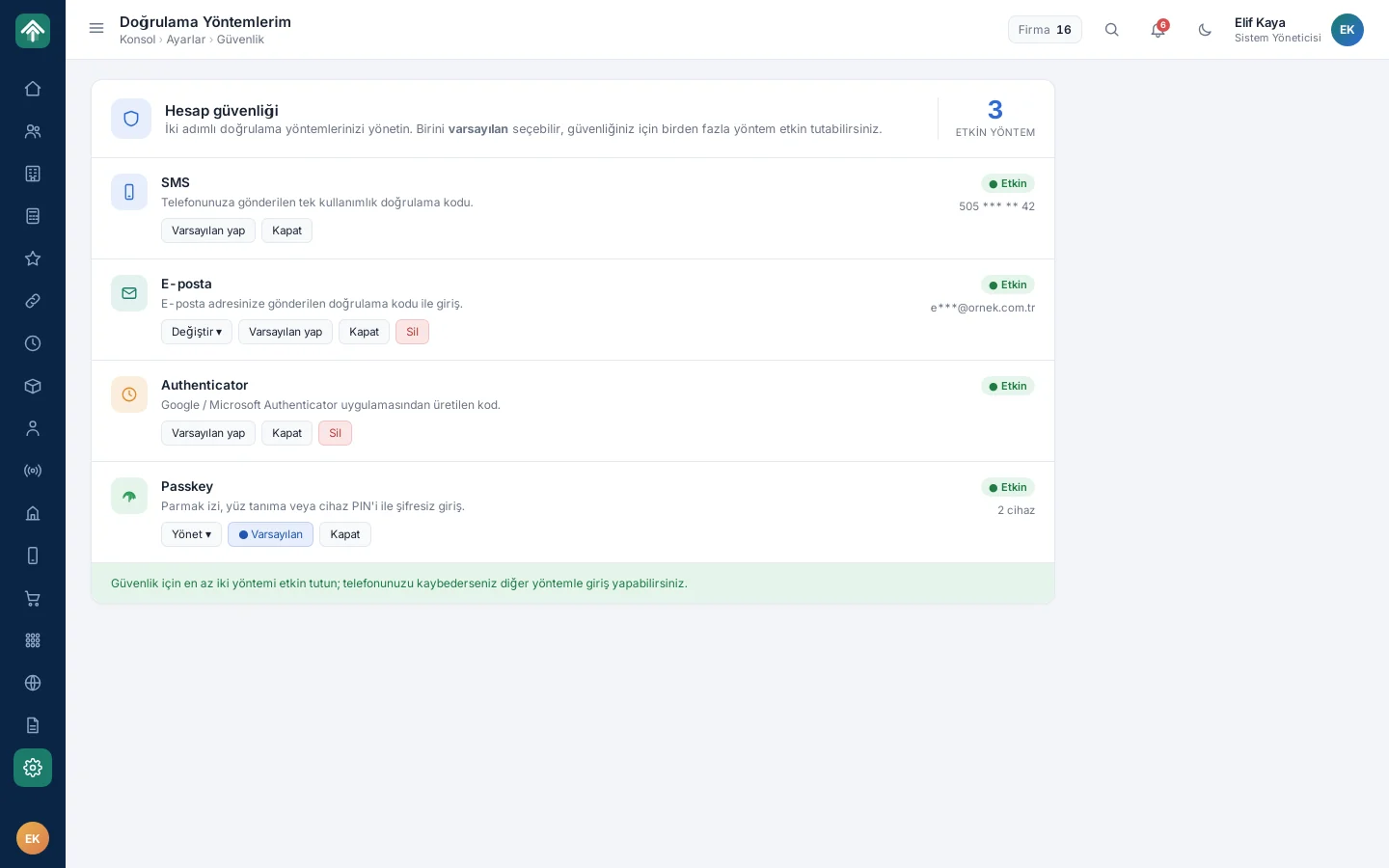
A new sign-in experience arrived in the same period. With the shared computers in dormitories in mind, human verification and a virtual keyboard against keyloggers were added. Four methods are offered for two-step verification: SMS, email, Authenticator and Passkey; with Passkey, users can sign in without a password using their device's own screen lock (PIN, etc.). Each method can be switched on and off separately and several can be kept active; a user who loses their phone can sign in with another method. For authorized operations, a record lock and a change trail are also kept.
What we learned in the field
- Build the reporting infrastructure, not the report. The shared table and Report Studio broke the cycle of writing a screen for every new need.
- On a live system, swap a layer instead of staging a revolution. Changing the theme layer instead of rewriting the modules kept the risk of the renewal small.
- Leave the switch to the user. Because the old and new interfaces lived side by side, nobody was forced onto an unfamiliar screen one morning.
- Design security around the environment. In dormitories where computers are shared, a virtual keyboard and passwordless sign-in are not a convenience but a necessity.
When renewing a system that has been in use for years, the greatest success is that users can move to a better tool without stopping their work.
Can you renew your system without stopping it?
If you have been growing a system that has expanded for years by adding new screens for every report request, or if you keep postponing a renewal out of fear that “everyone would have to stop working”, we can plan a gradual transformation together. You can take a look at the netYurt project page or get in touch with us.
About the author
Zeynep Çelik
Digital Content Specialist
She is part of Karatsoft's digital content team and writes blog articles. She explains in clear language which need each project and product answers and how it works in practice.


Comments
0No comments yet. Be the first to comment!
Leave a Comment
Feel free to share your thoughts and feedback with us.