Skip to content
Project
  • Mobile
  • Web

Sinpaş YTSConnect

Workforce and Field Management Platform

The work app in the pocket of Sinpaş Yapı Tasarruf Sandığı employees: QR- and location-verified clock-in, leave, expenses, field tasks and training in a single mobile app, while HR and managers see every action on the web panel at the same time.

  • CRM
  • ERP

Project Summary

YTSConnect was developed for Sinpaş Yapı Tasarruf Sandığı (Sinpaş Tasarruf Finansman A.Ş.), which has dozens of branches and hundreds of employees across Turkey; it brings personnel time and attendance control (PDKS), shift management, leave, advance and expense processes, field sales tasks and corporate training management together in a single ecosystem.

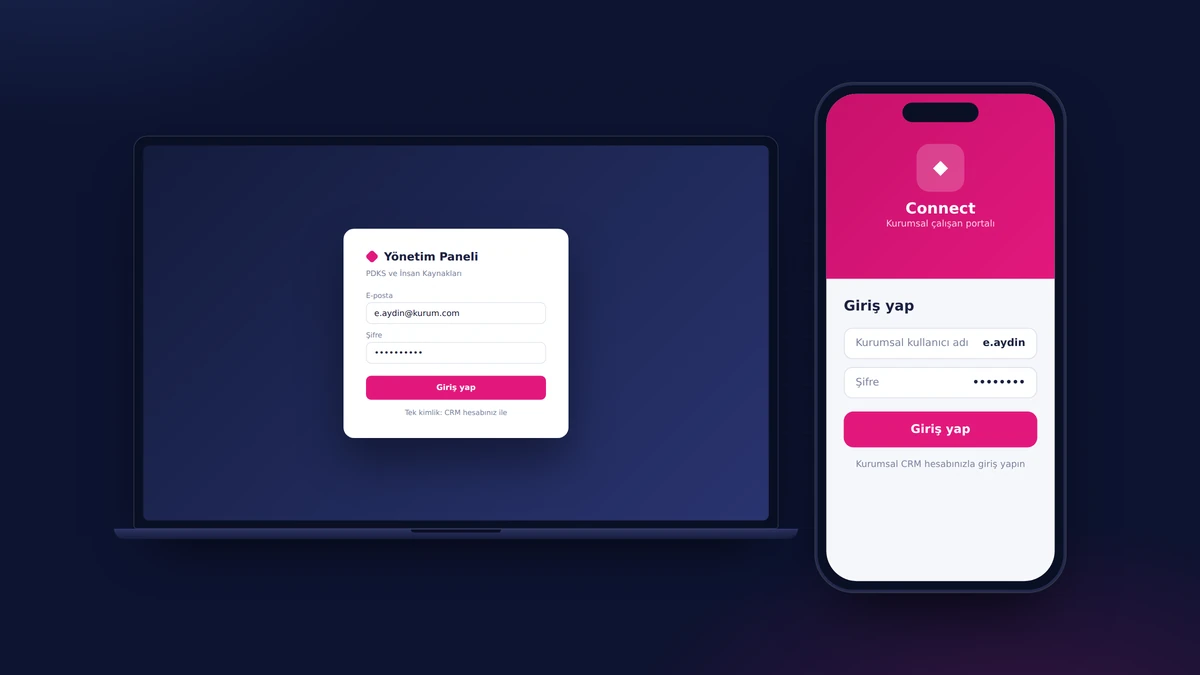
The solution has three layers: a web management panel for HR and managers, an iOS/Android mobile app for all employees, and an integration API that talks in both directions with the organization's existing CRM/ERP systems. Employees sign in with their existing corporate credentials (SSO), clock in with the branch QR code and location verification, and create leave and expense requests from their phones; managers, in turn, see every action in the web console within the same second, and approve and report on it.

The result: instead of scattered Excel files, email chains and manual timesheets, Sinpaş YTS has a digital foundation that fits the organization's own structure and working policies exactly and serves as a single source of truth.

Your next transformation

Let's plan a similar transformation for your operations

Tell us what you need; we'll set out the scope, integrations and roadmap in writing in the first meetings. Built around the way you work, without touching your ERP, accounting or banking systems.

  • Written scope and roadmap
  • Integrated with your existing systems
  • Post-launch support from the same team
Explore other projects
Project details

A closer look at the Sinpaş YTSConnect screens

The main screens and their highlights: on every image we magnify the area that matters most. Tap an image for details.

Single Sign-On (SSO)

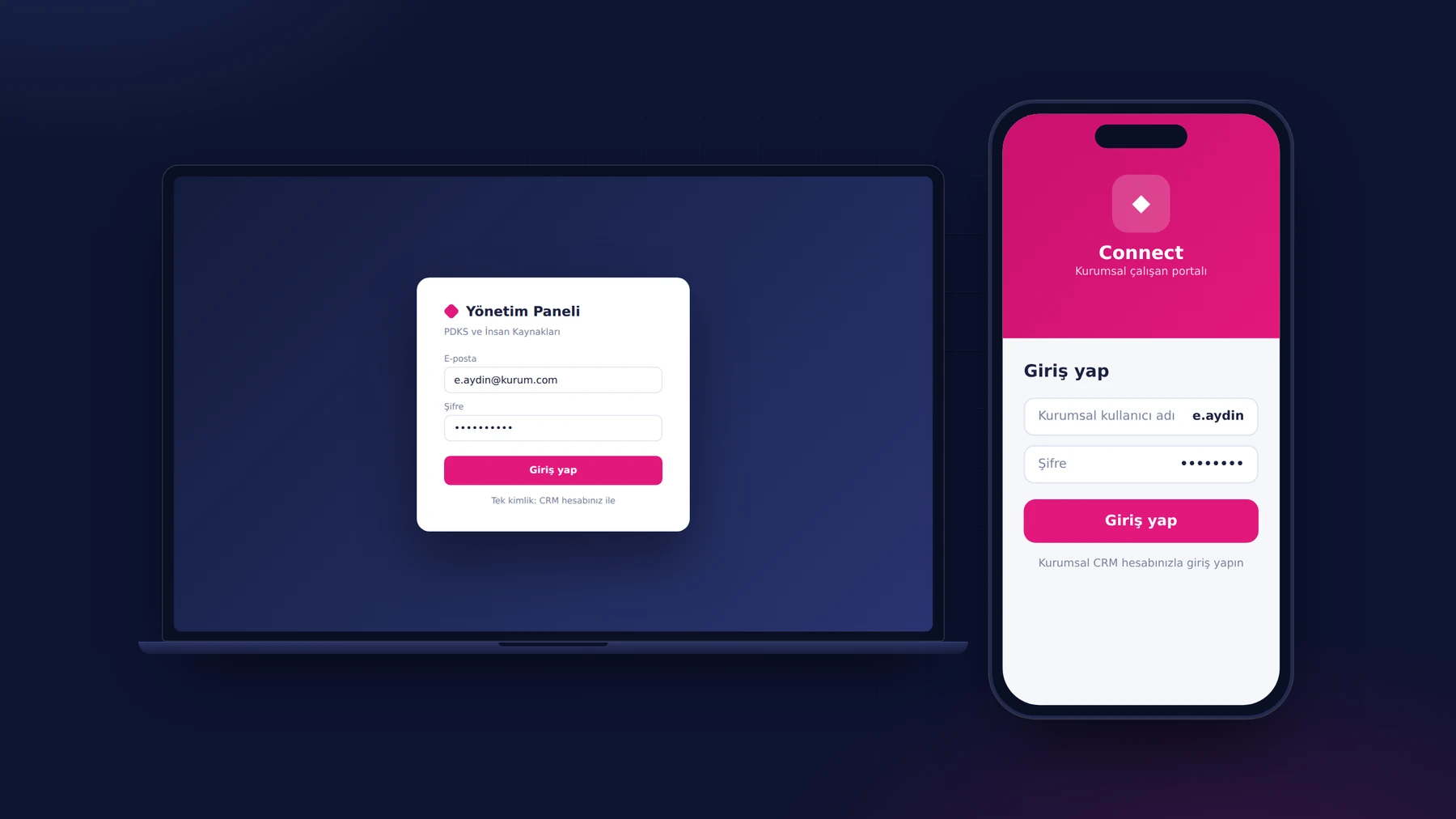
A Sinpaş YTS employee installs YTSConnect on their phone and signs in with the CRM user name and password they already use at the organization; there is no new account, no new password and no separate registration process. HR staff and managers sign in to the web panel with the same identity. Once a person is defined in the CRM, their app access opens automatically.

The Employee's Daily Assistant: Home Screen

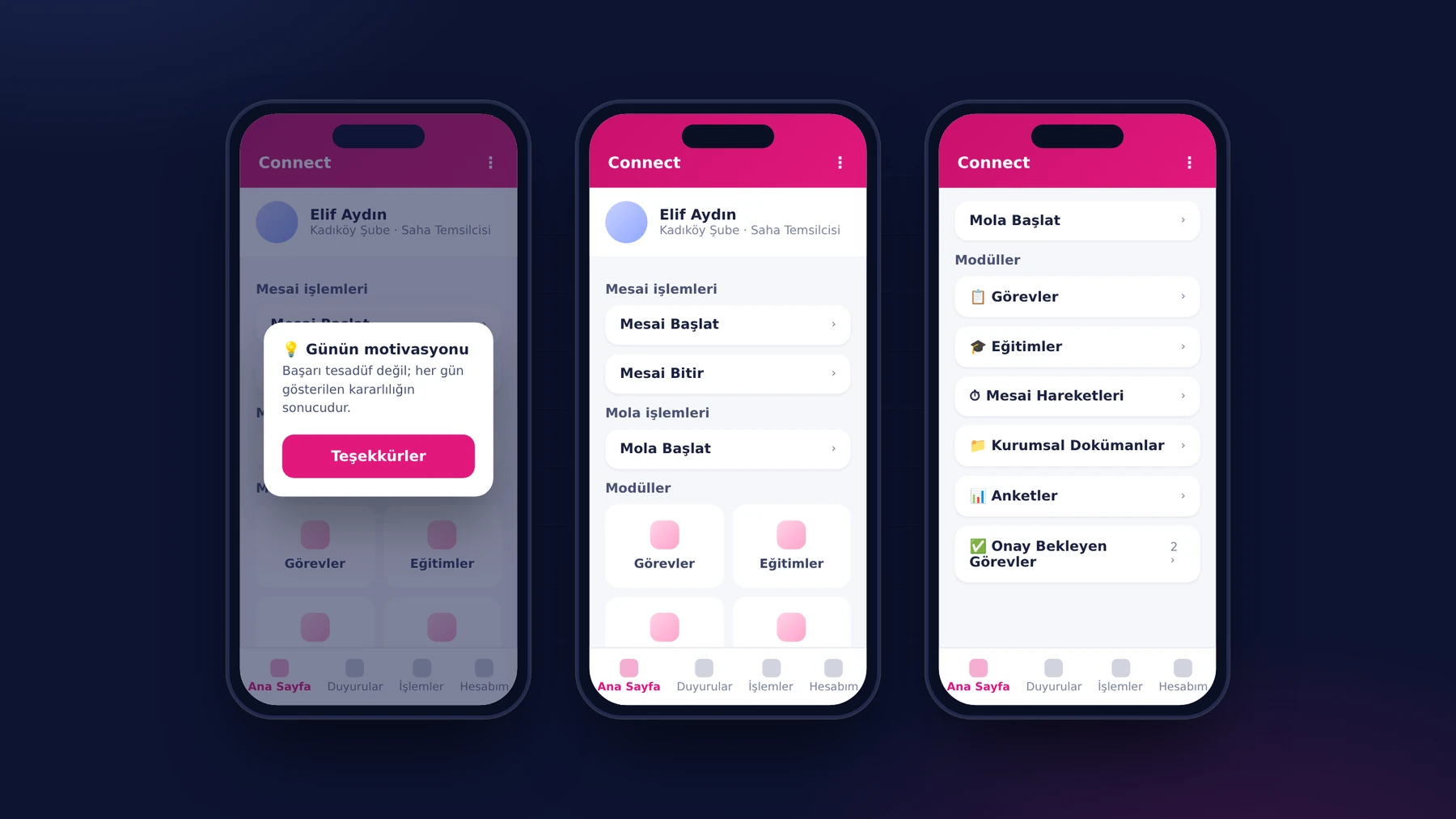
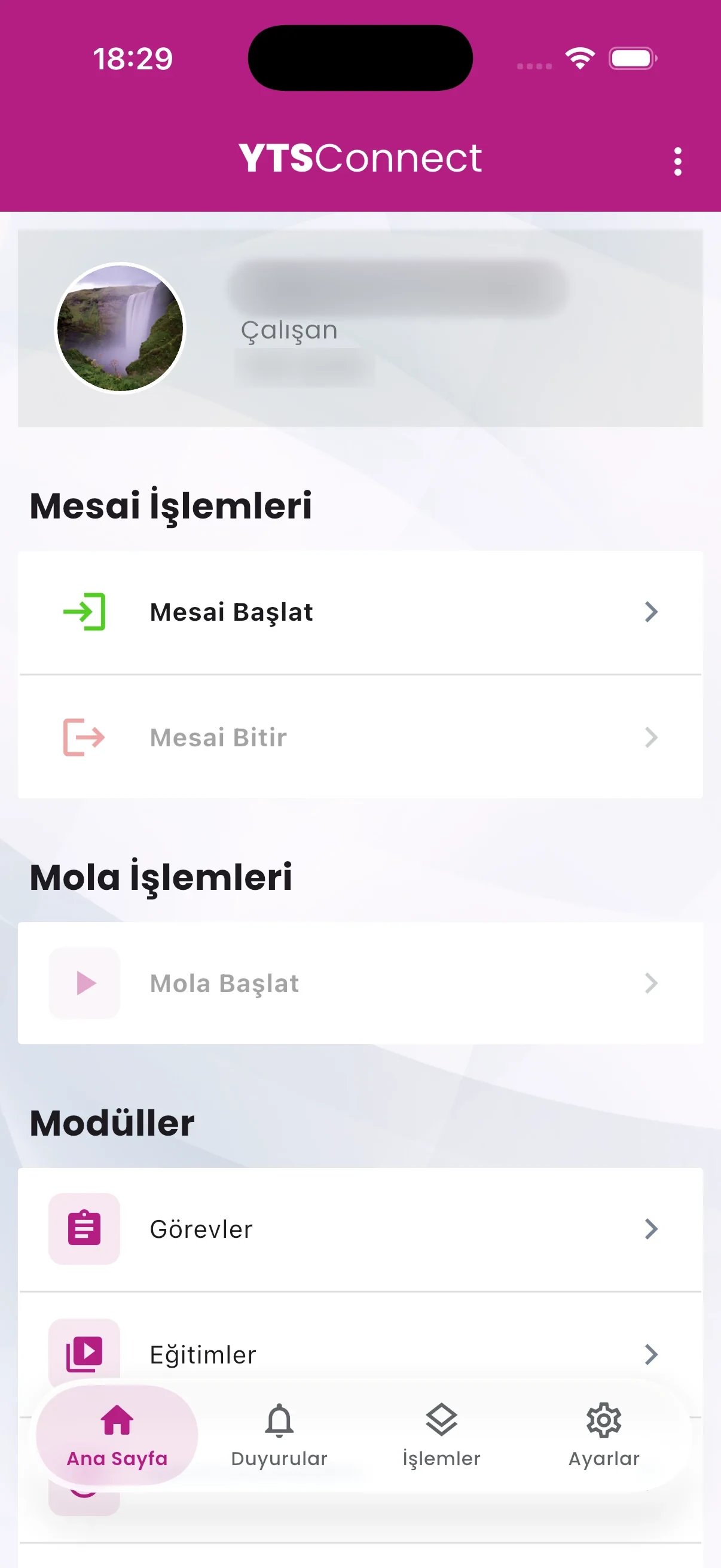
When employees open the app, they reach all of their daily work from the home screen: Clock In and Clock Out, the break buttons, tasks, training, surveys and corporate documents are all on the same screen. From the bottom menu they move to announcements, leave and expense actions and account settings with a single tap. The Daily Motivation message sent at the start of the day also greets the employee on this screen.

Clock-In and Breaks with QR + Location Verification

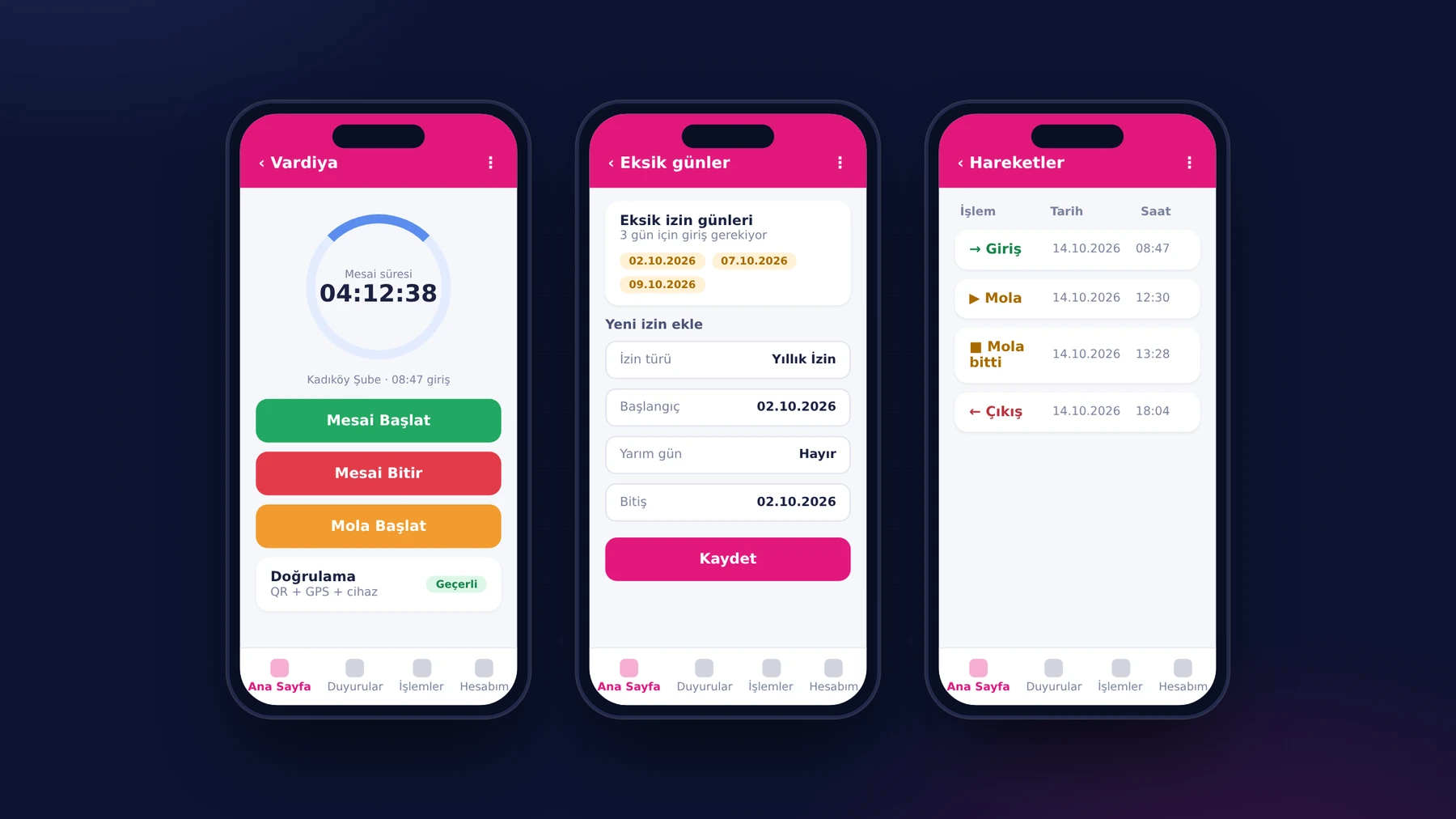
The employee taps Clock In and scans the branch QR code with the phone's camera; the app checks the location and the paired device at the same time. No clock-in record is created unless all three match. An employee with missing records for past days first enters leave for those days, so the timesheet always stays complete and consistent.

Mobile Leave Requests and Entitlement Tracking

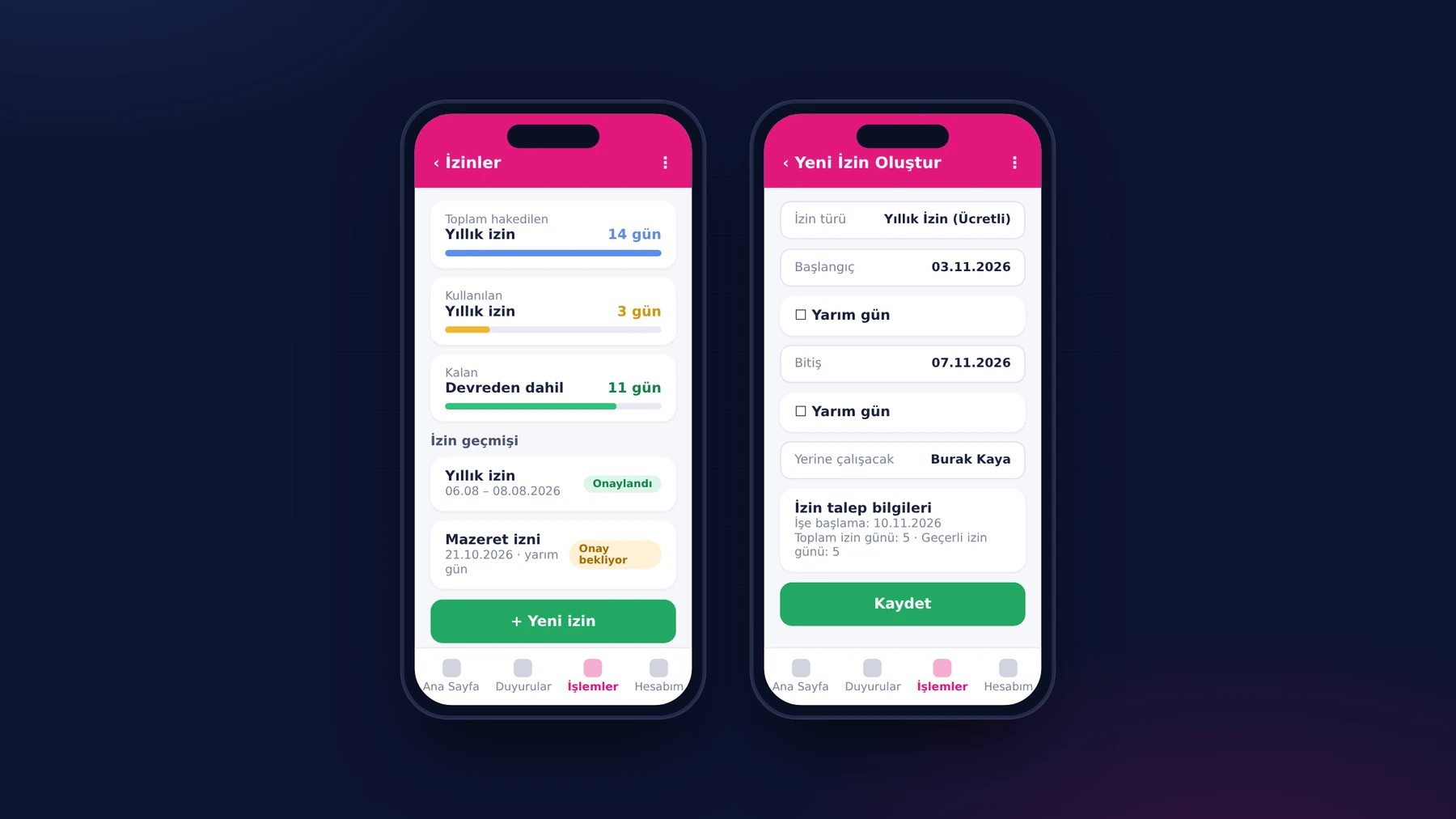
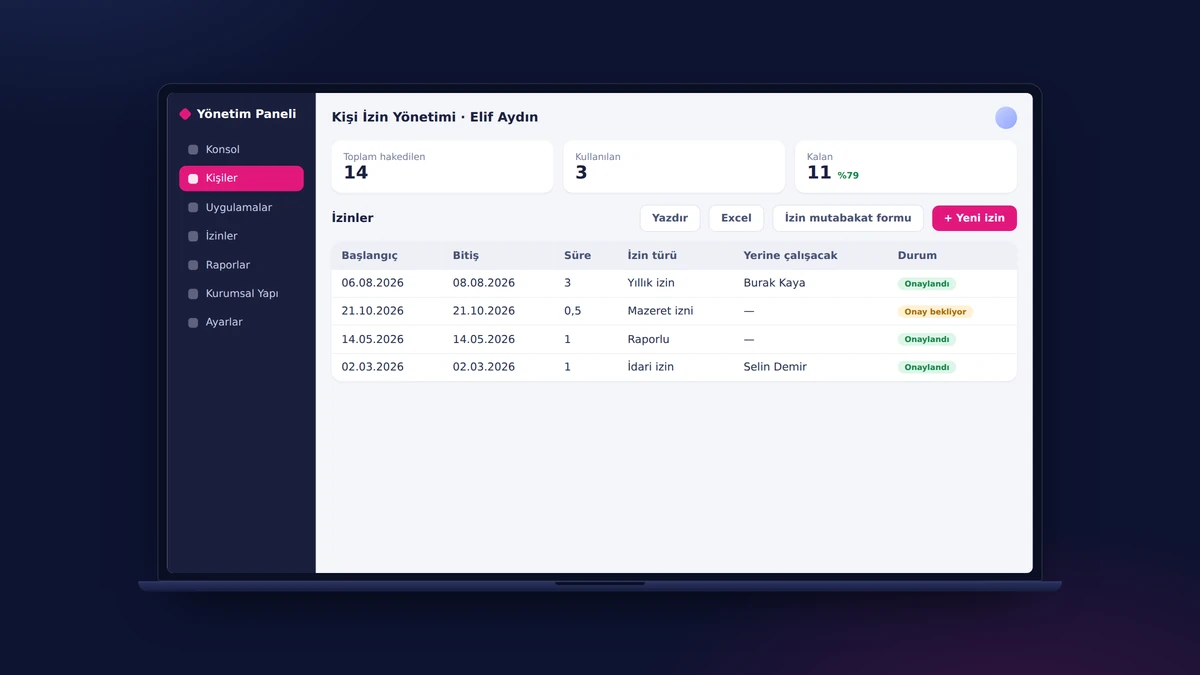
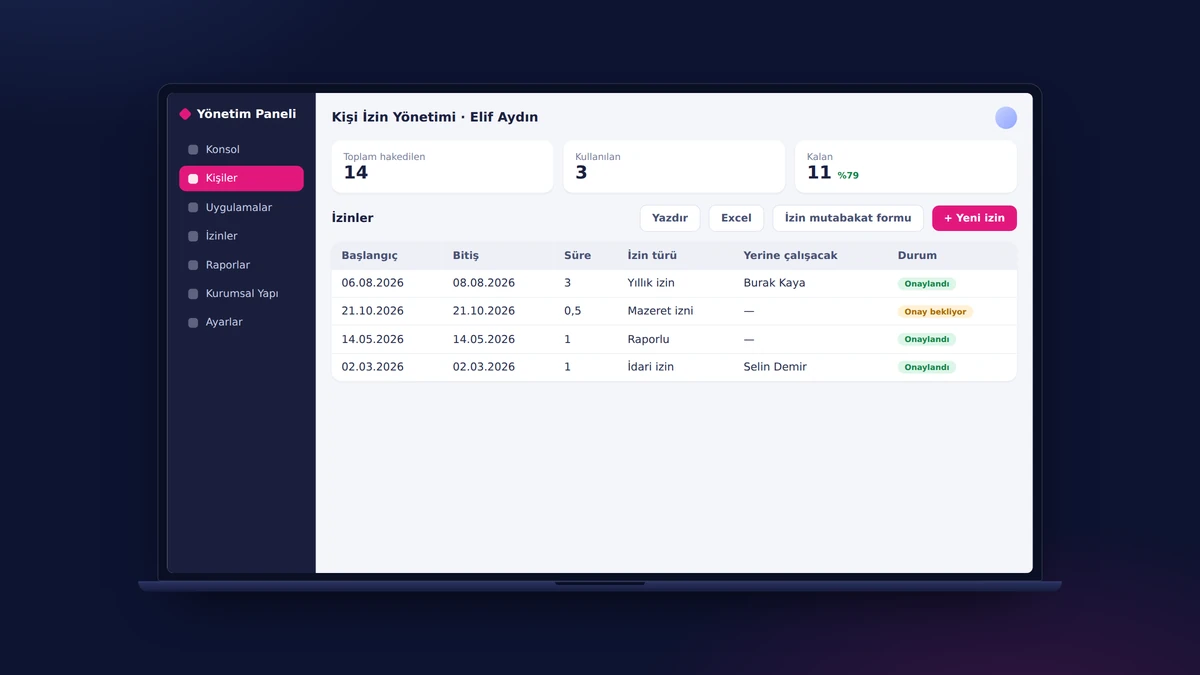
Employees open a leave request from their phone: they choose the leave type and dates, mark a half day if needed and name the person who will cover for them. At the top of the Leave screen, entitled, used and remaining leave are always up to date. The request enters the approval chain; HR, for its part, prints the reconciliation form for the leave used with one click from the panel.

Field Task Life Cycle

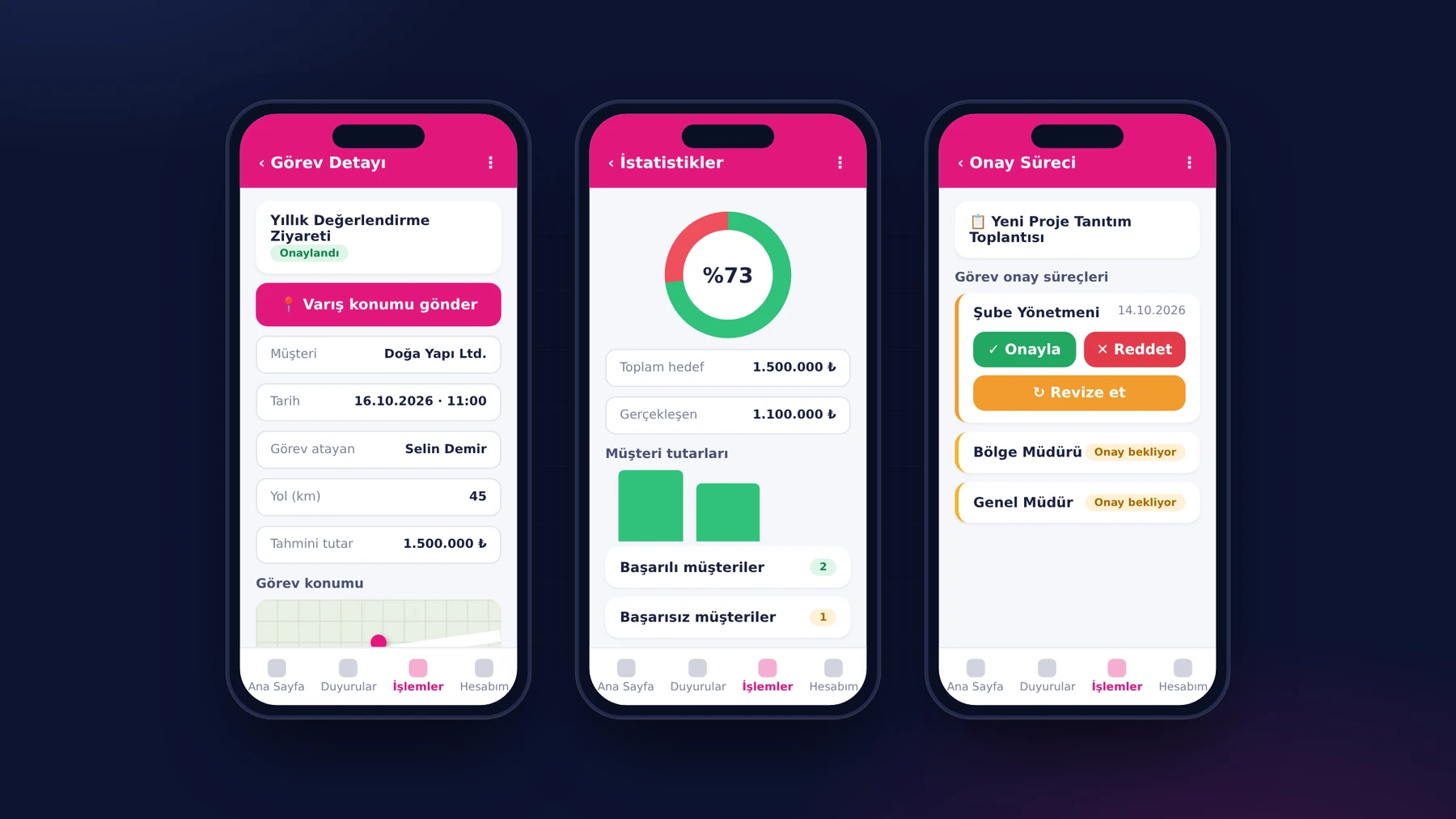
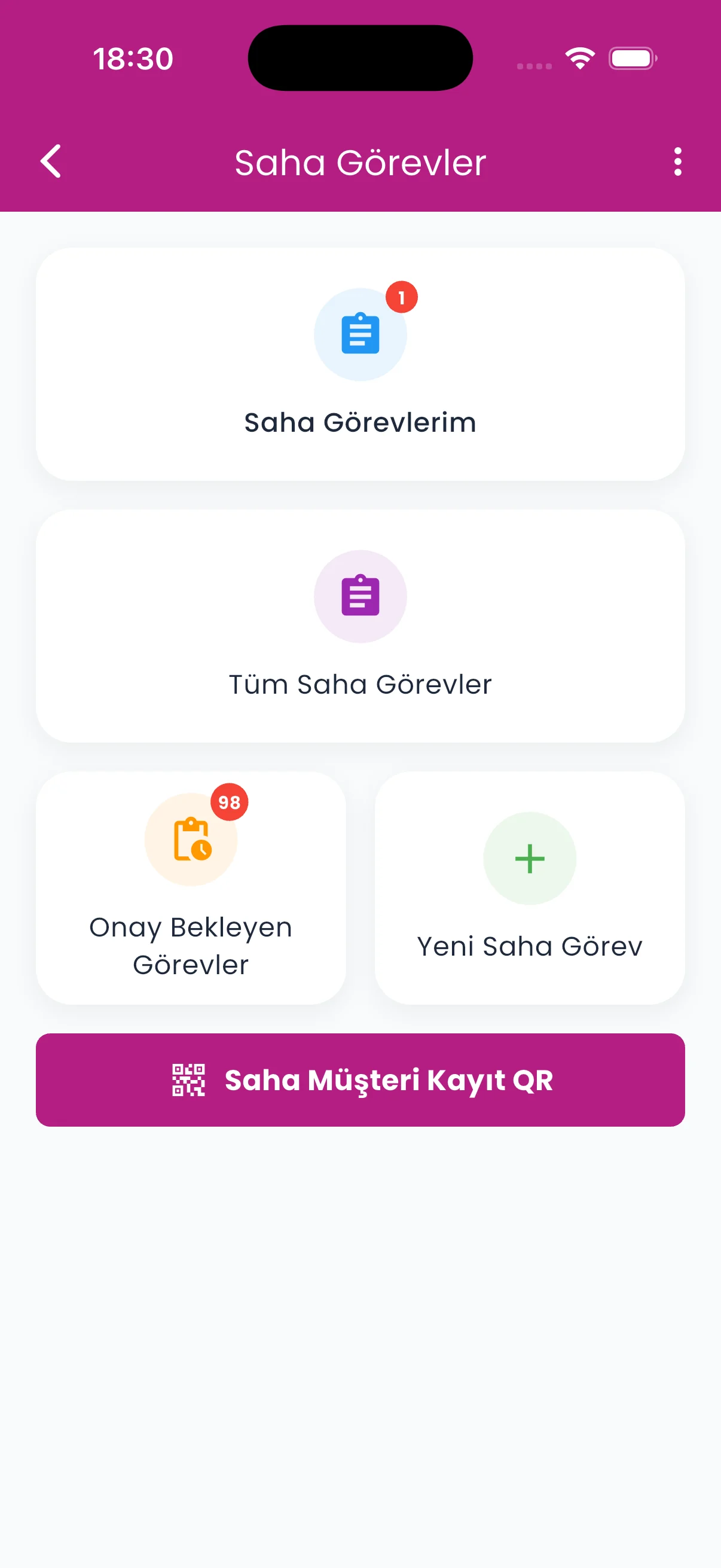
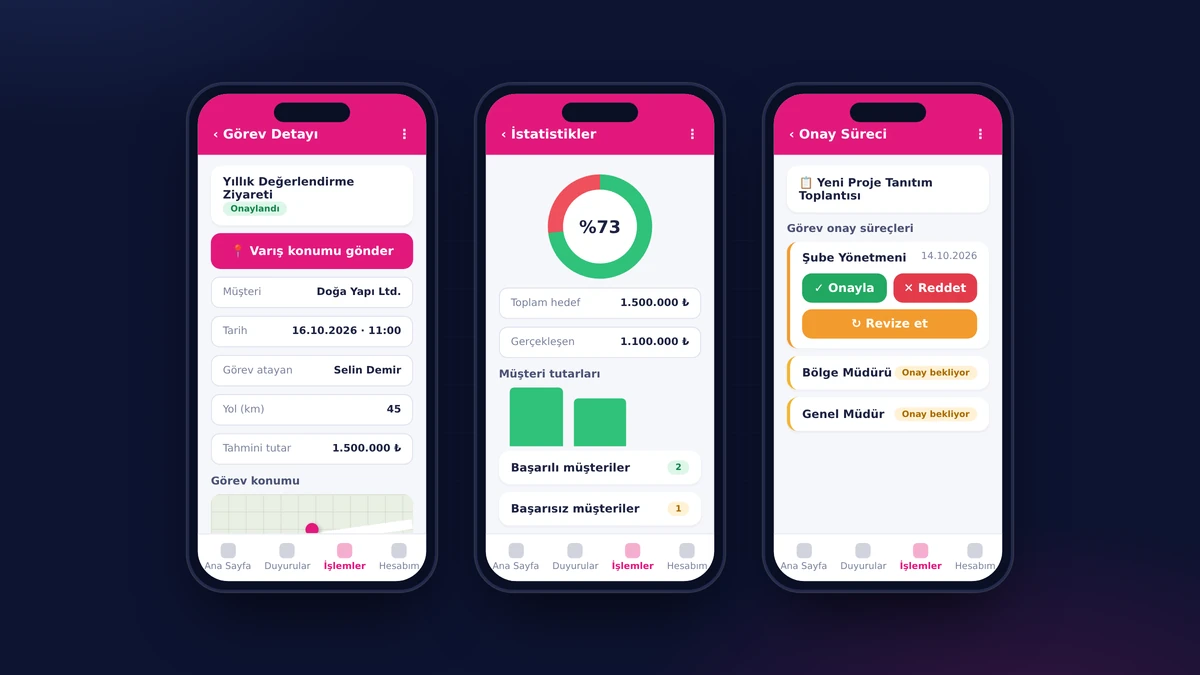
A field representative creates a task request from their phone, entering the customer, location, date and estimated amount. Once the approval chain is complete, they start the task, send their location on arriving at the customer, add their expenses and record the result per customer. The target, actual figure and success rate are calculated automatically; a manager follows the same process live from the web panel.

Expense and Advance Management

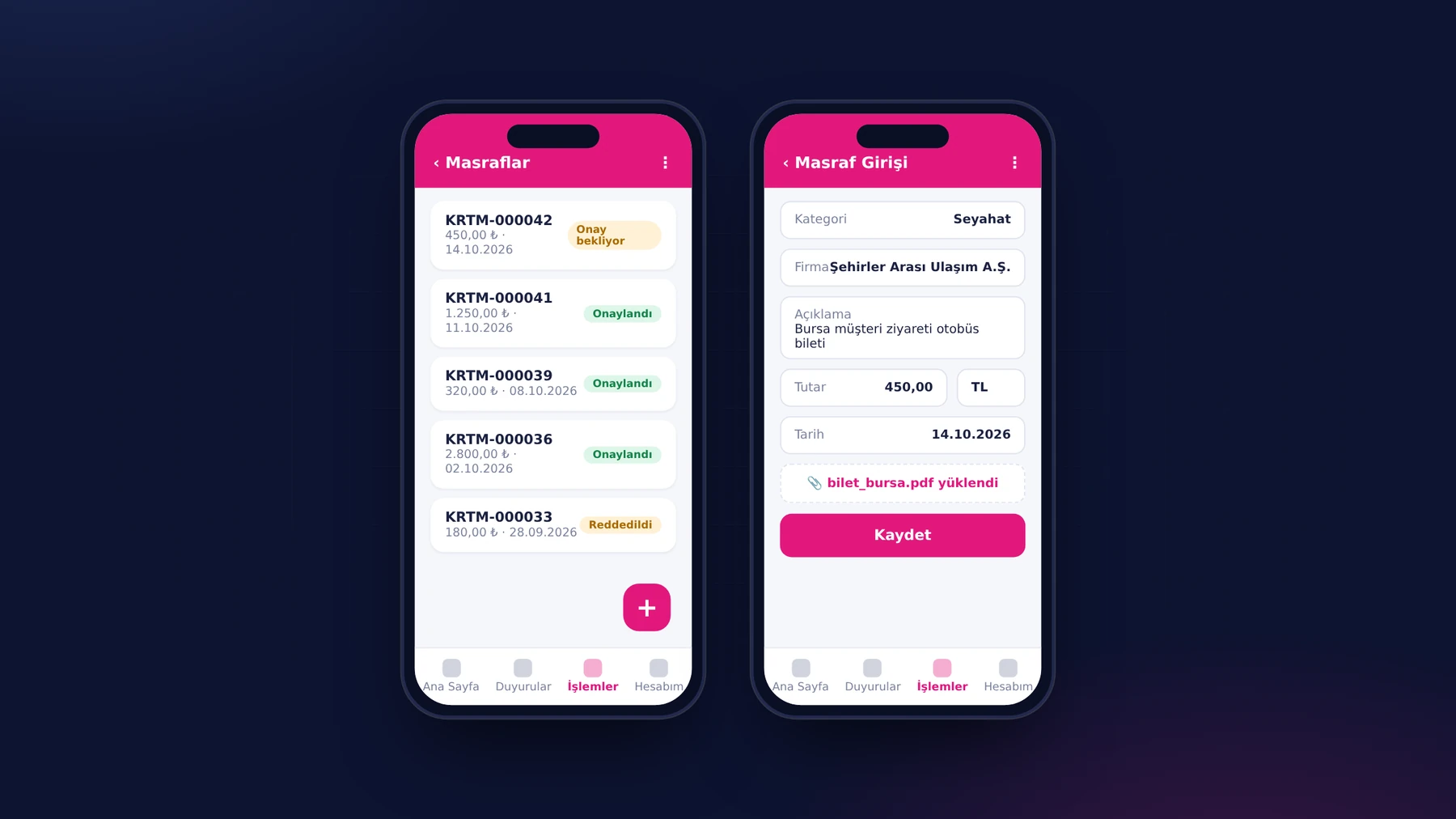
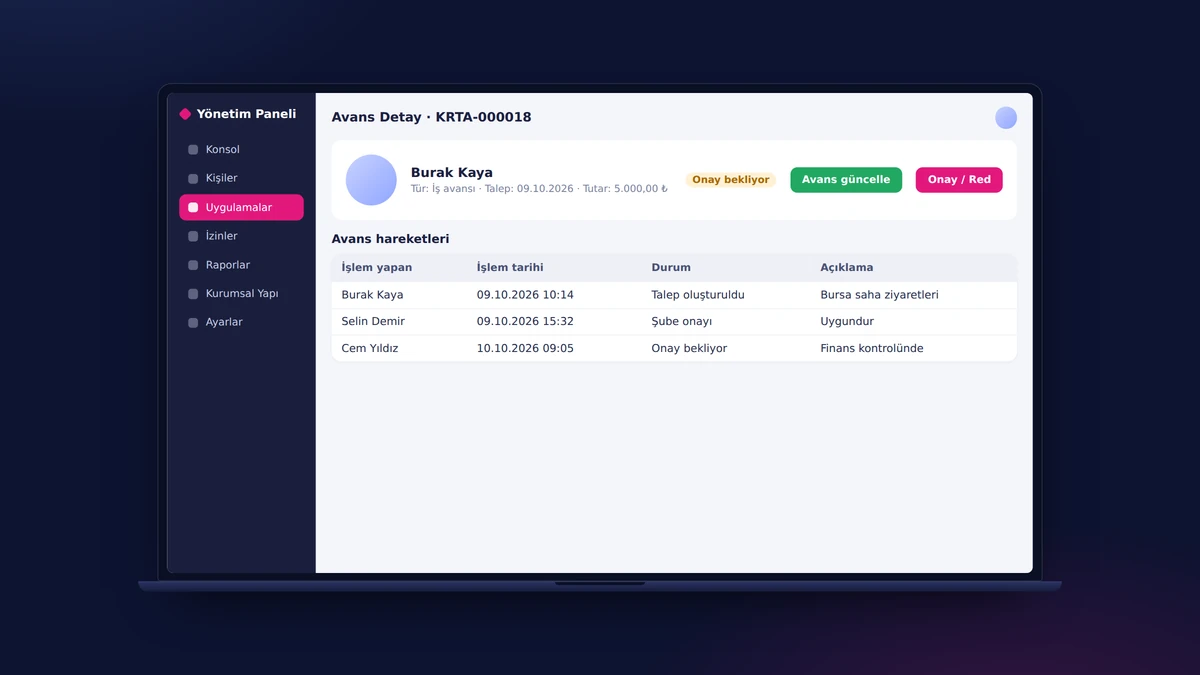
Employees enter an expense from their phone while in the field: they select the category, company, amount, currency and date and attach the receipt or invoice as a PDF or an image file. The entry reaches the manager's list with the status pending approval. Advance requests and every approval or rejection action are stored with their dates; finance reaches the same document from the panel.

Corporate Training: Videos, Documents, Badges, Certificates

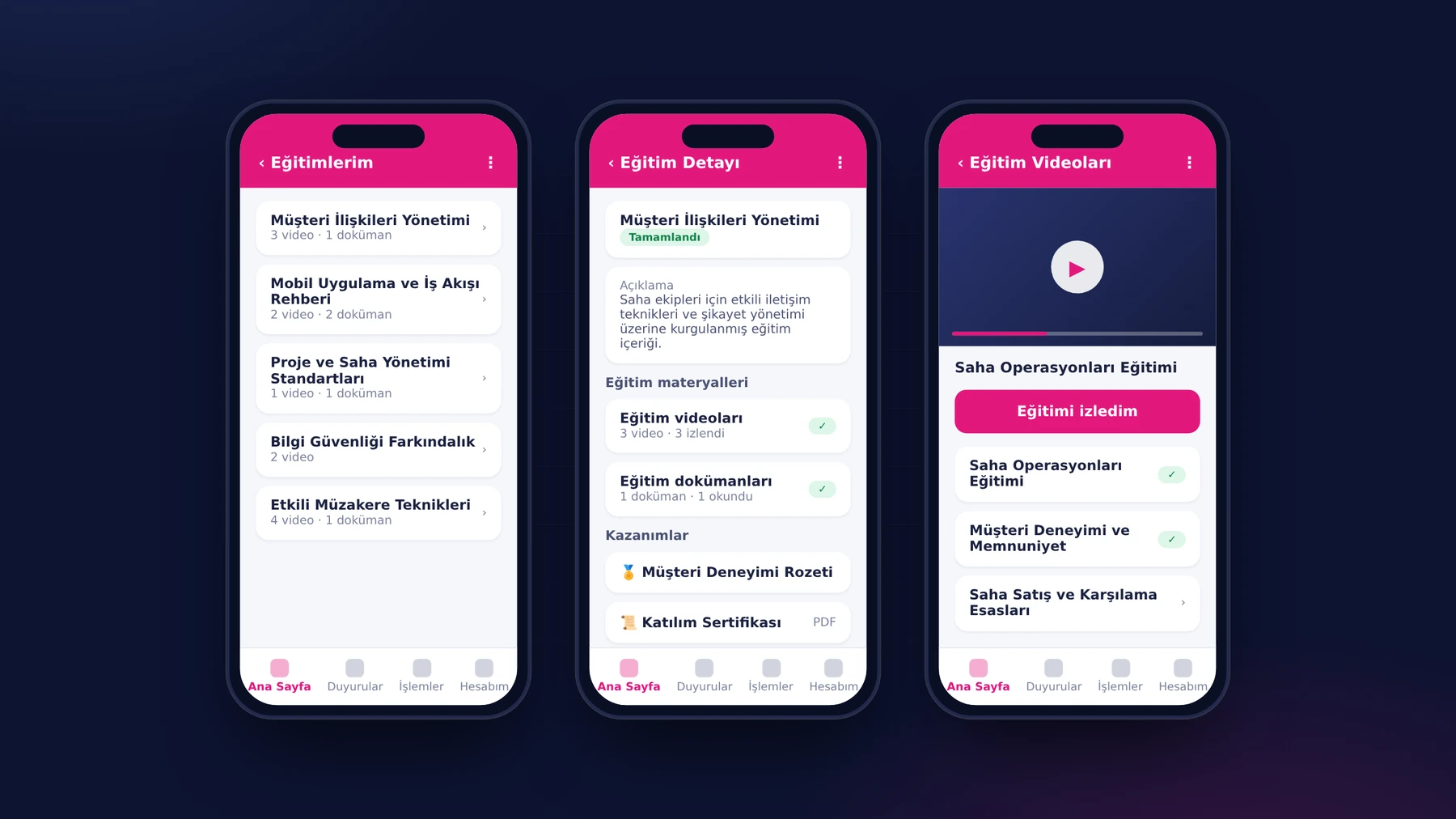
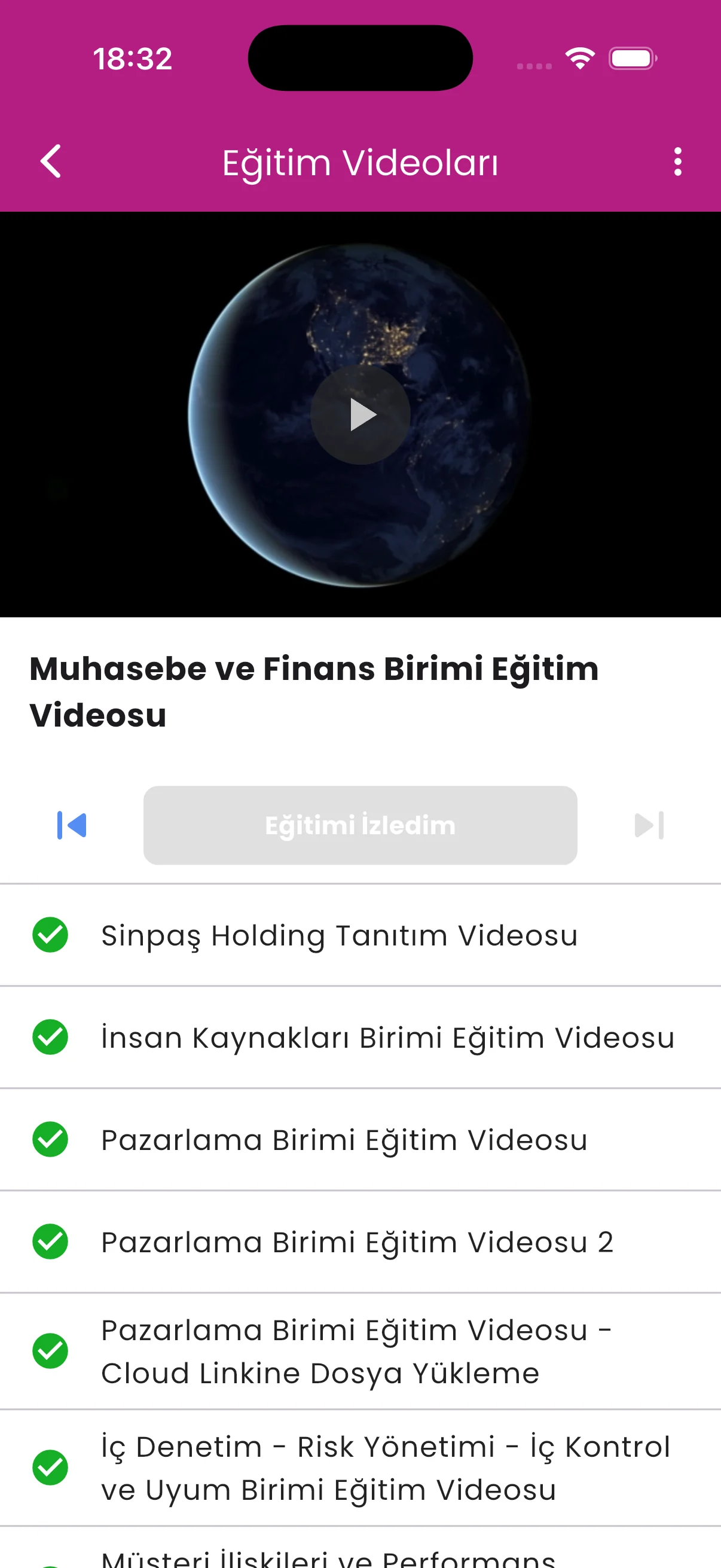
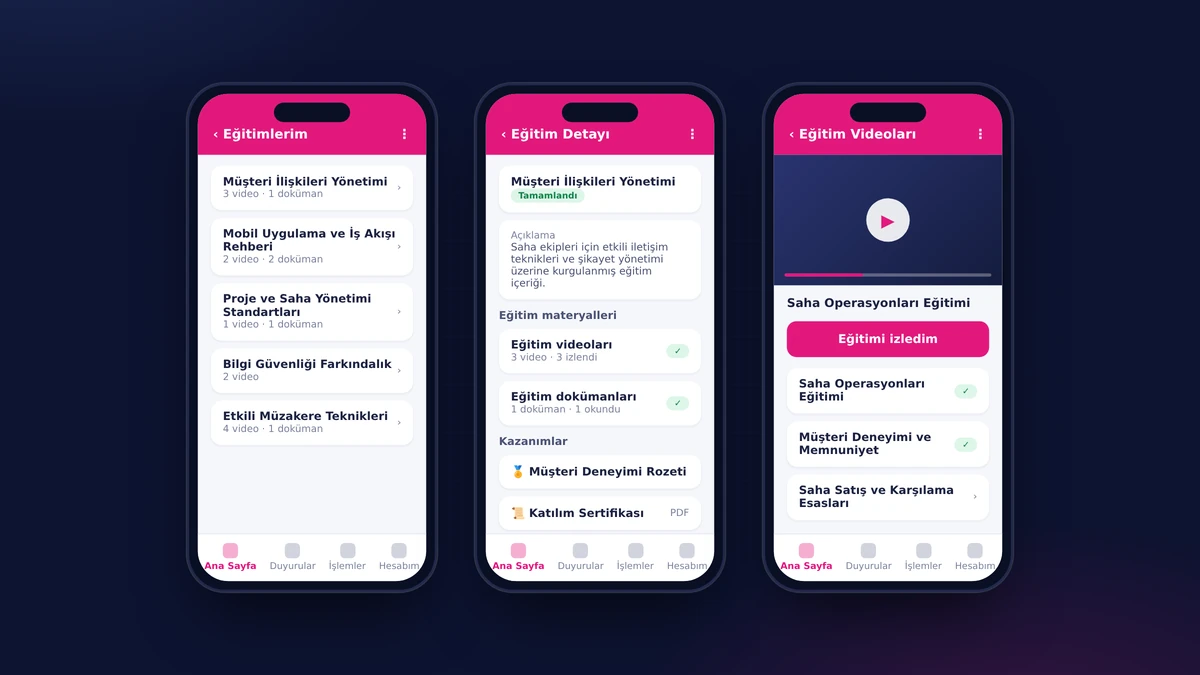
Employees find the training assigned to them on the My Trainings page on their phone; they watch the video and tap the I Watched the Training button, read the PDF documents, and completed items are marked with a green check mark. Those who finish a training earn the badge defined for it and a participation certificate. HR assigns the content to groups and reports on who has completed what, person by person.

Internal Communication: Announcements, Documents, Surveys, Celebrations

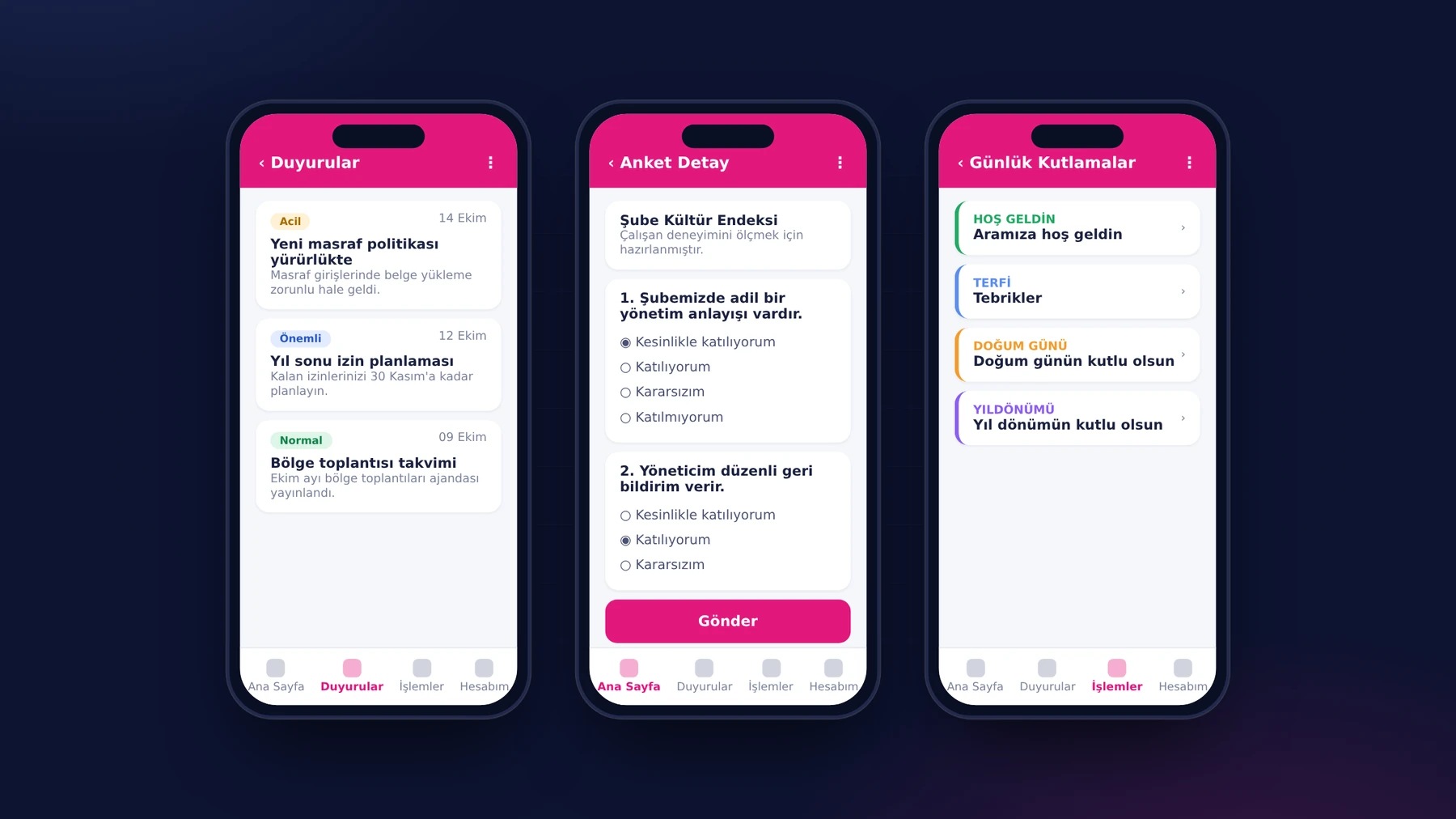
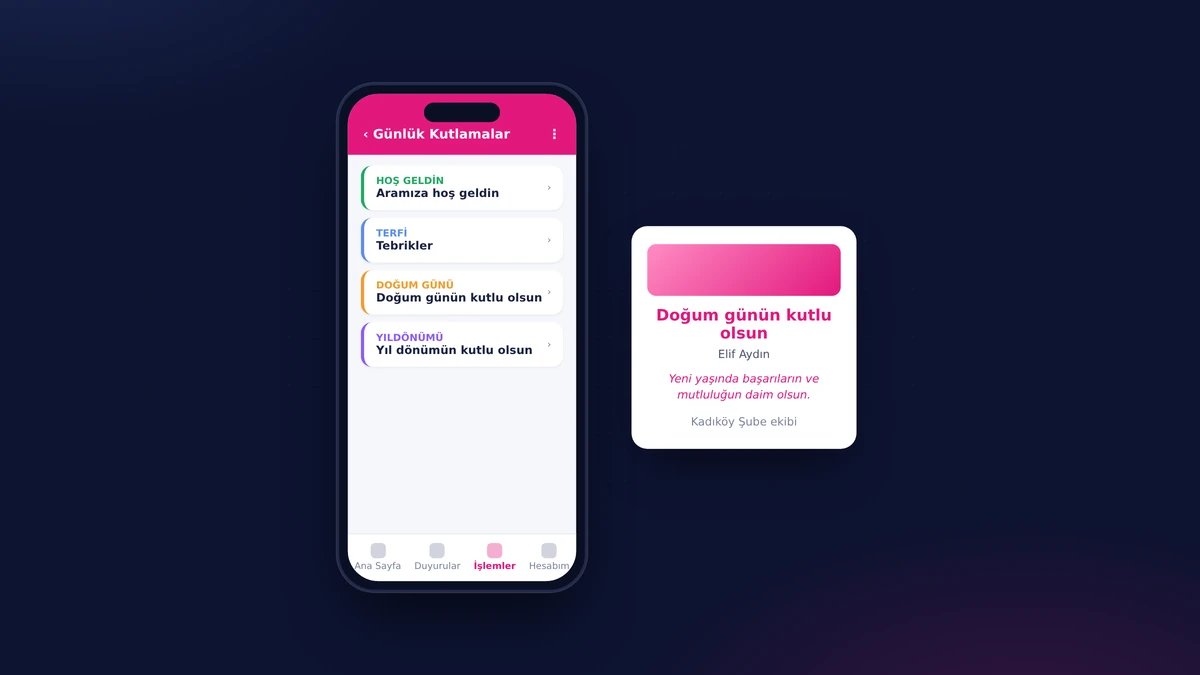
Management announcements, procedure and regulation documents, surveys and celebrations are gathered in a single app on the employee's phone. Announcements arrive with a priority label and attached documents; each survey is filled in once. Welcome, promotion, birthday and work-anniversary cards, as well as the daily motivation notification, come from the same app.

Manager Console

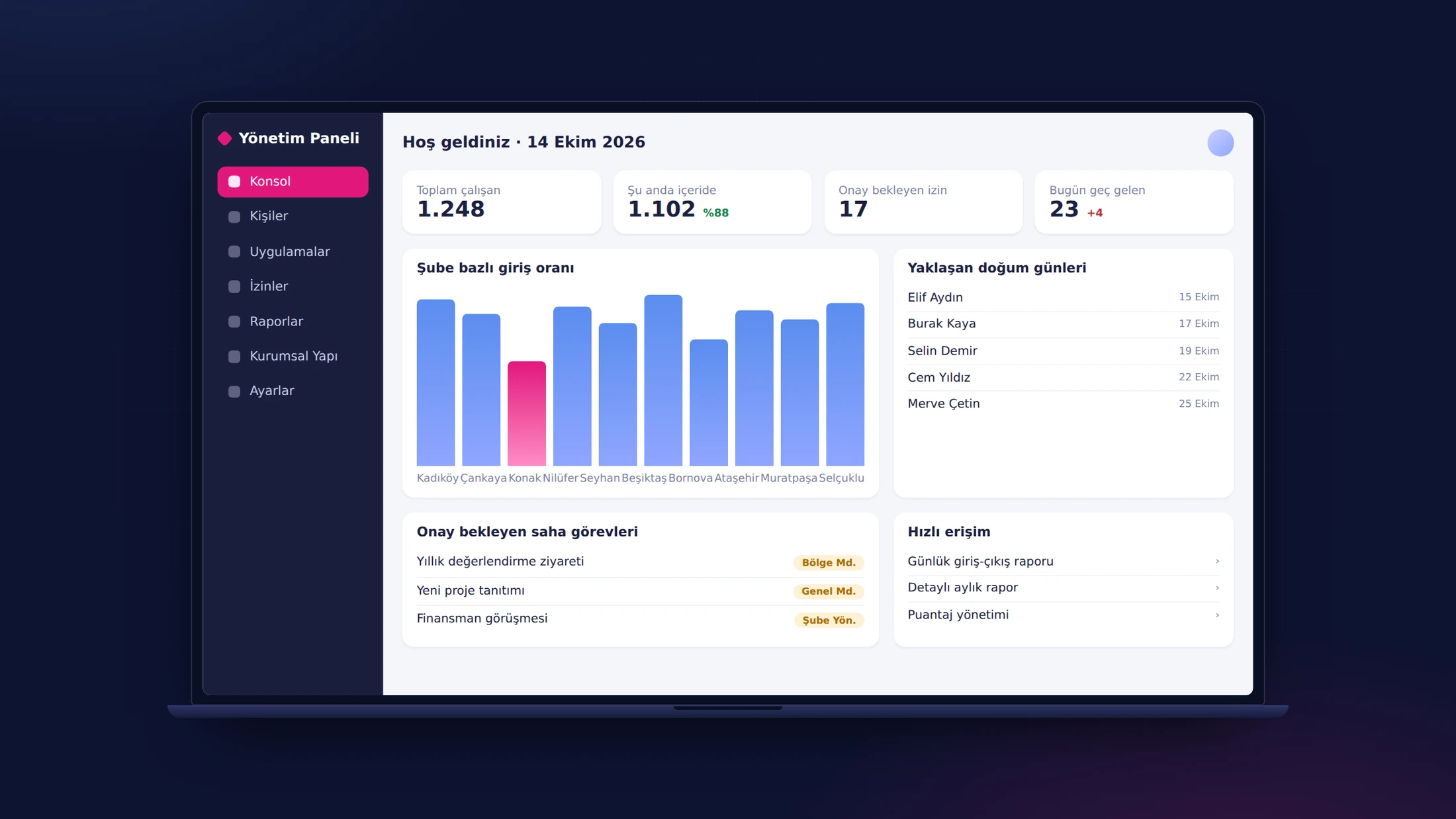
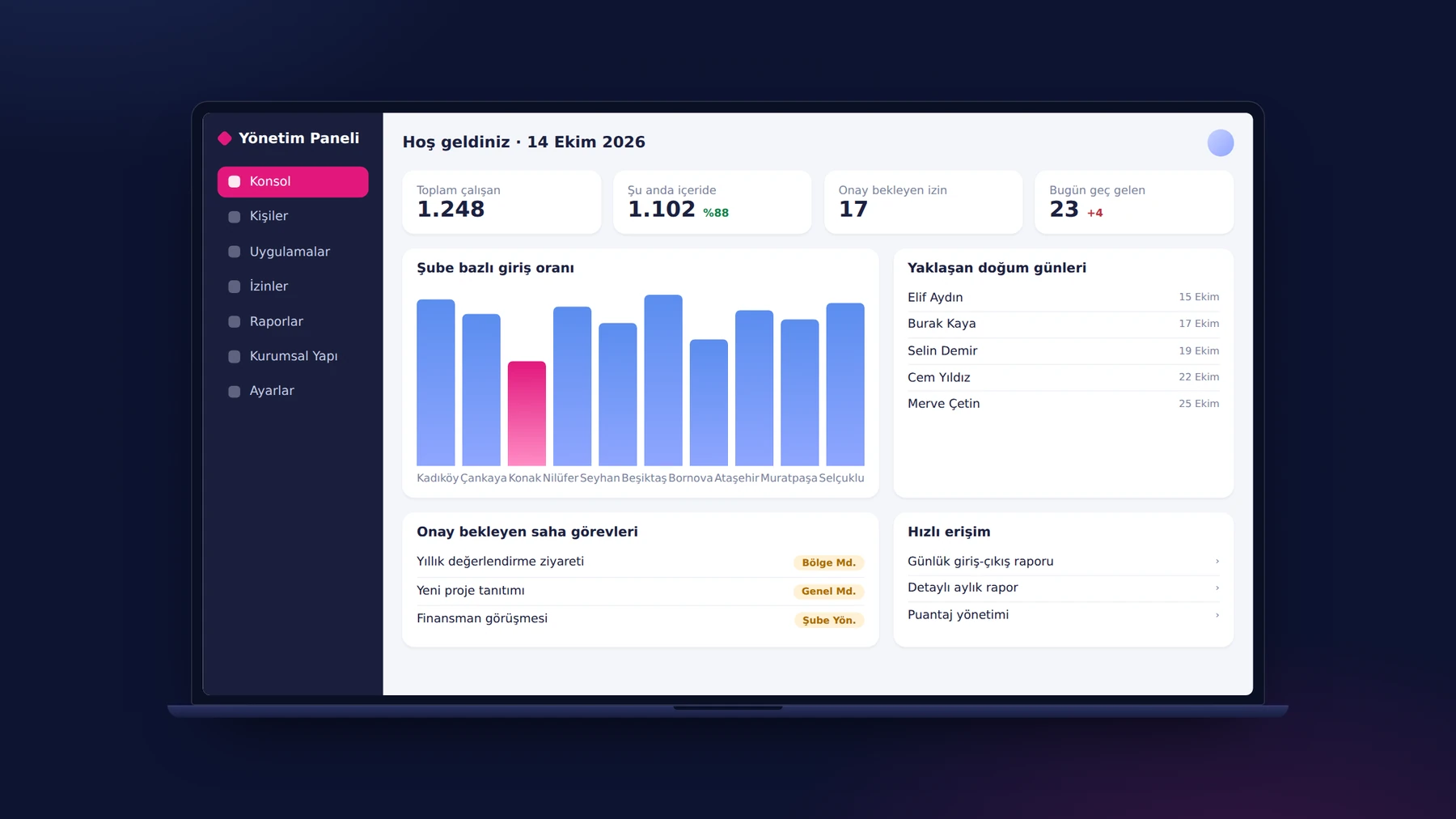
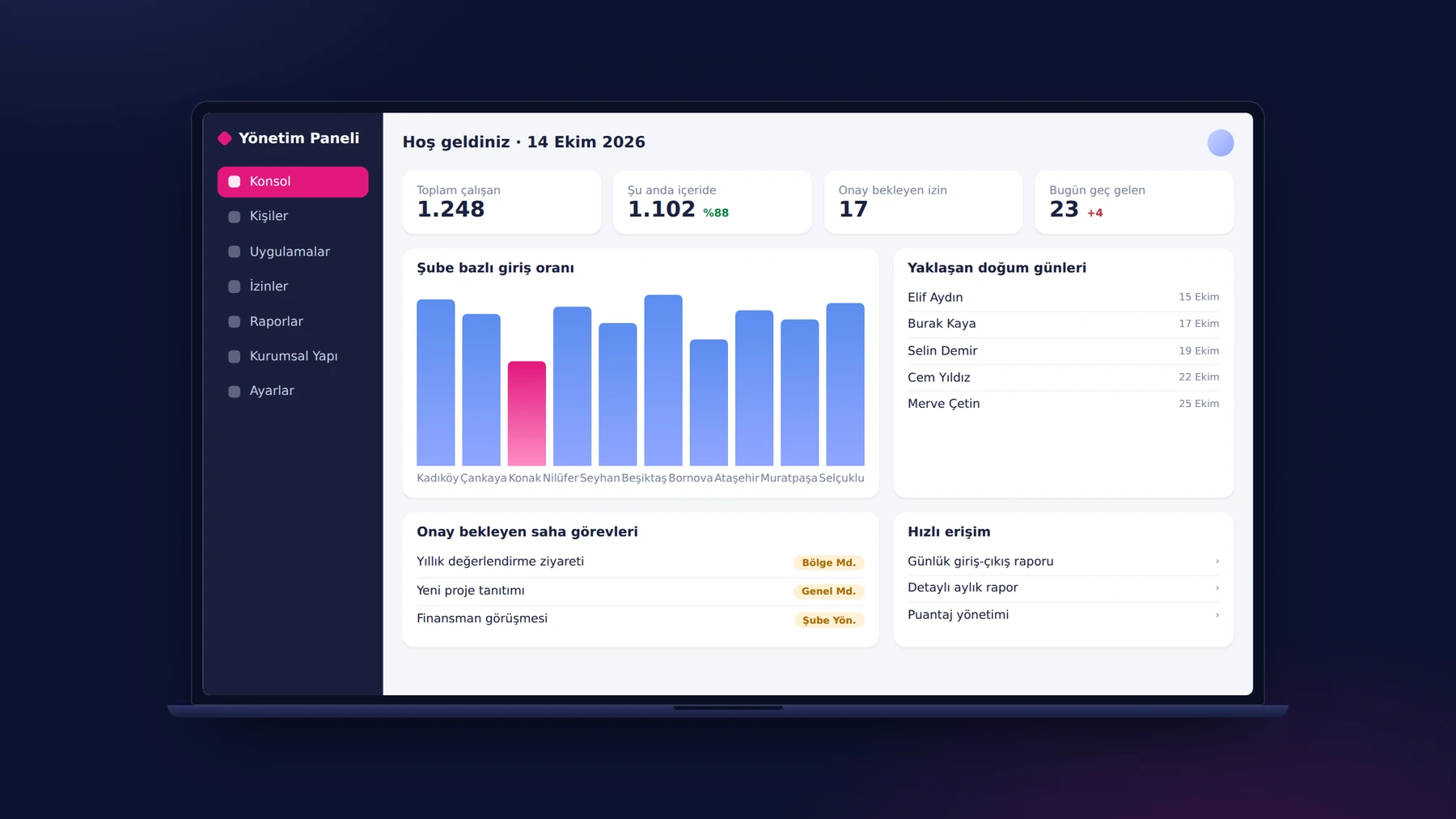
Every QR clock-in, leave request and field task that employees submit from their phones reaches the manager's web console at the same moment. The console summarizes total employees, those currently clocked in, leave awaiting approval and late arrivals, and shows the clock-in rate by branch in a chart. Managers follow pending approvals from here and export any list to Excel with one click.

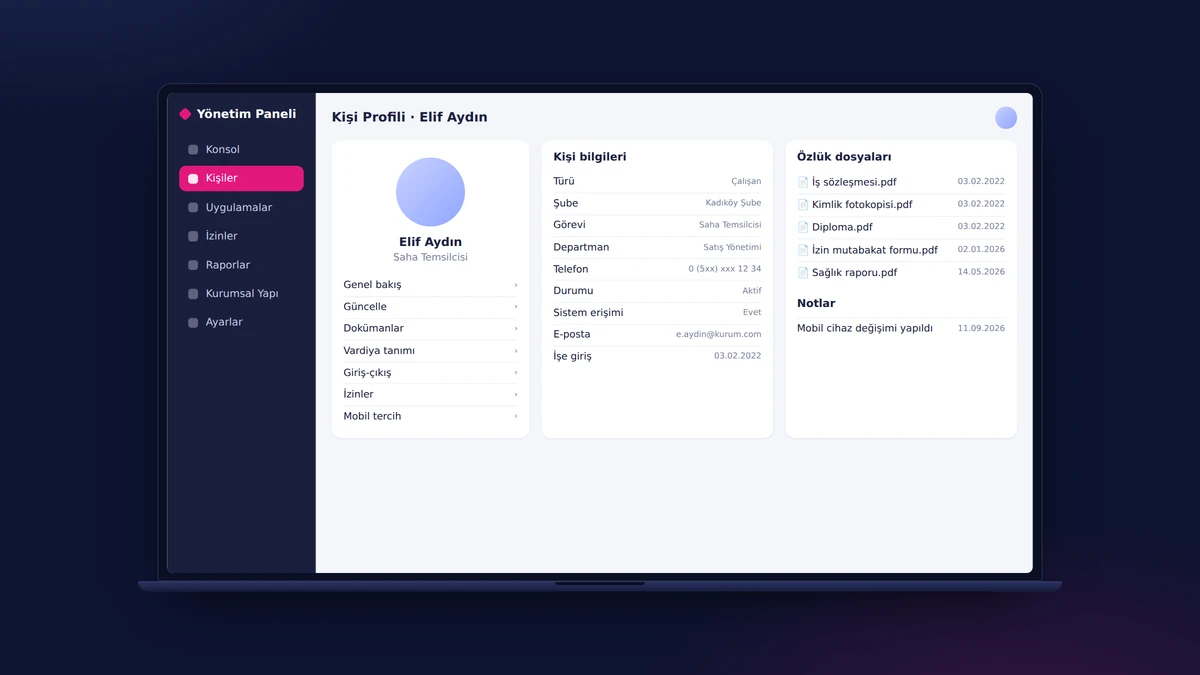
People Management and Personnel File

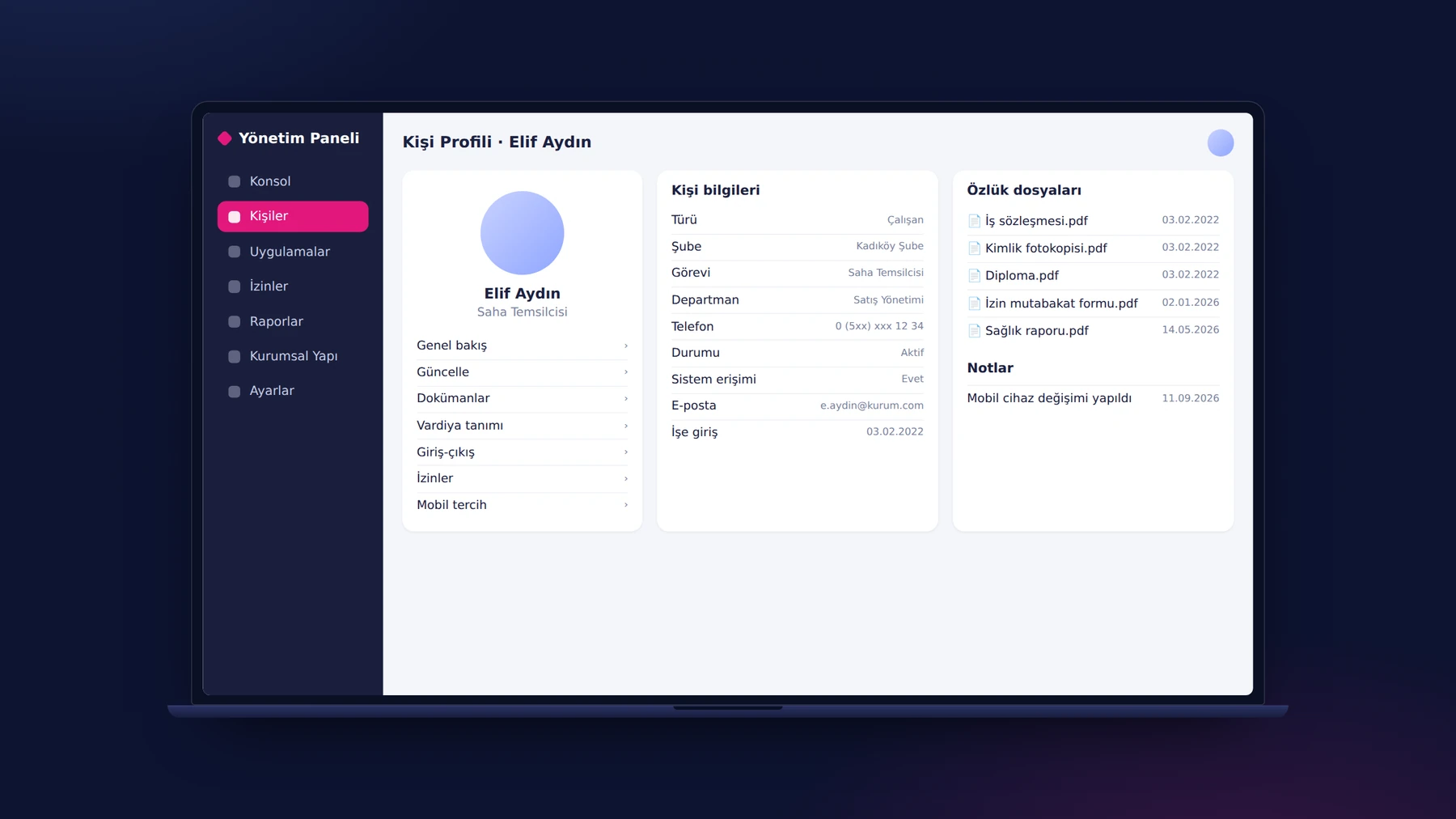
The person profile brings together everyone's branch, position, department and access information, personnel files and notes on a single page, whether they are an employee, a guest or subcontractor staff. From the same profile, a manager moves on to the person's shift definition, the clock-ins and clock-outs made from the phone, leave and mobile preferences. Reports are filtered by subcontractor company and person category.

Organizational Structure: Branches, QR Codes, Departments, Positions

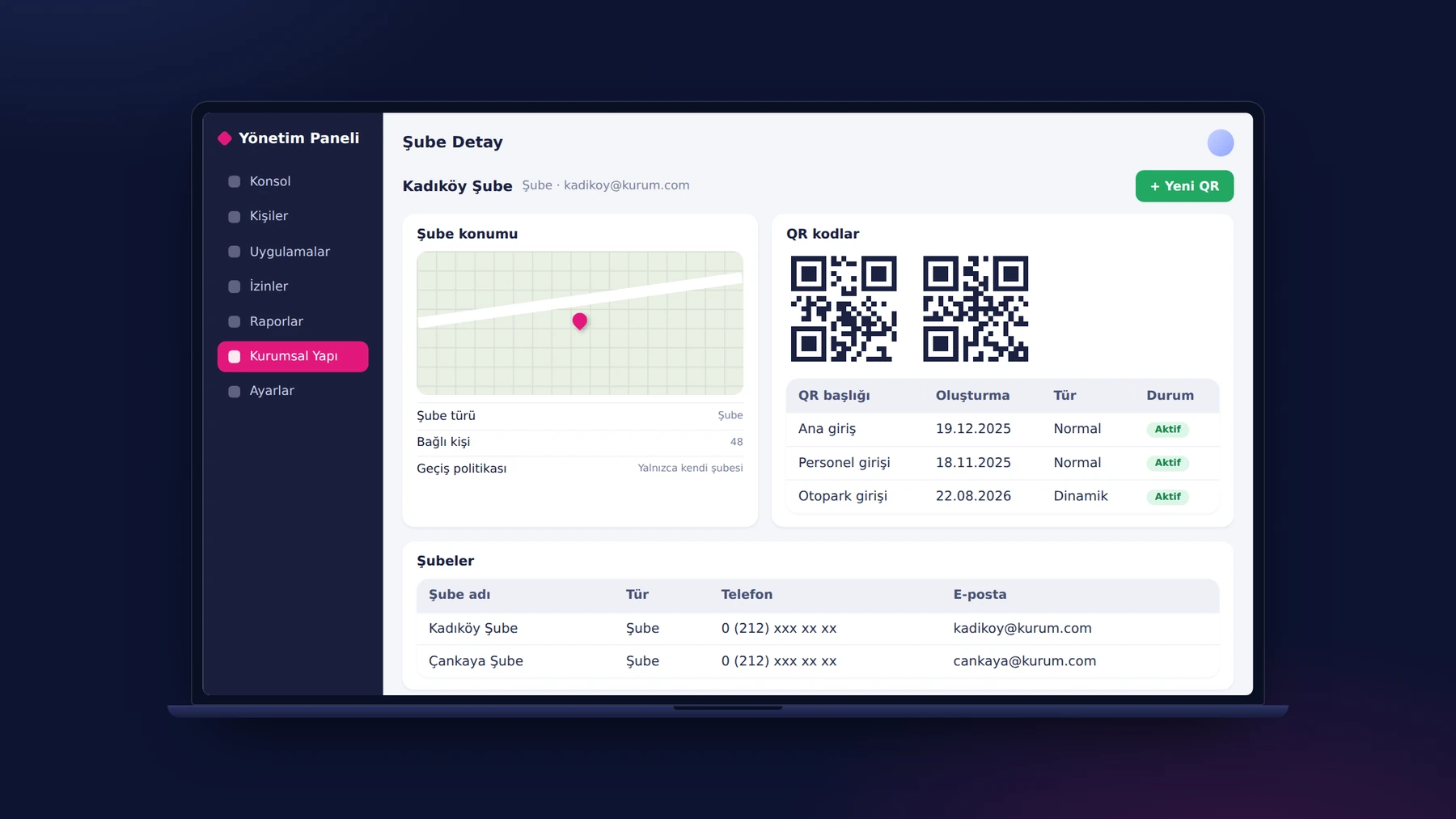
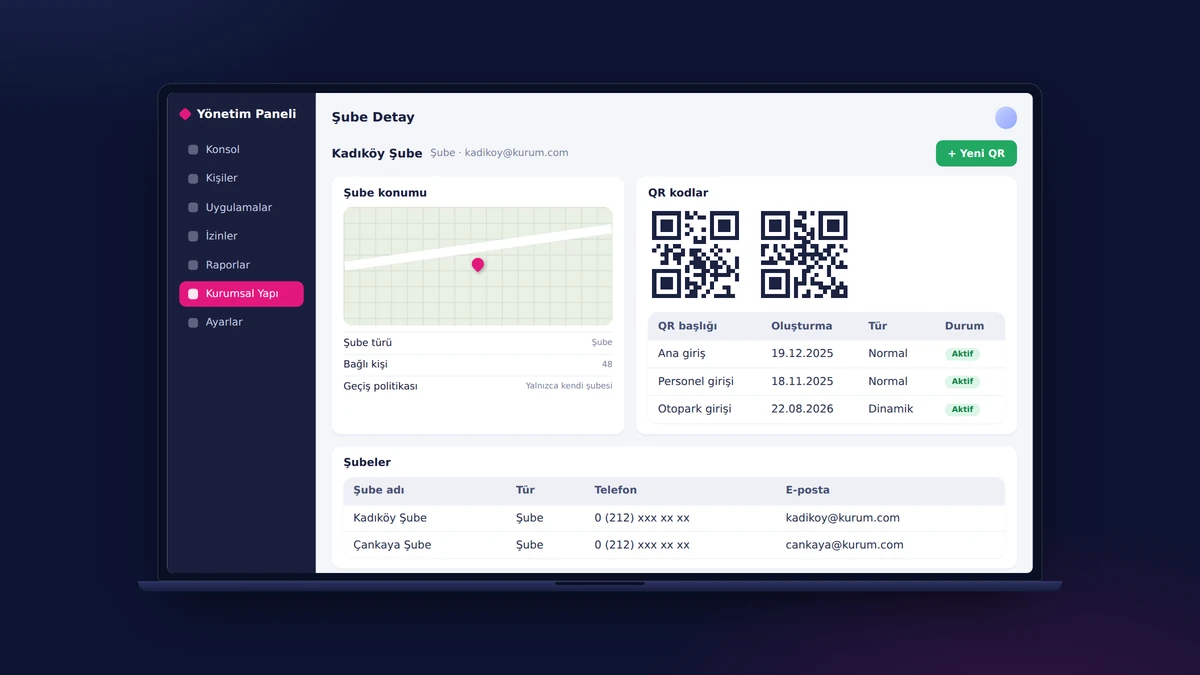
The organization defines its branches by selecting locations on a map and instantly generates a QR code for each branch from the panel; employees start work by scanning this code with their phones. The clock-in policy is set with a single choice: only at their own branch or at all branches. Departments and positions are defined in the same section; a new branch joins the system the moment its QR code is generated.

Shift Engine

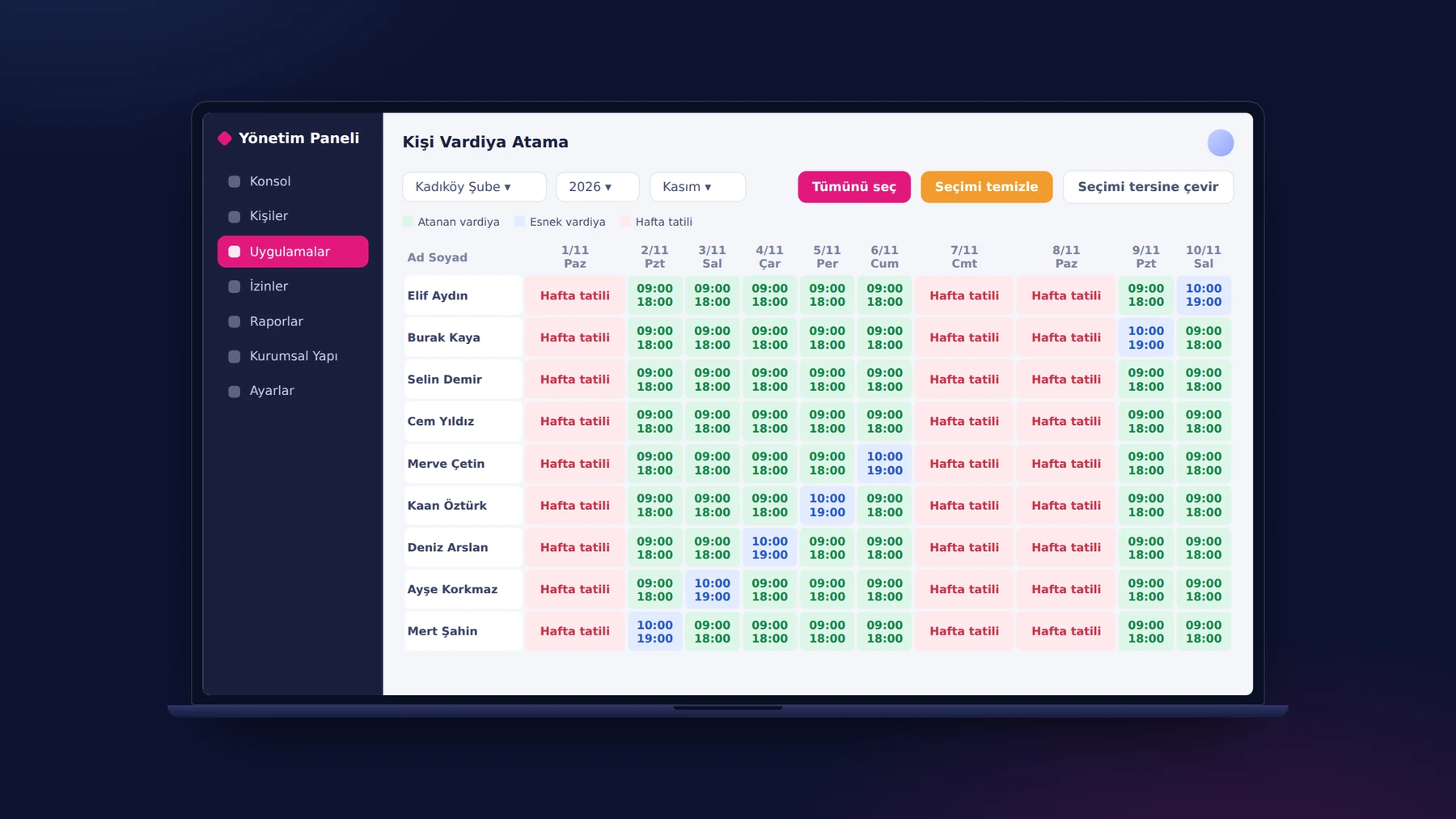
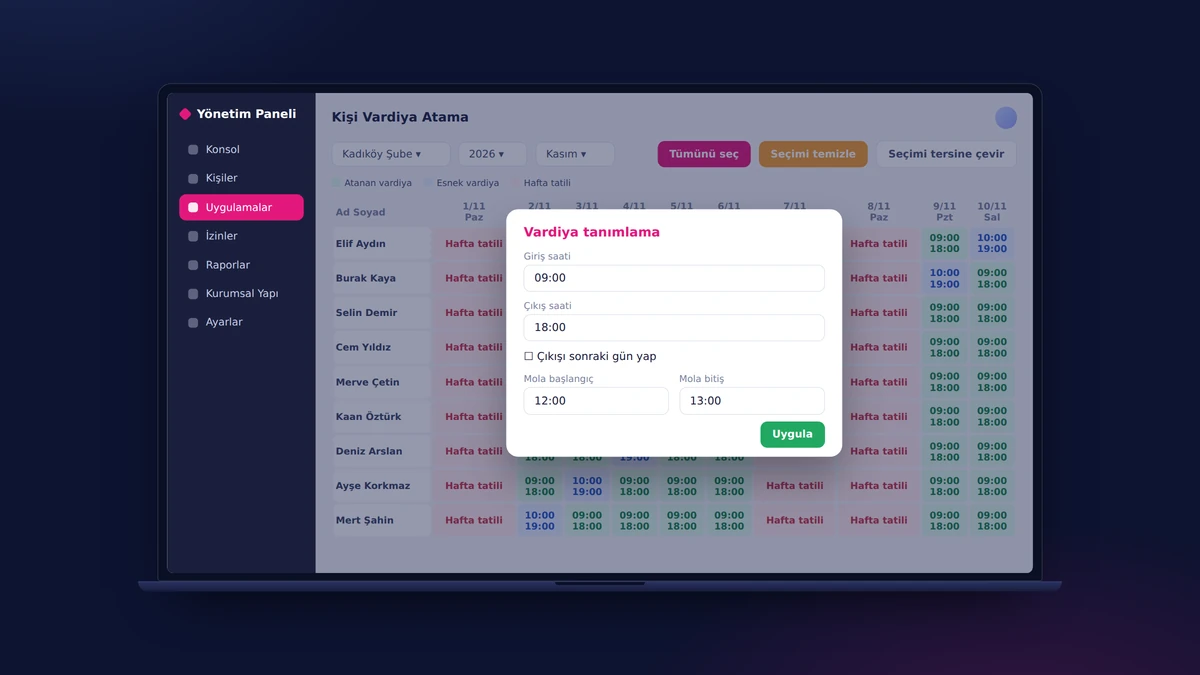
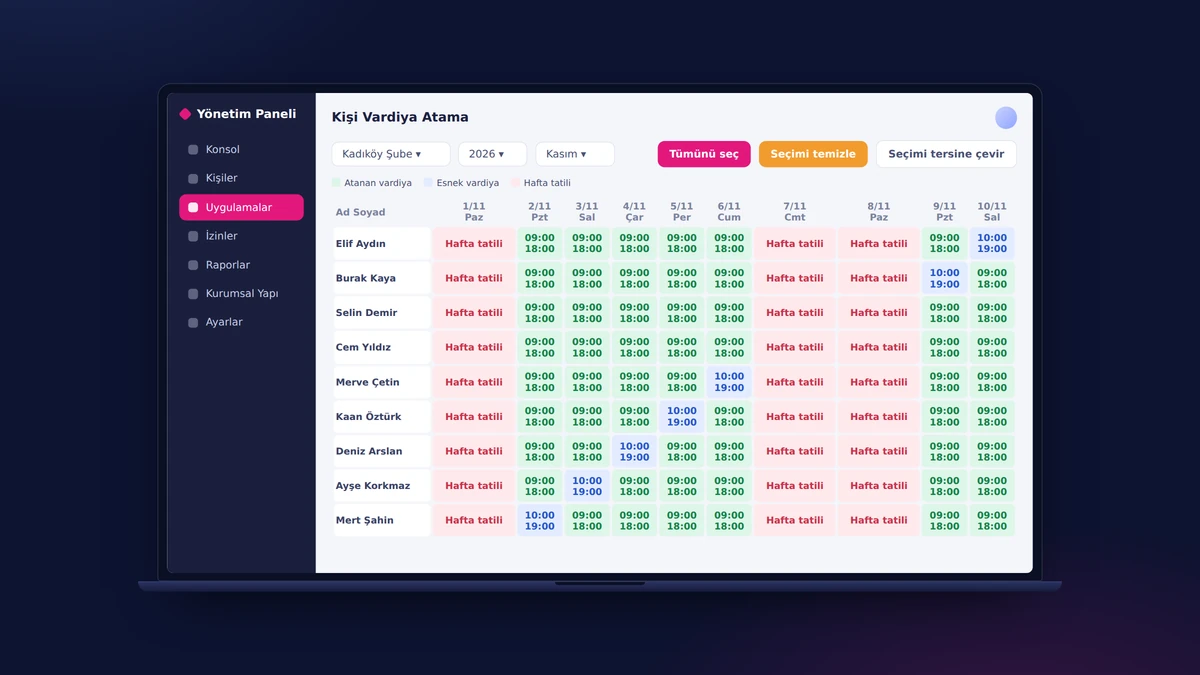
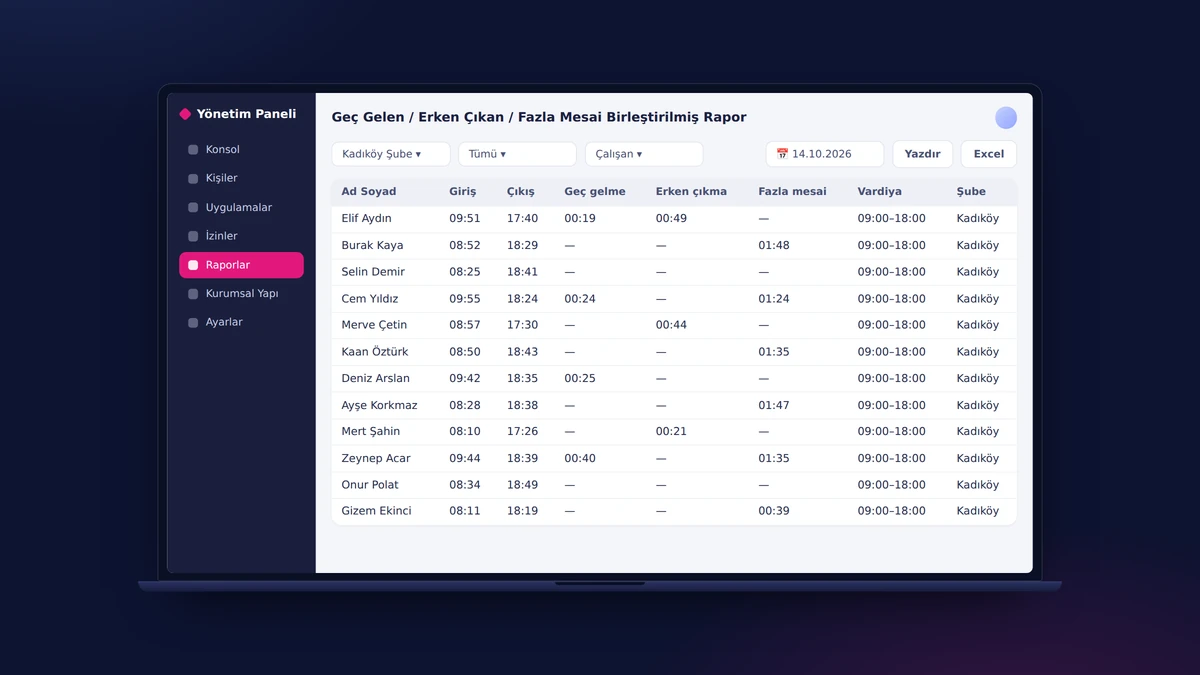
HR defines the clock-in and clock-out time and the breaks separately for each day, and marks a clock-out that spills into the next day with a single checkbox. In the calendar view, it selects people and days and assigns a shift, a flexible shift or a weekly day off in bulk. Late-arrival, early-departure and minimum-overtime tolerances are defined to the minute; mobile clock-ins from the field are evaluated against these rules.

Configurable Approval Flows

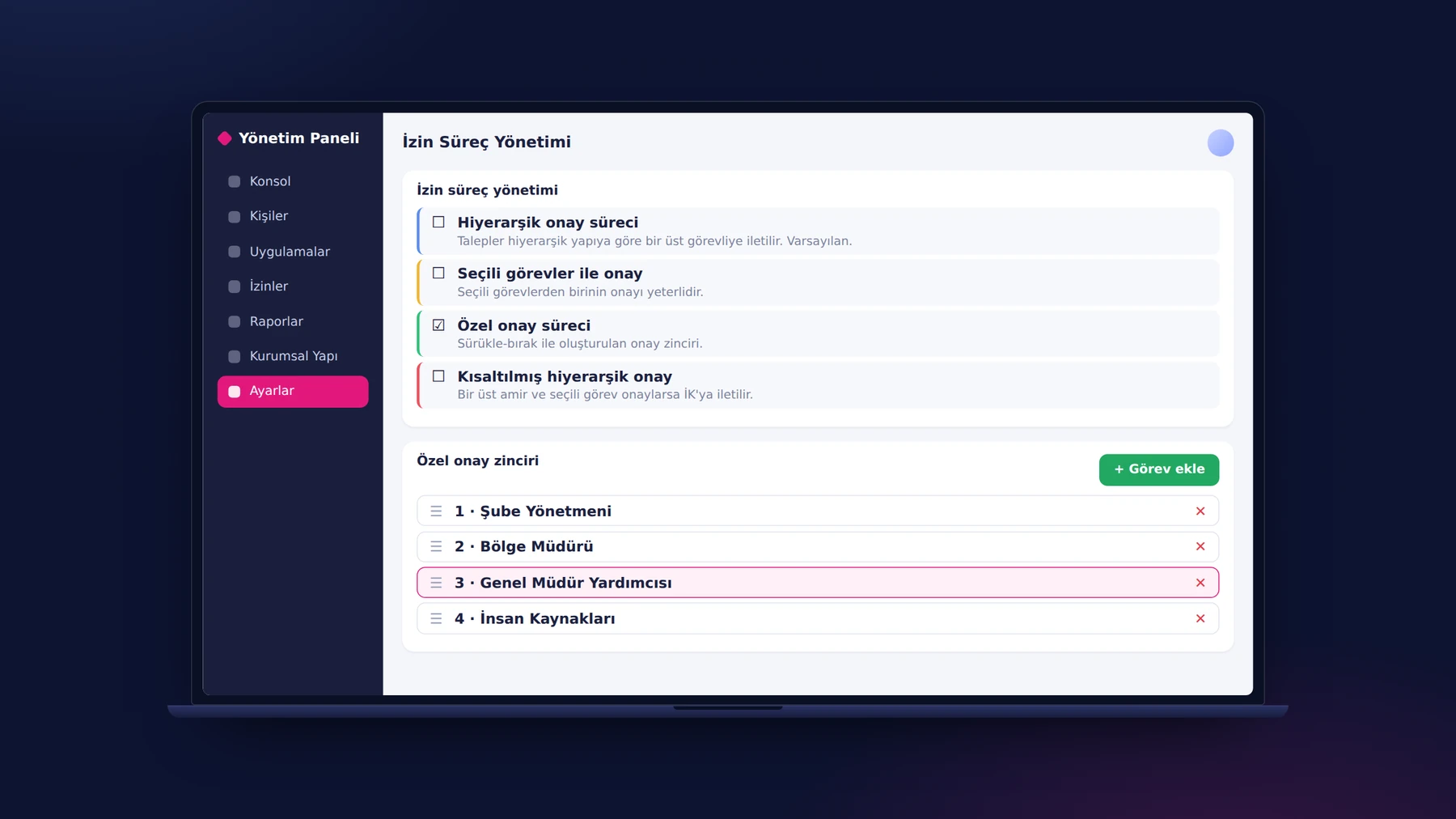
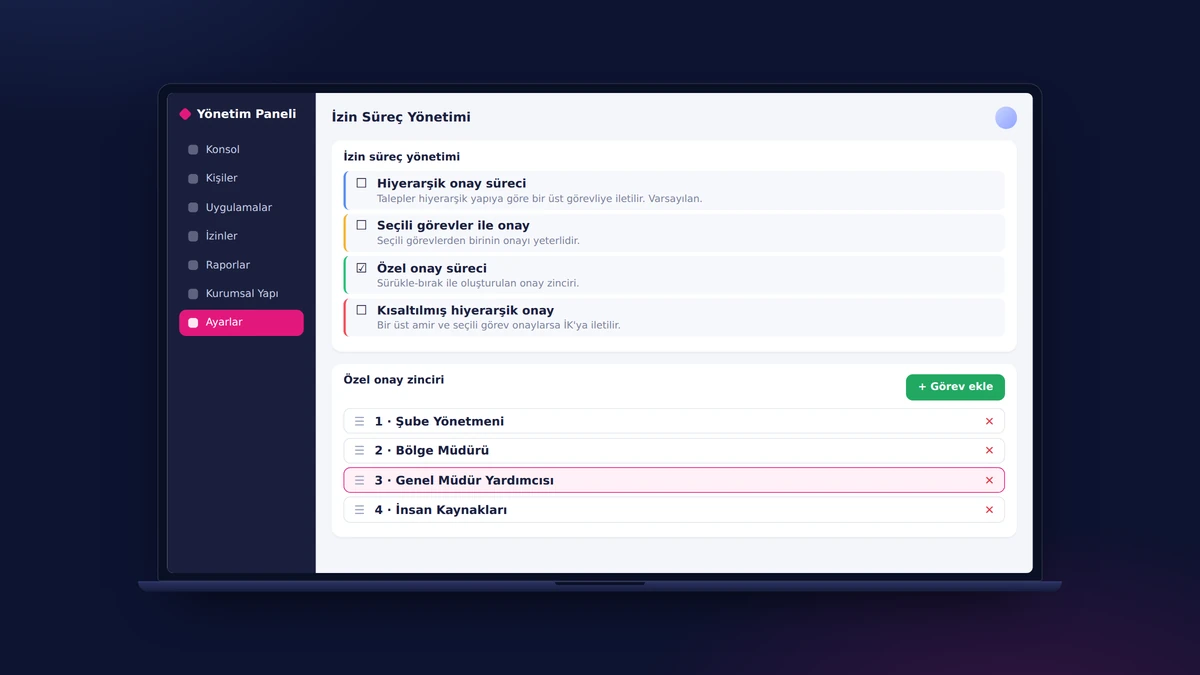
Each unit chooses in the panel whom its leave and field task requests need approval from: hierarchical, with selected positions, shortened hierarchical, or a custom chain built by drag and drop. A request opened by an employee from the phone moves along this flow; the manager whose turn it is sees pending requests in the app and approves, rejects or asks for a revision of field tasks from there. Changing a flow requires no code.

Security: Role-Based Authorization and Device Management

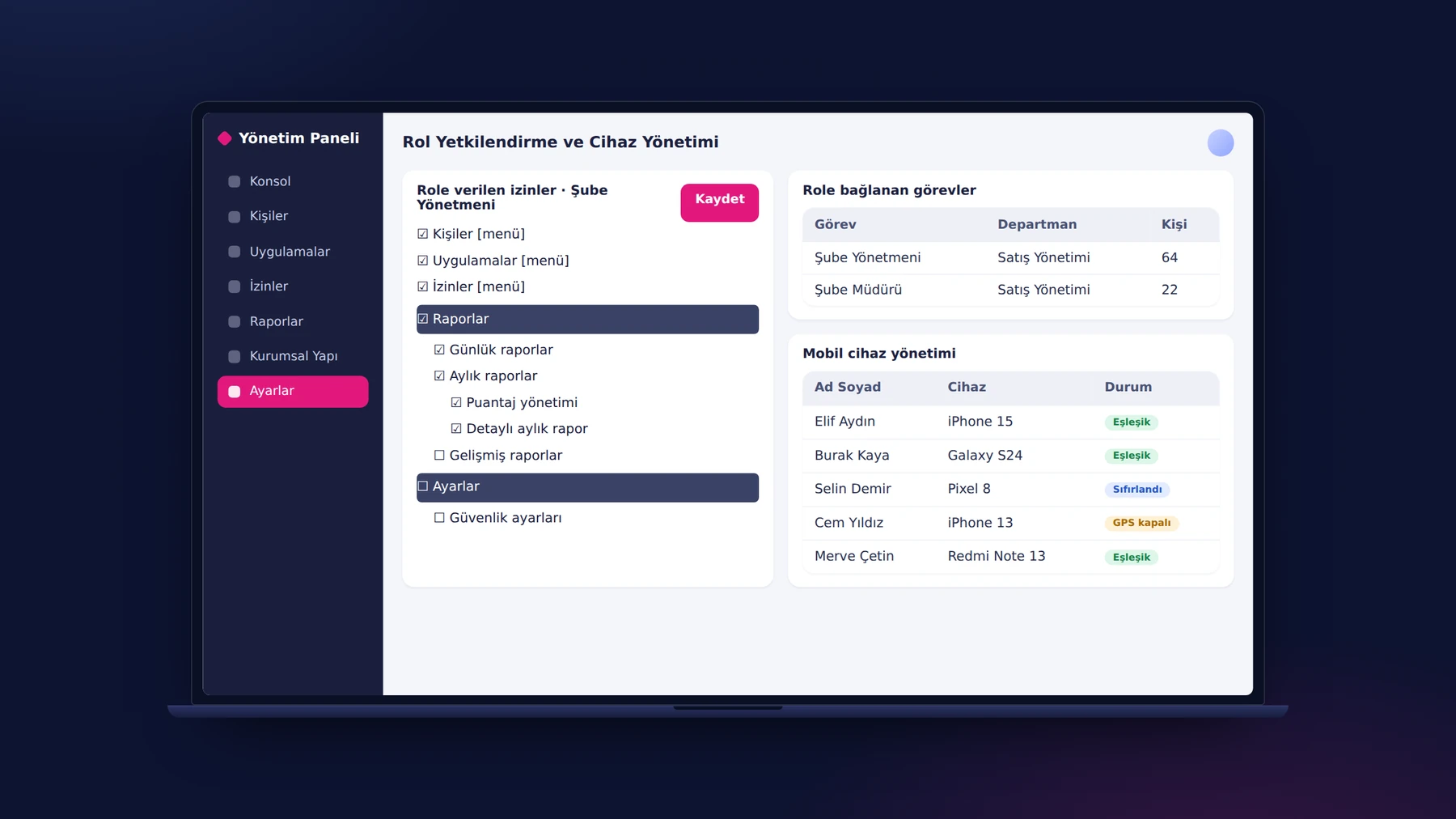
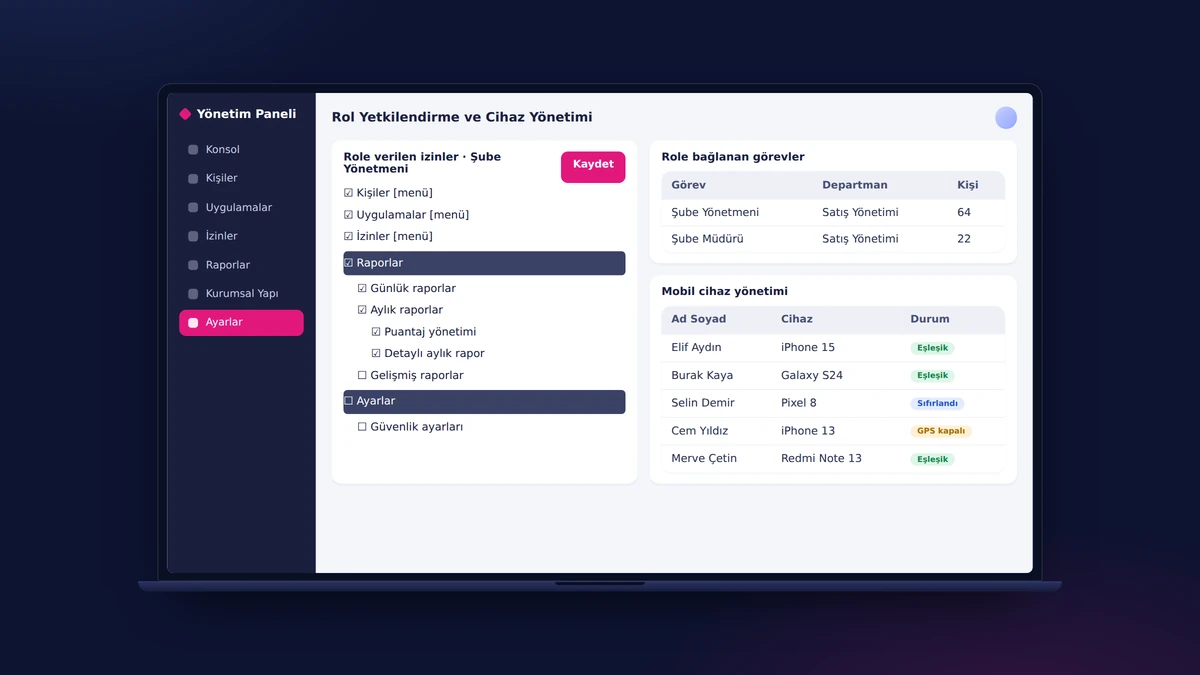
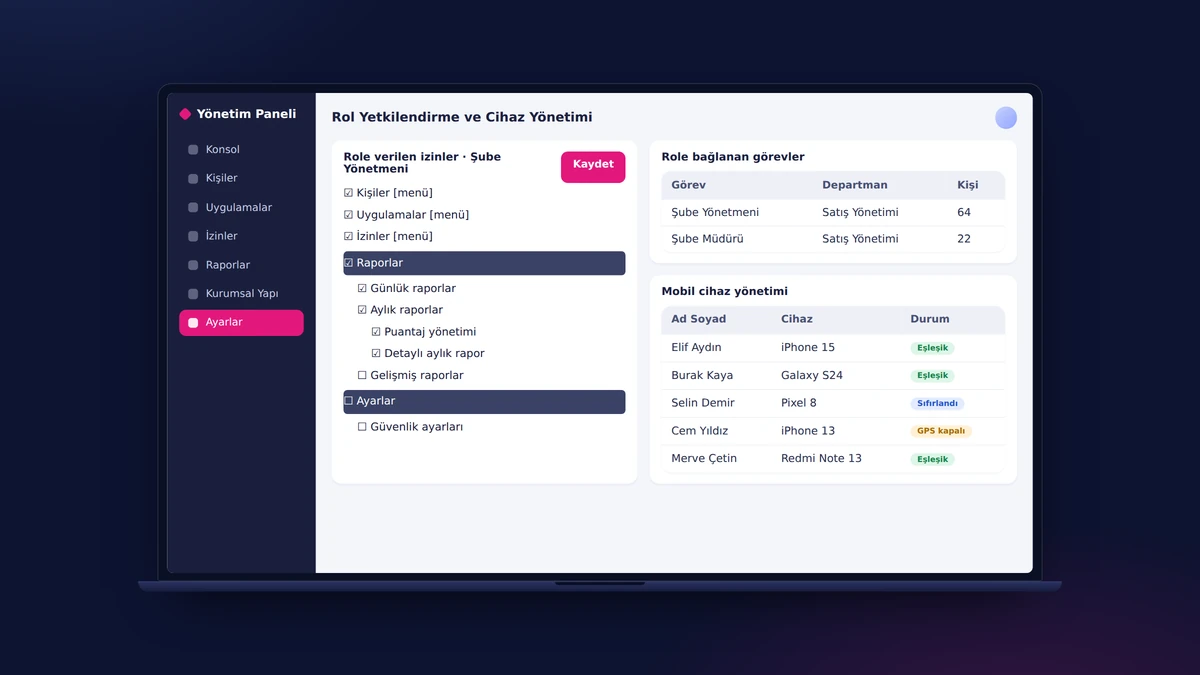
Each employee's account is paired with a single phone; no clock-in can be recorded from another device. For an employee who changes or resets their phone, the manager removes the pairing from the panel with one click, and for one whose device is faulty, temporarily turns off the GPS check. Which role sees which page, report and approval is determined by the tree-structured permission screen.

Daily and Monthly Reports

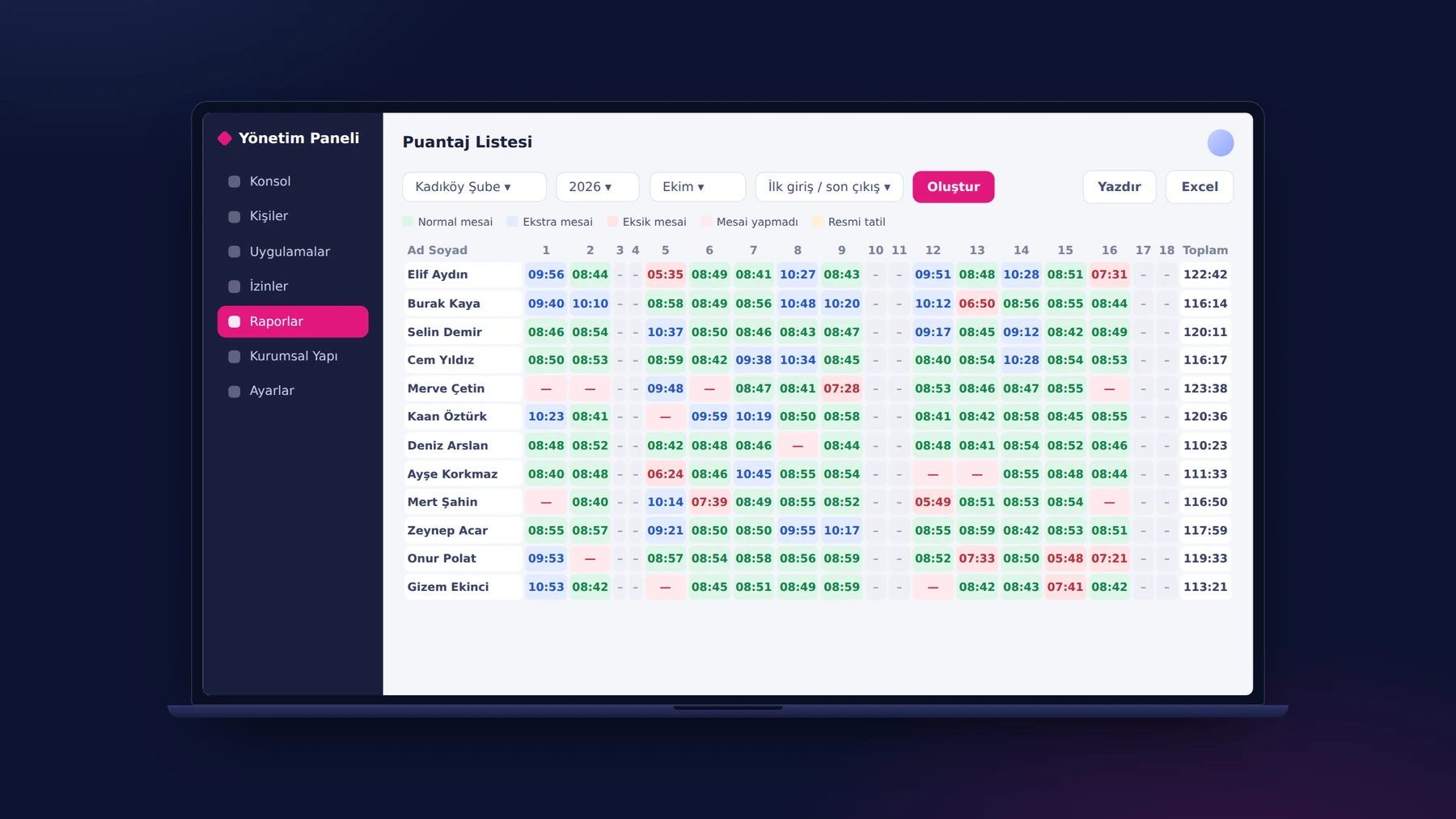
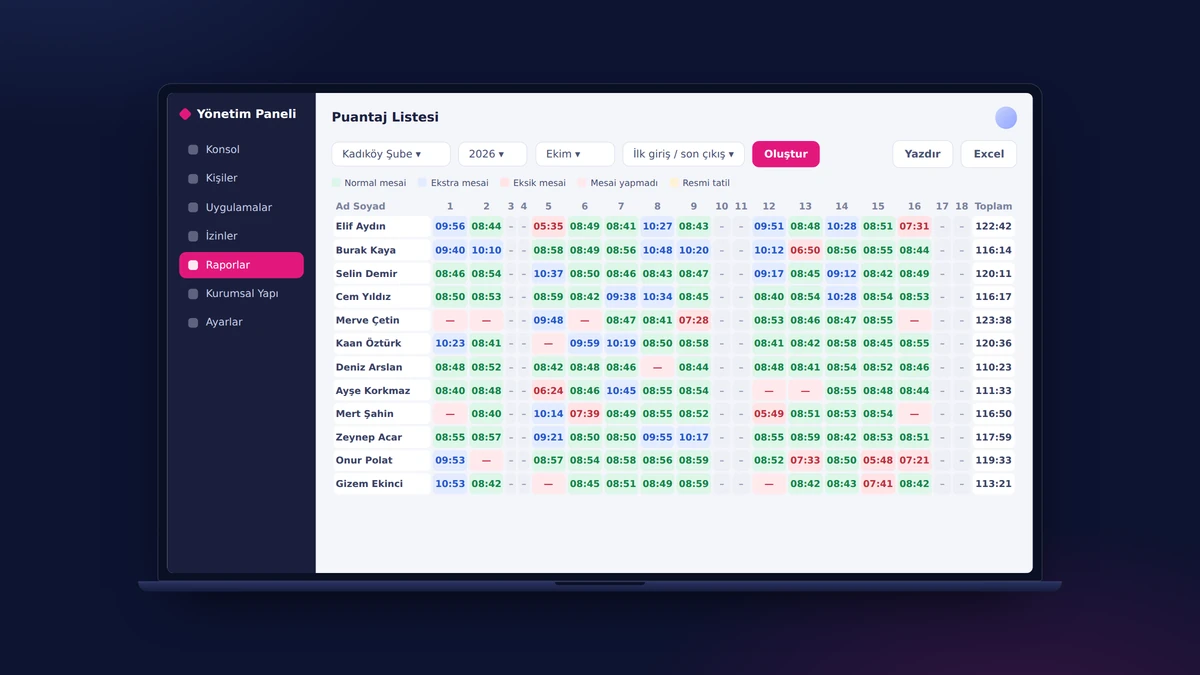
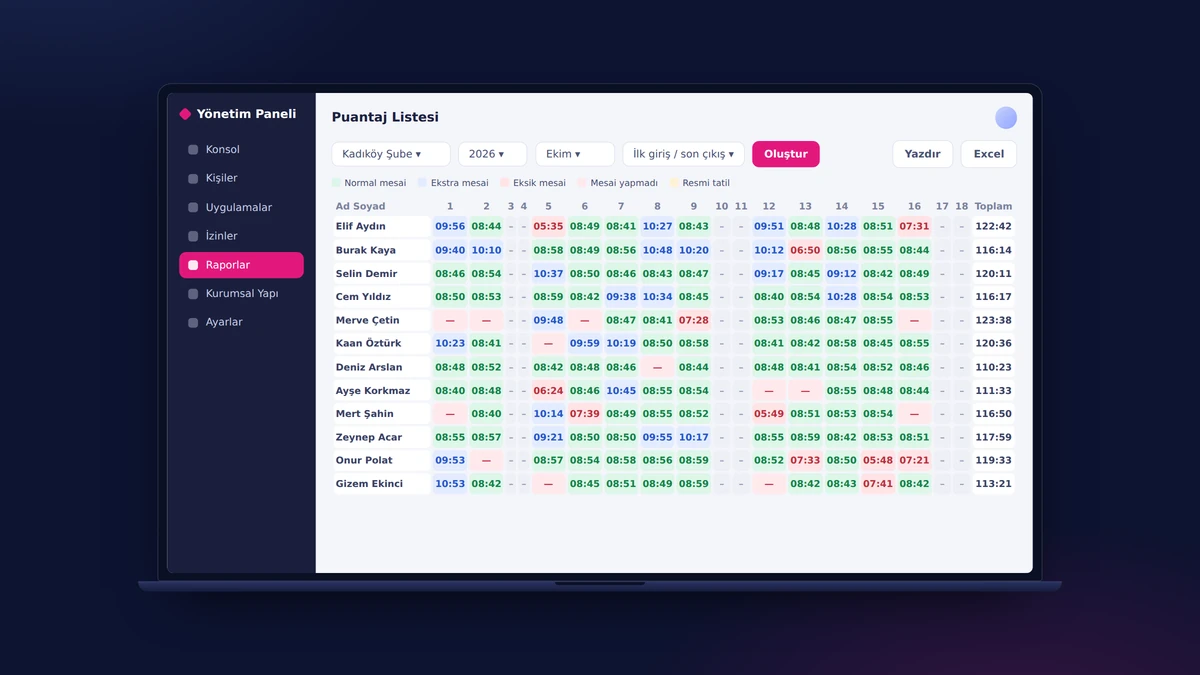
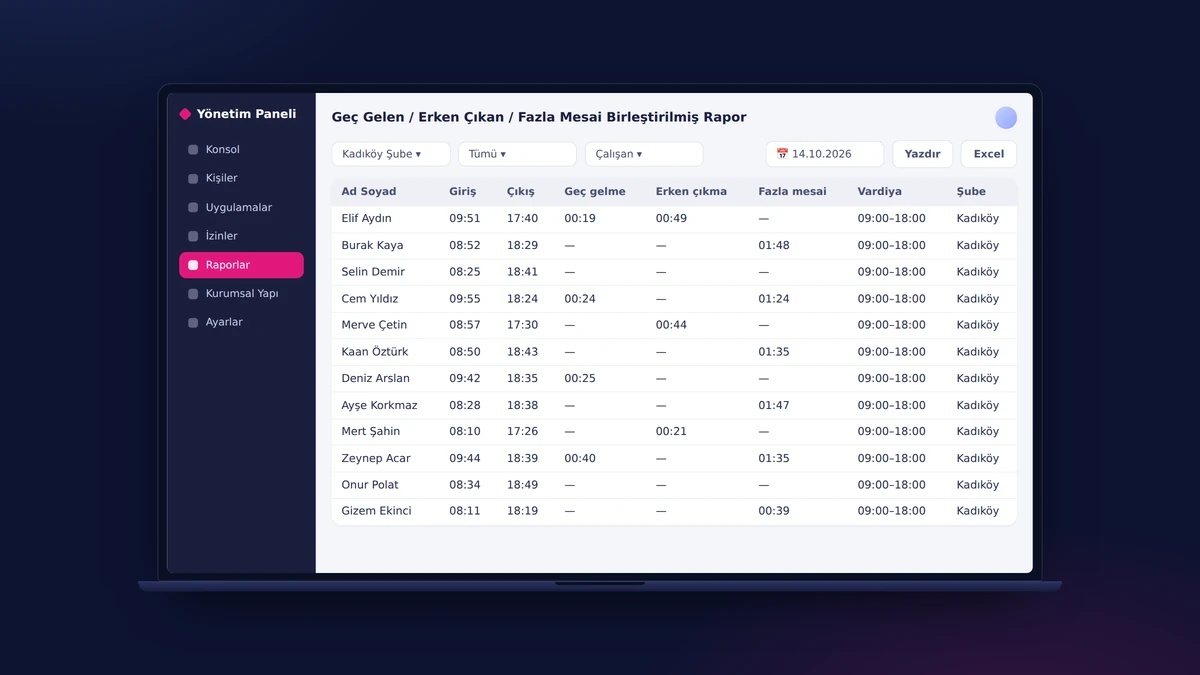
Every clock-in and clock-out that employees make from their phones is posted to its own cell in the monthly timesheet. Regular hours, overtime, short hours, absence, weekly day off, public holiday and paid leave each appear in a separate color. When HR clicks a cell, it opens the day's activity and, if needed, adds leave or a manual entry; daily reports additionally list late arrivals, early departures and overtime.

Advanced Reports and Auditing

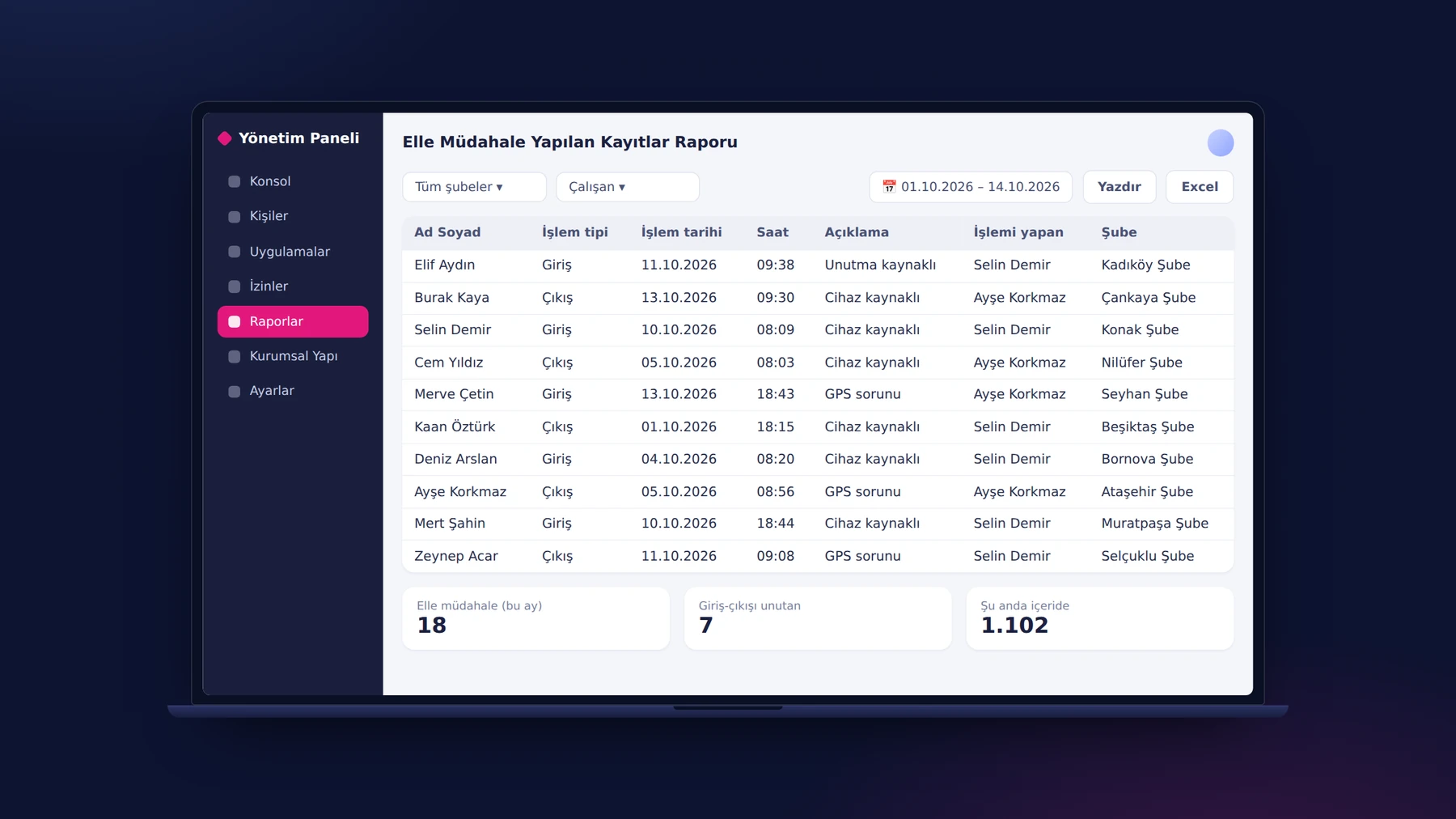
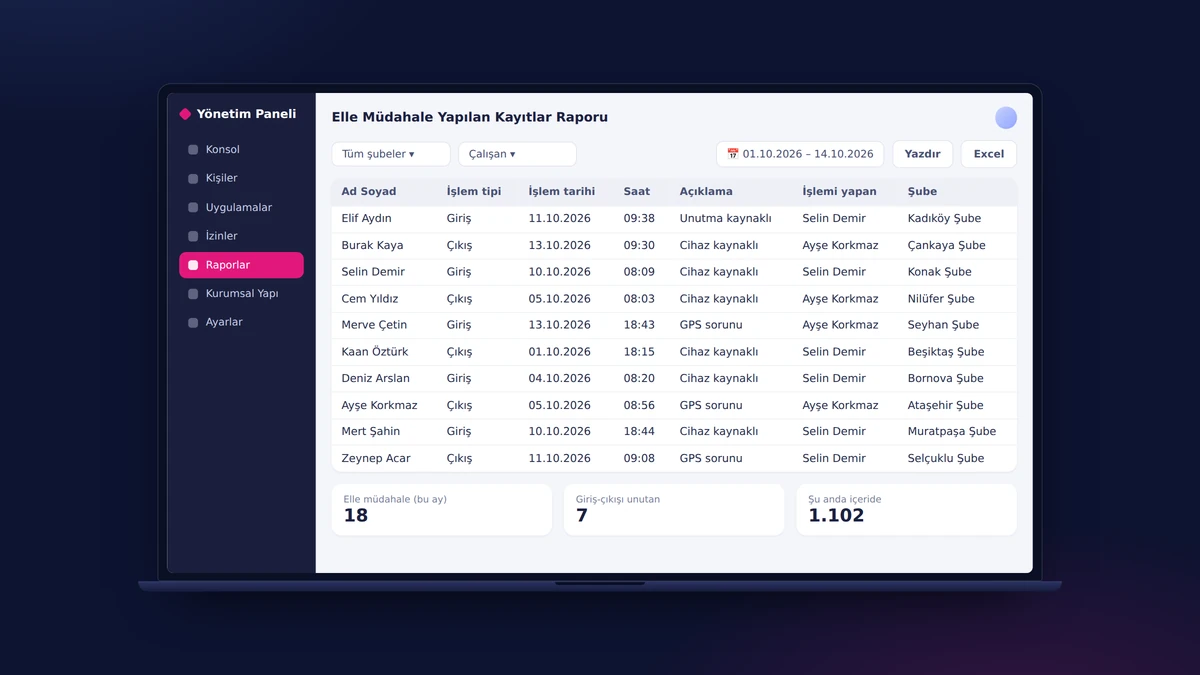
Every record outside the clock-ins verified from the phone appears in a separate report. The Manually Adjusted Records report shows the type of action, date, time, reason and the person who made the change. With the reports on forgotten clock-ins and clock-outs, people currently clocked in, and leave usage and entitlement, HR keeps a traceable chain of records that is always ready for audit.

Asset Management

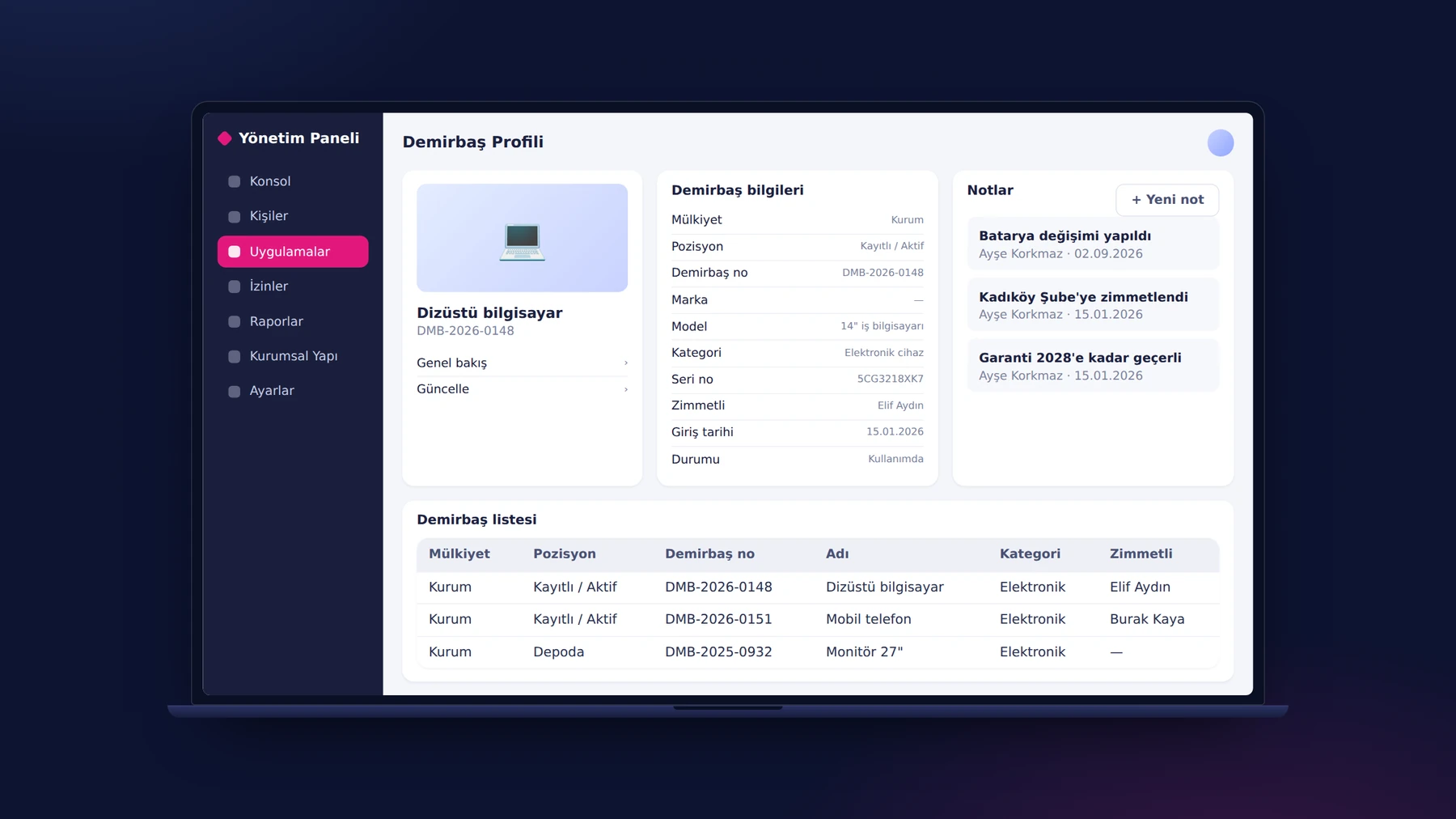
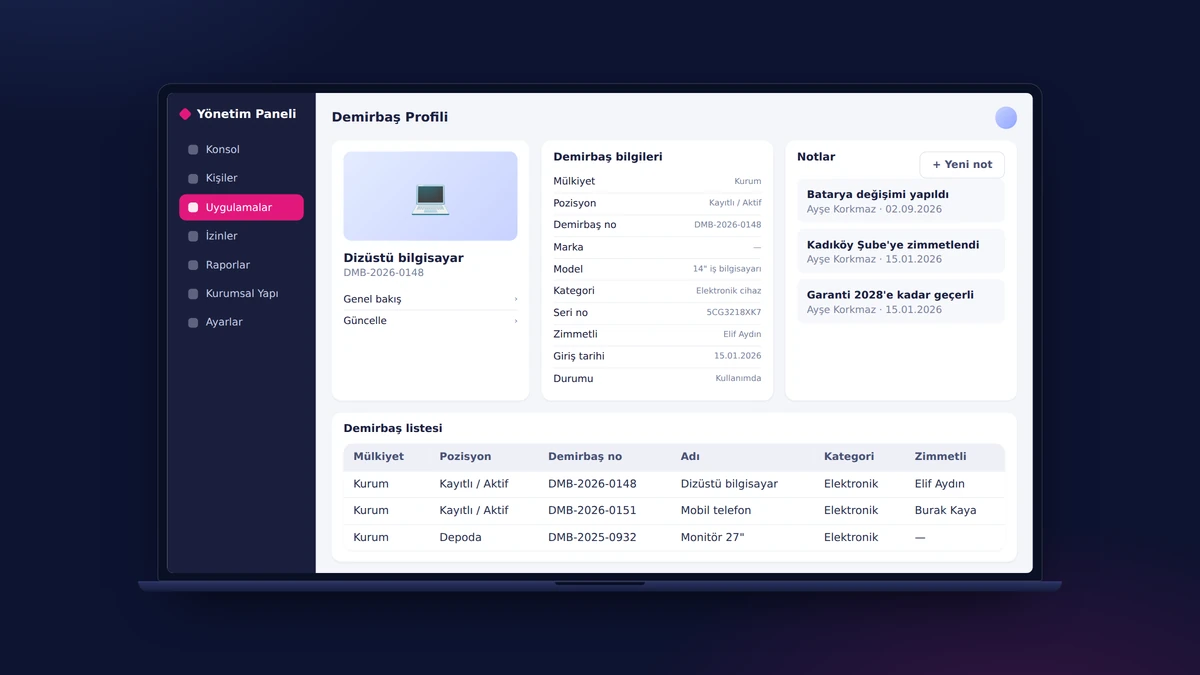
The organization records its assets with ownership, position, asset number, category, serial number, assigned person and status. The notes on an asset's profile store developments such as maintenance, assignment or warranty together with the author and date. The assignments of employees in the office and in the field are tracked through the same person records that YTSConnect uses.

The Invisible Engine: Integration API

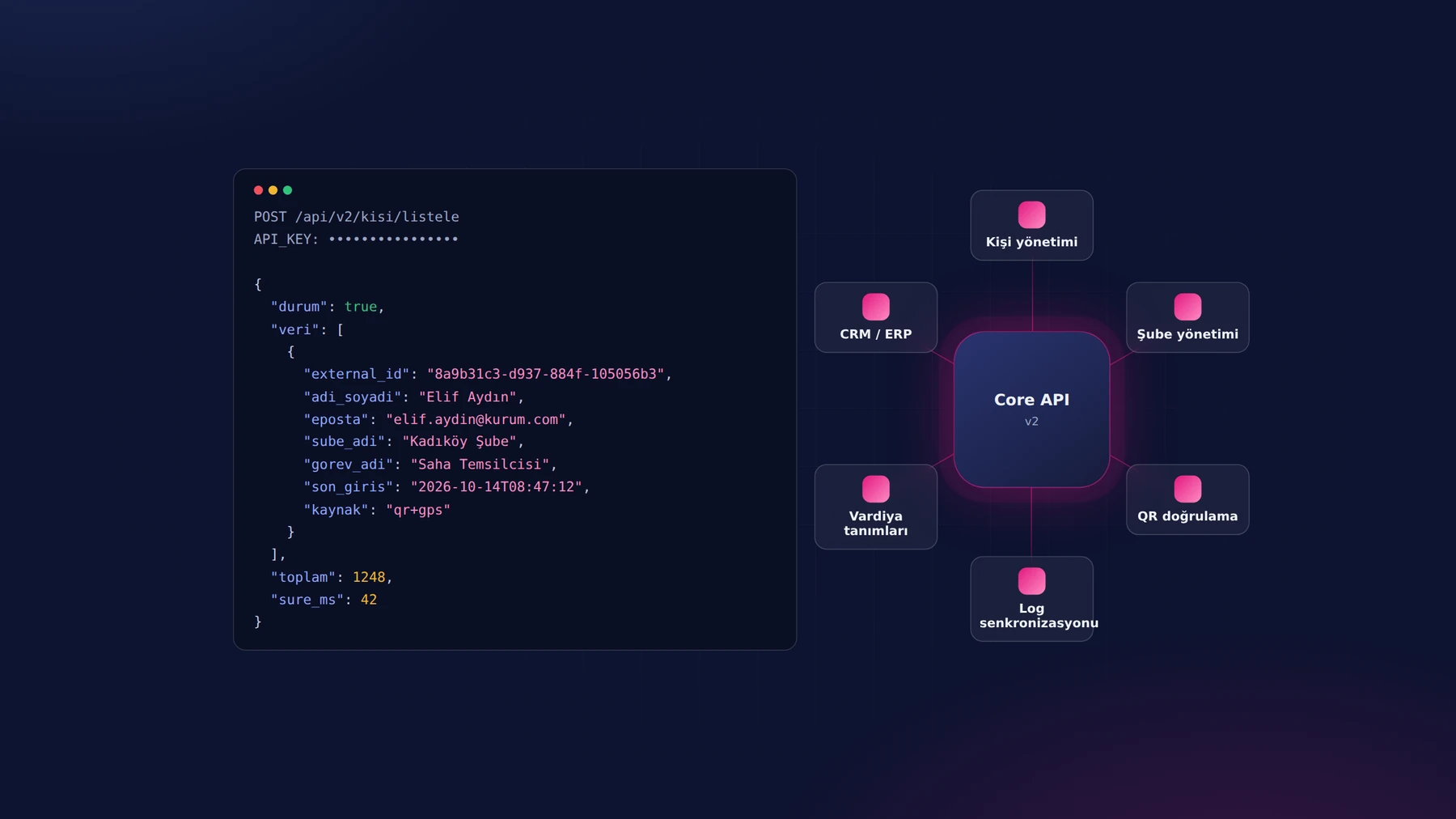
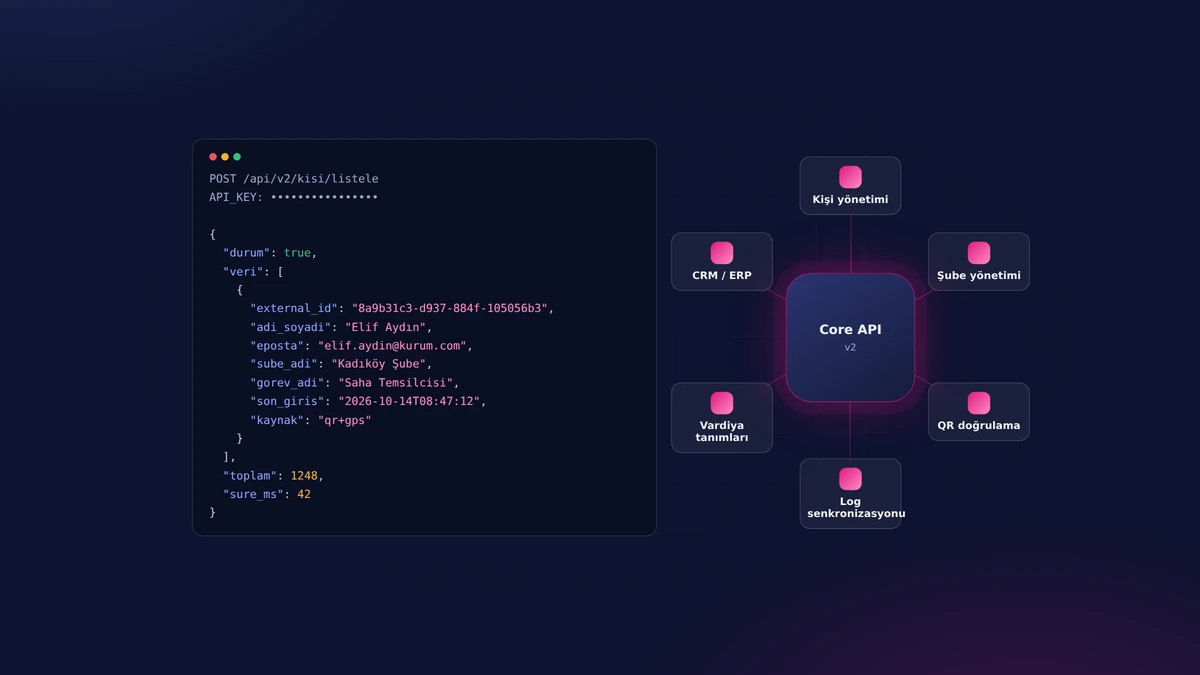
YTSConnect talks in both directions with Sinpaş YTS's existing CRM and ERP systems: person, branch, shift and clock-in/clock-out records are synchronized between the two sides within seconds. The services run in a closed circuit protected by keys. An employee defined in the CRM gets access to the app immediately, and every clock-in and clock-out made from the phone flows back to the CRM side.

The Invisible Engine: Integration API
Mobile App

A powerful mobile app, always at hand

Instant notifications and alerts, quick actions and live data: users and field teams get their work done from their phones, without waiting.

Features

Key features of the project

One Identity, Three Channels (SSO)

One Identity, Three Channels (SSO)

The web panel, the mobile app and the CRM all open with the same identity; there is no separate account and password management for employees.

Three-Factor Clock-In Verification

Three-Factor Clock-In Verification

If any one of the QR code, location and device pairing fails to match, no clock-in is recorded; only verified records reach the timesheet.

Branch-Based Clock-In Policy

Branch-Based Clock-In Policy

Whether an employee can clock in only at their own branch or at any branch is determined by organization policy.

Missing-Day Lock

Missing-Day Lock

A new clock-in cannot be started until a past day with a missing record is closed; no gaps are left in the timesheet at month end.

Four-Mode Approval Engine

Four-Mode Approval Engine

Hierarchical, selected positions, shortened or custom chain; each department sets up its own approval flow without writing code.

End-to-End Field Task Cycle

End-to-End Field Task Cycle

Every step, from the request to the entry of the result, is recorded with location and time; the target-to-actual ratio is produced automatically.

Mobile Leave Request and Substitute Assignment

Mobile Leave Request and Substitute Assignment

Leave requests, including half days, are opened from the phone and the person who will cover is selected; the remaining leave entitlement is visible on the request screen.

Expense and Advance Management

Expense and Advance Management

Receipts and invoices are entered from the phone together with their documents; advance and expense approvals move forward on the same record that finance works with.
Flexible Shift Engine

Flexible Shift Engine

Including shifts that spill into the next day, multiple breaks and flexible pools; bulk assignment by person and day on a calendar.
Tolerance Settings

Tolerance Settings

Thresholds for late arrival, early departure and overtime are defined in minutes; reports are calculated against these thresholds.

Color-Coded Timesheet

Color-Coded Timesheet

In the monthly timesheet, each day is colored by its type; one click drills down to the day's details and corrections are made there.

Audit Trail Reports

Audit Trail Reports

Every manual correction is reported together with who made it and when.

Role-Based Authorization

Role-Based Authorization

Page, report and approval permissions are granted by role in a tree structure.

Mobile Device Management

Mobile Device Management

Each employee is paired with a single device; when a phone is replaced, the pairing is reset by a manager.

Corporate Training Module

Corporate Training Module

Video and document trainings are assigned to groups; who has watched and completed them can be seen person by person.

Internal Communication from a Single Channel

Internal Communication from a Single Channel

Announcements, documents, surveys and celebration cards are in the same app; there is no need for email chains.

Subcontractor and Person Type Support

Subcontractor and Person Type Support

Permanent, guest and subcontractor staff are in the same system; reports are split by subcontractor company.

Asset Tracking

Asset Tracking

Assigned assets are tracked per person, with their serial numbers and history.

Bulk Operations

Bulk Operations

Bulk leave definition, bulk adding/resetting of leave balances, bulk announcement sending, bulk badge/certificate assignment.

Two-Way CRM/ERP Integration

Two-Way CRM/ERP Integration

Person, branch, shift and clock-in/clock-out data is synchronized with the organization's CRM/ERP systems within seconds.

Excel/PDF Output on Every Screen

Excel/PDF Output on Every Screen

All lists and reports are exported to Excel or printed with one click.

Keep scrolling

Project presentation

Presentation

Move between slides with the arrow keys or by swiping.

Full screen (opens in a new tab)

How we work

Your project could be next

This project was run on the same four principles; yours will be too.

  1. We start with analysis

    Scope, integrations and roadmap are written down and agreed in the first weeks; no surprises along the way.

  2. We don't touch your existing systems

    ERP, accounting, banking, e-invoicing: whatever you run, we integrate on top of it and your data stays where it is.

  3. Security is designed in from day one

    Role-based access, two-factor authentication, data-protection compliance and a log of every action are built into the foundation, not bolted on later.

  4. We're still here after go-live

    Maintenance, monitoring and new releases come from the team that built the project; someone who knows your system is always a call away.