Skip to content
Project
  • Web
  • Mobile

Bayi360

B2B Field Sales and Distribution Platform

An ERP-integrated enterprise operations layer that manages the entire cycle, from the order in the field to the entry in accounting, from a single hub.
  • ERP
  • Logistics and courier
  • Open banking
  • E-waybill
Bayi360 - B2B Field Sales and Distribution Platform showcase image

Project Summary

Bayi360 is a B2B field sales platform, fully integrated with the ERP, developed for a distributor that supplies fast-moving consumer goods to hundreds of retail outlets across Turkey. The sales rep in the field, accounting at head office, the packing staff in the warehouse, the logistics partner and the dealer themselves all work on the same data, within their own authorization limits. Orders, collections, returns, waybills, promotions and bank reconciliation are managed in a single cycle; manual data transfer disappears.
The speed of the field, the control of head office.

Your next transformation

Let's plan a similar transformation for your operations

Tell us what you need; we'll set out the scope, integrations and roadmap in writing in the first meetings. Built around the way you work, without touching your ERP, accounting or banking systems.

  • Written scope and roadmap
  • Integrated with your existing systems
  • Post-launch support from the same team
Explore other projects
Project details

A closer look at the Bayi360 screens

The main screens and their highlights: on every image we magnify the area that matters most. Tap an image for details.

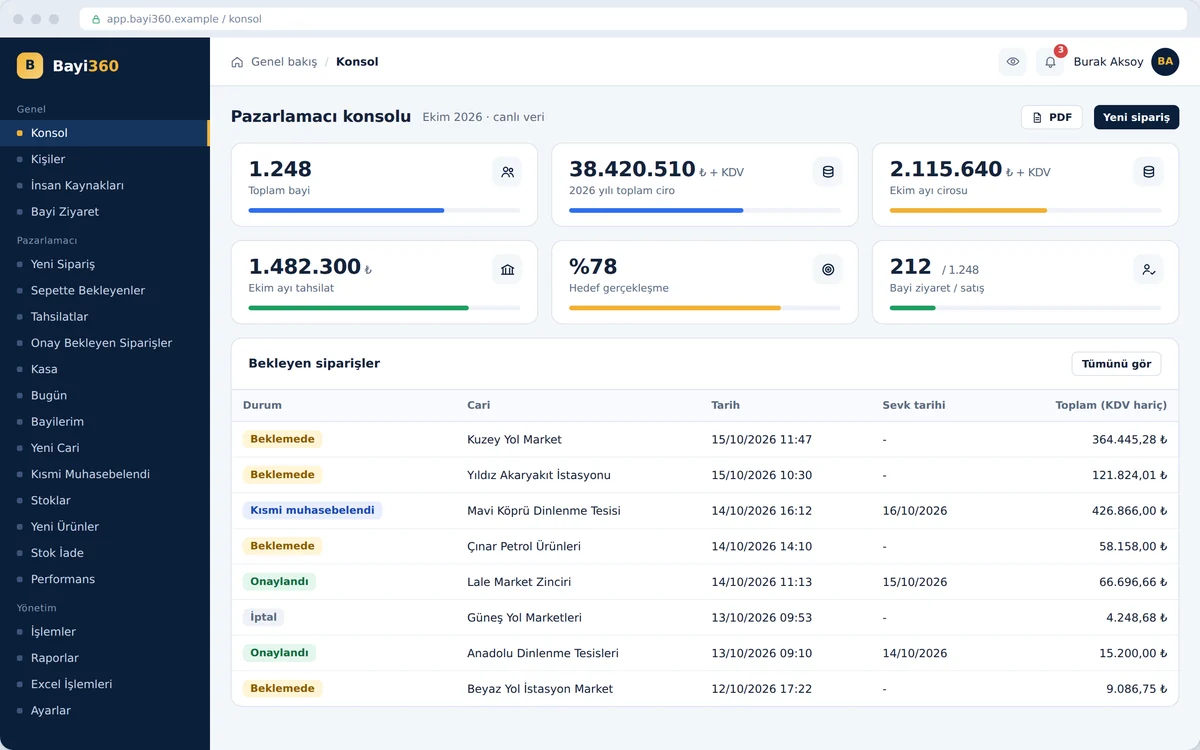
Command center (console)

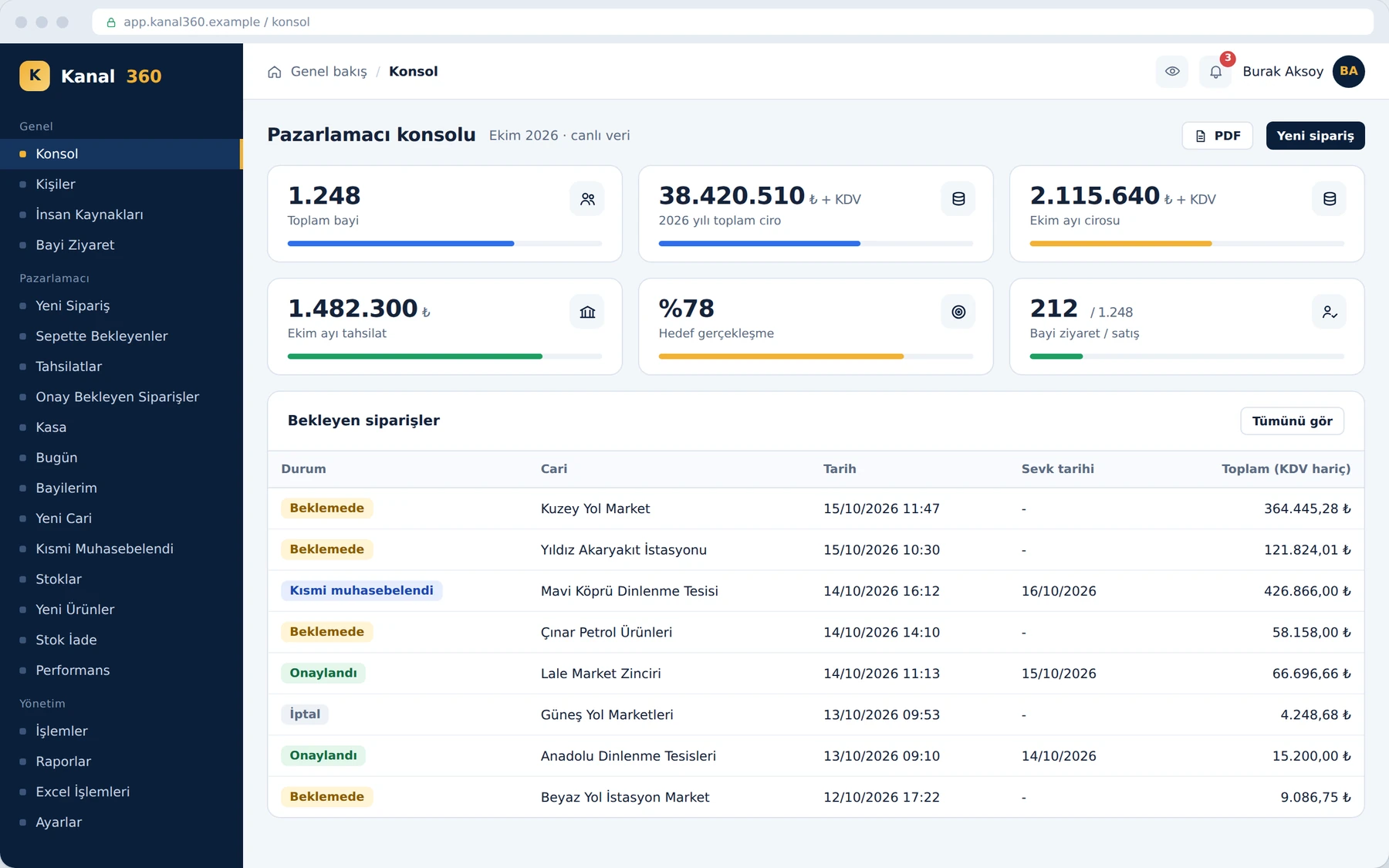
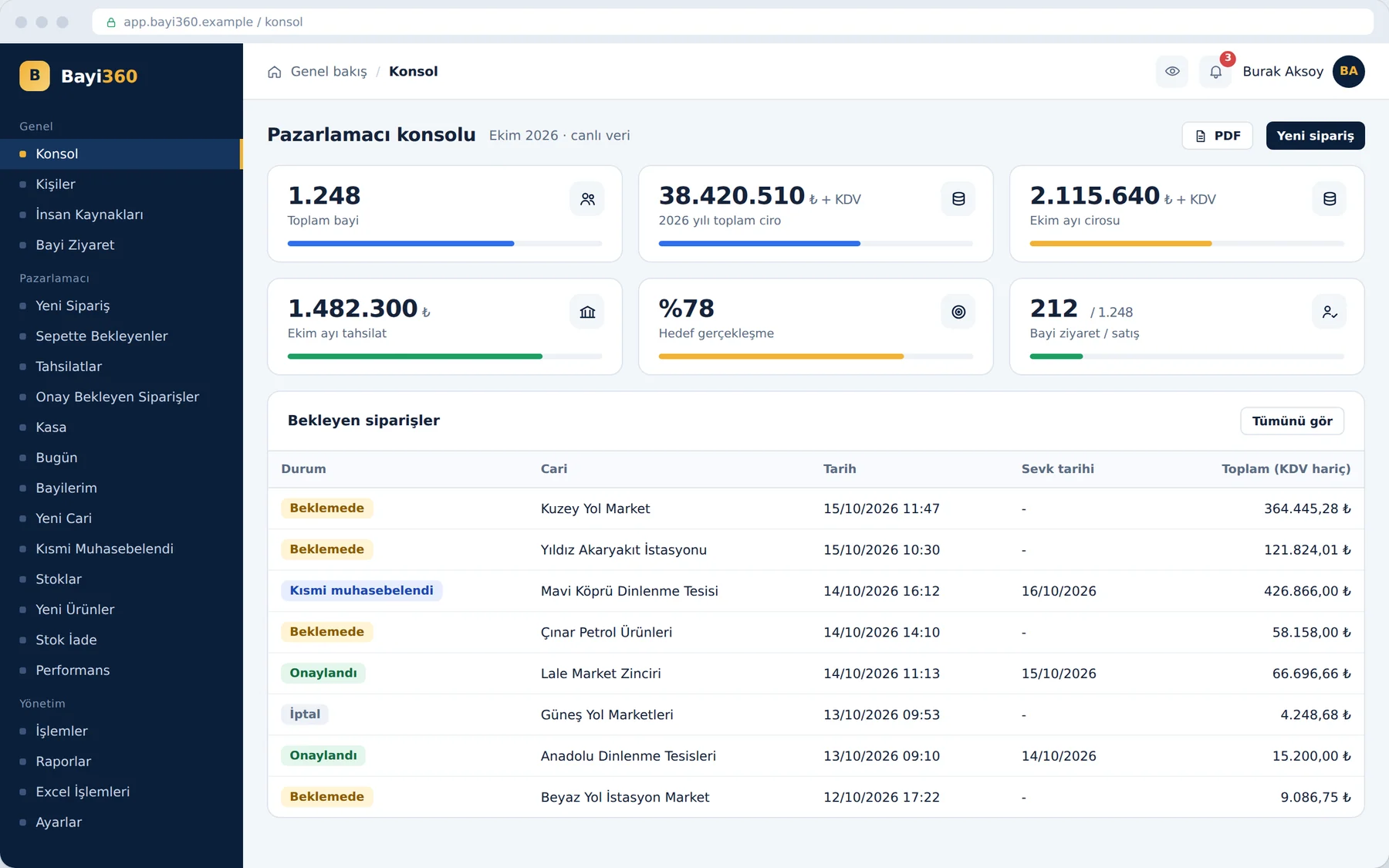
The sales rep starts the day with this screen: dealer portfolio, annual and monthly revenue, collections, target attainment and visit rate are all in front of them at a glance. The list below shows pending orders with their status and shipment date. The figures come from the ERP in real time; the gap between collections and target helps determine the day's route and the priority dealers.

Command center (console)

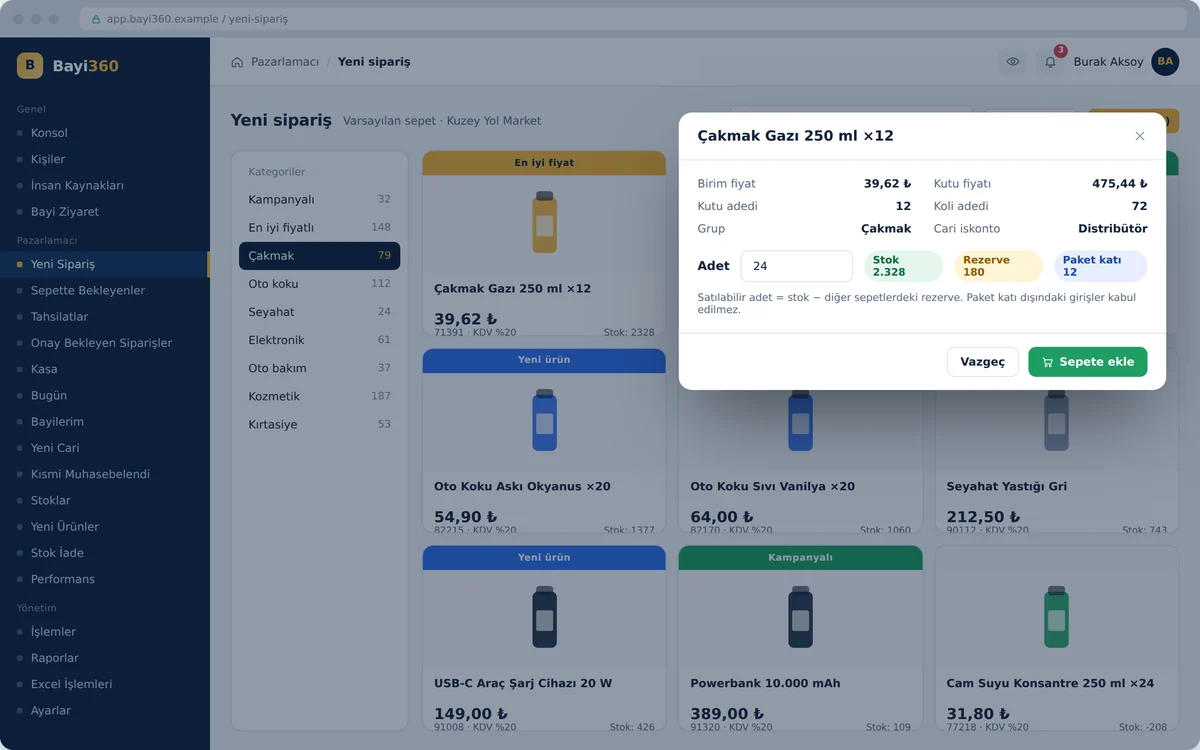
New order and dynamic product cards

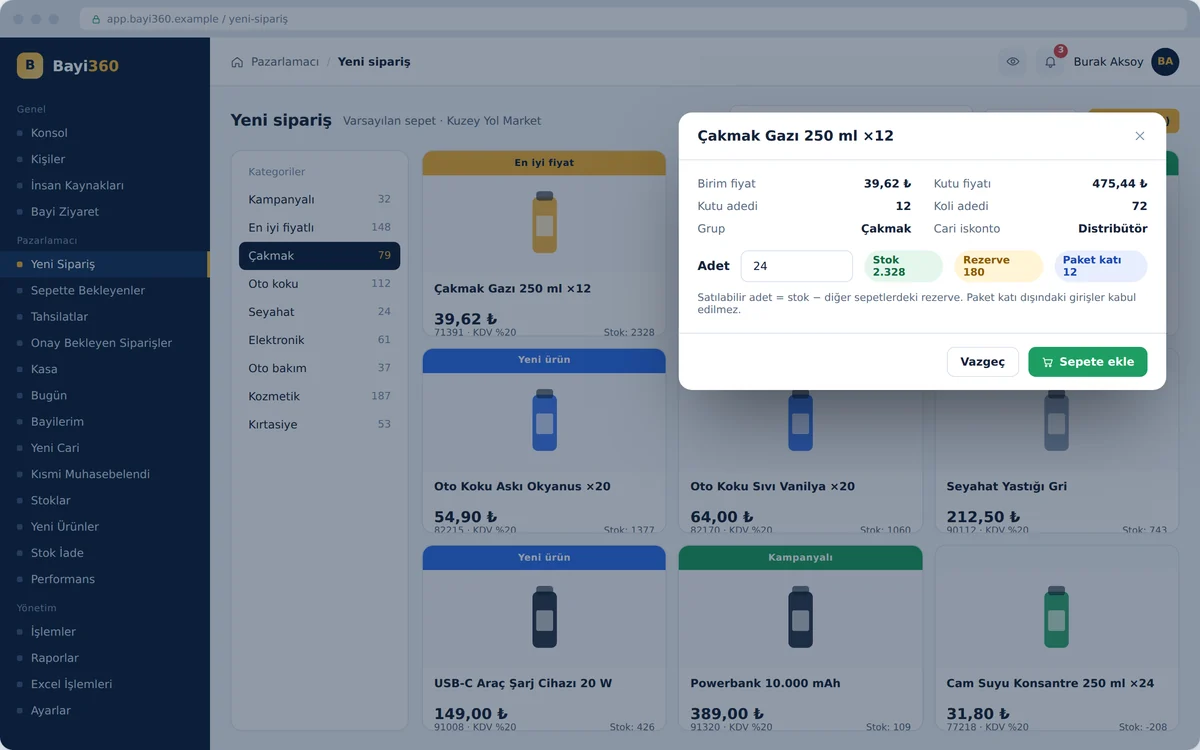
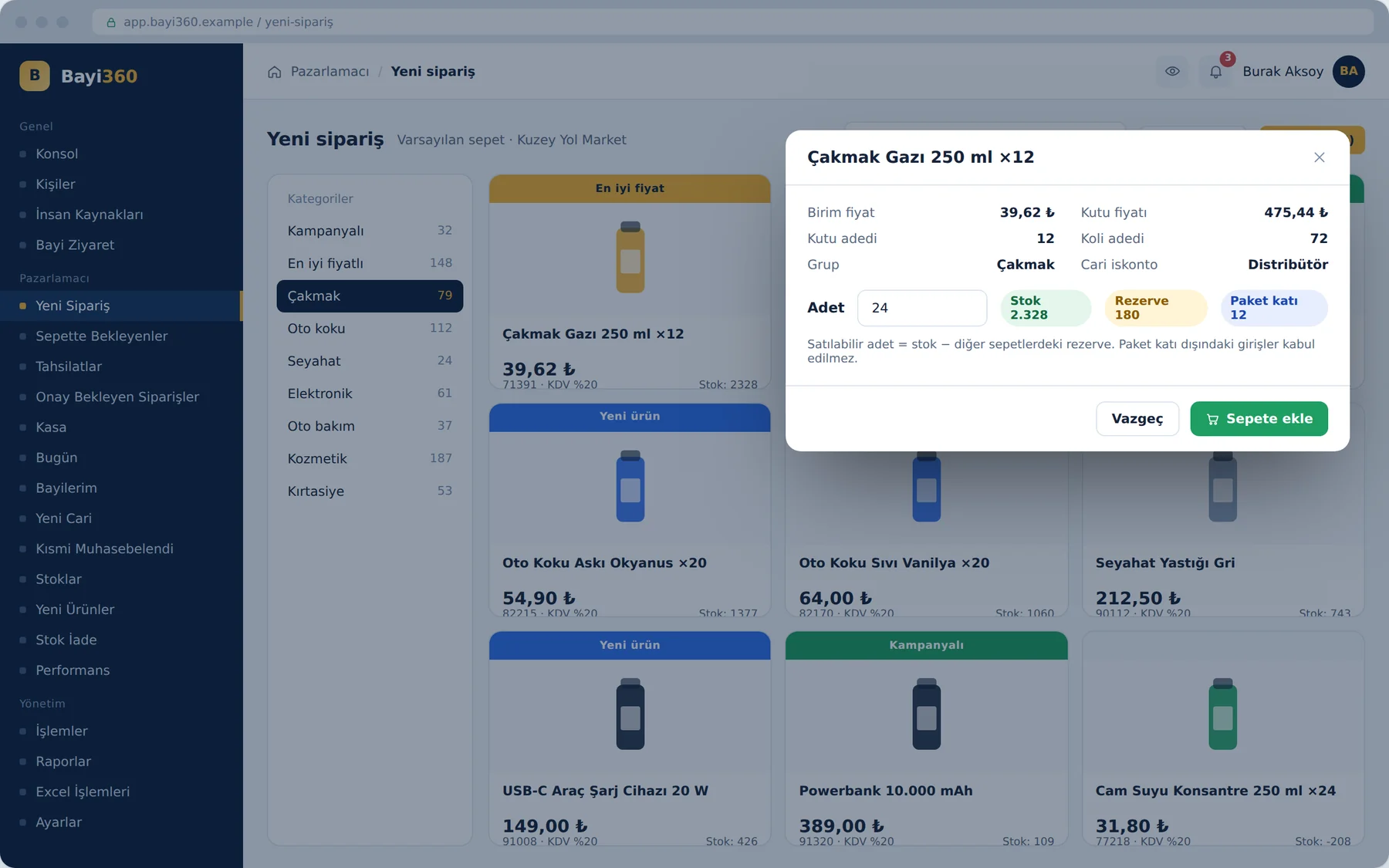
An order starts with the selection of a dealer; products appear with their images in a catalog divided into categories. Promoted, best-price and new products stand out through a label on the card. The window that opens when you tap a product shows the stock, the quantity reserved in other carts and the pack multiple; the system does not accept an entry that exceeds the sellable quantity or does not match the pack multiple.

New order and dynamic product cards

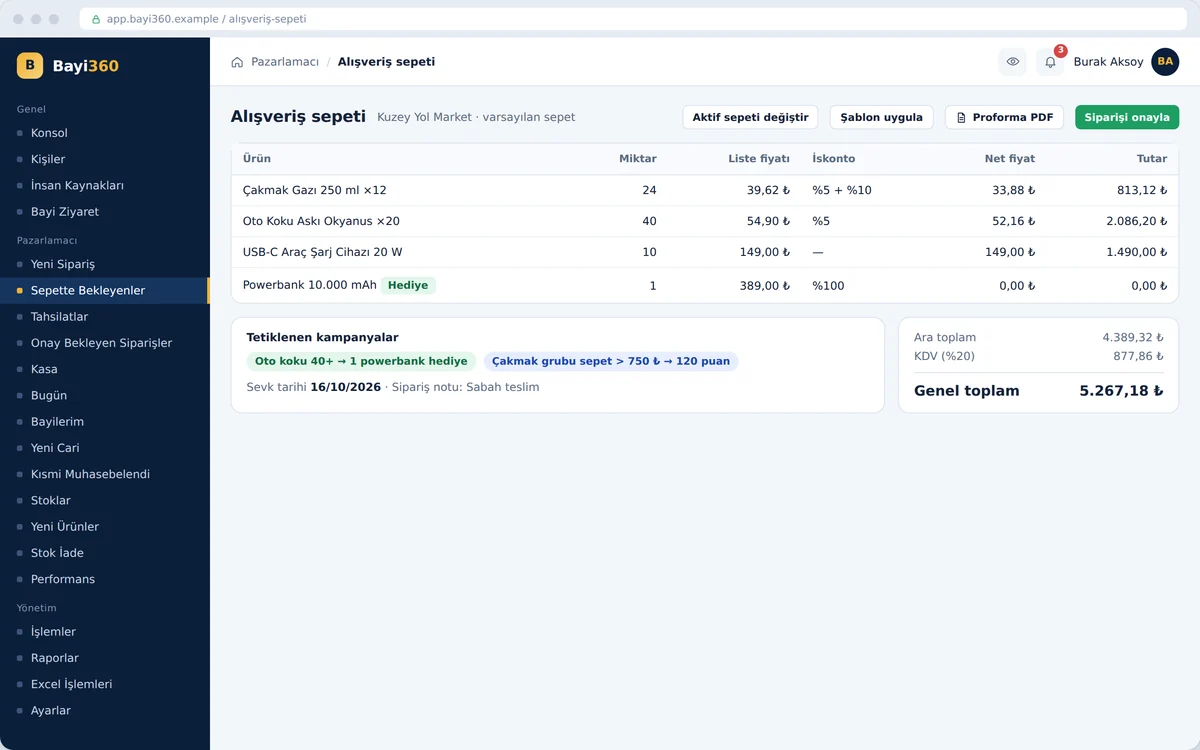
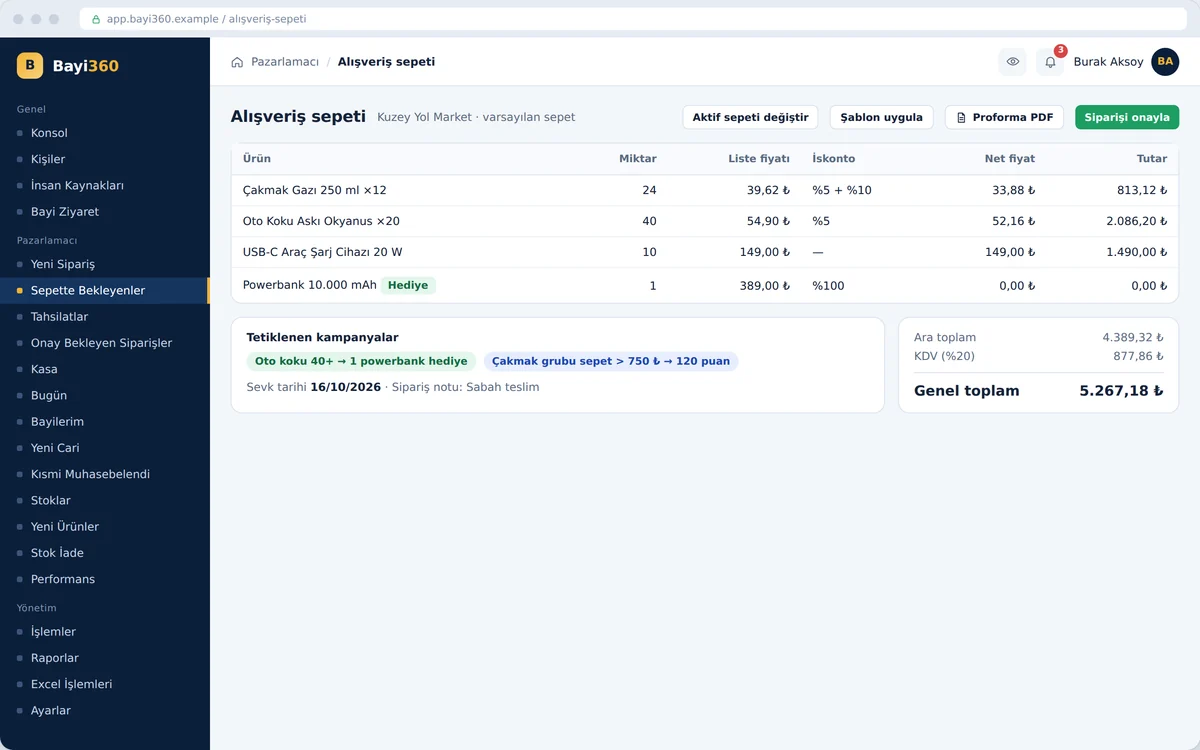
Cart and pro forma confirmation

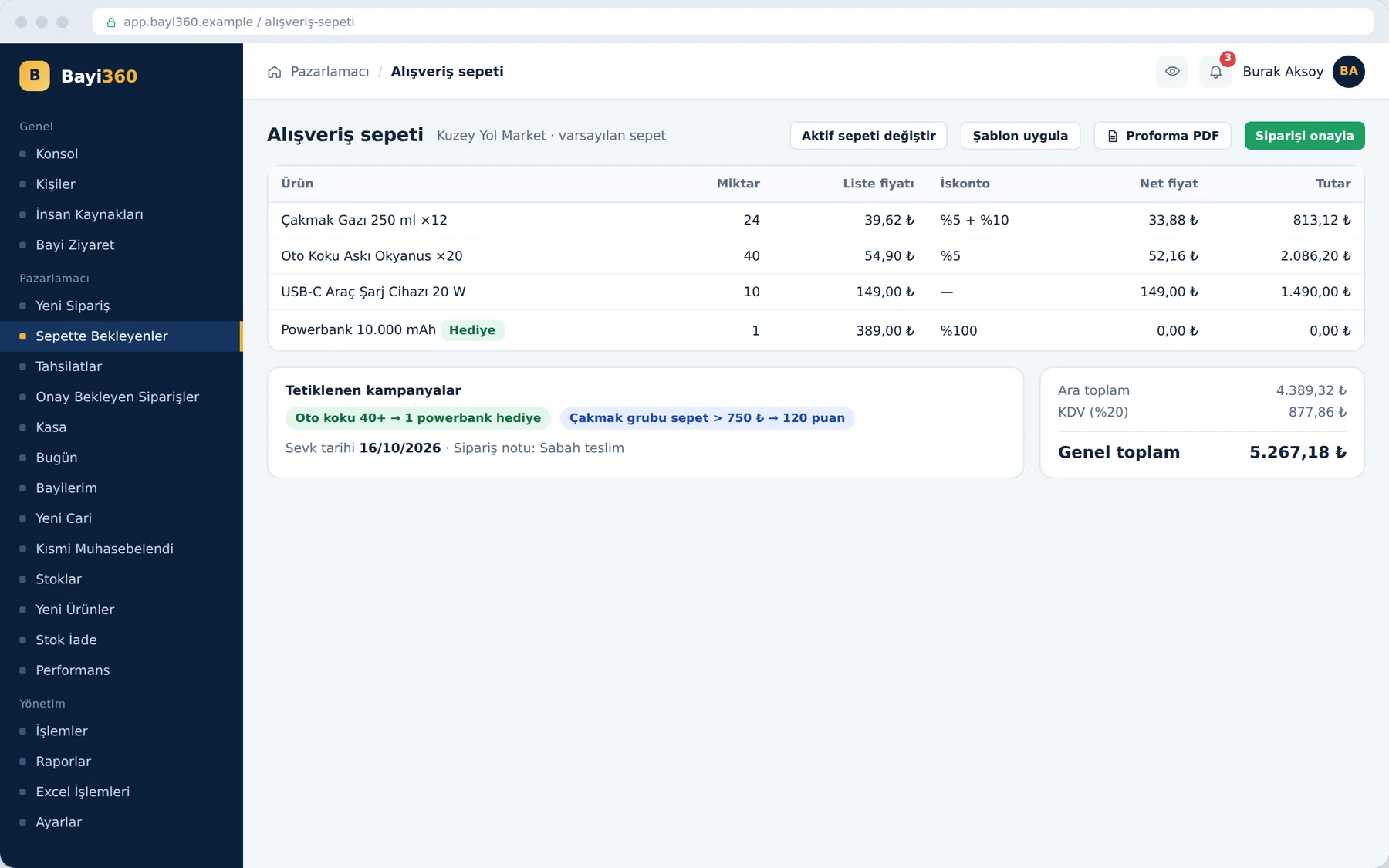
The cart screen produces the financial summary of the order. On each line, the list price, the chained discount defined for the dealer and the net price sit side by side; the screen also flags any promotions triggered and gift products. The sales rep generates a PDF of the VAT-inclusive pro forma; when they confirm the order, it goes straight into the accounting software without waiting to be keyed in.

Cart and pro forma confirmation

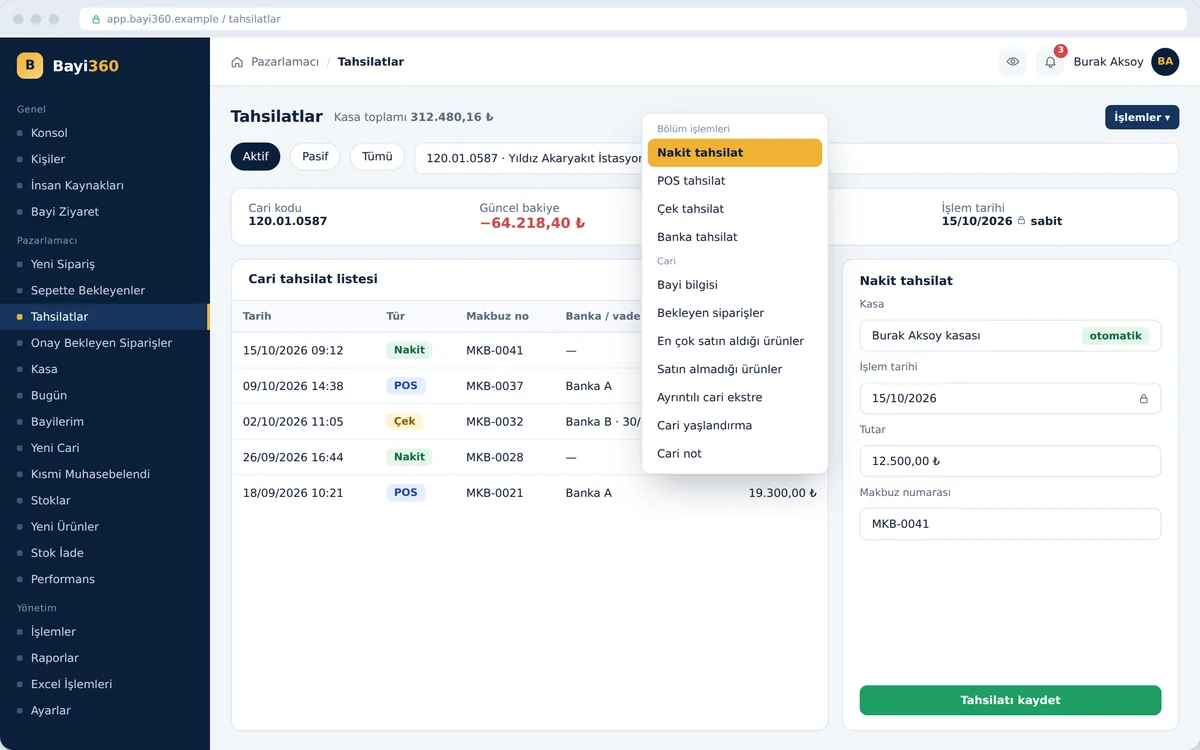
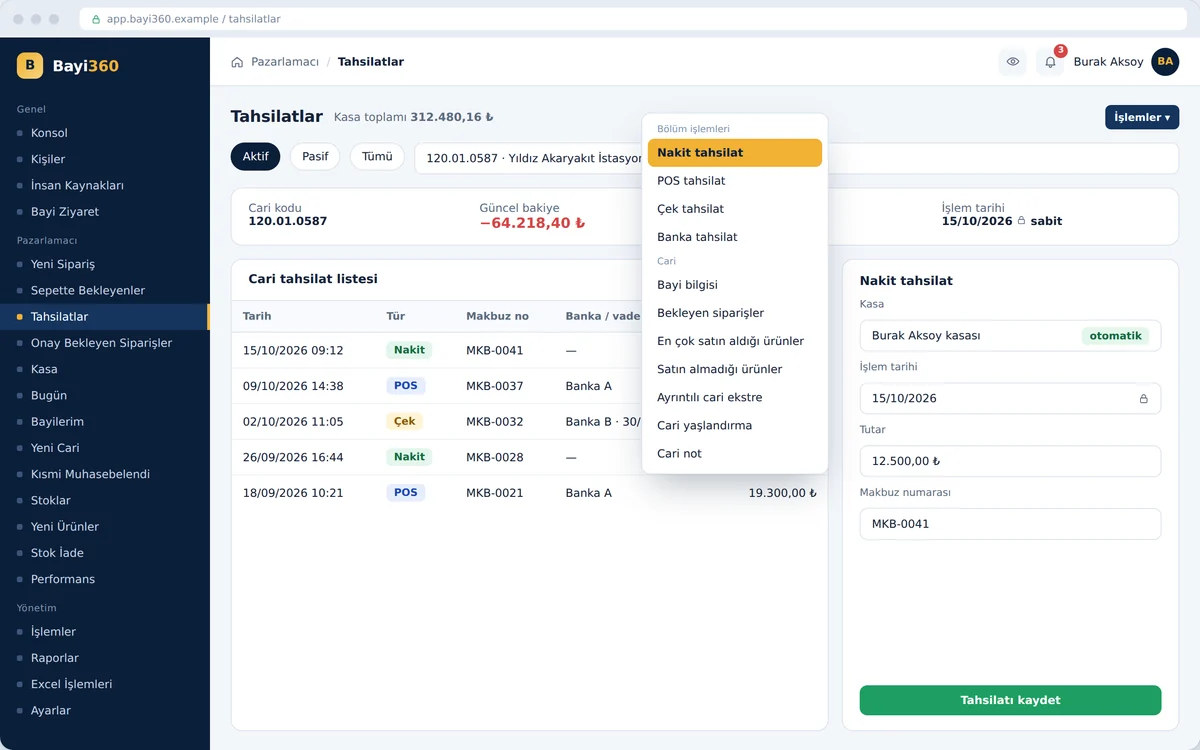
Cash account and collections

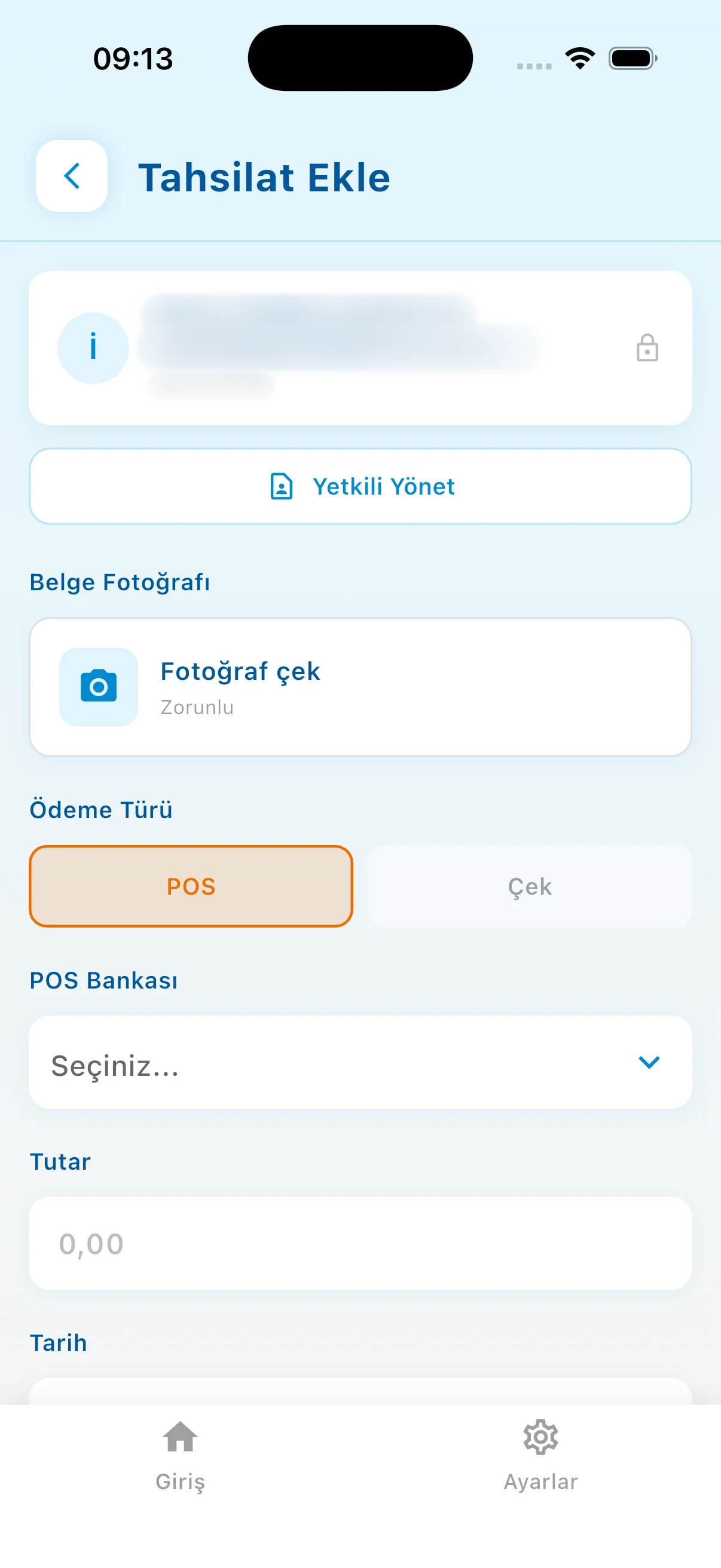
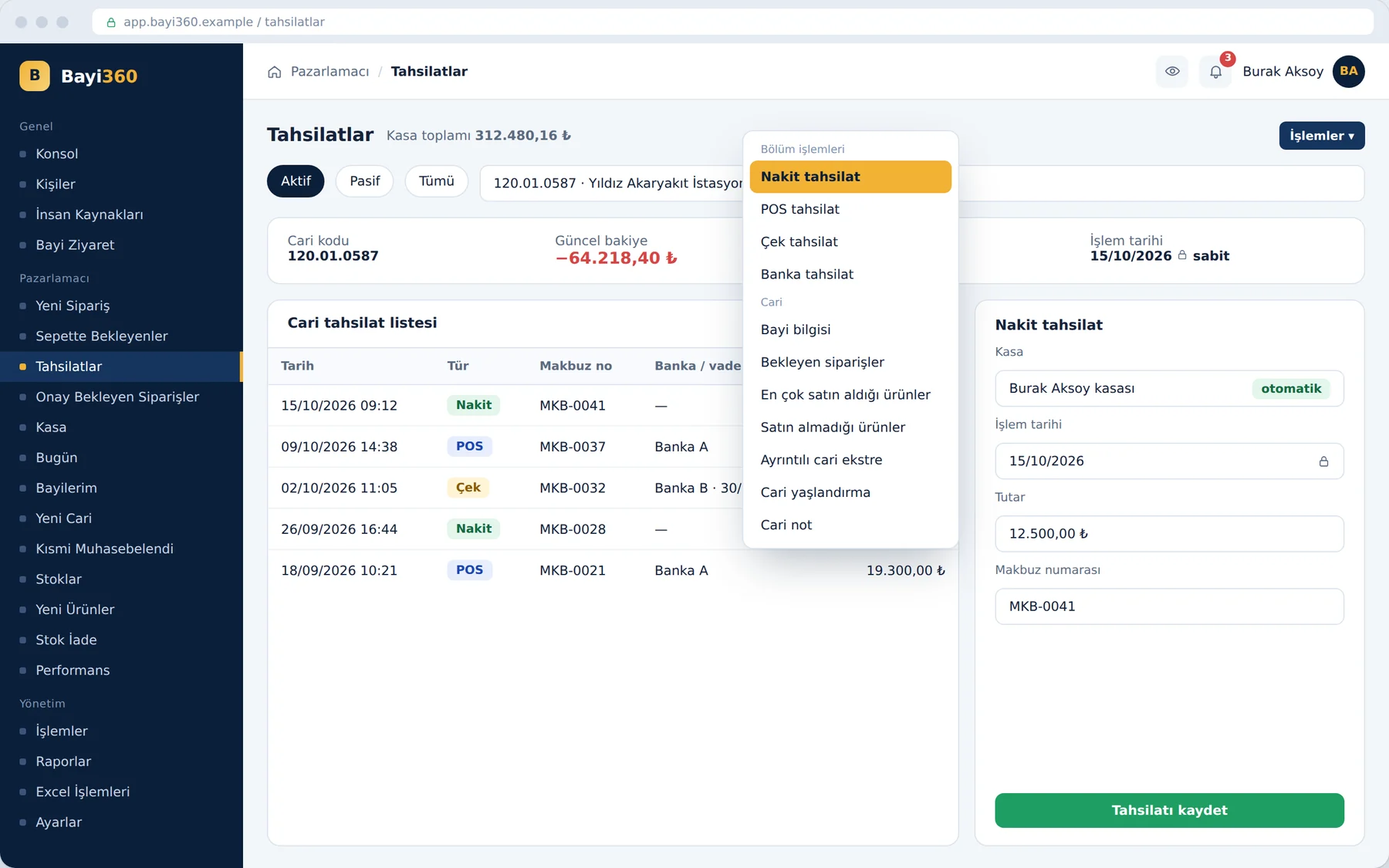
The moment the sales rep selects a dealer, they see the current balance from the ERP; they enter cash, POS and cheque collections on the same screen, while bank collections are processed by the administrator or accounting. The system finds the cash account on its own from the sales rep's account code and locks the transaction date to today. The actions menu leads to the dealer information, the statement and the aging report in one click.

Cash account and collections

Customer account portfolio management (CRM)

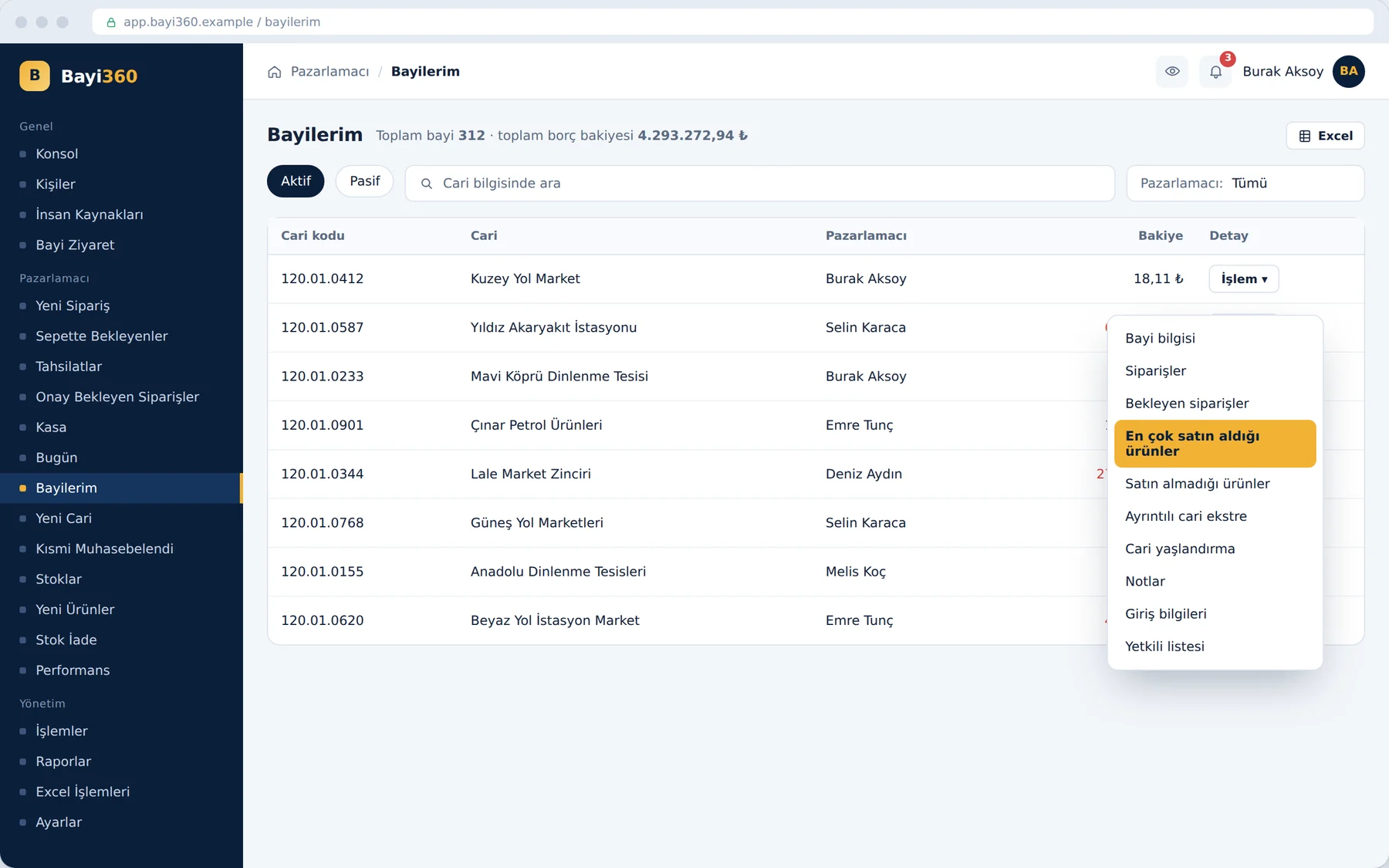
The “My Dealers” screen lists the sales rep's portfolio with account code, company name and balance. The actions menu on each row opens the dealer information, orders, best-selling and never-purchased products, the detailed statement, aging, notes, login details and contact persons. The list of never-purchased products puts the cross-selling opportunity in front of the sales rep during the visit.

Customer account portfolio management (CRM)

Aging report

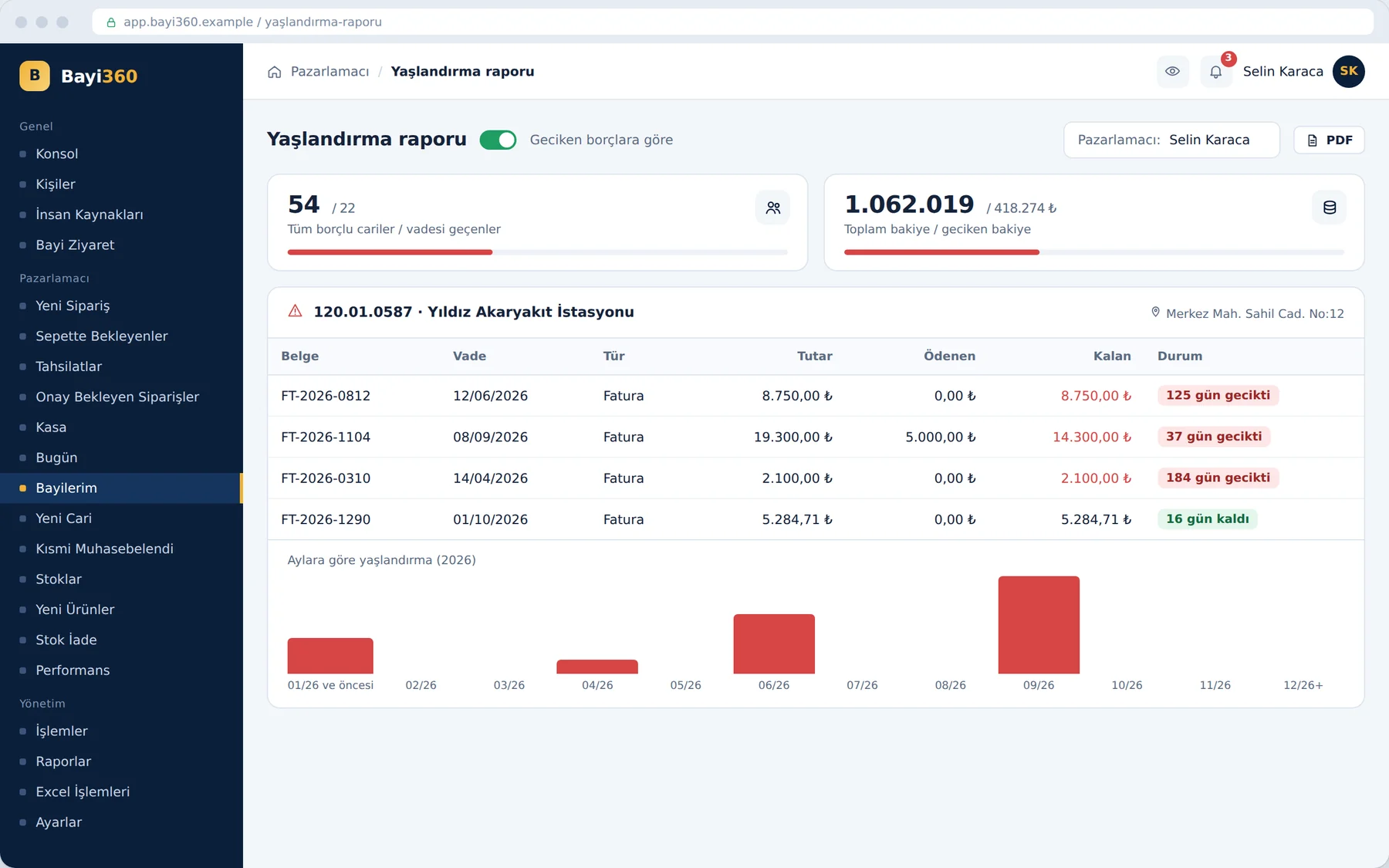
The aging report hides closed invoices and shows only open and partially paid invoices, with due date, amount paid and remaining amount. Each row states how many days the invoice is overdue or how many days remain until its due date. A single button switches the view to overdue debts; the chart below shows how the debt is distributed across months.

Aging report

Performance report

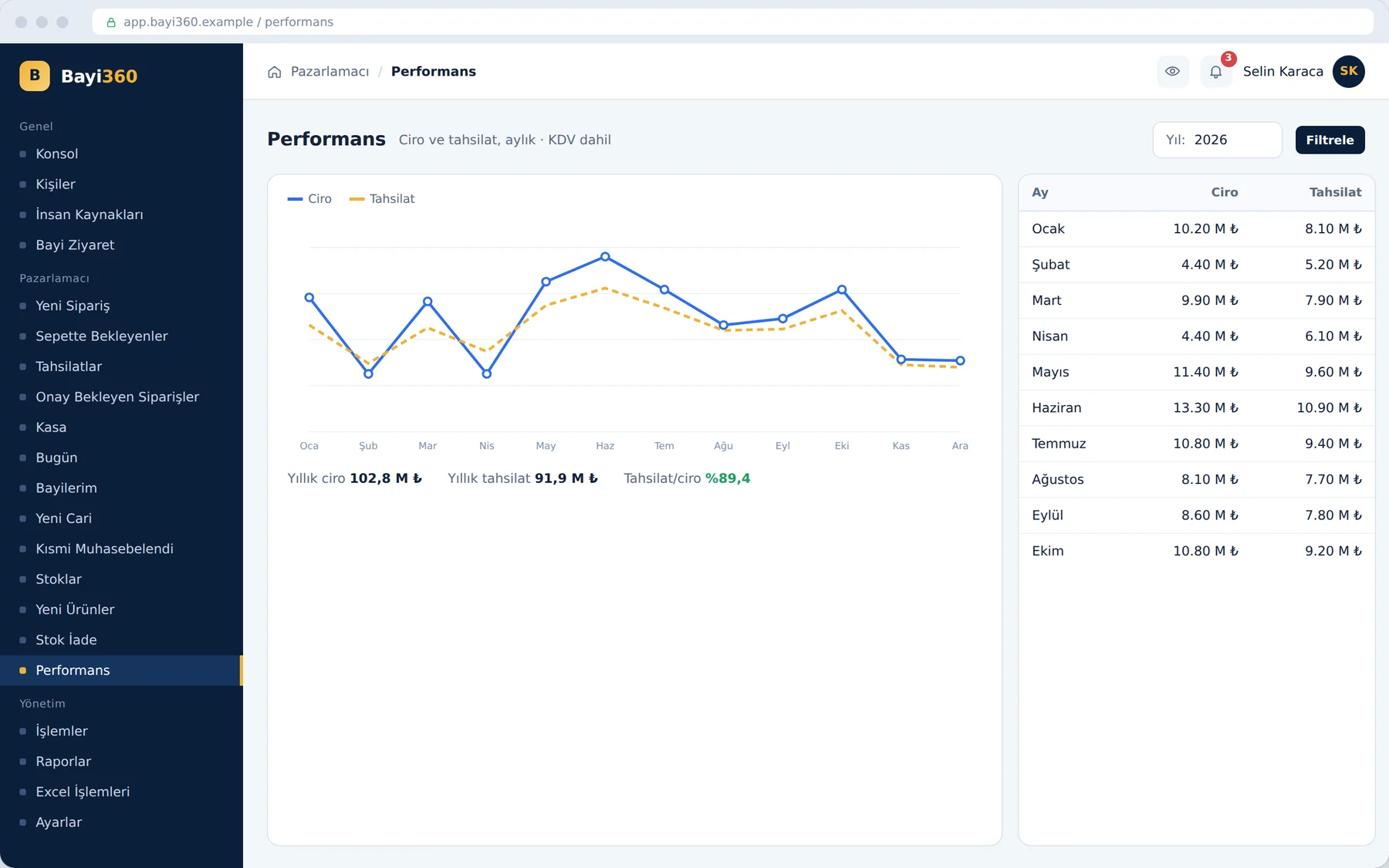
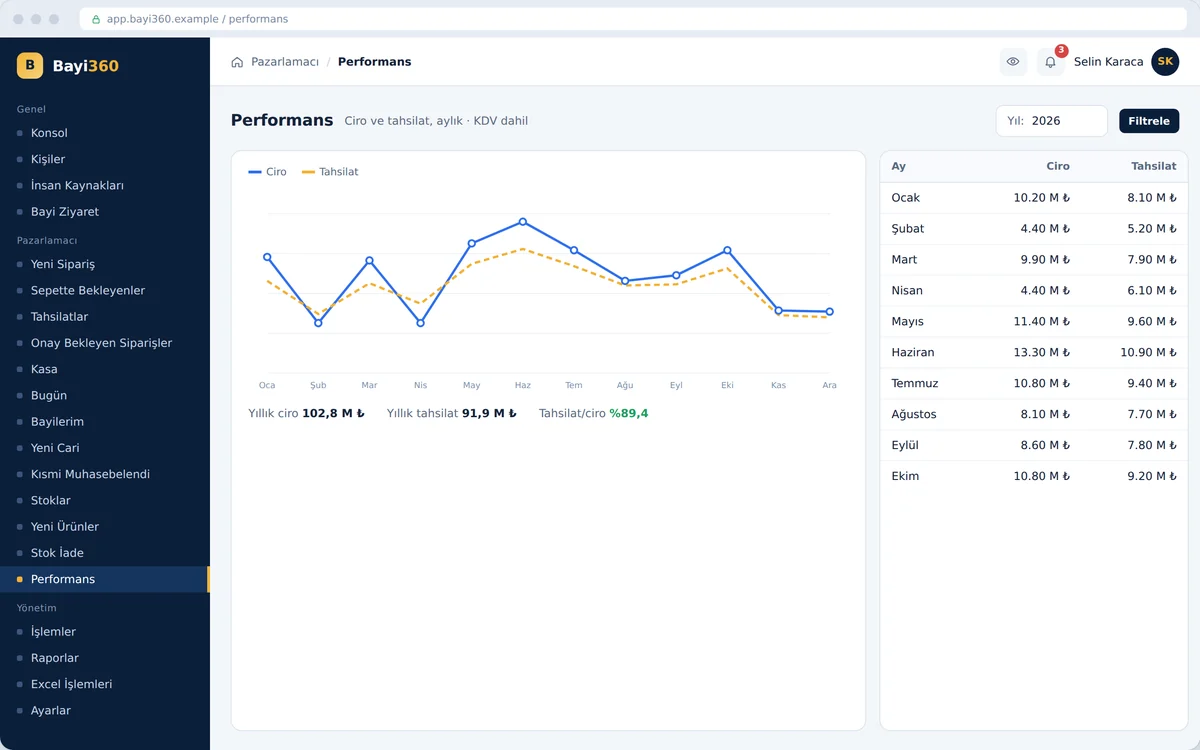
The performance report places the selected year's revenue and collections side by side, month by month. The line chart shows the gap between the two curves, and the table on the right gives the monthly amounts; at the bottom are annual revenue, annual collections and the collection-to-revenue ratio. Amounts include VAT and measure the actual cash inflow the sales rep brings to the company.

Performance report

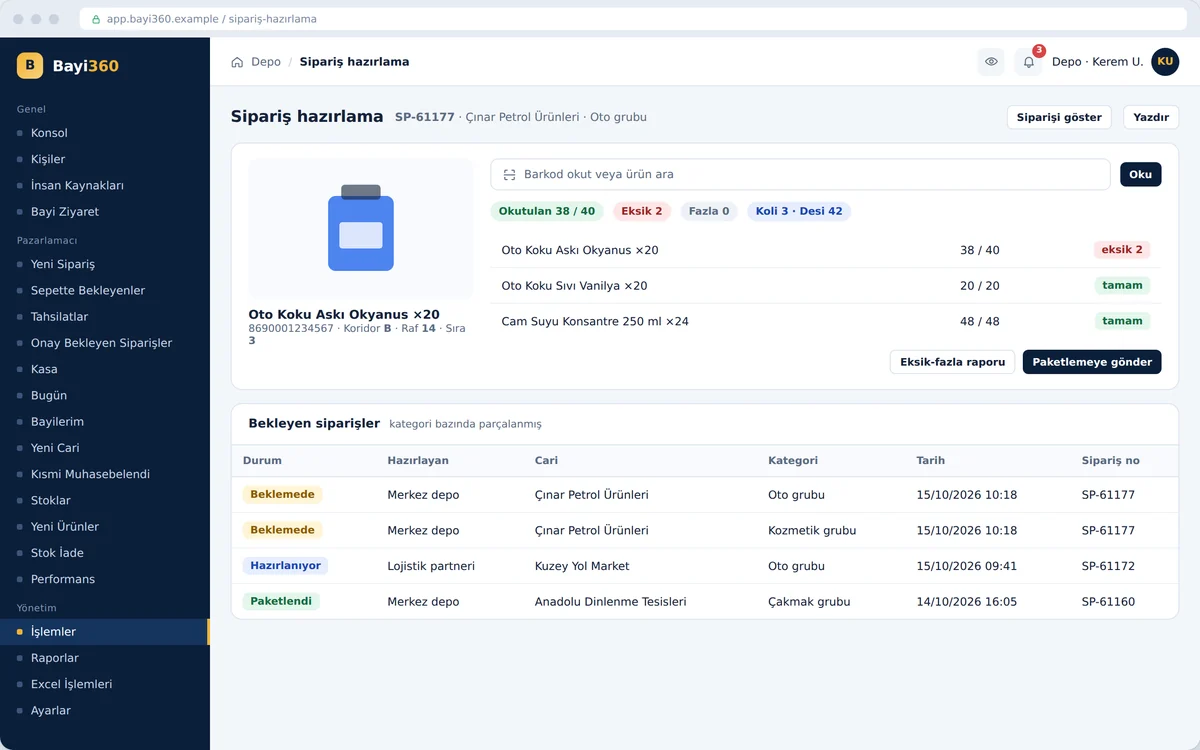
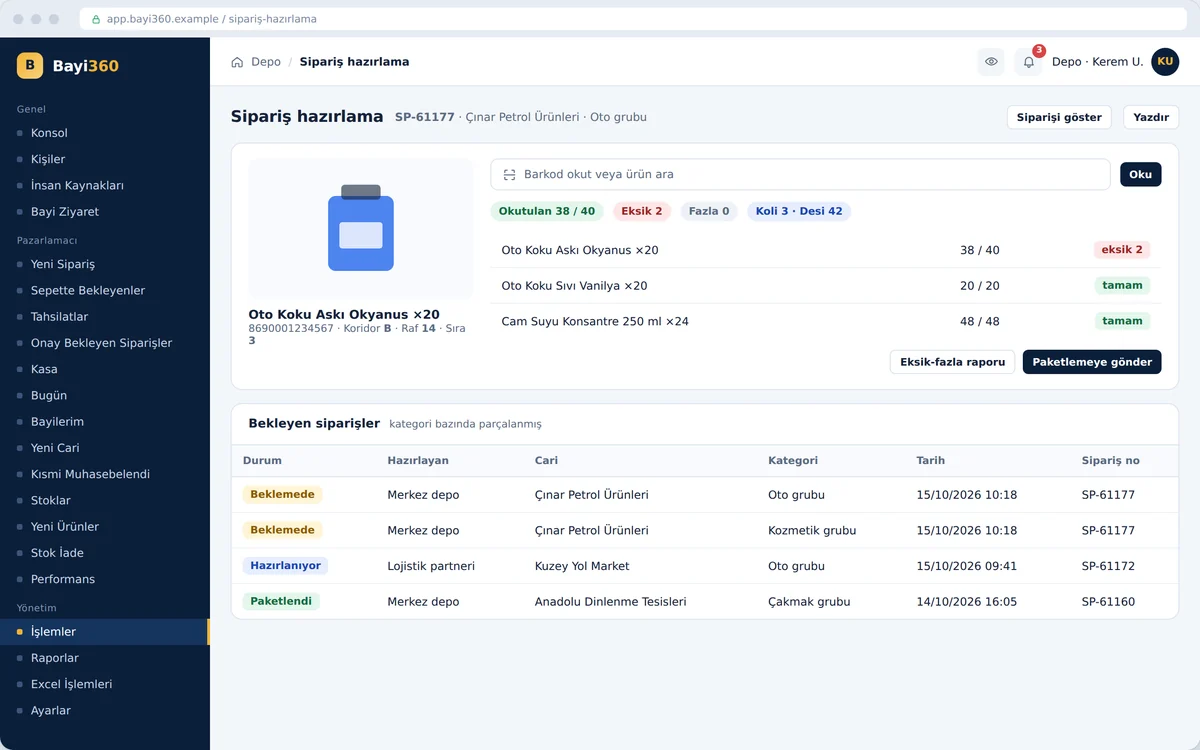
Warehouse: barcode order preparation

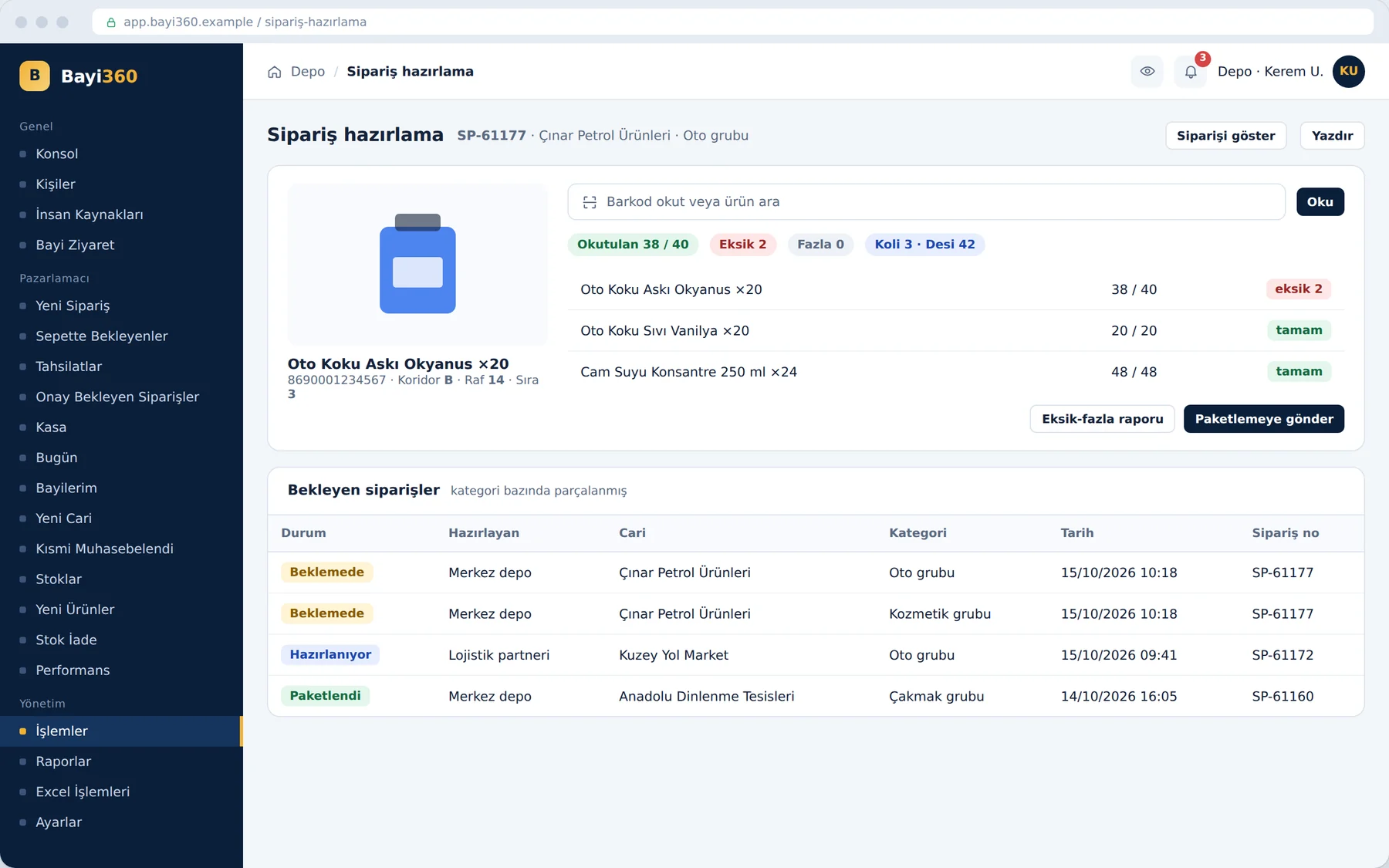
Warehouse staff prepare the order by scanning barcodes, without seeing prices. With every scan, the product image and its aisle, shelf and row information appear on the screen; the screen counts scanned, missing and excess quantities, as well as cartons and volumetric weight (desi), in real time. Because the order is split by category, different warehouse zones pick the same order simultaneously.

Warehouse: barcode order preparation

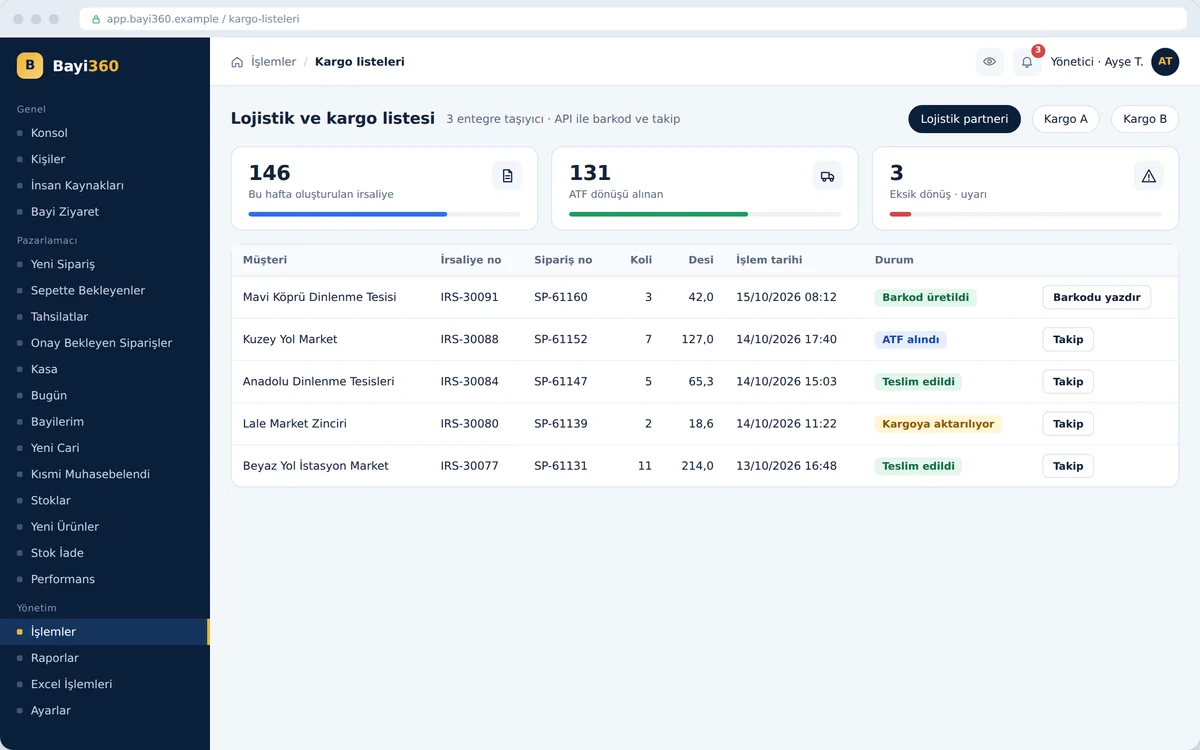
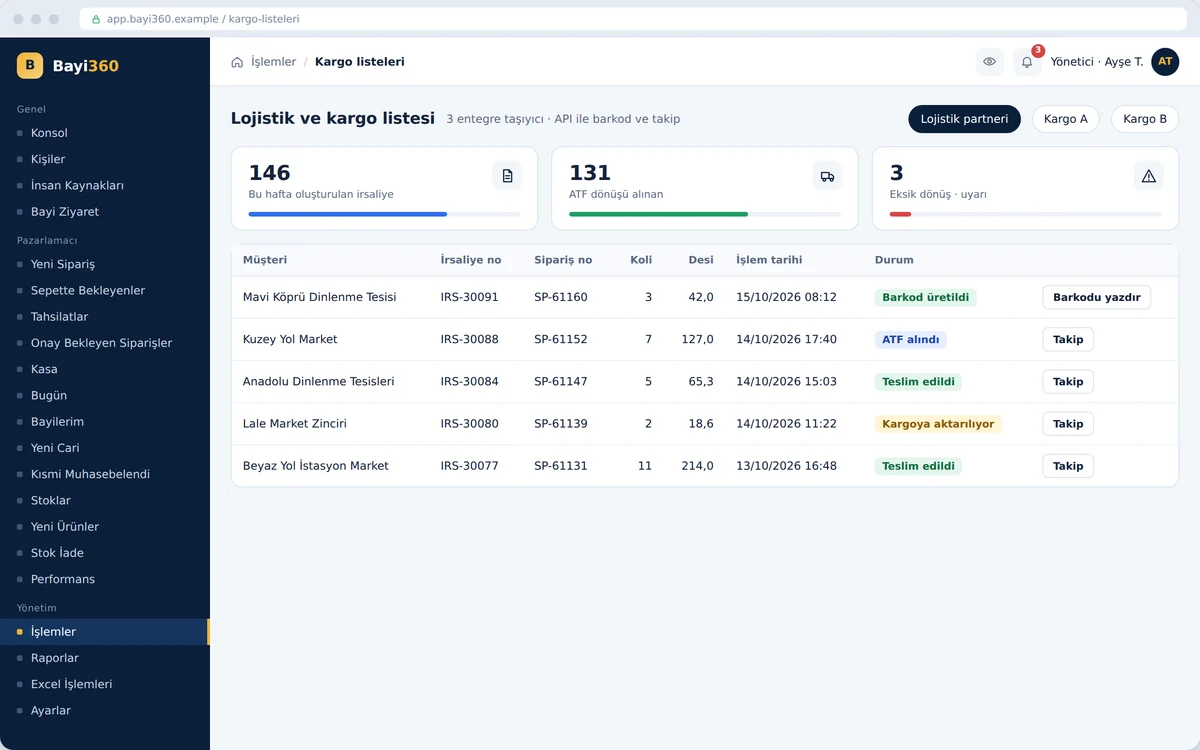
Logistics and courier integration

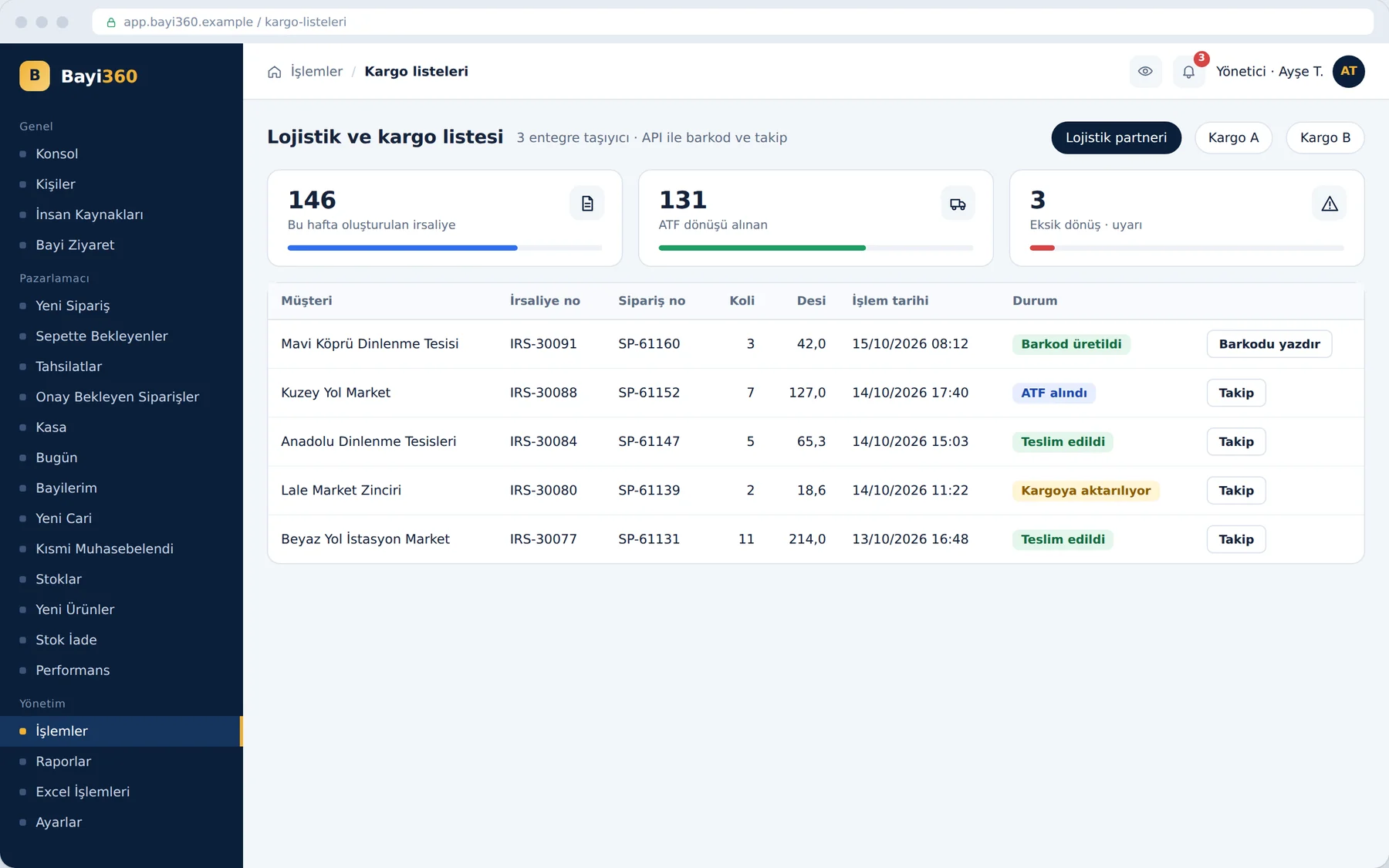
The list shows the shipments of three carriers together: each row shows the waybill and order numbers, cartons, volumetric weight (desi) and current status. The system generates the courier barcode itself via the API and the warehouse prints it in one click; the logistics partner's ATF (warehouse delivery slip) return flows back into the system. The alert box at the top counts the shipments whose return is still missing.

Logistics and courier integration

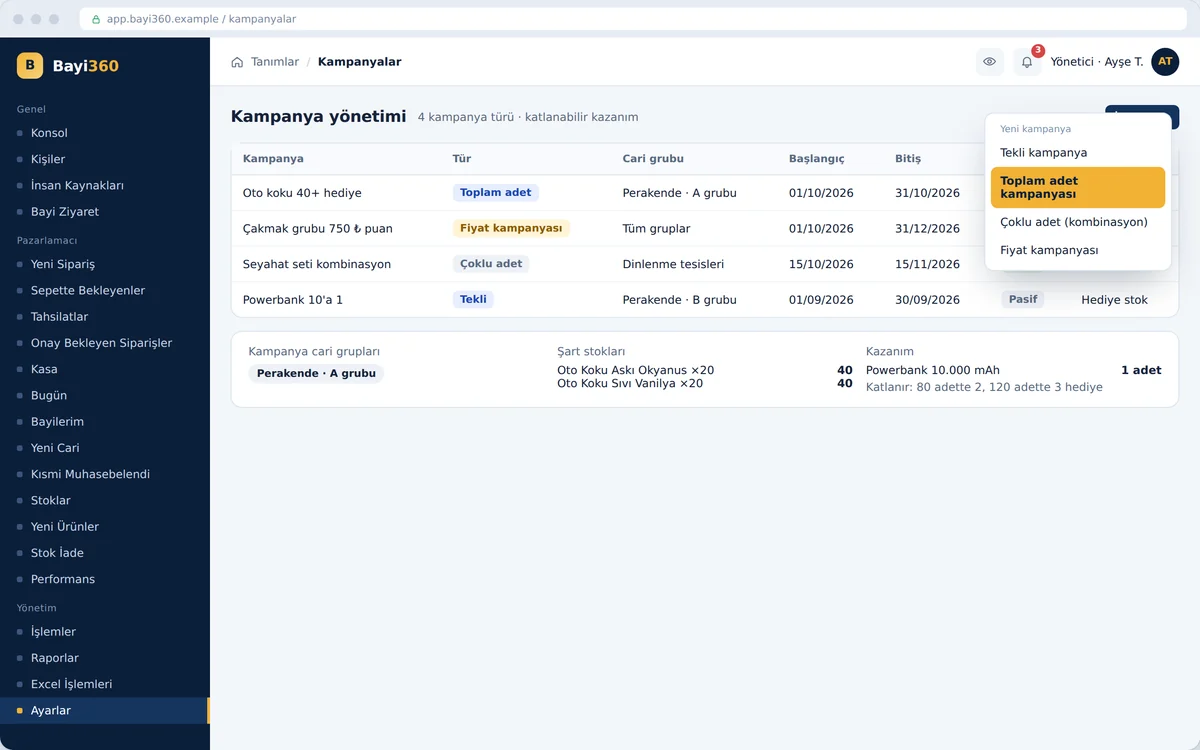
Promotion and discount engine

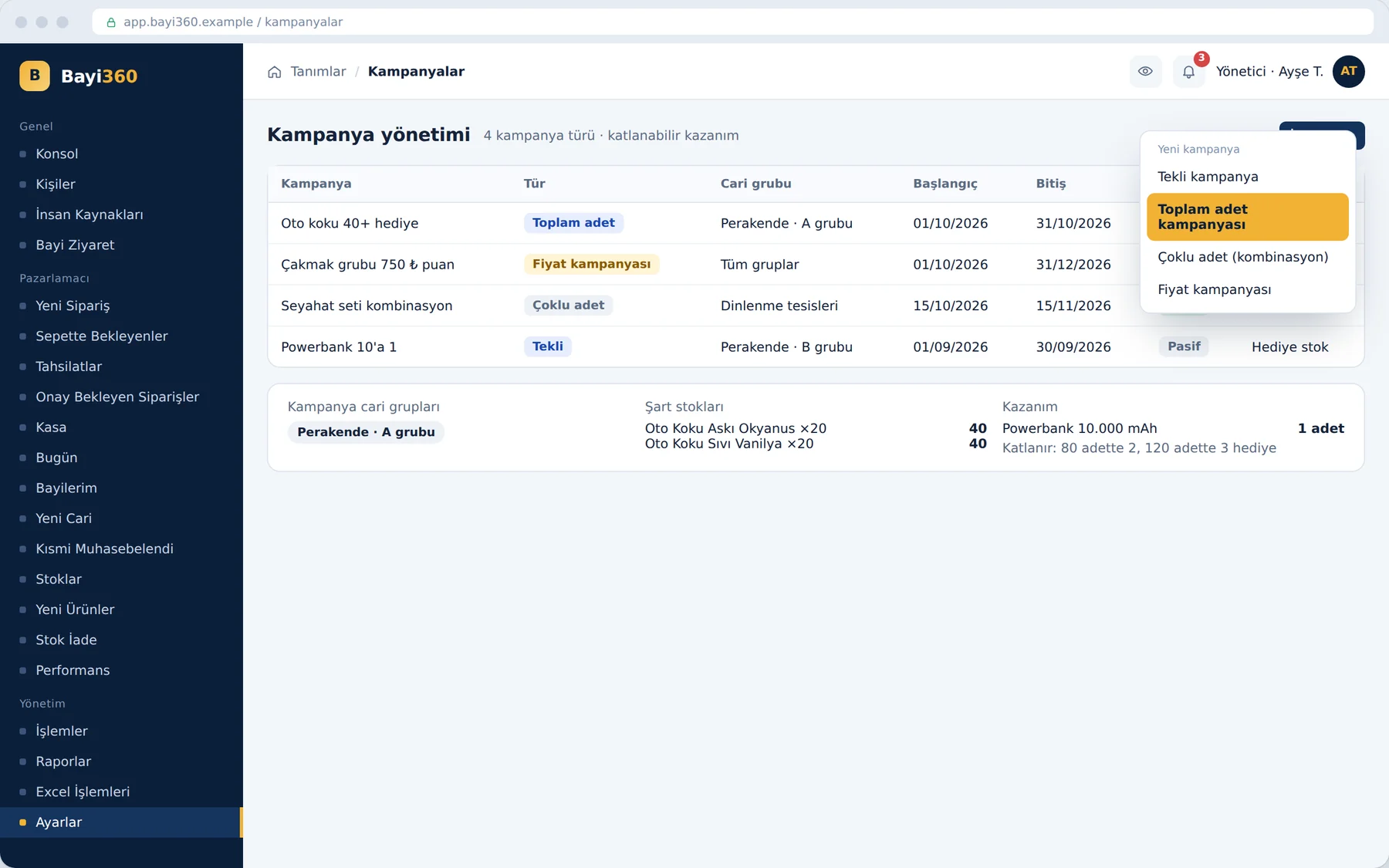
The administrator chooses one of four promotion types: single, total quantity, multi-quantity combination or price promotion. They then define the customer group, the date range, the qualifying products and the reward; the reward can be a gift product, a discount or points. As the purchase quantity multiplies, the gifts and points multiply automatically; discounts can be chained up to six levels.

Promotion and discount engine

Stock returns and validation

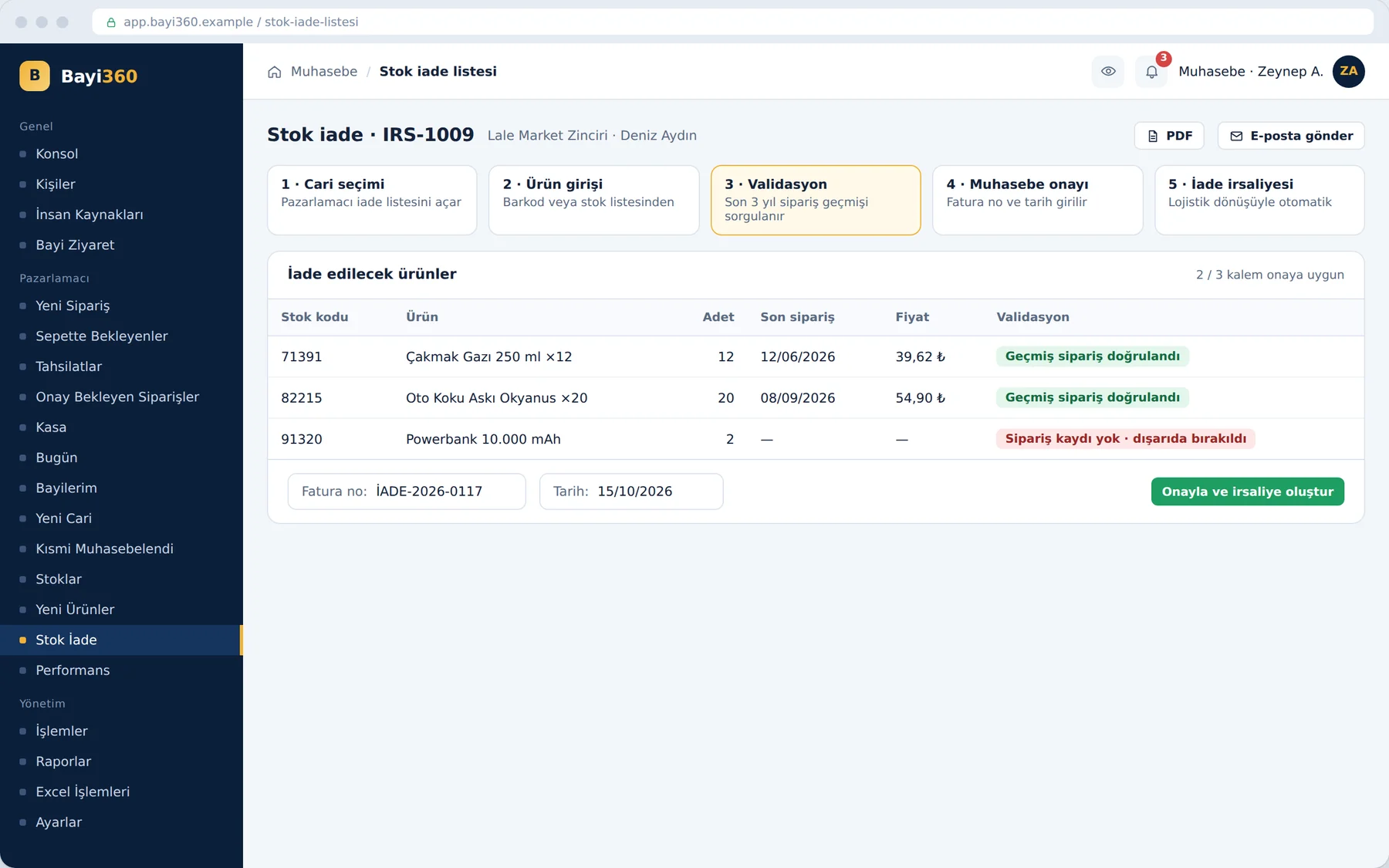
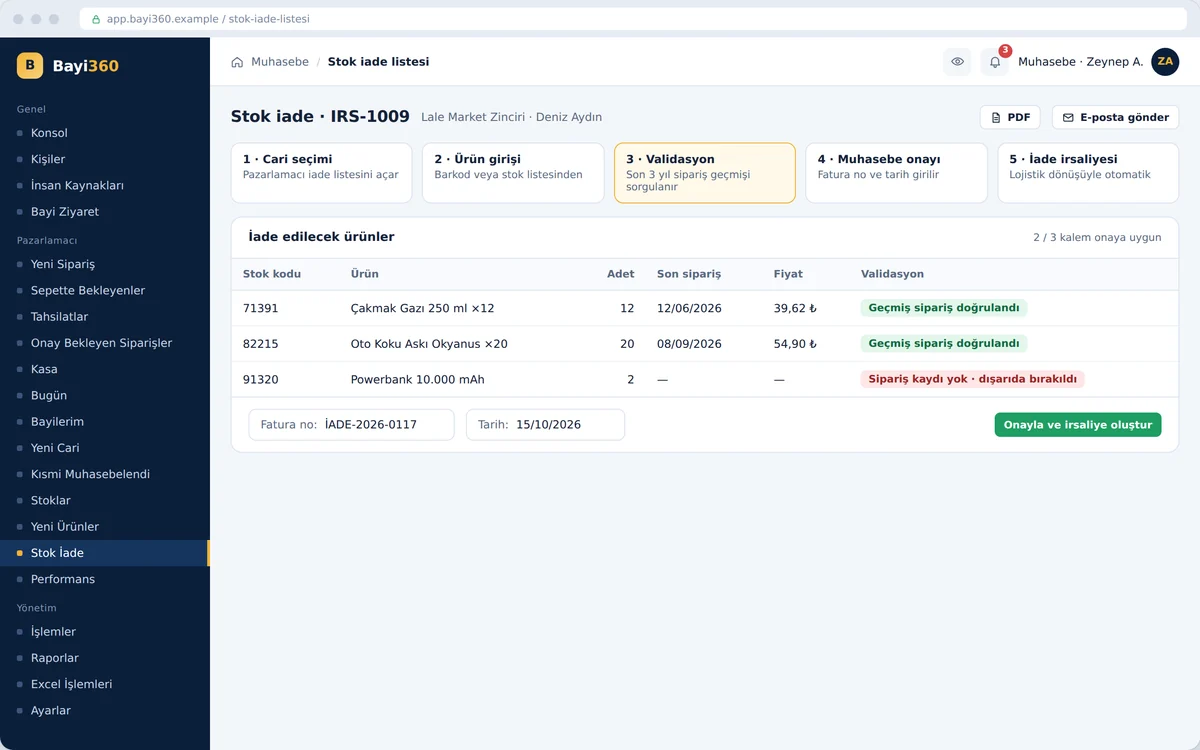
A return proceeds in five steps: the sales rep selects the dealer and enters the products by barcode or from the stock list, and the system checks the past orders of each product. A product the dealer has never ordered in the past cannot enter the return list. Accounting approves by entering the official invoice number and date; the return waybill is created automatically with the feedback from the logistics company.

Stock returns and validation

Administrator “Today” screen

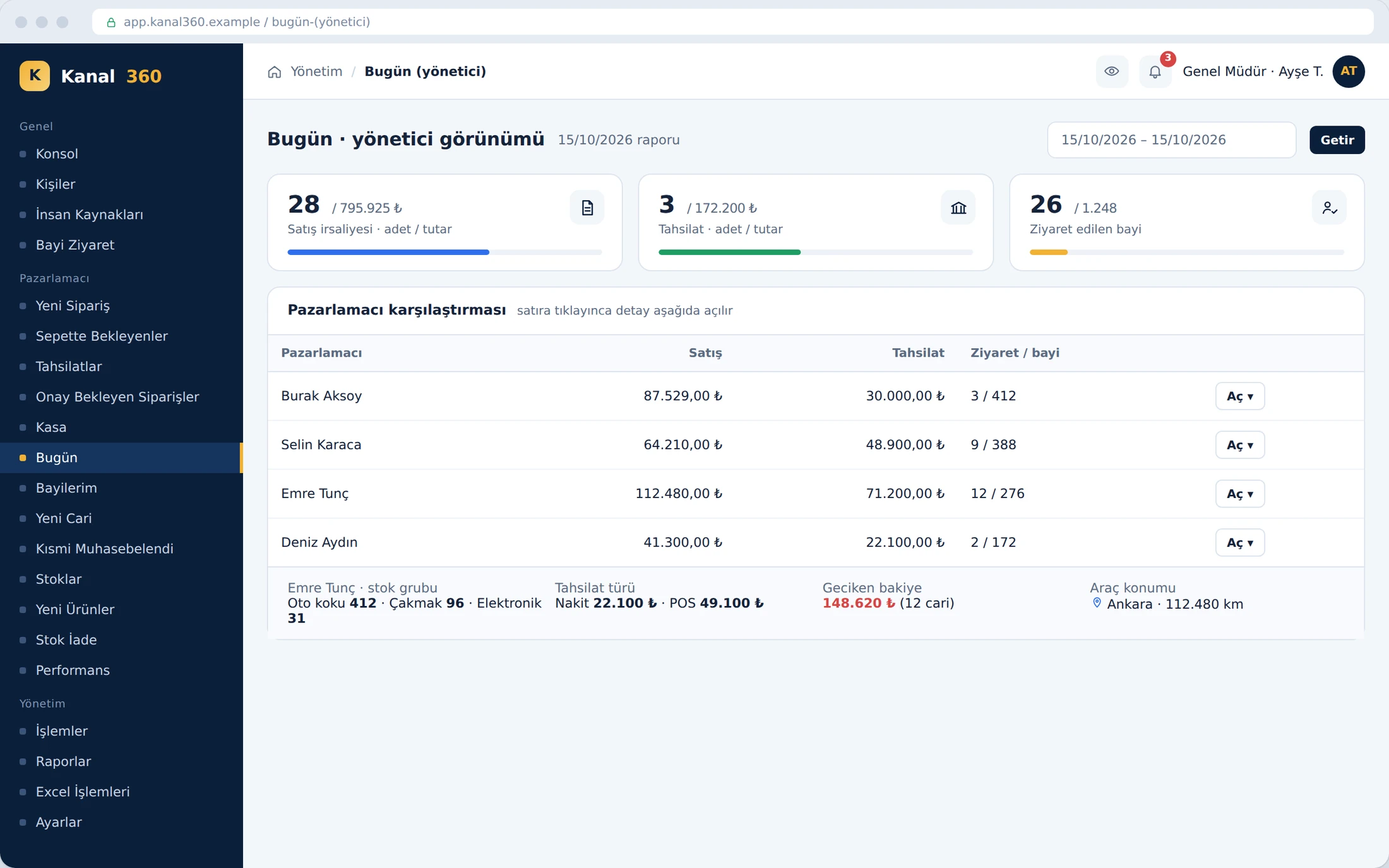
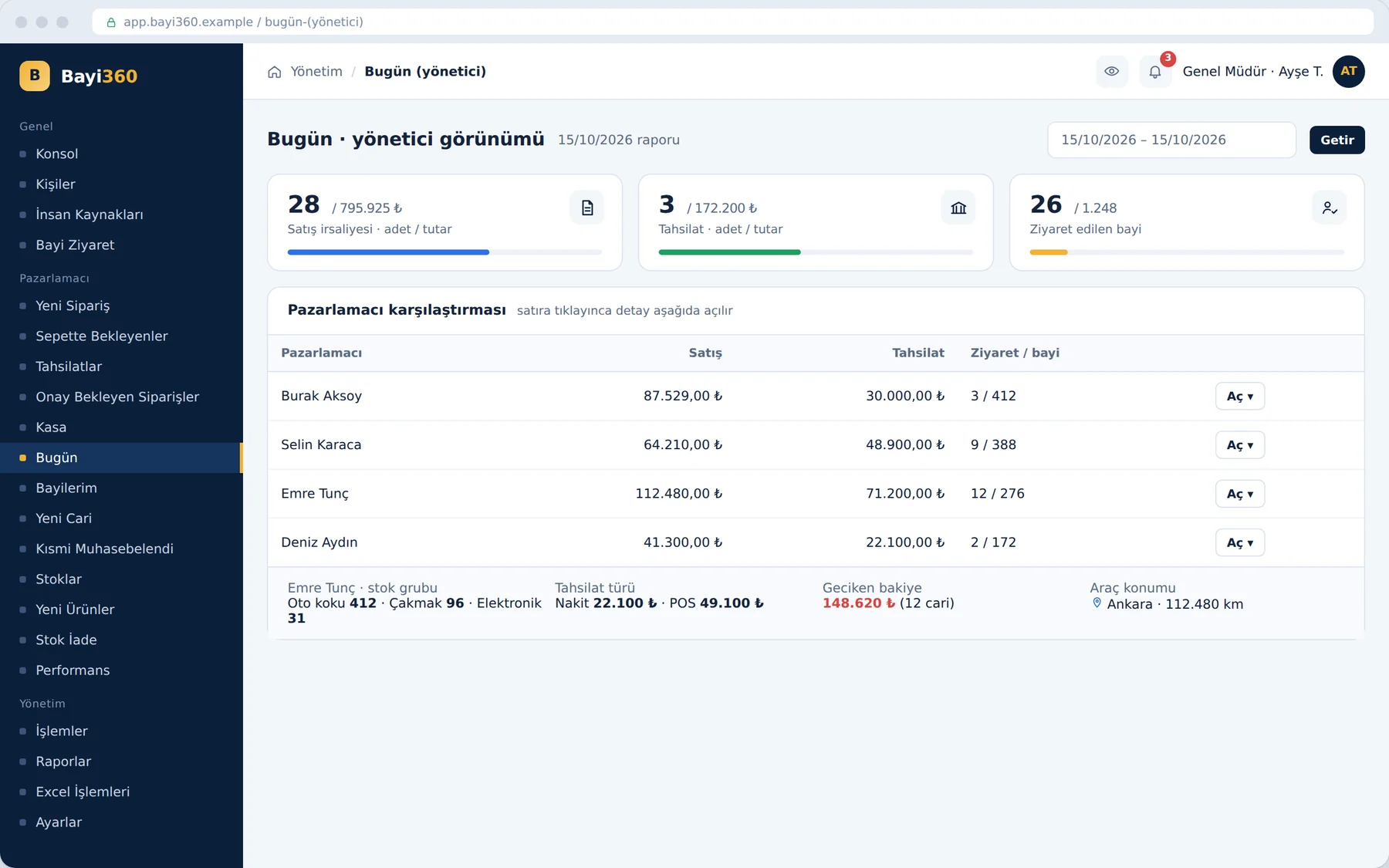
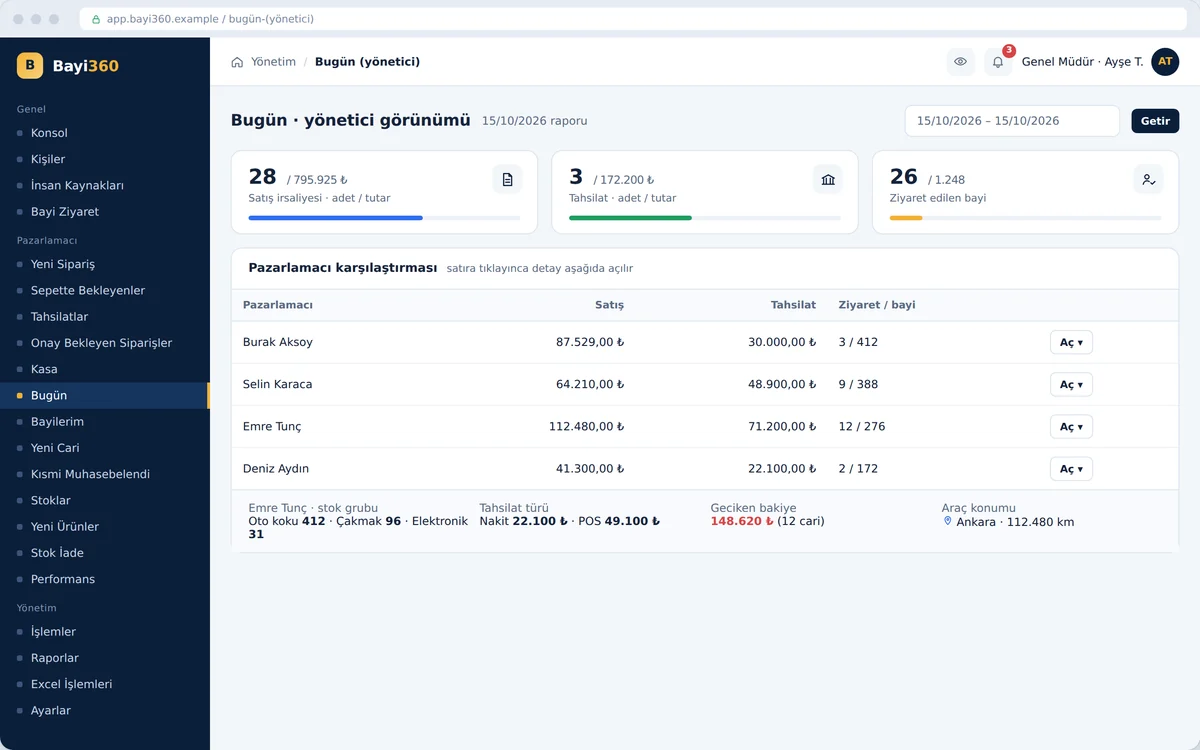
The administrator selects a date range and compares the sales, collections and number of dealers visited of all sales reps in a single table. When they open a row, that person's day appears on the same page: distribution by product group, types of collection, overdue balance and the vehicle's last location. The administrator can step in during the day, without waiting for the month-end report.

Administrator “Today” screen

Customer portal

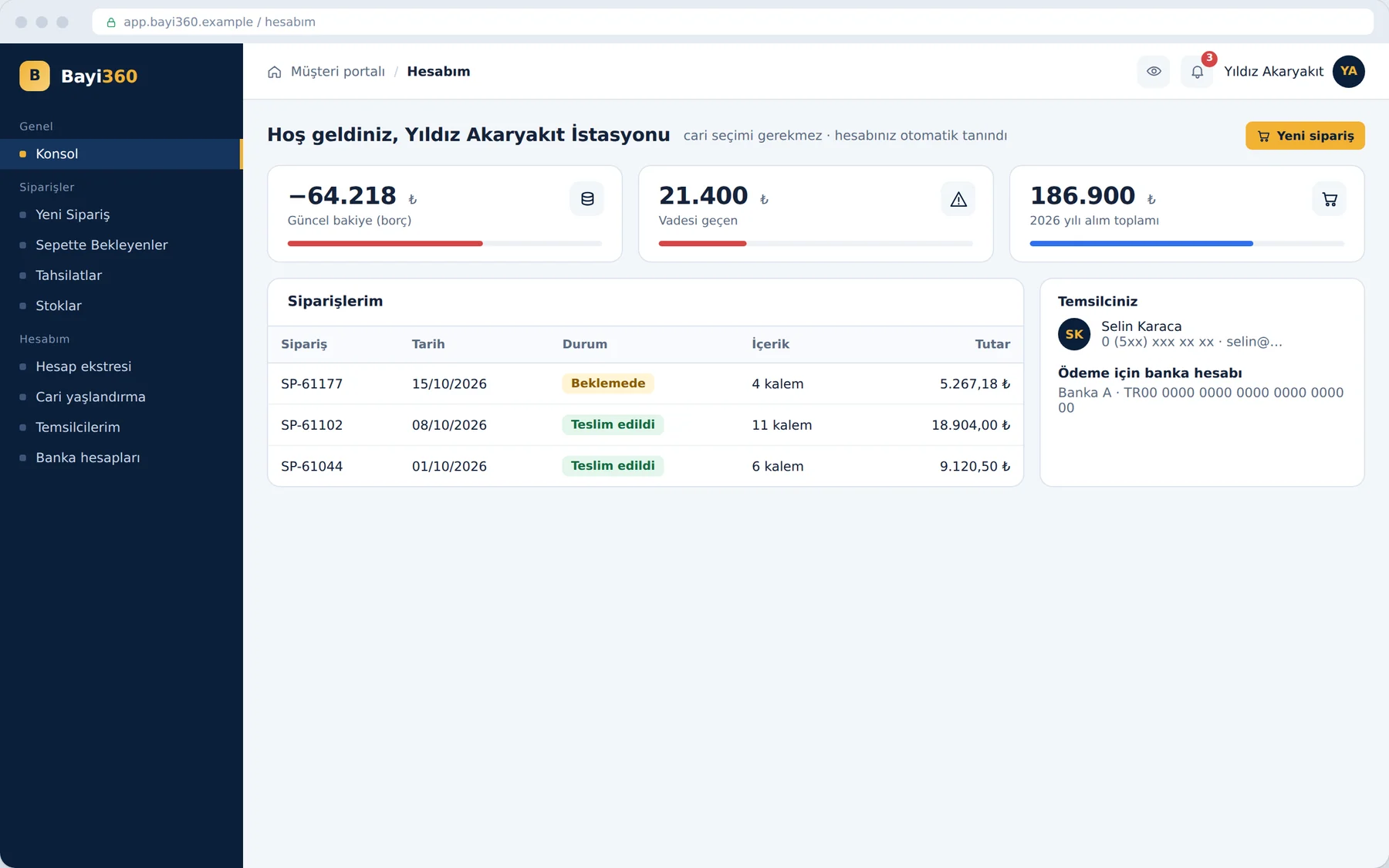
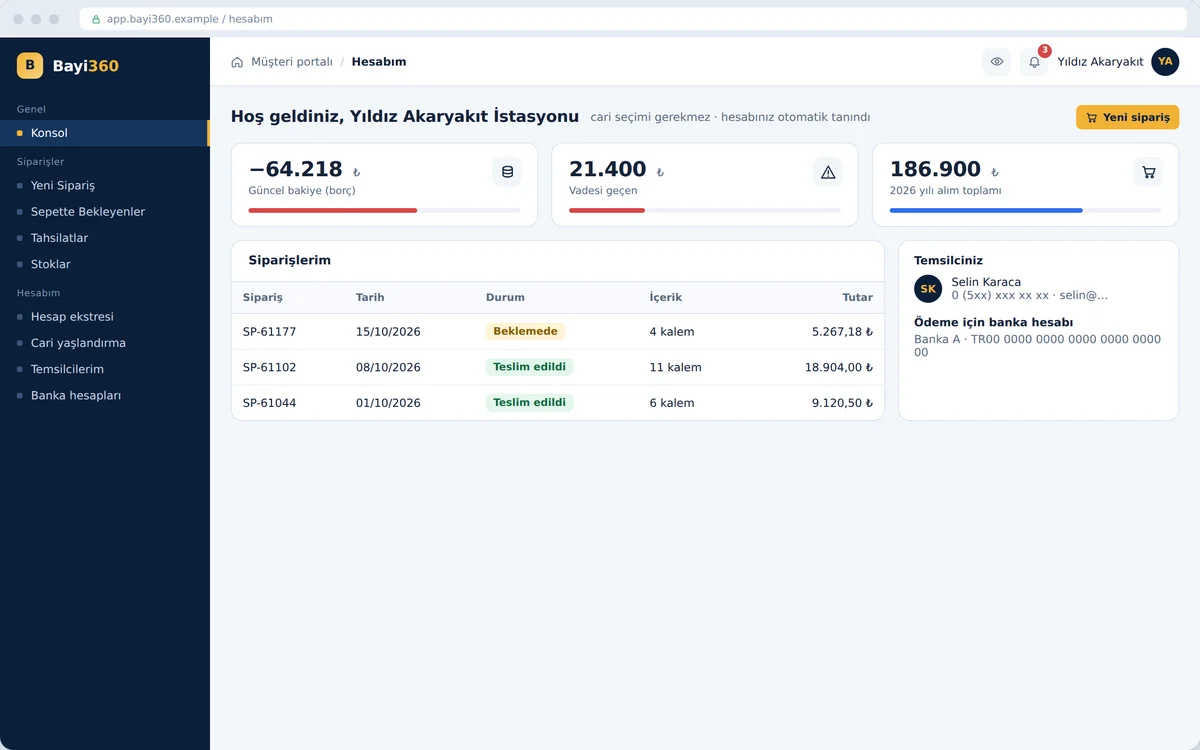
The dealer logs in with their own username and password; the system recognizes the customer account automatically and asks for no further selection. The console shows the current balance, the overdue amount and the annual purchase total, with the status of the orders below. The representative's contact details and the bank account to pay into are on the same page; the dealer can place orders 24/7.

Customer portal

Bank reconciliation

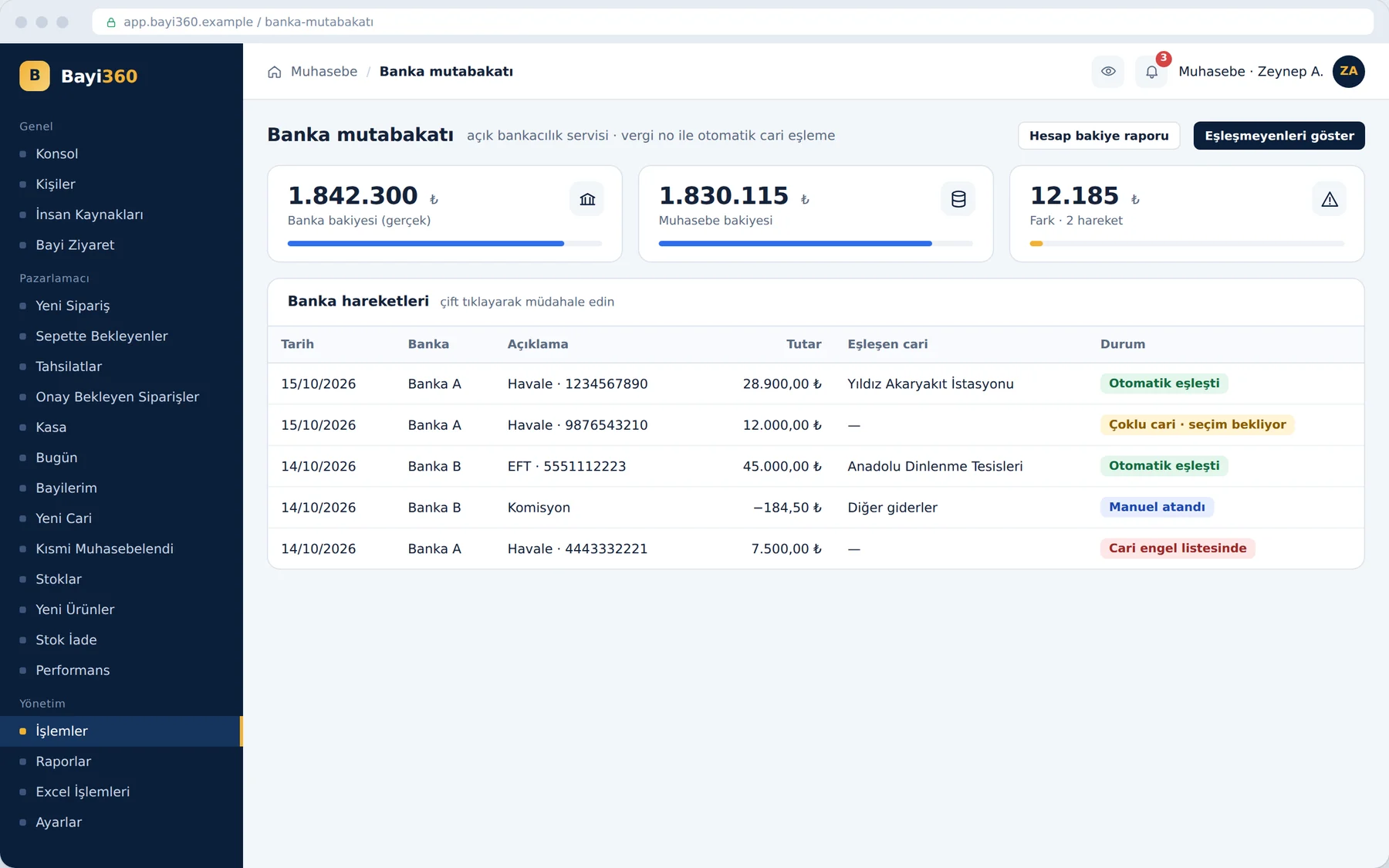
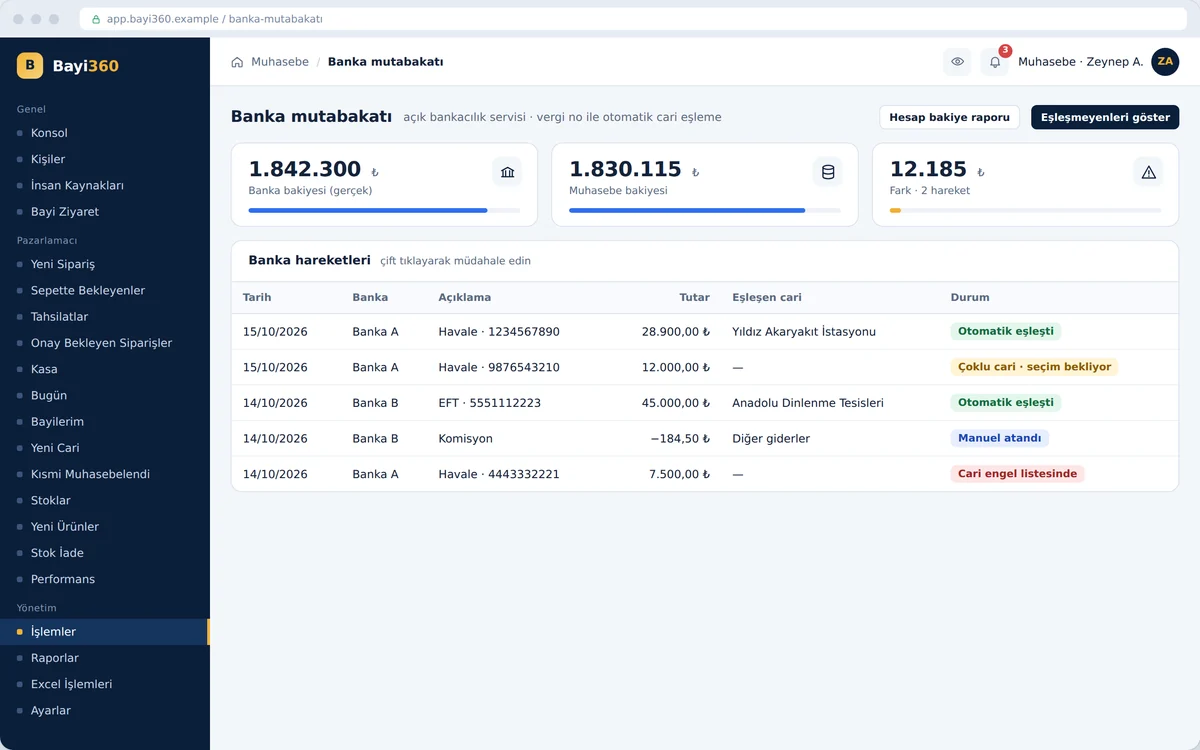
The open banking service brings bank transactions into the system; the system matches each transaction to the right customer account by tax number. If several accounts are linked to the same tax number, the row waits for the user's selection; accounting assigns items such as commissions to other expenses. Accounts on the block list are not processed automatically; the tiles at the top show the difference between the bank balance and the accounting balance.

Bank reconciliation

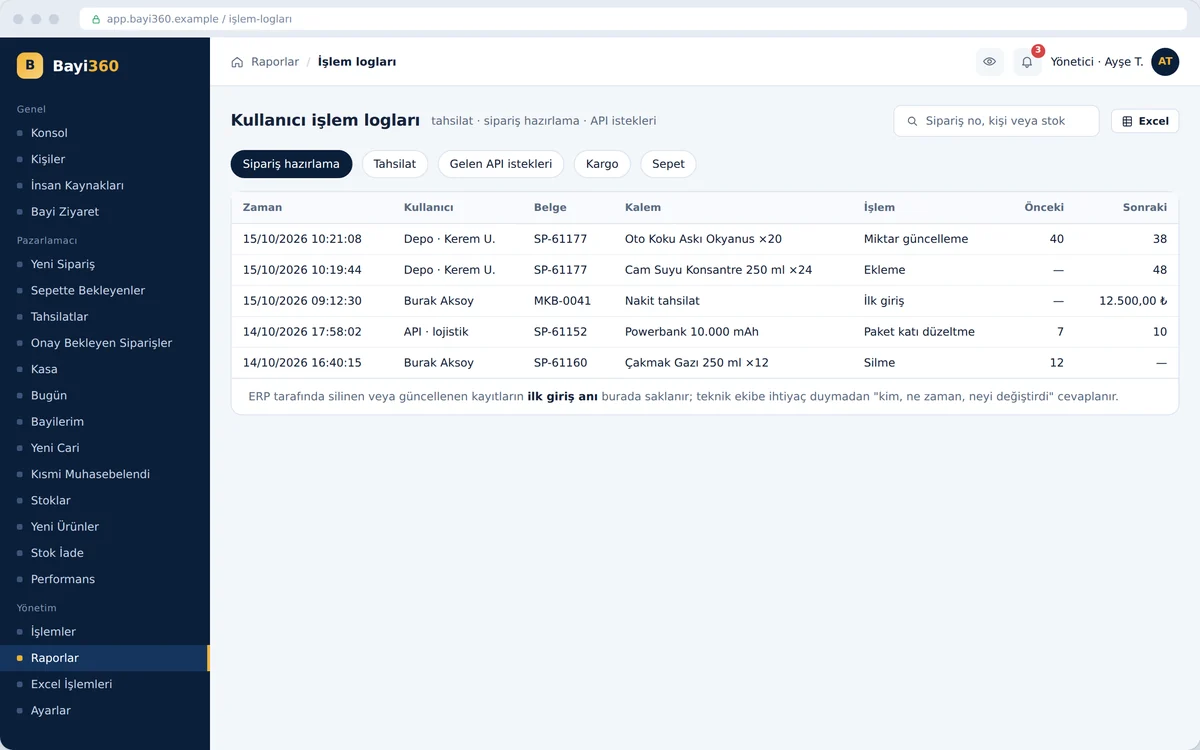
Audit trail: activity logs

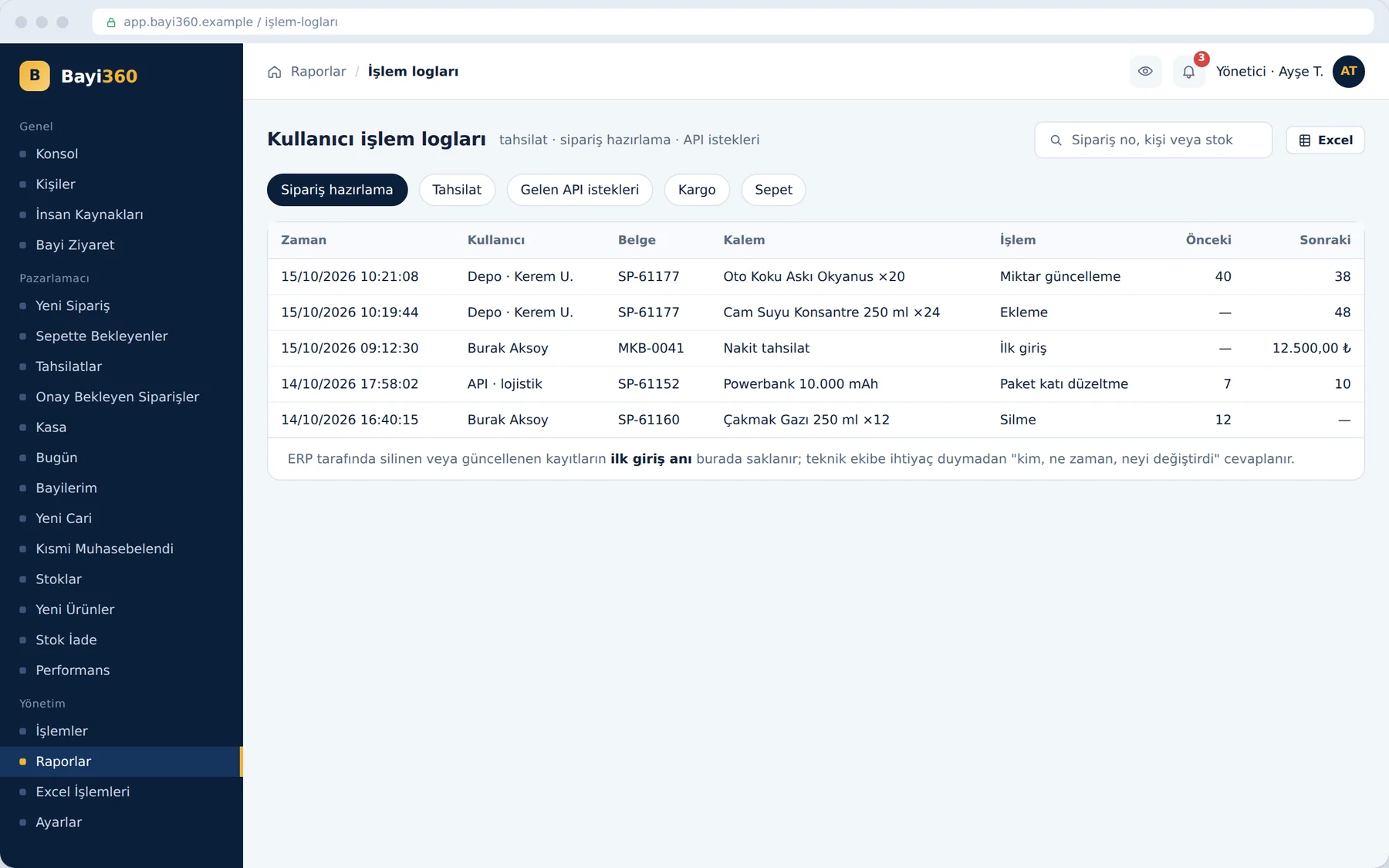
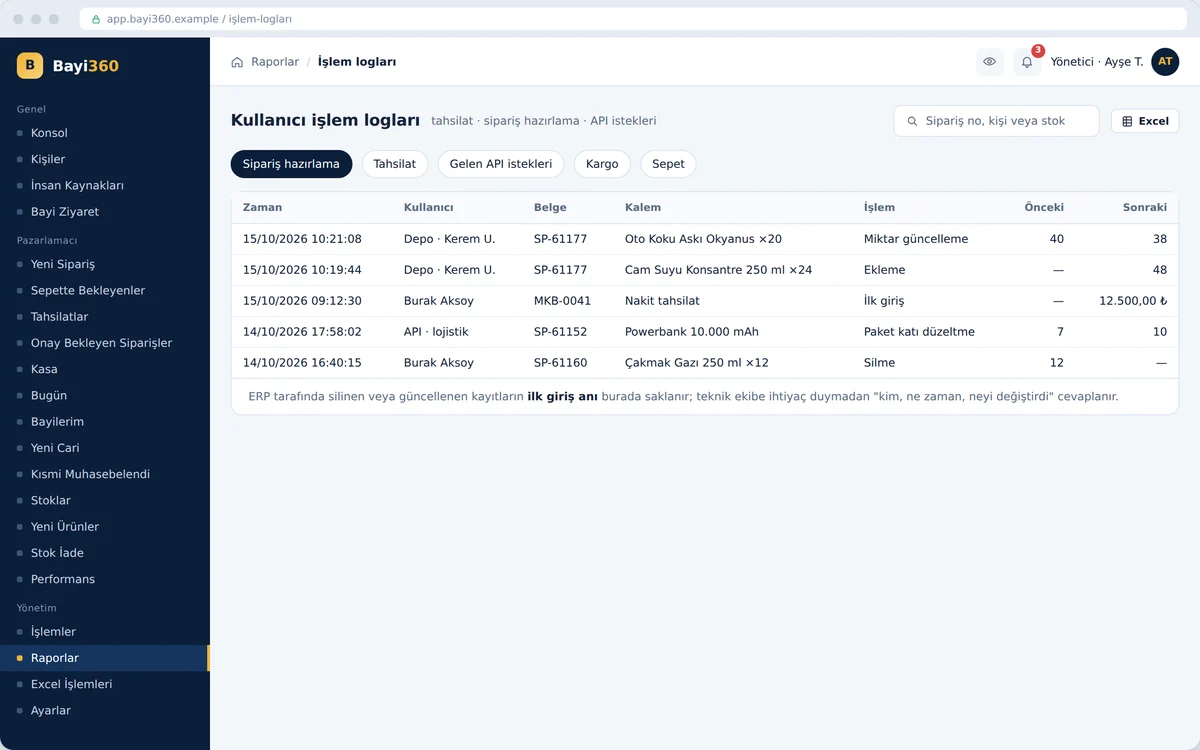
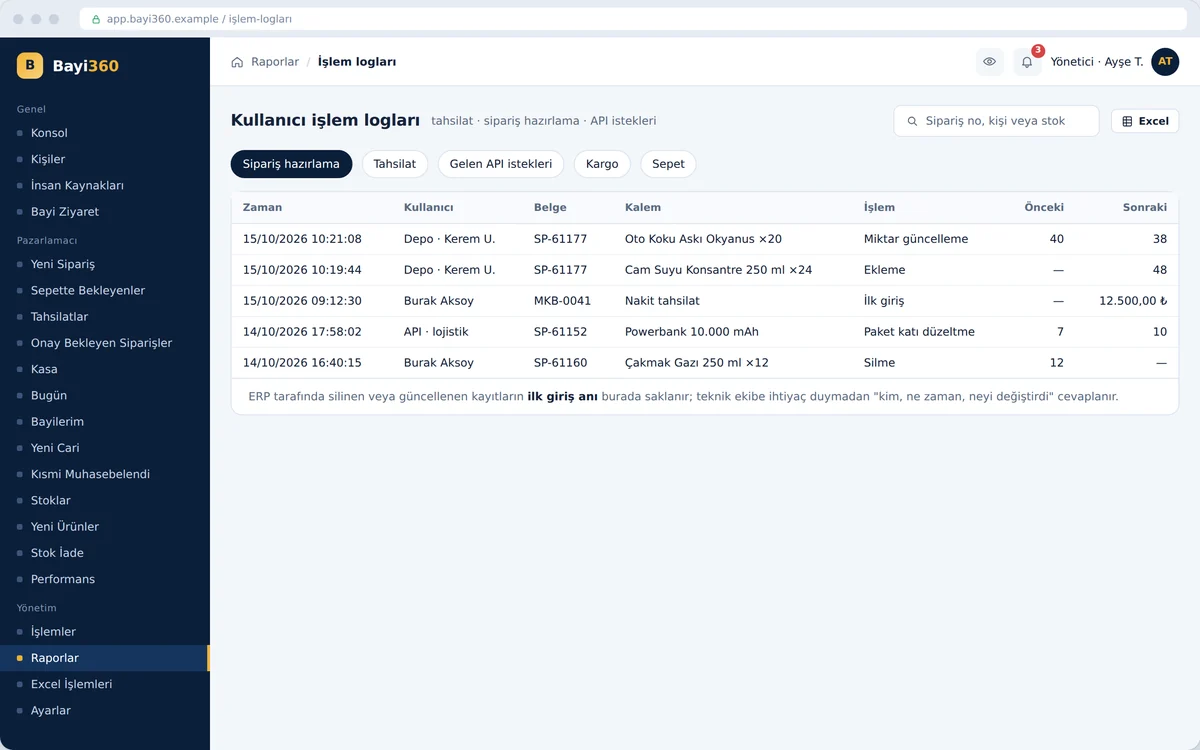
The activity logs record collections, order preparation, incoming API requests, courier and cart activity down to the second. Each row shows the user, document, item, action taken and the previous–next value. The original state of a record deleted or changed in the ERP stays here; the administrator finds out who changed what without asking the technical team.

Audit trail: activity logs
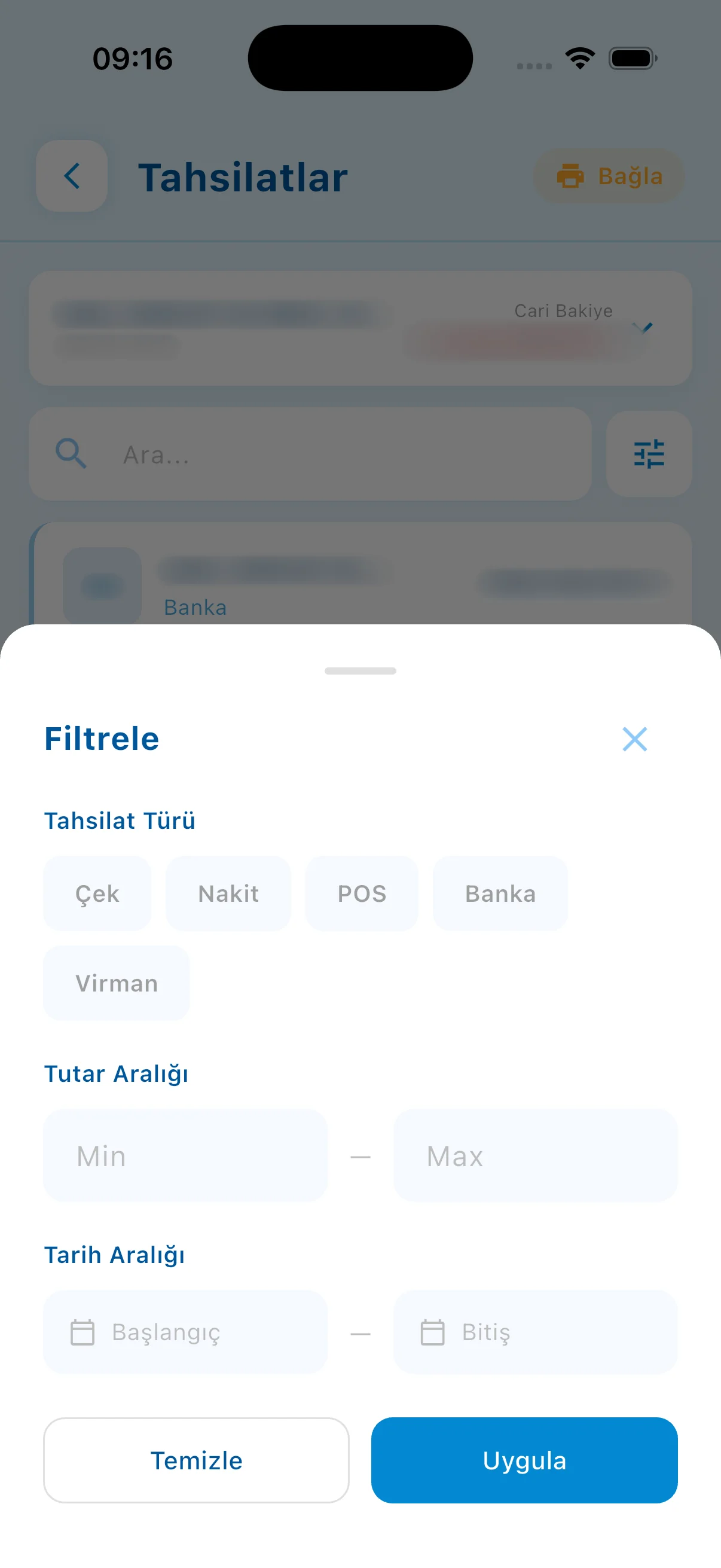
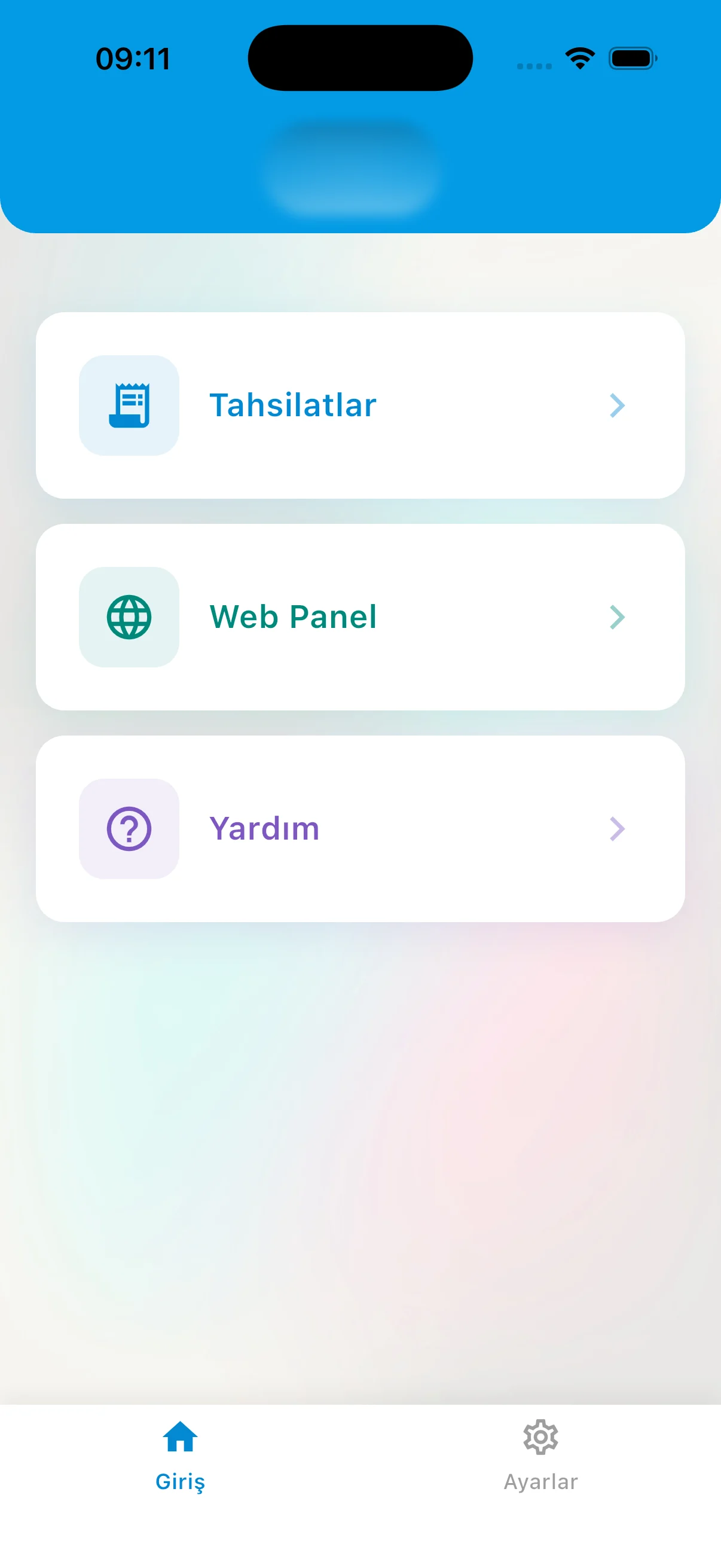
Mobile App

A powerful mobile app, always at hand

Instant notifications and alerts, quick actions and live data: users and field teams get their work done from their phones, without waiting.

Features

Key features of the project

Two-way ERP integration

Two-way ERP integration

Prices, stock, customer accounts and balances are read in real time; orders, collections and waybills are written directly to accounting.

Global reserved stock

Global reserved stock

Stock − quantity in other carts = sellable quantity; two sales reps are prevented from selling the same product at the same time.

Pack multiple validation

Pack multiple validation

Values between a product's pack multiples are rejected; even if one slips through in the ERP, it is rounded up to the next multiple and logged before going to logistics.

Chained discounts

Chained discounts

Up to 6 levels of successive discounts; once the customer account is selected, the old price is struck through and the net price is shown.

Promotion engine

Promotion engine

Single, total quantity, multi-product combination and price promotions; gift stock, discount or points; the reward grows per multiple.

Promotion validation at packing

Promotion validation at packing

In a short shipment, the gift reverts to a paid item or the reward is cancelled; the invoice and the physical dispatch stay 100% consistent.

Multiple carts and templates

Multiple carts and templates

A second cart for urgent orders, inactive carts, administrator templates and bulk cart upload from Excel.

Automatic cash account and date lock

Automatic cash account and date lock

For collections, the cash account is determined from the sales rep's account code; the transaction date can only be today.

Automatic visit verification

Automatic visit verification

A dealer for whom a collection or order is entered counts as “visited”; falsified manual reports come to an end.

Category-based order splitting

Category-based order splitting

A single order is divided into lines by warehouse zone, picked simultaneously and merged on the waybill.

Barcode picking and audible alert

Barcode picking and audible alert

Product image on every scan; audible alert for excess quantity; aisle/shelf data from the ERP.

Three carriers, one API flow

Three carriers, one API flow

Barcode, waybill and tracking are automatic; the ATF (warehouse delivery slip) return from the logistics partner is fed back into the system.

Resilient bulk processing

Resilient bulk processing

Bulk waybill orders are processed independently and in sequence; if the connection drops, processing resumes where it left off.

Return validation

Return validation

A product that was not ordered in the past cannot be accepted as a return; the look-back period is set by the administrator.

Audit trail independent of the ERP

Audit trail independent of the ERP

The moment of first entry, previous/next value and the “original seen” mark are kept in a separate table; they remain even if deleted from the ERP.

Bank reconciliation

Bank reconciliation

Open banking transactions are matched to the customer account by tax number; difference report and customer account block list.

Role-based data isolation and “View As”

Role-based data isolation and “View As”

Everyone sees only their own area; the administrator simulates every user's screen.

Customer portal

Customer portal

Dealers place orders 24/7 and see their statement and aging; no customer account selection is needed.

Automatic report service

Automatic report service

Collection, waybill, accounting, logistics and bank reports are sent by e-mail every evening.

Fast ERP image sync

Fast ERP image sync

Product images in the ERP are transferred to a separate image repository and updated automatically every 30 minutes; the catalog opens quickly.

Keep scrolling

Project presentation

Presentation

Move between slides with the arrow keys or by swiping.

Full screen (opens in a new tab)

How we work

Your project could be next

This project was run on the same four principles; yours will be too.

  1. We start with analysis

    Scope, integrations and roadmap are written down and agreed in the first weeks; no surprises along the way.

  2. We don't touch your existing systems

    ERP, accounting, banking, e-invoicing: whatever you run, we integrate on top of it and your data stays where it is.

  3. Security is designed in from day one

    Role-based access, two-factor authentication, data-protection compliance and a log of every action are built into the foundation, not bolted on later.

  4. We're still here after go-live

    Maintenance, monitoring and new releases come from the team that built the project; someone who knows your system is always a call away.