


 Sinpaş YTSConnect
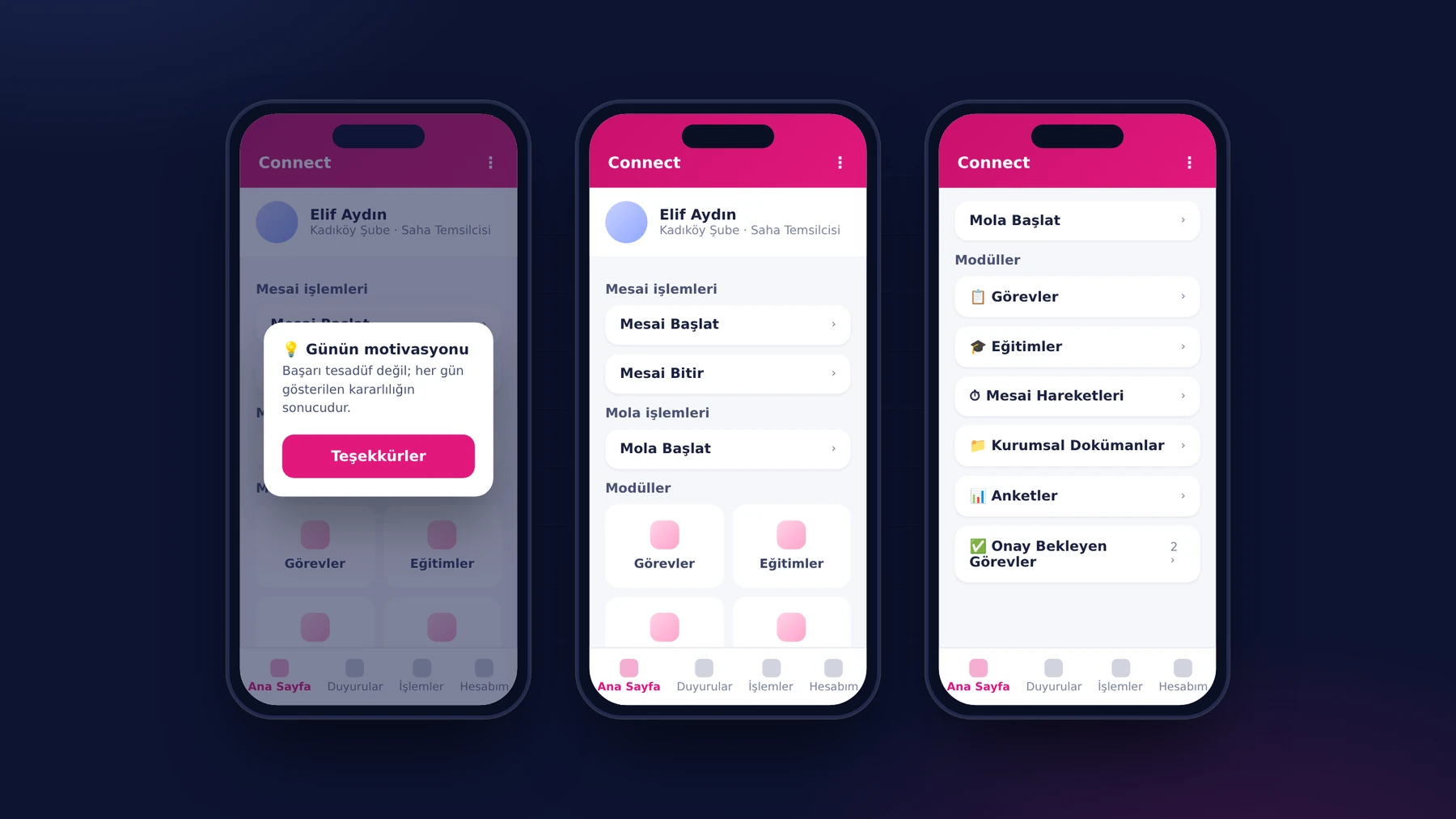
Morning, in front of the branch door. A Sinpaş YTS employee takes out their phone and opens YTSConnect. The day's motivational message appears on the screen; they tap the “Thanks” button and move on. First on the home page there is a single button: Clock In. They hold the camera up to the branch's QR code and their workday starts.
Behind this brief moment there is a design that neither burdens the employee nor leaves the record in doubt. This article, in which we describe YTSConnect's mobile app, is the story of that design.
The project in brief
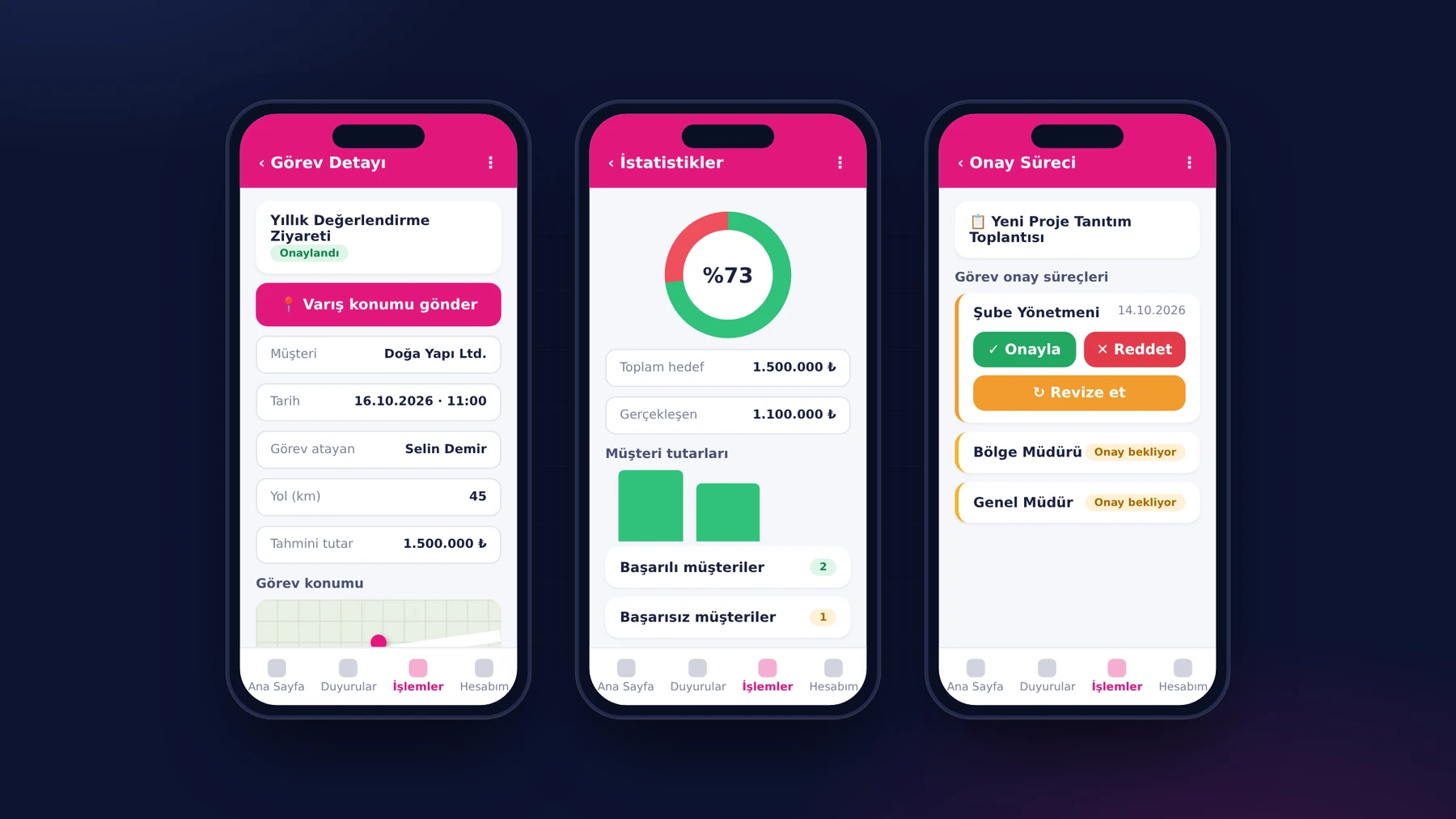
YTSConnect is an HR and field operations platform we developed for Sinpaş Yapı Tasarruf Sandığı, which has dozens of branches across Turkey and hundreds of employees. Its center of gravity is the iOS and Android app that all employees use: clock-in and breaks, leave, expenses and advances, field tasks, training and announcements are all in the same app. HR and managers approve and report in the web panel; the platform talks to the organization's existing CRM and ERP systems through a two-way integration API. YTSConnect is actively used today in all of Sinpaş YTS's branches.
No new password, three verifications in one scan
The well-known obstacle to rolling out a new app to hundreds of employees is account creation and password management. In YTSConnect, employees sign in to both the mobile app and the web panel with the CRM username and password they already use at the organization. The moment an employee is defined in the CRM, their access to the app opens automatically; person, branch, shift and clock-in/clock-out records are synchronized between the two systems within seconds.
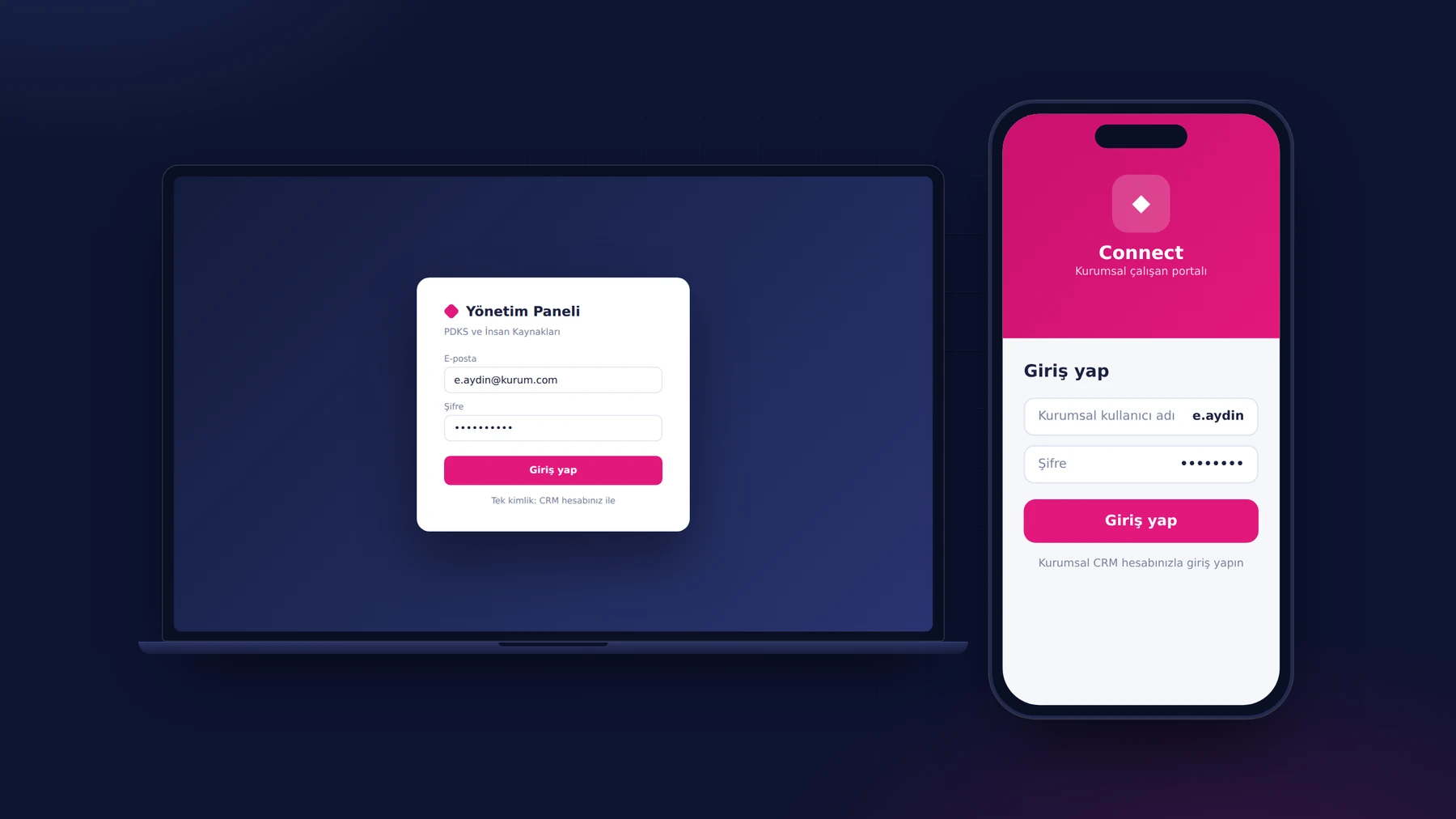
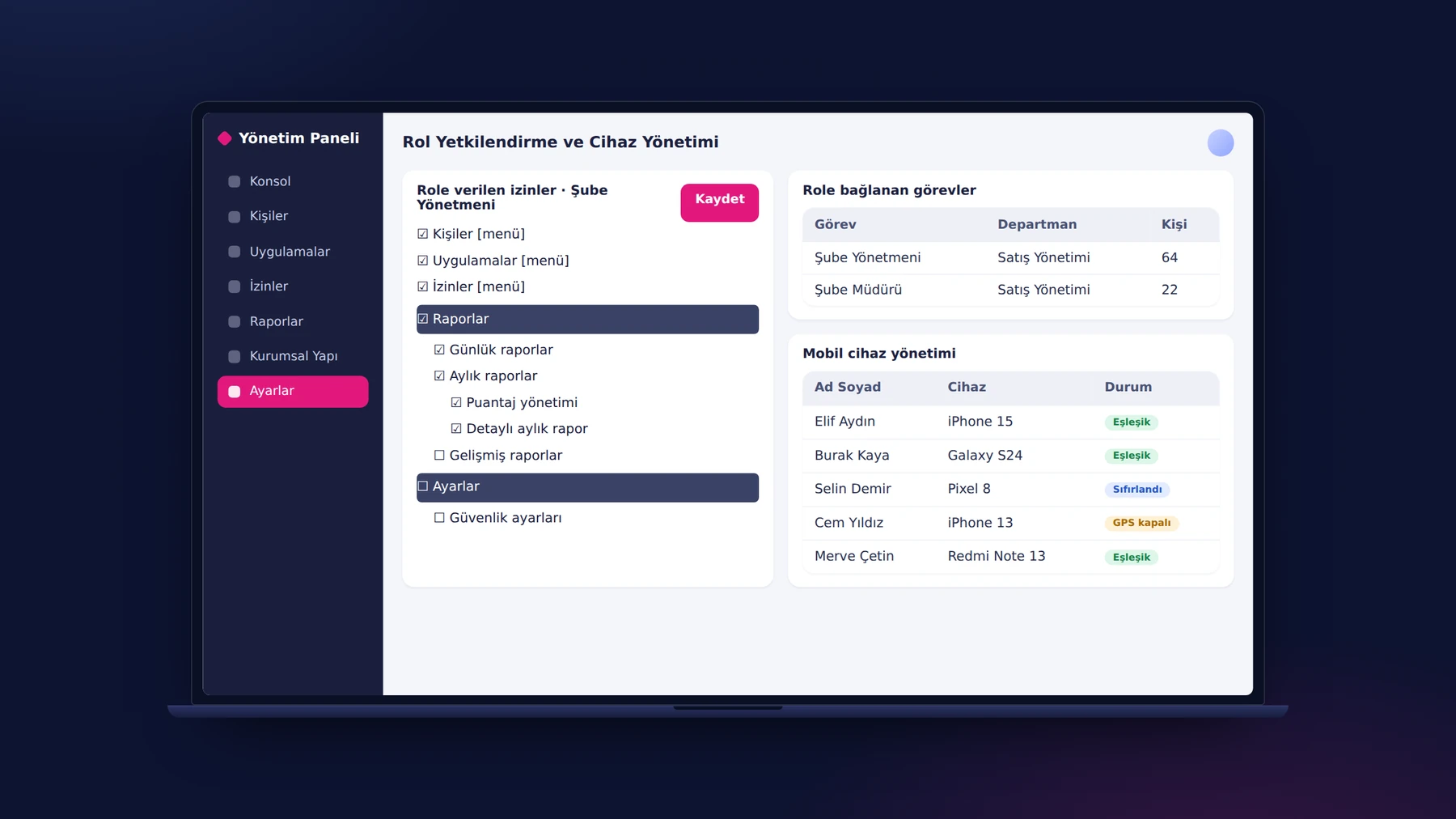
The clock-in record had to be tamper-proof, but without putting the burden of verification on the employee. The solution was to fit three checks into a single action. When the employee scans the branch QR code, the system simultaneously checks the GPS location and whether the phone is the device paired with that employee. If any one of the three fails, no clock-in record is created; only verified records enter the timesheet. Camera and location permissions are managed in one place, from the app's preferences screen.
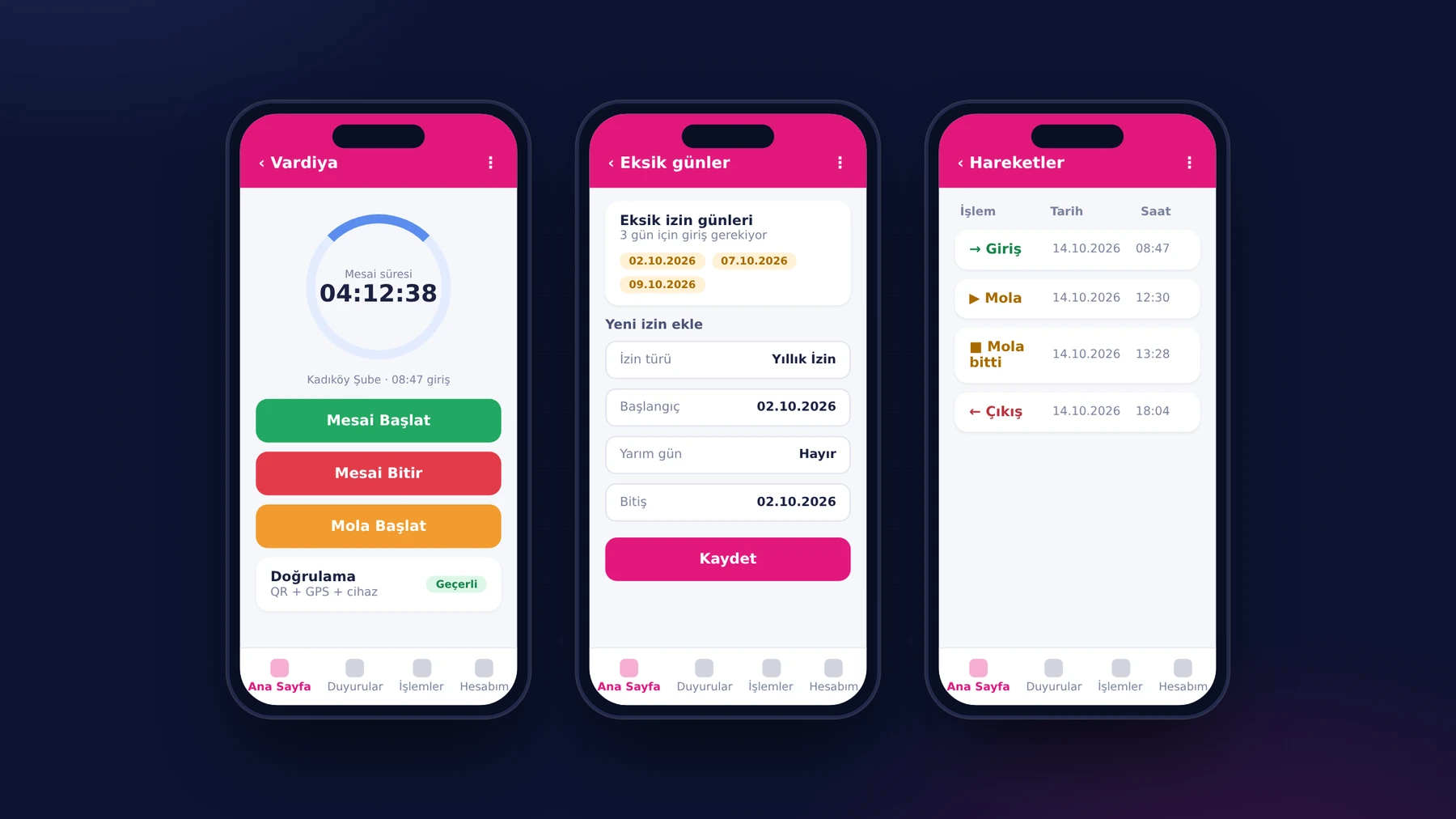
The organization chooses, as a policy, whether employees can clock in only at their own branch or at all branches. Every new branch joins the system the moment it is defined in the panel and its QR code is generated: the branch's location is selected on the map, its QR codes are listed in the branch details and a new one is added with a single click. Breaks during the day are recorded from the same screen, with the Start Break and End Break buttons. The employee sees the clock-ins and clock-outs of their latest day, with dates and times, on the “Time Log” page; a manager, in turn, can filter all of a person's clock-ins and clock-outs by day, month or year from their profile.
The rule is strict, the exception is manageable
A strict verification must not leave an employee out of operations in the exceptions of real life. For an employee whose phone is faulty, a manager can temporarily disable the GPS check from the person's mobile preferences. When a phone is replaced, the device pairing is reset from the panel with one click and the employee continues with the new device. Every exception is also recorded: records that were manually intervened in are tracked in a separate report, together with who made the change and when. Permanent, guest and subcontractor staff are kept in the same system; reports can be split by subcontractor company when needed.
No new clock-in until the missing day is closed
Employees who forgot to clock in created gaps in the monthly timesheet, and HR had to investigate these gaps one by one. We moved the solution to the phone again. If an employee did not make a clock-in record on one of the past days, at the next Clock In attempt the app opens a warning screen and first asks for a leave entry for those days. No new shift is opened until the missing day is closed; this way the timesheet always stays complete and consistent.
In the web panel, the counterpart of this arrangement is the color-coded timesheet. Regular hours, overtime, short hours, absence, weekly day off, public holiday and paid leave are colored cell by cell; a manager who clicks a cell drills down to the day's clock-in/clock-out details and can add hourly leave, leave or a manual work record from the same window. The timesheet can be calculated either by the first clock-in and last clock-out or by all clock-ins and clock-outs during the day; the total time spent at work appears at the end of the row. Because late-arrival, early-departure and overtime thresholds are defined in minutes, the daily reports are calculated automatically according to these tolerances.
Shifts are also set up with the same flexibility: day-based shifts, clock-outs that spill into the next day, multiple breaks, flexible shift pools and bulk assignment by person and day on a calendar. With the “Currently Clocked In” report, a manager sees who is working at the branches at that moment, with their last clock-in time and branch; those who forgot to clock in or out are listed in a separate report.
What we learned in the field
- Fit security into a single action. Performing the QR, location and device checks in a single scan made the verification almost invisible to the employee.
- A single identity eases adoption. An app that needs no new password adds nothing more for users to learn.
- Close the gap the next morning, not at month end. The missing-day lock turned timesheet cleanup from an HR chore into a short step for the employee.
- Leave a door for the exception, and record it. The GPS exception and device reset are in the hands of authorized people only, and are covered by the audit trail.
The success of an app used in the field is measured by how short a path it offers for the task done most often. Clocking in is something done every day; reducing it to a single scan came before everything else.
How is working time recorded in your branches?
If your time tracking runs with different methods from branch to branch, or if the timesheet is cleaned up by hand every month, we can build together a flow that starts on the employee's phone and ends in HR's panel. You can see the other modules on the Sinpaş YTSConnect project page and get in touch with us.
About the author
Selin Kaya
Digital Content Specialist
As a digital content specialist at Karatsoft, she prepares the blog articles. She explains in plain language what the products and projects are for and how they are used.



Comments
0No comments yet. Be the first to comment!
Leave a Comment
Feel free to share your thoughts and feedback with us.