


 MotoSense
The sale of a tracking device is the moment a relationship with the customer begins, not the moment it ends. The device's IMEI has to be entered into the inventory and matched with a rider and a license plate, and its line and license will each expire on their own calendar. One day the rider will look for an accessory that fits the motorcycle and ask for the nearest installation point. Across thousands of devices, each of these tasks had become impossible to track by hand.
MotoSense's rider-facing side is the mobile app; but what keeps operations running is the web admin panel we completed in the final phase of the project. This article is the story of that panel.
The project in brief
MotoSense is a tracking and security platform we developed for a client in the motorcycle industry: the IoT tracking device fitted to the motorcycle, the rider's iOS and Android app, and the web panel that runs operations are all in a single structure. Riders follow their motorcycles on a map, immobilize them remotely, have emergency contacts notified automatically in the event of a crash, plan group rides and reach products compatible with their motorcycles from the app. The operations team, in turn, manages the IMEI inventory, subscriptions, dealer locations, announcements and staff permissions from a single console.
Subscriptions: three separate calendars, one screen
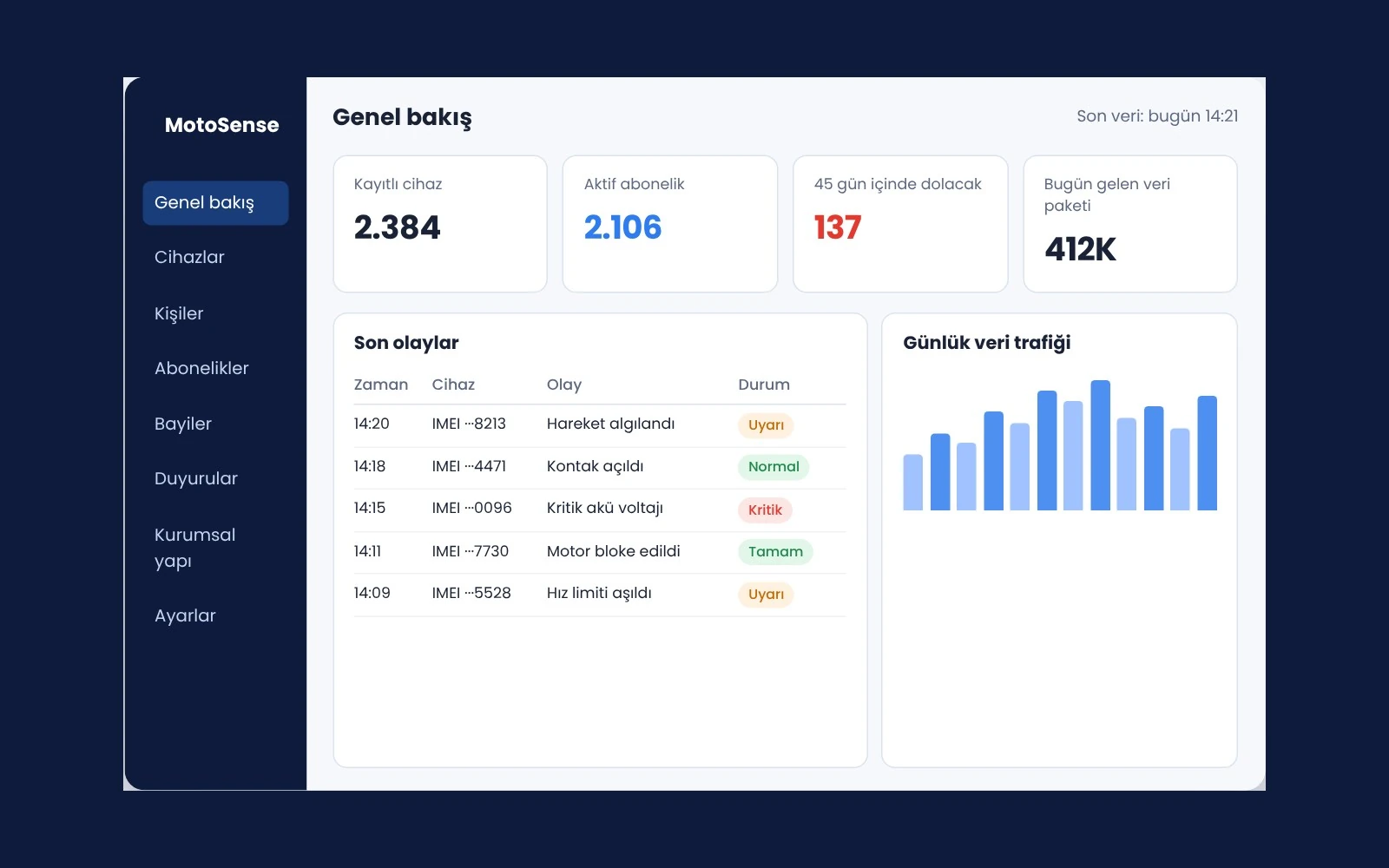
The device, line and license terms can expire independently of one another. A device whose term had expired needed to be restricted automatically, while the user needed to be warned in advance. The subscription engine tracks start and end dates per device. Devices about to expire are listed in the panel 45 days ahead and the rider is reminded from within the app; the extension is completed on a single screen.
On the inventory side, each device is kept in a central table with its serial number, IMEI and software version. Which person or license plate a device is assigned to is managed from the IMEI–user matching screen. On the rider's side, multiple motorcycles and devices are gathered in one account, on the garage screen; license terms are visible there as well.
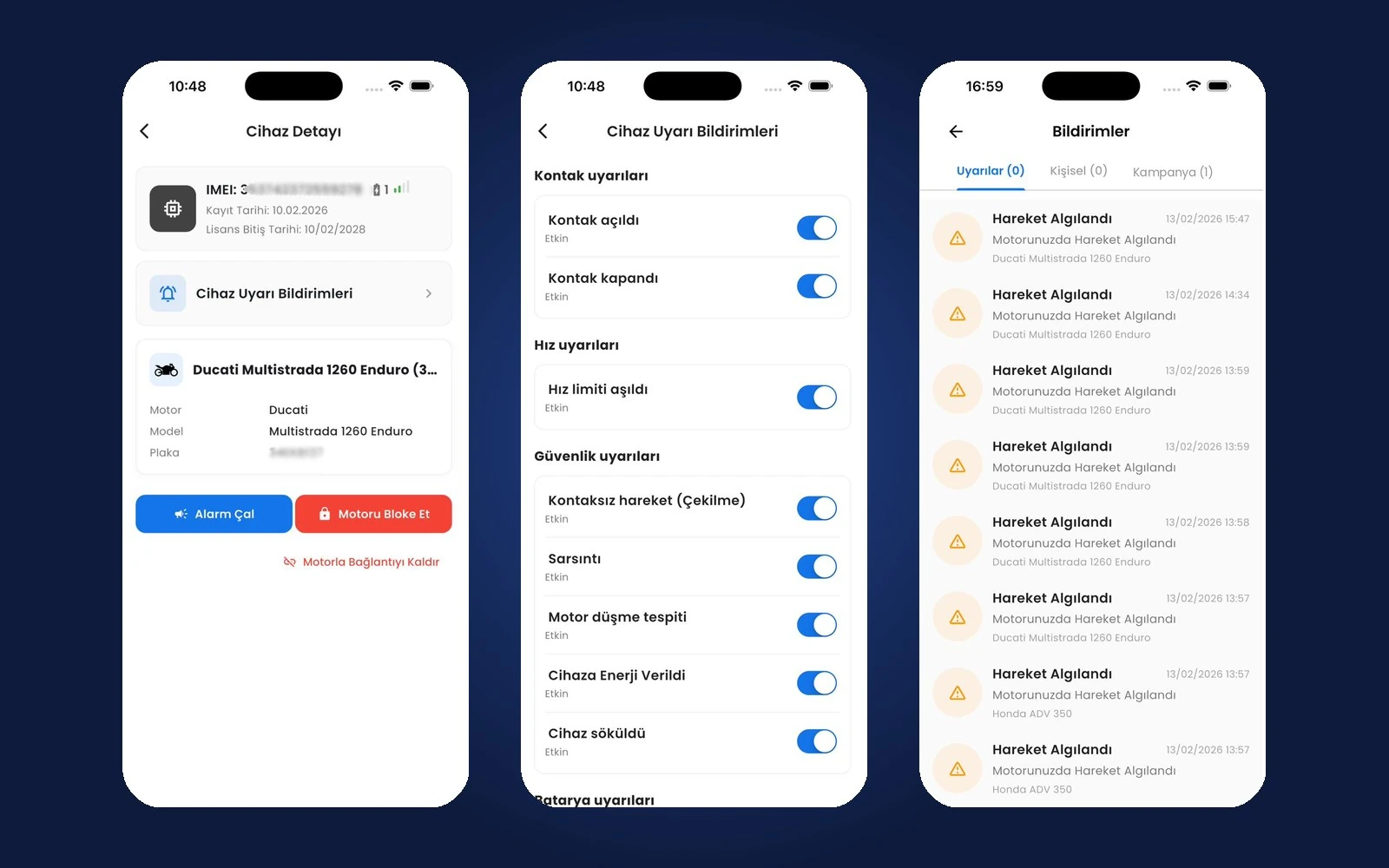
The panel's opening screen was also designed around this rhythm. The central control console shows the total number of devices, active subscriptions and pending support messages at a glance; in a device's detail form, its identity details, subscription details and the people it is linked to are managed in the same place. On the rider's side, the notice that a license is about to expire arrives on the app's notification screen, together with promotion announcements and system updates; on the “My Smart Devices” screen, each device's IMEI and license plate, license term and connection status are shown together.
Catalog and store: products by motorcycle
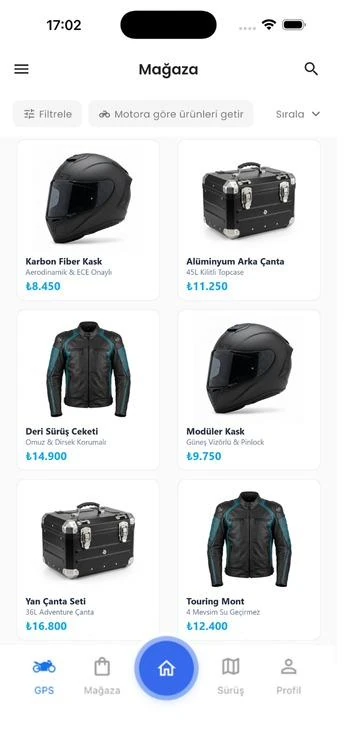
Hundreds of brands, thousands of models and the store products compatible with them: managing this catalog one item at a time from the panel was not realistic. Brands, models, categories and products are imported in bulk with Excel; the panel keeps the brand and model hierarchy, categories and active/inactive statuses in order. In the brand list, each brand's active status, registration date and the staff member who created the record are tracked. When a rider adds a motorcycle to the garage, they enter the brand, model, license plate and year of manufacture; the store's filter is fed from this information.
What the rider sees of this structure is the “show products for my motorcycle” filter in the store. The store automatically filters the accessories and spare parts compatible with the brand and model of the motorcycle in the garage; the rider sees only the products that fit their motorcycle. Products can be narrowed down further by motorcycle type and category; on the product page, the hardware specifications, technical data and purchase redirect sit together. The promotion images on the app's home page are also edited from the panel.
Dealer network on the map, announcements to the right people
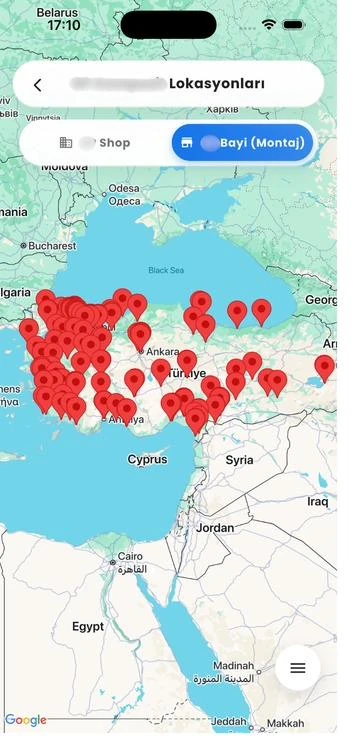
More than 200 installation and service points across Turkey are managed in the panel, each marked with its coordinates on an integrated map. Riders see these points in the app on a map or in a list and get directions to the nearest one; installation points and sales points are listed in separate tabs.
Announcements are targeted with the same precision. The operations team can send an announcement to an audience filtered by brand, model and device ownership, scheduled for a future date and time. A promotion aimed at one specific model does not bother riders who do not use that model. Support requests and feedback categories from users are monitored in the same panel. The team answering a rider's question can filter the device's movement log by person, IMEI and date range and review location, speed and timestamp in chronological order.
The panel itself was built on role-based access and an organization, branch and department hierarchy. Staff see the screens their job definition permits; account statuses and system sign-in permissions are monitored centrally. Position, department and branch management are gathered in a single organization panel; when a new department is created, its manager is assigned at the same time. The customer portfolio and personal profile files are also organized within the same structure. System-wide technical keys and operational limits are kept on a separate settings screen; the email and password of a new staff account are defined in an administrative window.
What we learned in the field
- After-sales is part of the product itself. Without subscription and inventory management in place, even a good mobile app cannot carry the operational load.
- Warn before the term runs out. A reminder that starts 45 days ahead takes renewal out of the last-day rush.
- Manage the catalog in bulk. Importing with Excel made it possible to bring in thousands of models within minutes.
- Targeting is the quality of communication. Announcements filtered by brand and model keep riders interested in notifications.
Every company that sells a connected device is in fact running a subscription and service network. The panel that manages it deserves to be taken as seriously as the mobile app.
Where does your after-sales operation live?
If your device inventory, subscriptions and dealer network are tracked in different spreadsheets, we can design together a panel that ties them to the same data as the rider's app. You can see the whole platform on the MotoSense project page and write to us from our contact page.
About the author
Selin Kaya
Digital Content Specialist
As a digital content specialist at Karatsoft, she prepares the blog articles. She explains in plain language what the products and projects are for and how they are used.



Comments
0No comments yet. Be the first to comment!
Leave a Comment
Feel free to share your thoughts and feedback with us.