Skip to content
Project
  • Web
  • Mobile

RAMS PDKS

Cloud-Based Time and Attendance System for Construction Sites and Head Office

RAMS PDKS is a fully cloud-based time and attendance and human resources platform that centrally manages the entries and exits of permanent and subcontractor staff working at RAMS Türkiye's head office, sales offices and construction sites.

  • Full-height turnstile
  • Card reader panel
  • IoT gateway
  • HR / ERP API
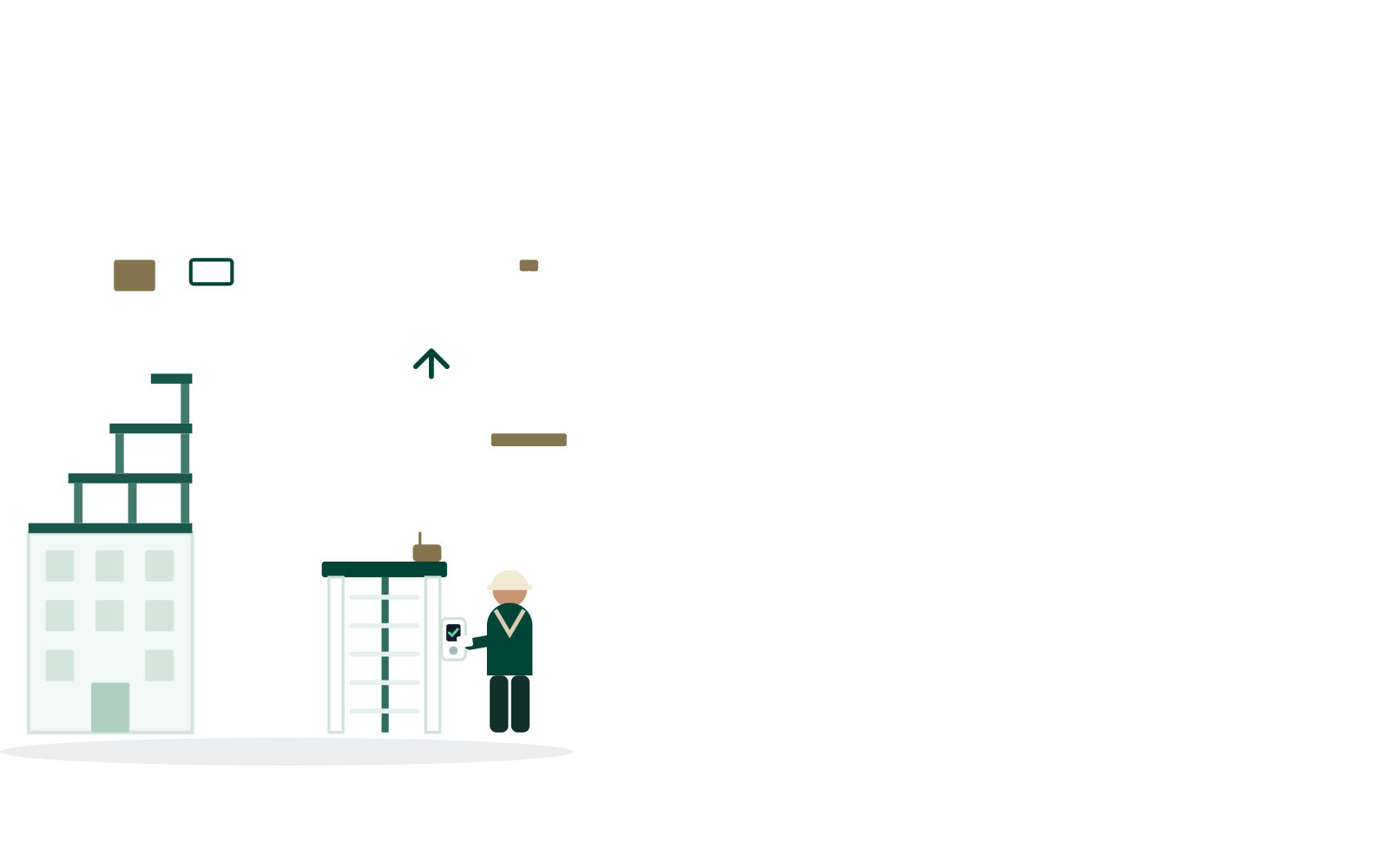
RAMS PDKS - Cloud-Based Time and Attendance System for Construction Sites and Head Office showcase image

Project Summary

RAMS PDKS is a fully cloud-based time and attendance and human resources platform that centrally manages the entries and exits of permanent and subcontractor staff working at RAMS Türkiye's head office, sales offices and construction sites.

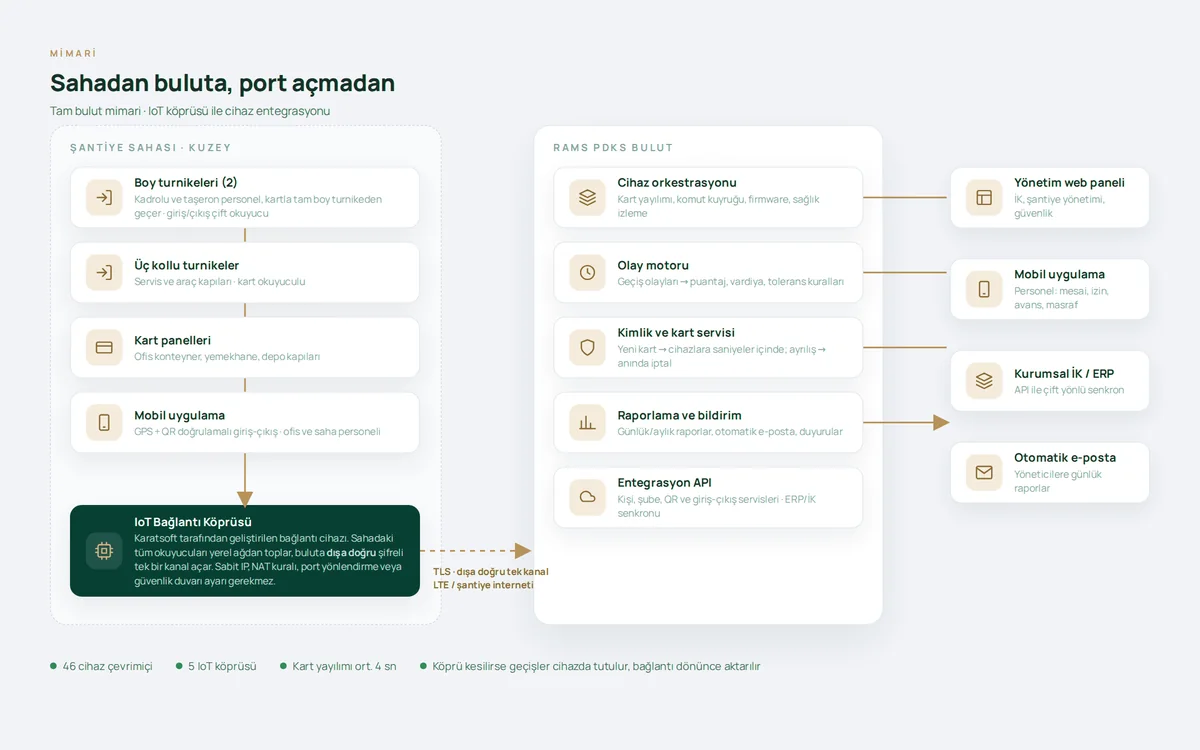
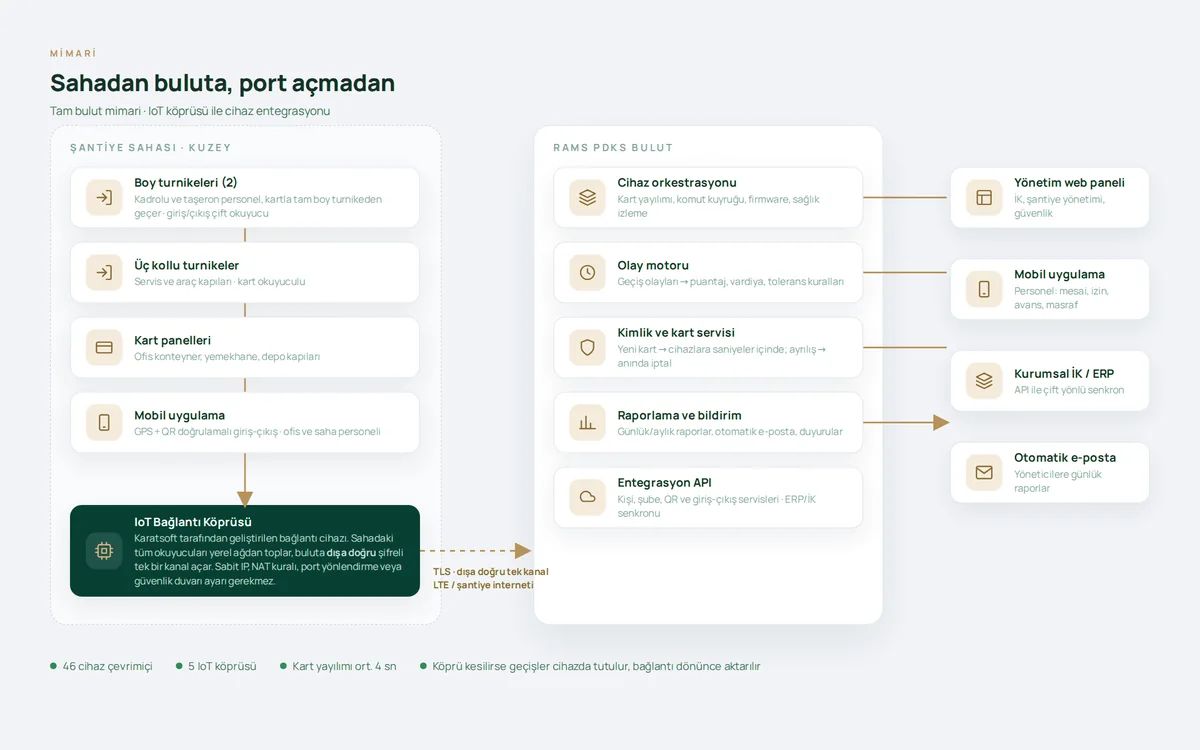
On construction sites, staff clock in and out by passing through full-height turnstiles or tripod turnstiles with card access; card reader panels are used at office and door access points, and field and office staff use a mobile app with location and QR verification. All card access devices on site connect to the cloud through an IoT gateway that Karatsoft developed for this purpose. Thanks to the gateway, every device is managed in real time without the need for a static IP, NAT rules, firewall settings or port forwarding on the modem.

A new employee's card details are transferred to the access devices within seconds; when an employee leaves, their card is removed from the devices just as quickly. The platform consists of a web management panel, an iOS/Android mobile app, an IoT connectivity layer and an integration API that provides two-way data exchange with enterprise systems. The employee list, card and device management, person groups, shifts, leave, subcontractor tracking, daily and monthly reports and automated report emails are all brought together in a single panel.

Your next transformation

Let's plan a similar transformation for your operations

Tell us what you need; we'll set out the scope, integrations and roadmap in writing in the first meetings. Built around the way you work, without touching your ERP, accounting or banking systems.

  • Written scope and roadmap
  • Integrated with your existing systems
  • Post-launch support from the same team
Explore other projects
Project details

A closer look at the RAMS PDKS screens

The main screens and their highlights: on every image we magnify the area that matters most. Tap an image for details.

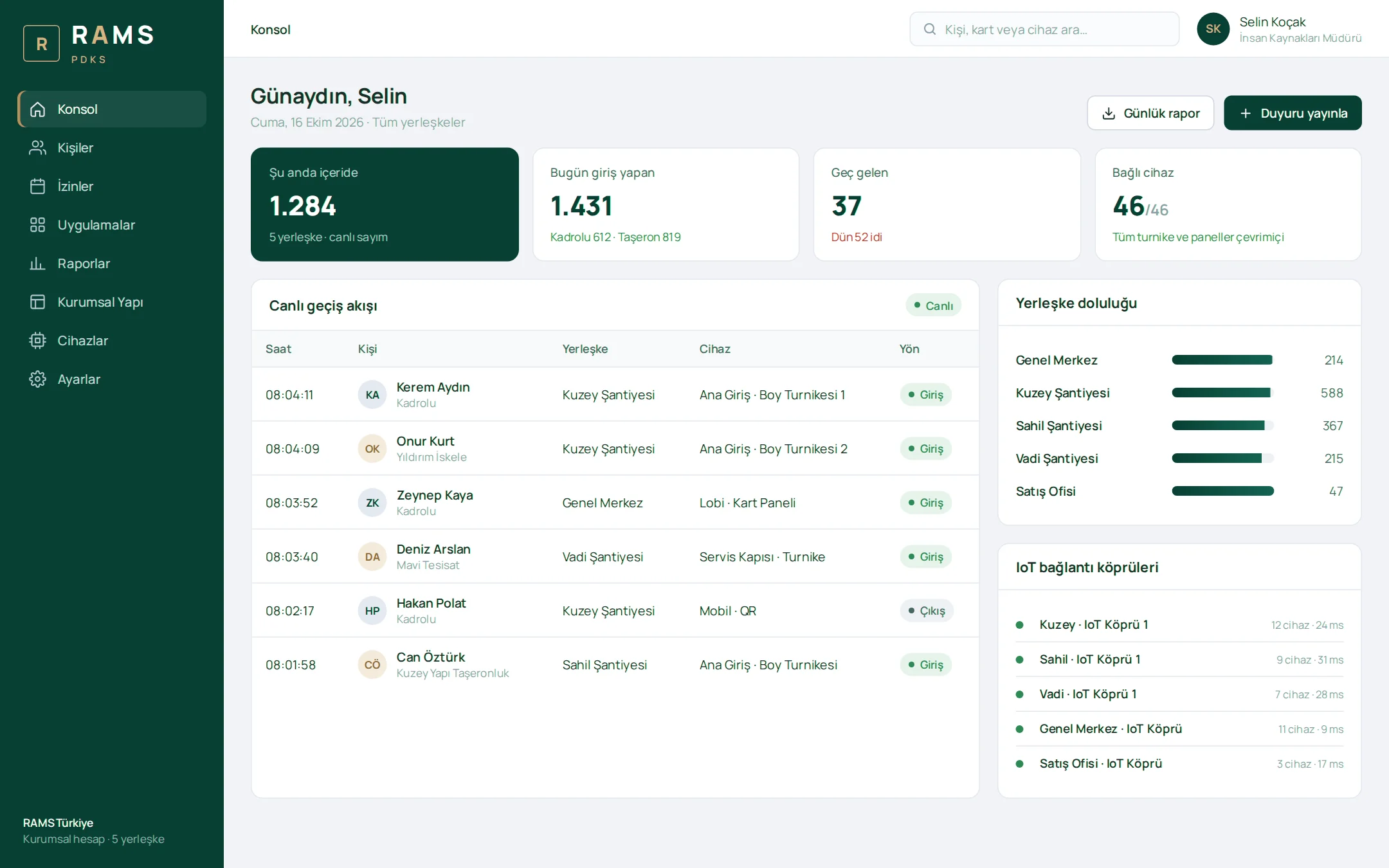
Management Console

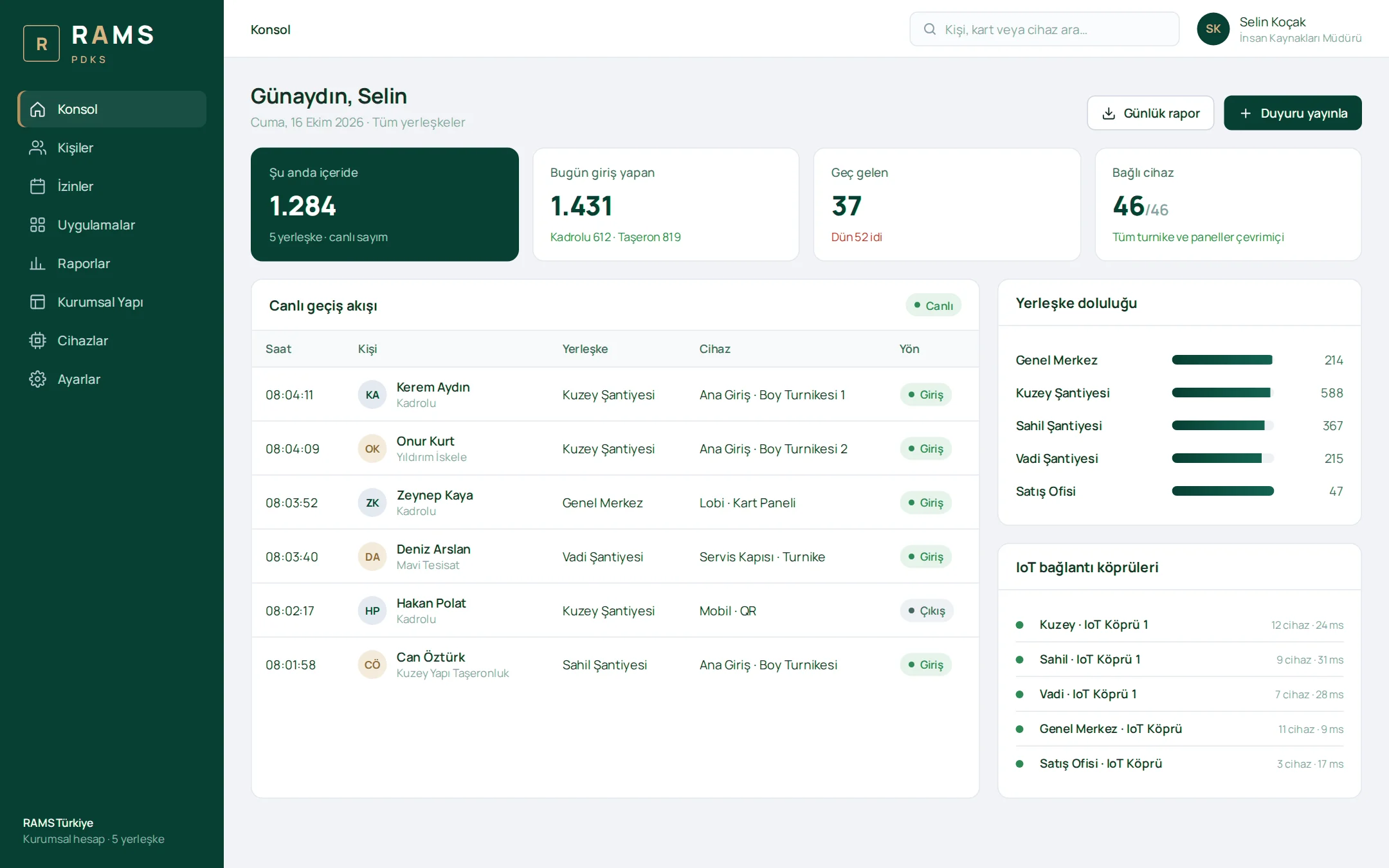
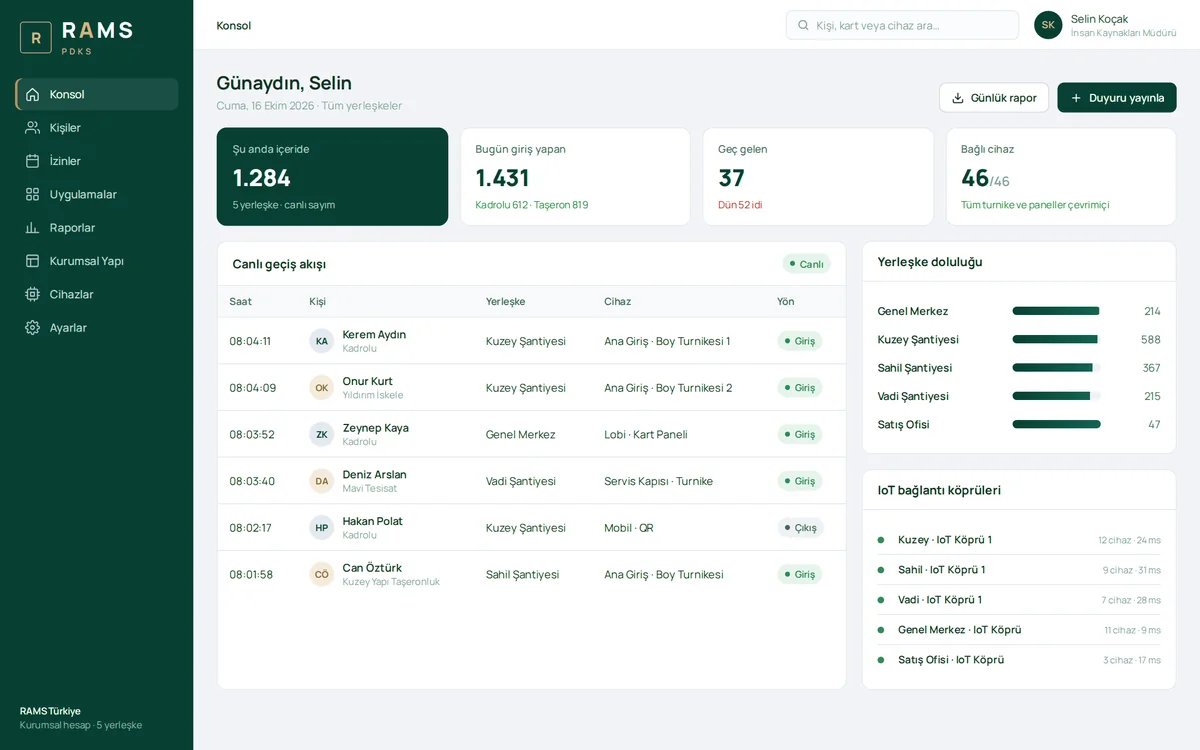
The number of people currently inside, daily entries, late arrivals and connected device status across all sites on a single screen. Passes from turnstiles and panels appear in a live feed, monitored alongside site occupancy and the health of the IoT gateways.

Management Console

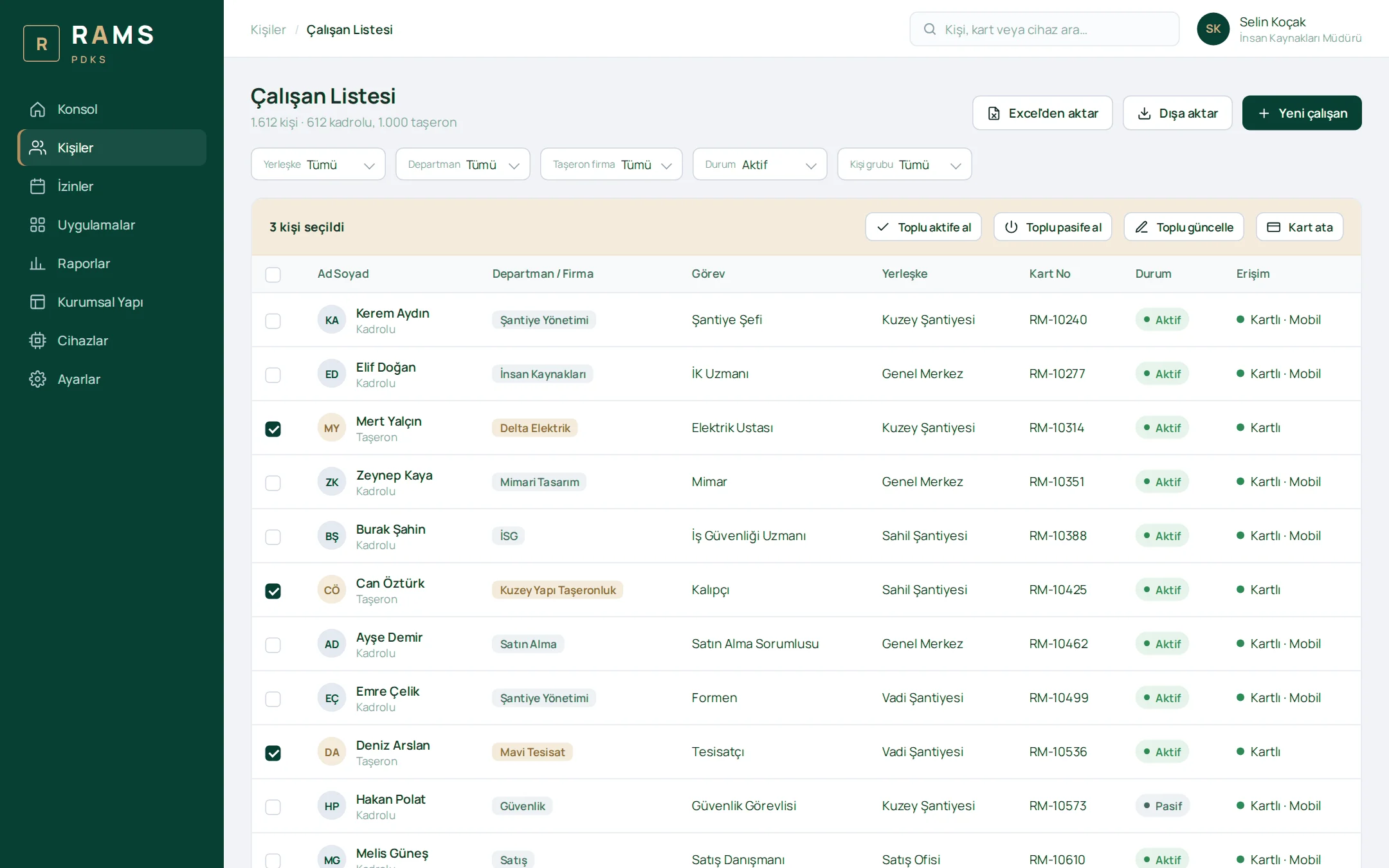
Employee List

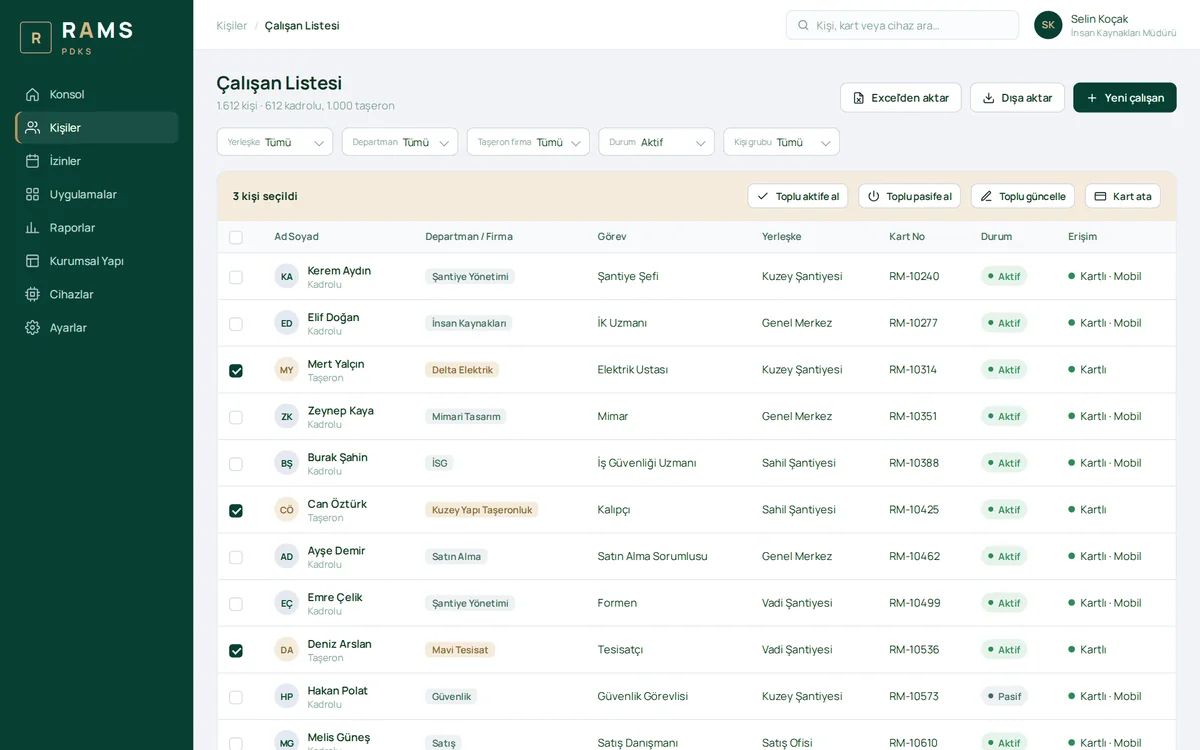
Permanent and subcontractor staff are listed with their department, company, position, site and card number. Selected people can be activated or deactivated, updated or assigned cards in bulk.

Employee List

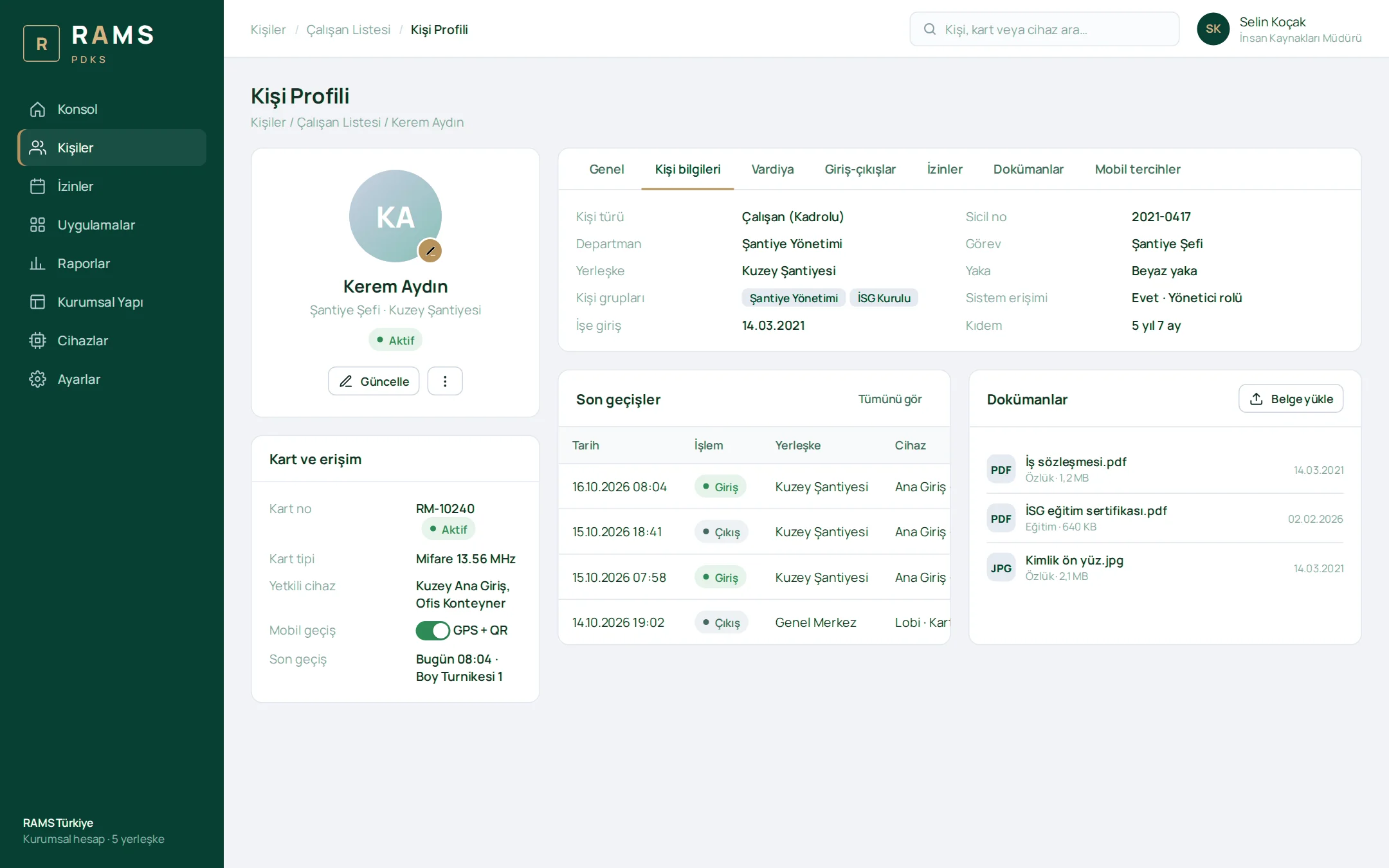
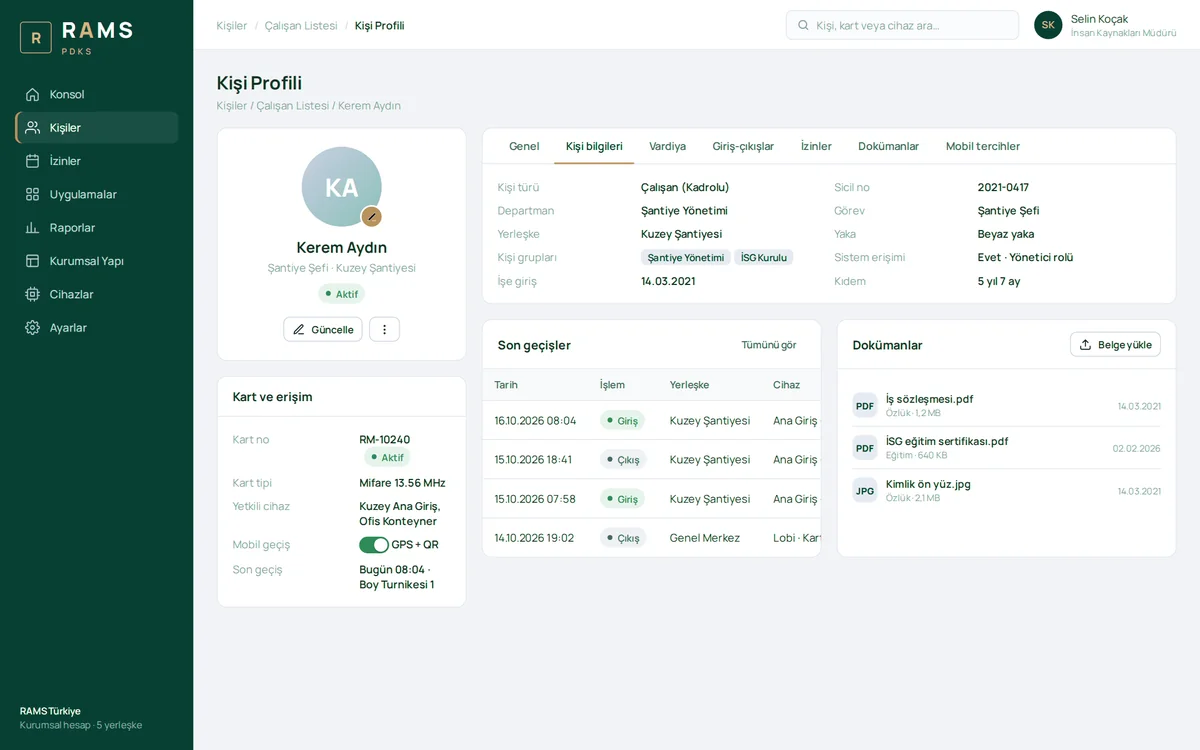
Person Profile

Personal details, profile photo, card and access permissions, recent passes and personnel documents on a single page. Shift, entry and exit, leave and mobile preferences are managed in tabs.

Person Profile

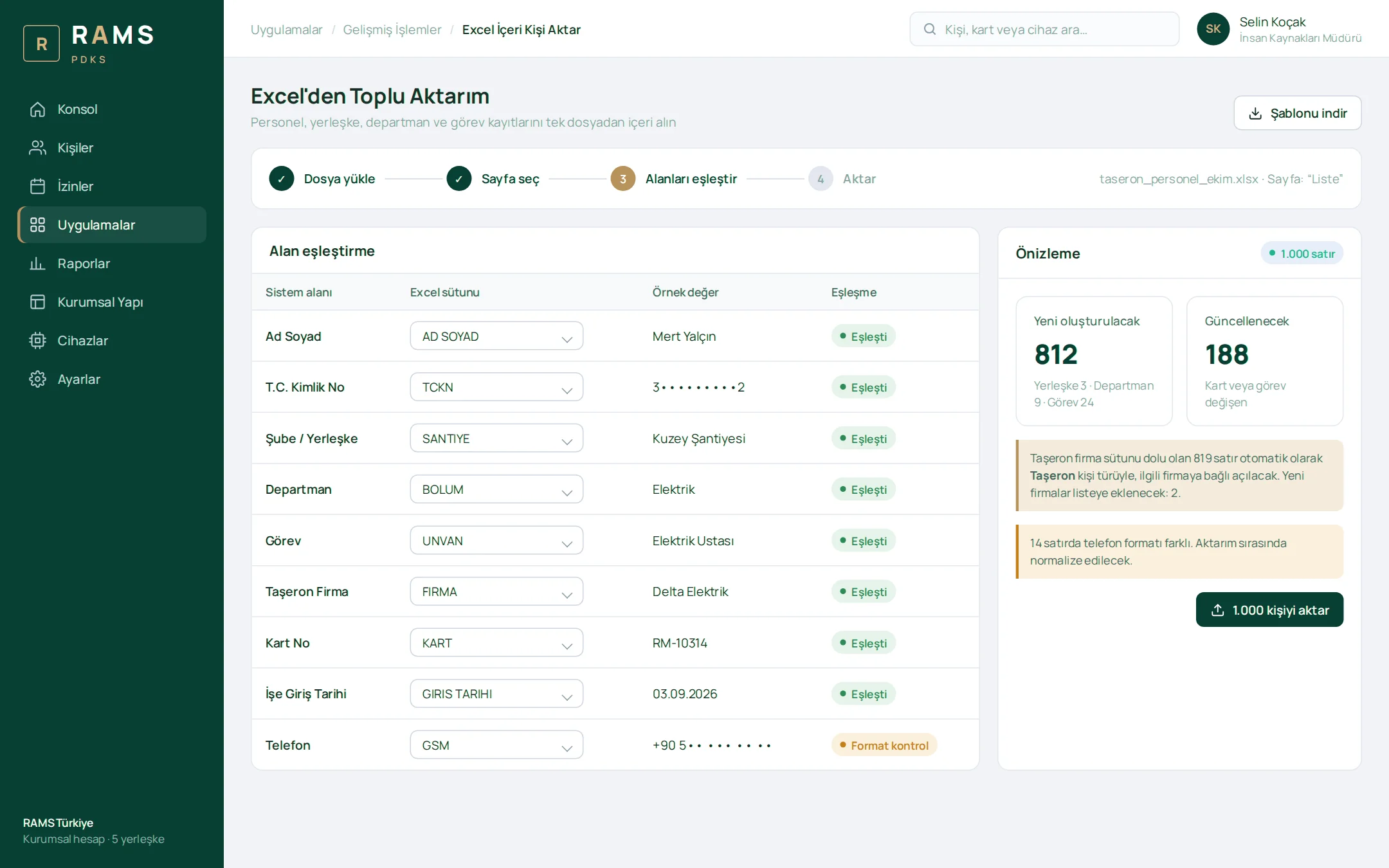
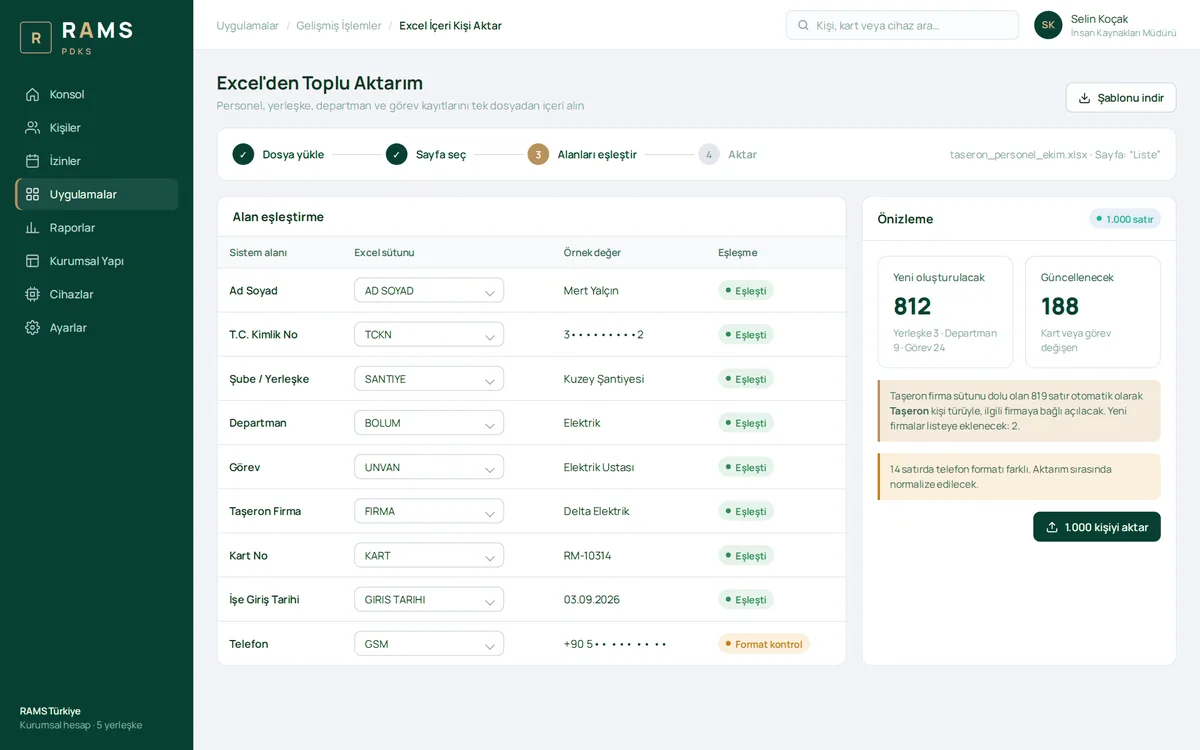
Bulk Import from Excel

Branch, department, position and person records are imported from a single file using a field-mapping wizard. Rows with the subcontractor column filled in are automatically created under the relevant company.

Bulk Import from Excel

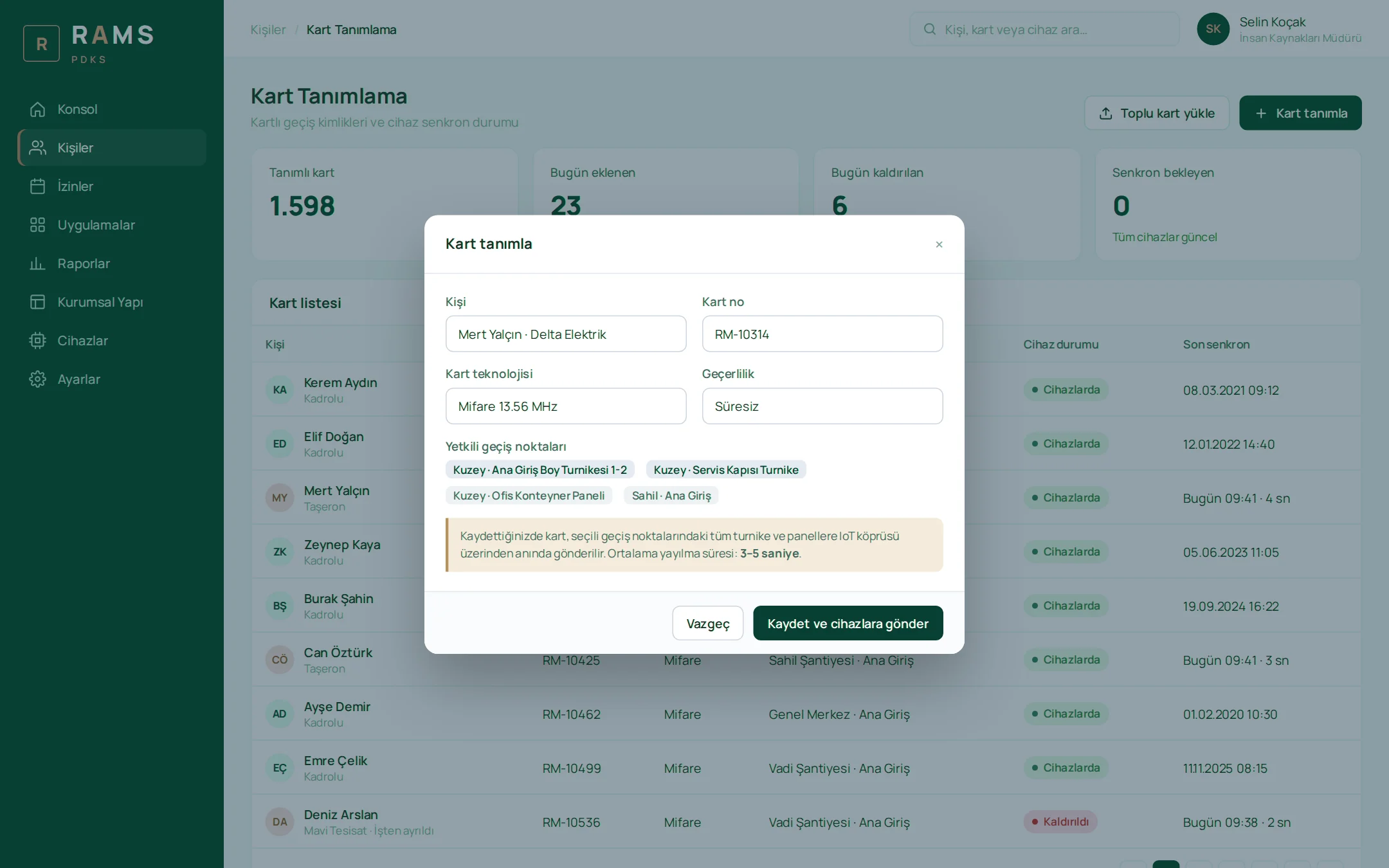
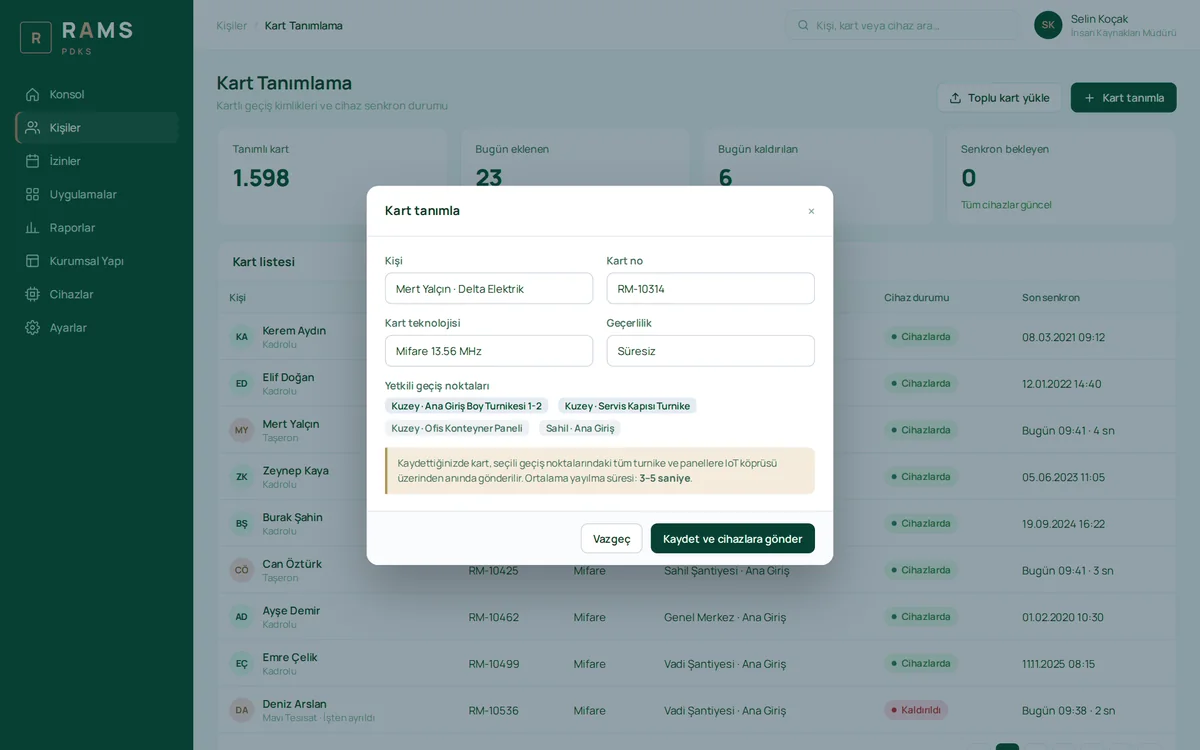
Card Enrollment

As soon as a card is enrolled for a person and their authorized access points, it is sent to the turnstiles and panels. Each card's status on the devices and its last sync time are visible; the card of a departing employee is removed within seconds.

Card Enrollment

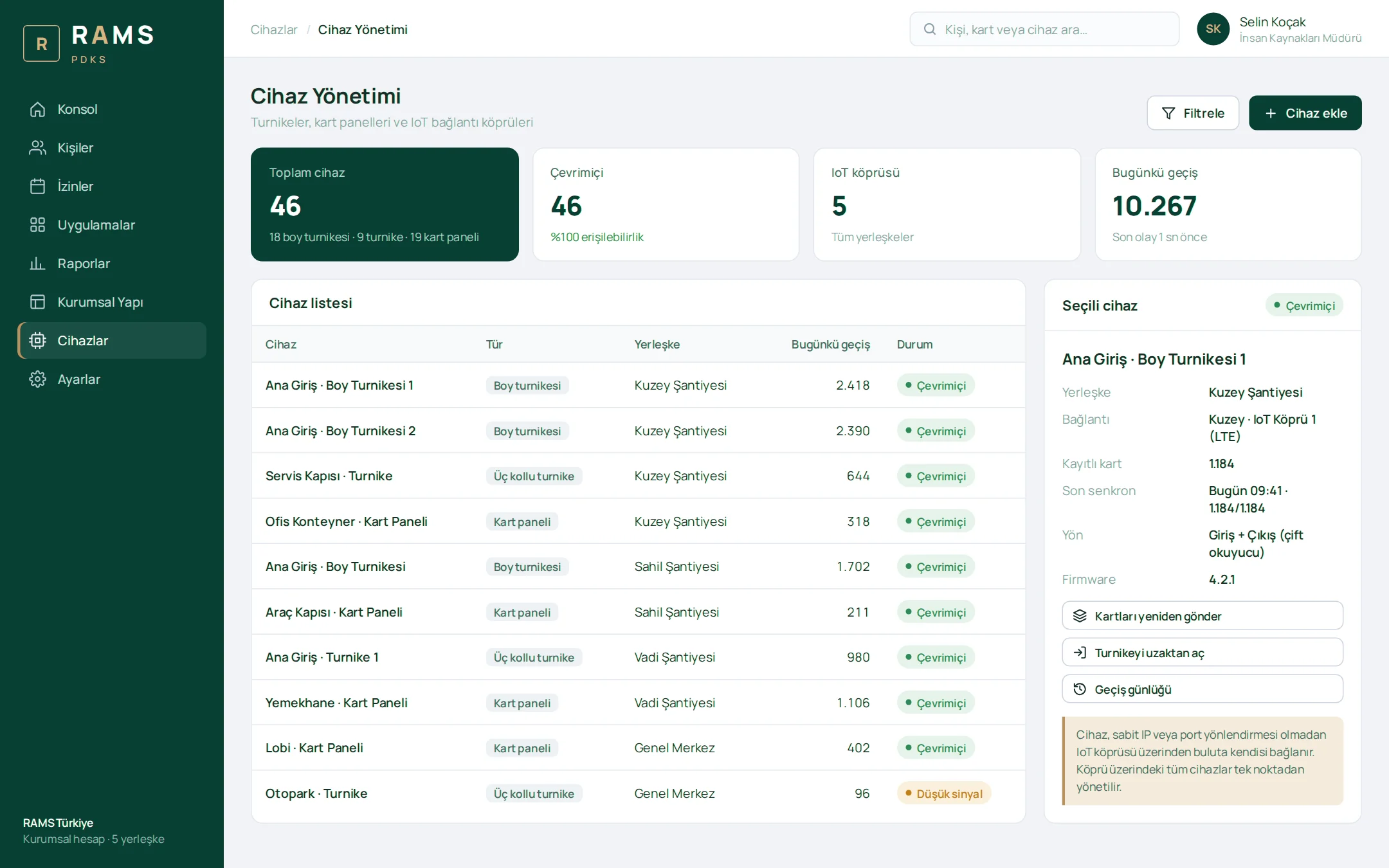
Device Management

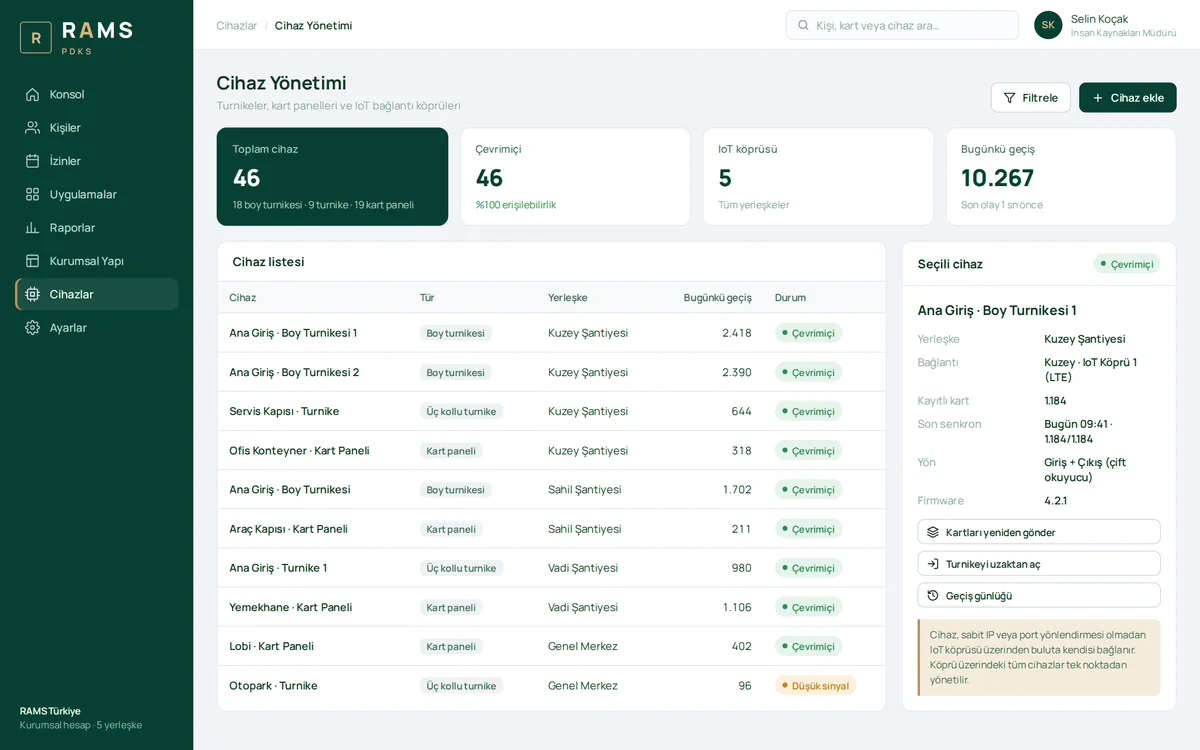
Full-height turnstiles, tripod turnstiles, card reader panels and IoT gateways are listed by site. Online status, today's pass count, number of registered cards and last sync are monitored; cards can be resent and turnstiles opened remotely.

Device Management

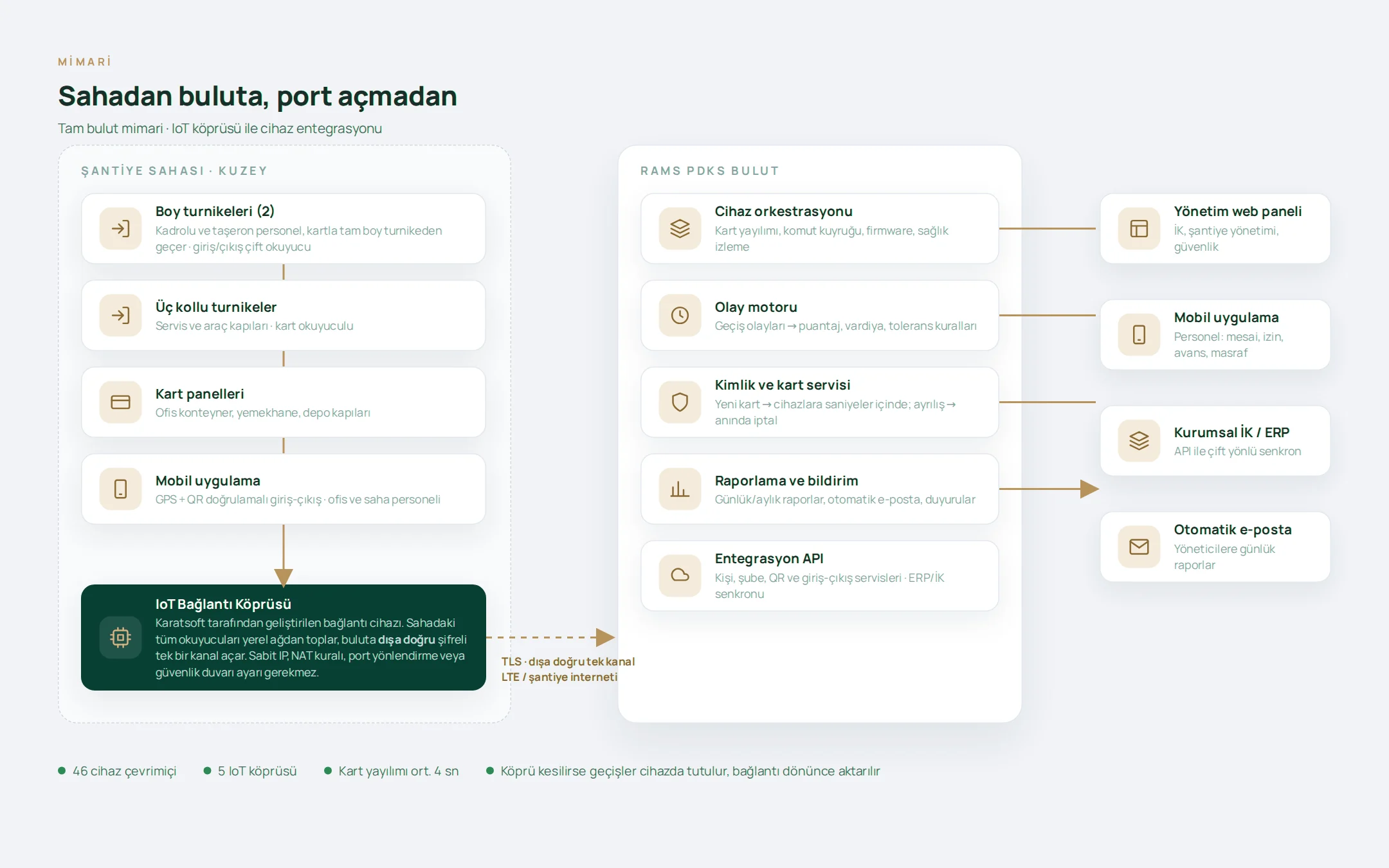
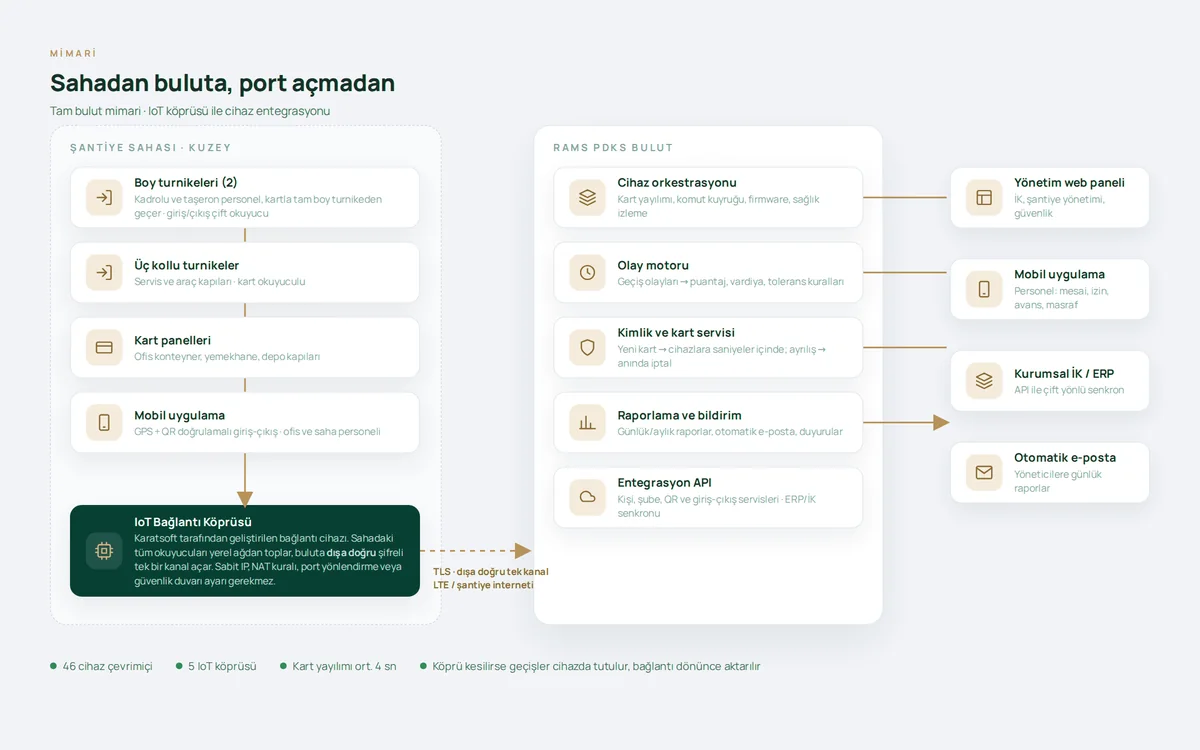
IoT Connectivity Architecture

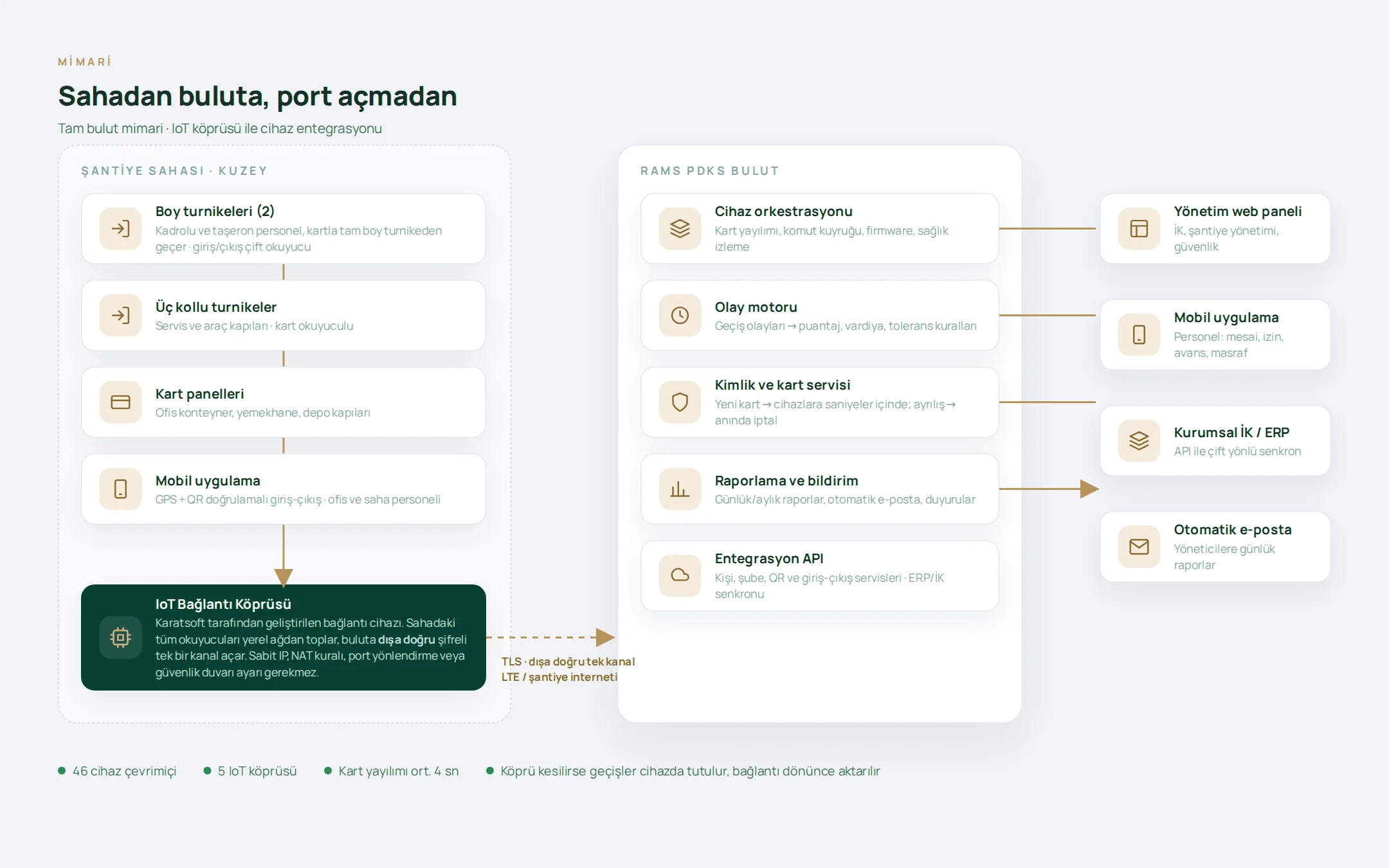
On-site devices connect to the cloud through the IoT gateway over a single encrypted outbound channel. No static IP, NAT rule, port forwarding or firewall configuration is required; if the connection drops, passes are stored on the device.
IoT Connectivity Architecture

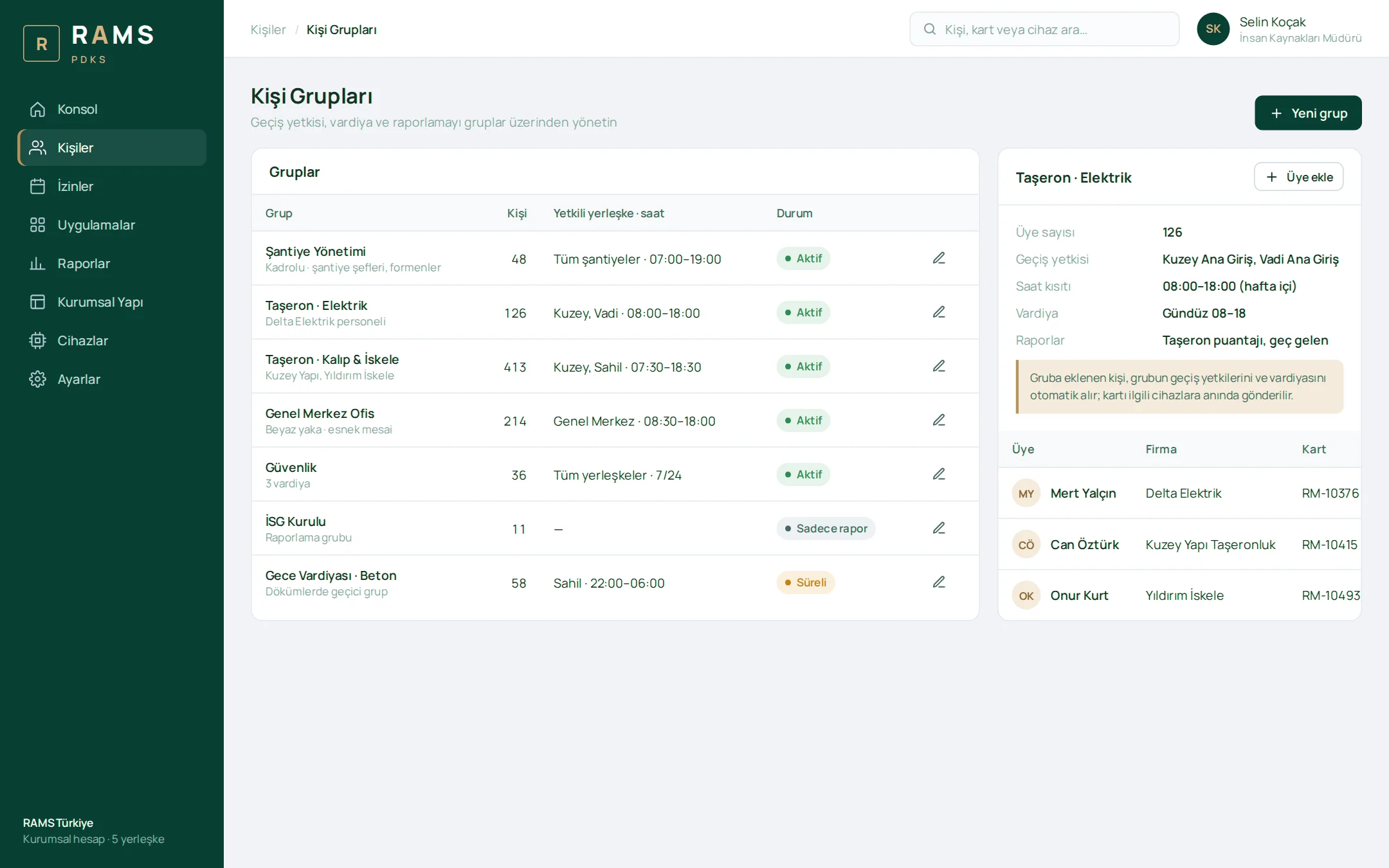
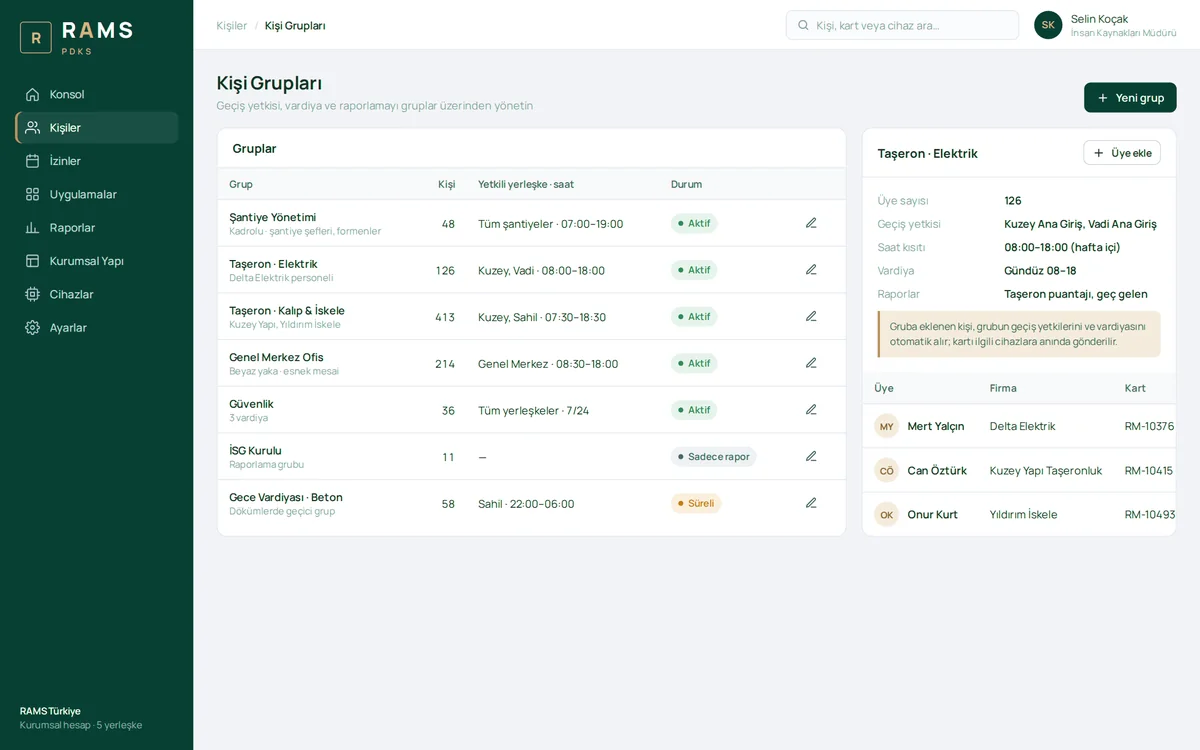
Person Groups

Access permissions, time restrictions, shifts and reporting are managed through person groups. A person added to a group automatically receives the group's permissions, and their card is sent to the relevant devices instantly.

Person Groups

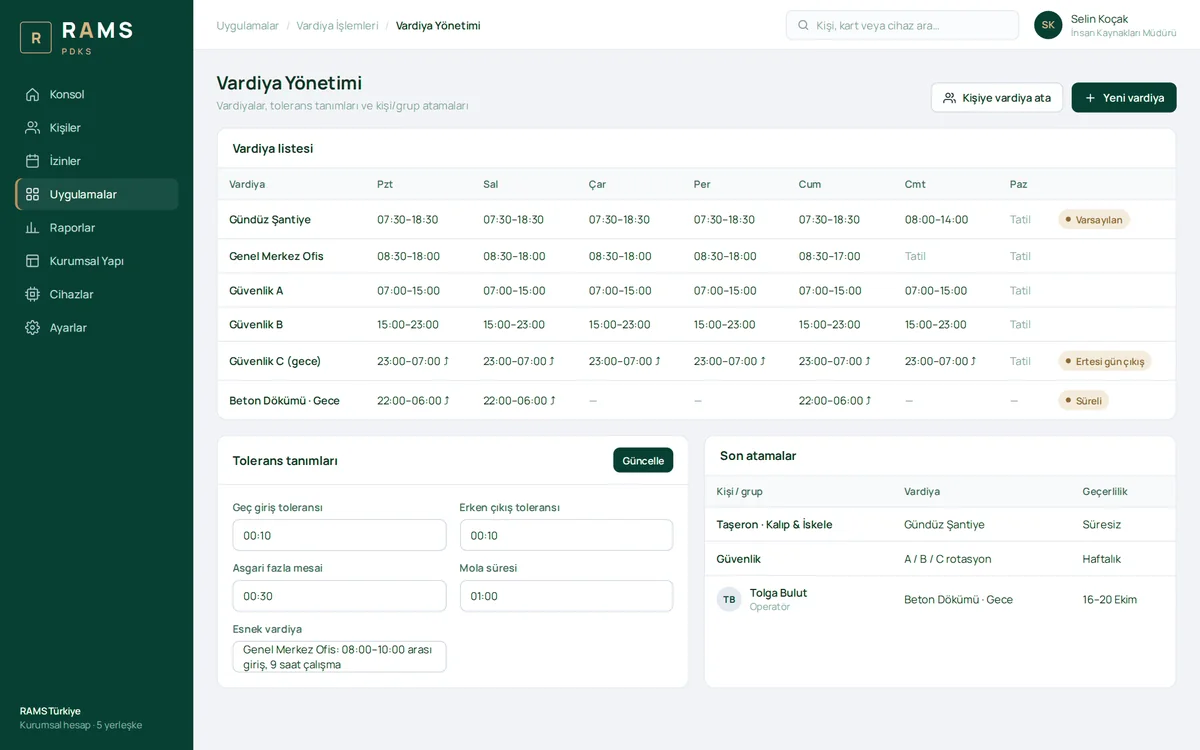
Shift Management

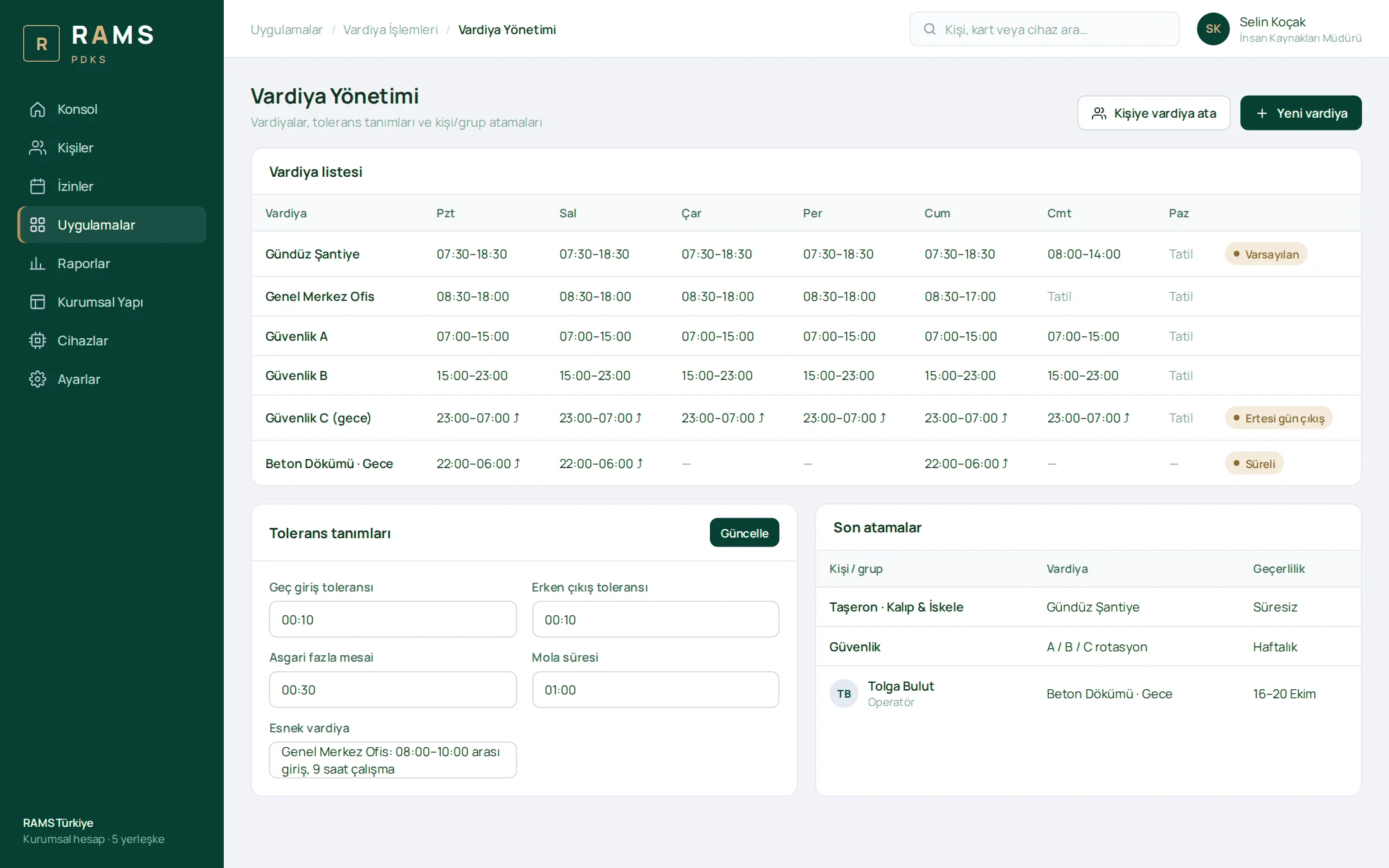
Construction site, office and security shifts are defined day by day, and night shifts that run into the next day are supported. Tolerance and break definitions, flexible shifts and person/group assignments are all in one place.

Shift Management

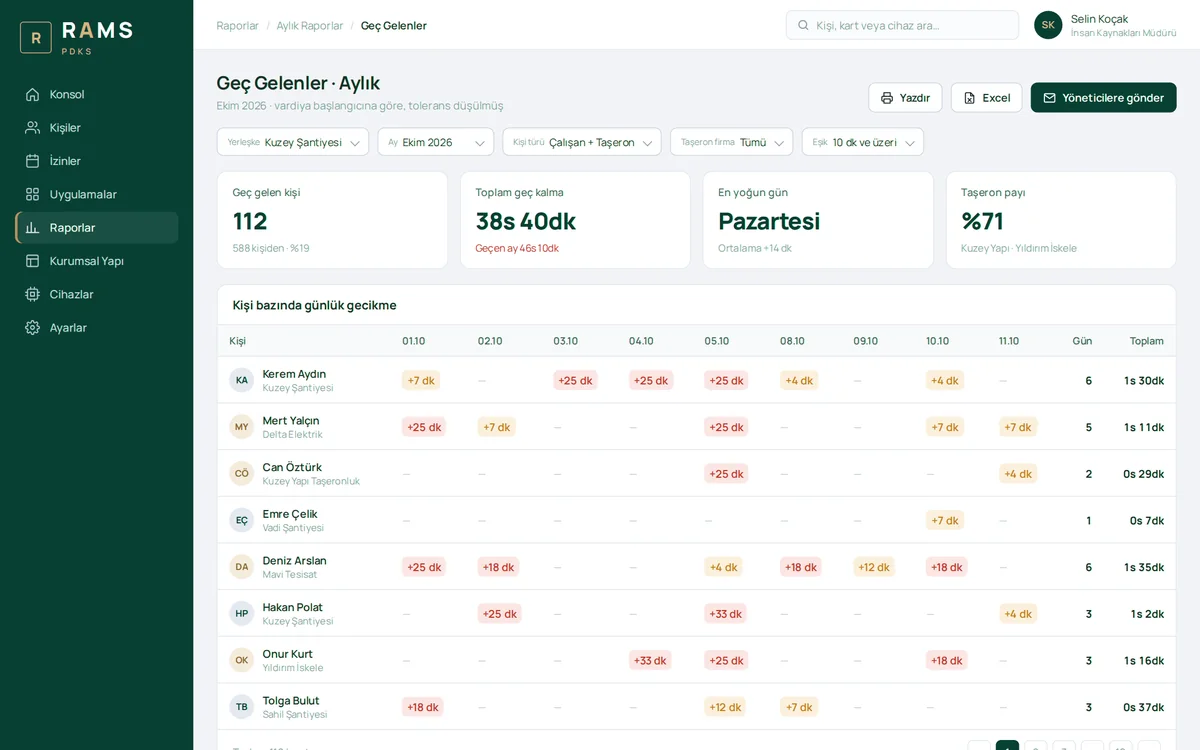
Late Arrivals · Monthly Report

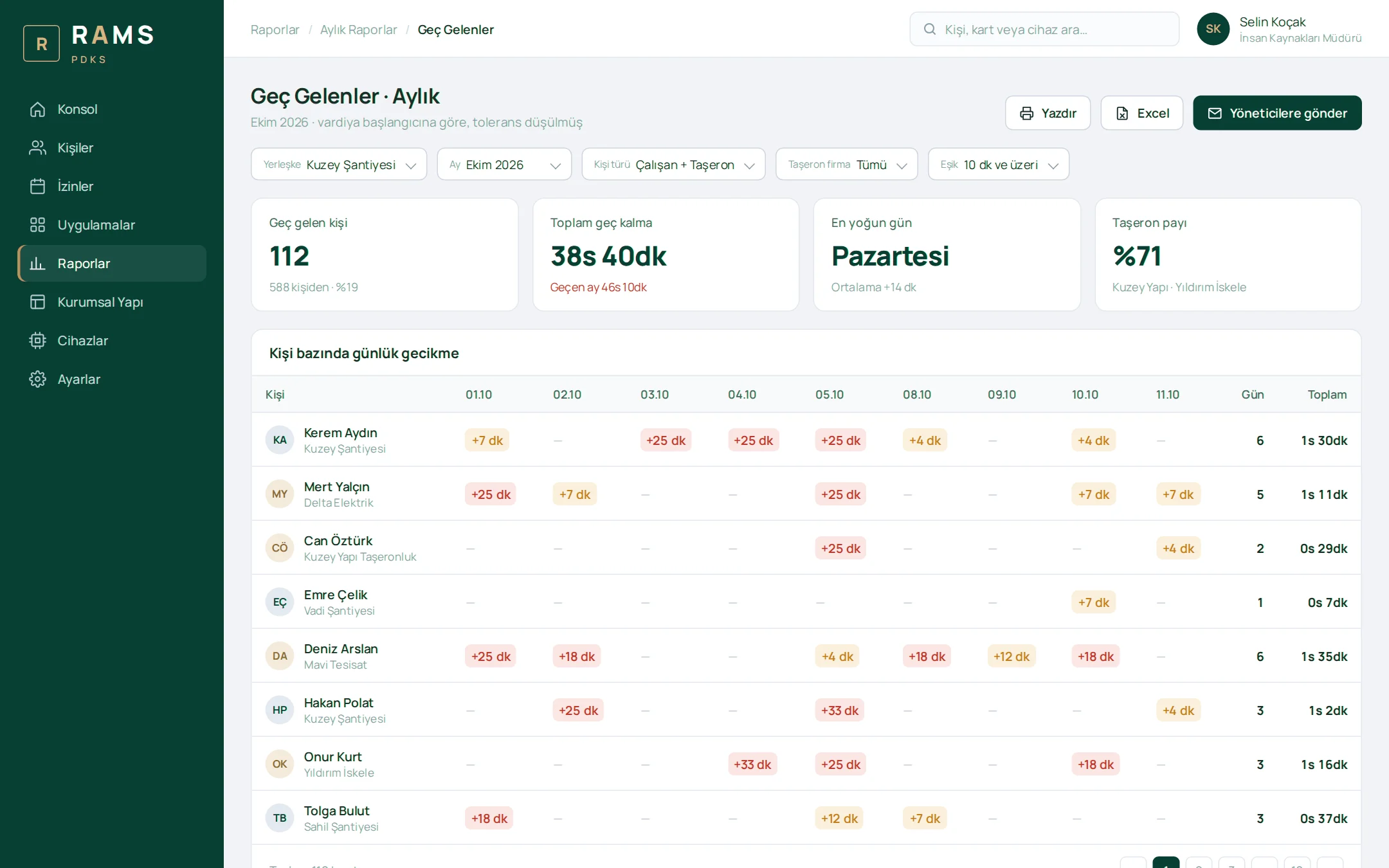
Delays relative to shift start, net of tolerance, are shown in a matrix by person and day. The report can be narrowed with site, person type, subcontractor and threshold filters, and is emailed to managers.

Late Arrivals · Monthly Report

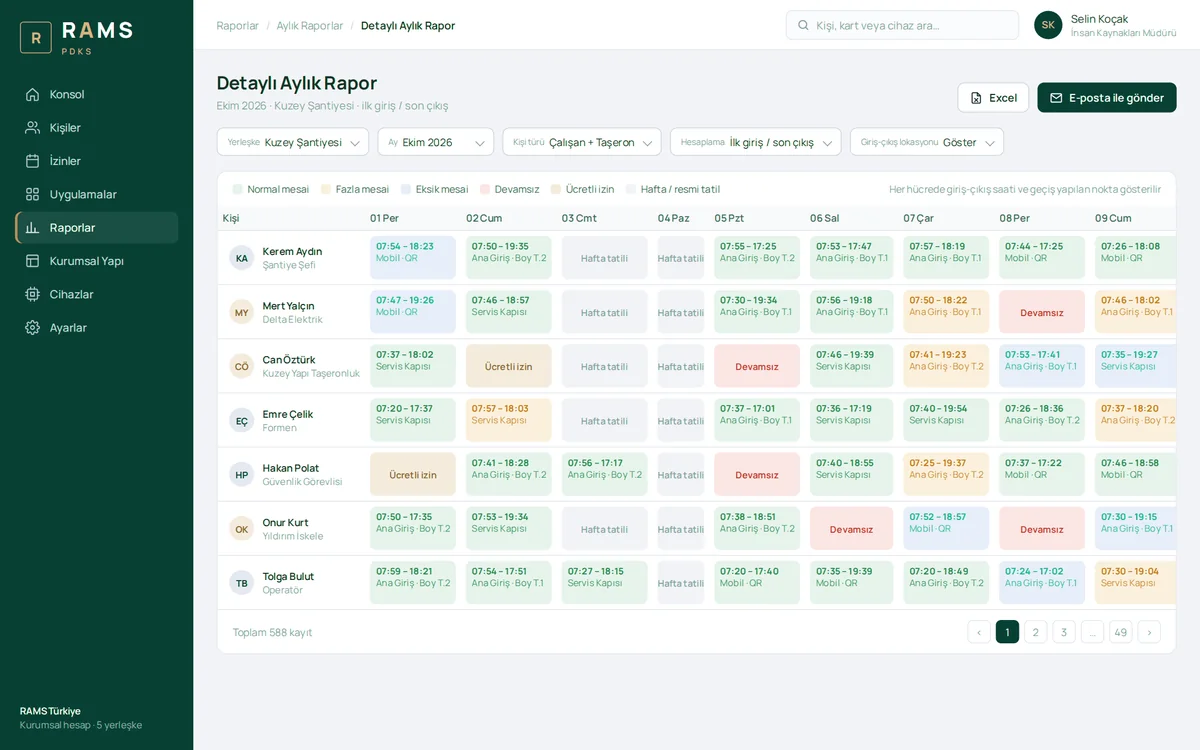
Detailed Monthly Report

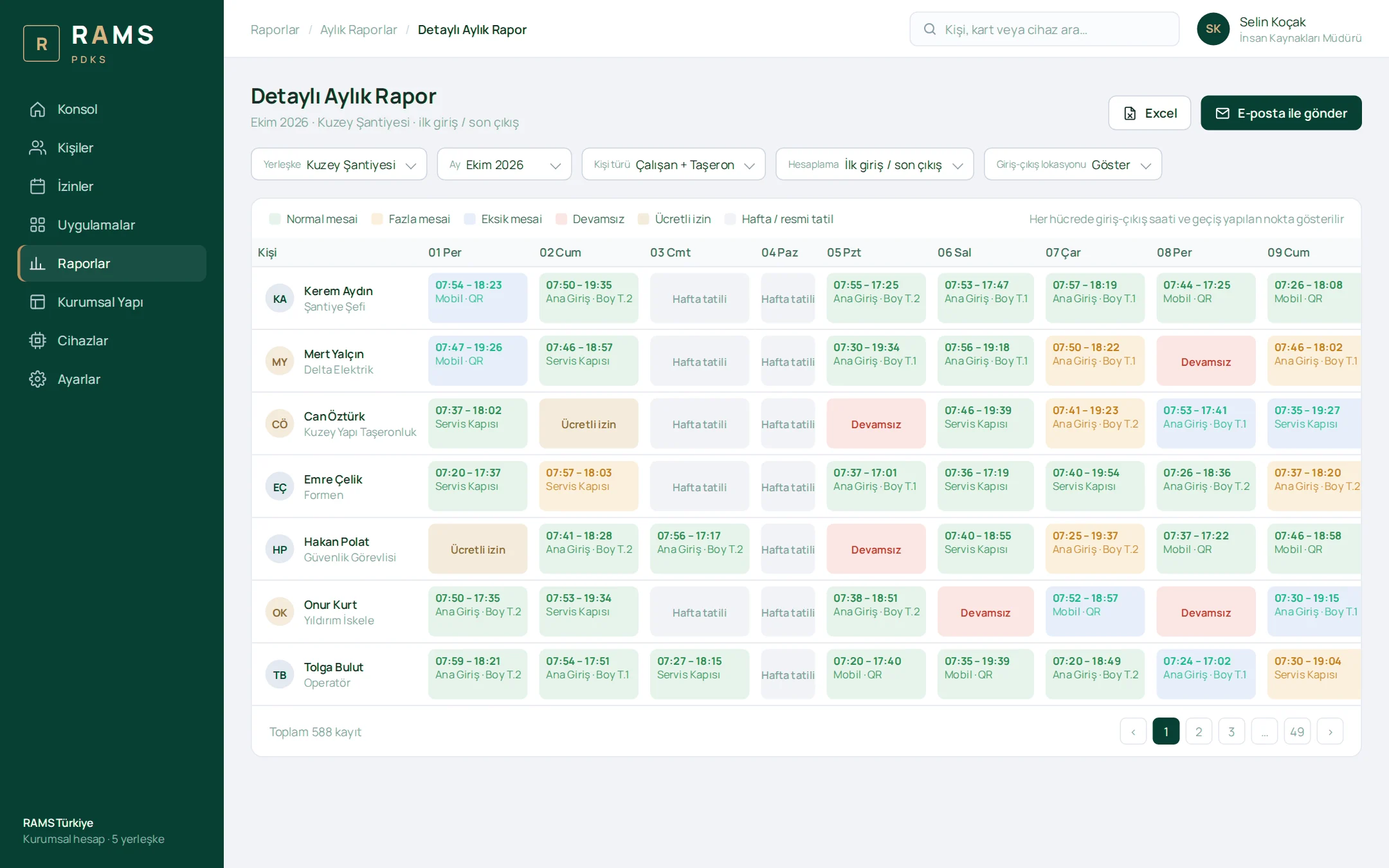
Each cell shows the entry and exit time together with the point where the pass was made. Regular hours, overtime, undertime, absences, leave and holidays are color-coded; overtime/undertime totals appear at the end of each row, and the report goes to Excel in one click.

Detailed Monthly Report

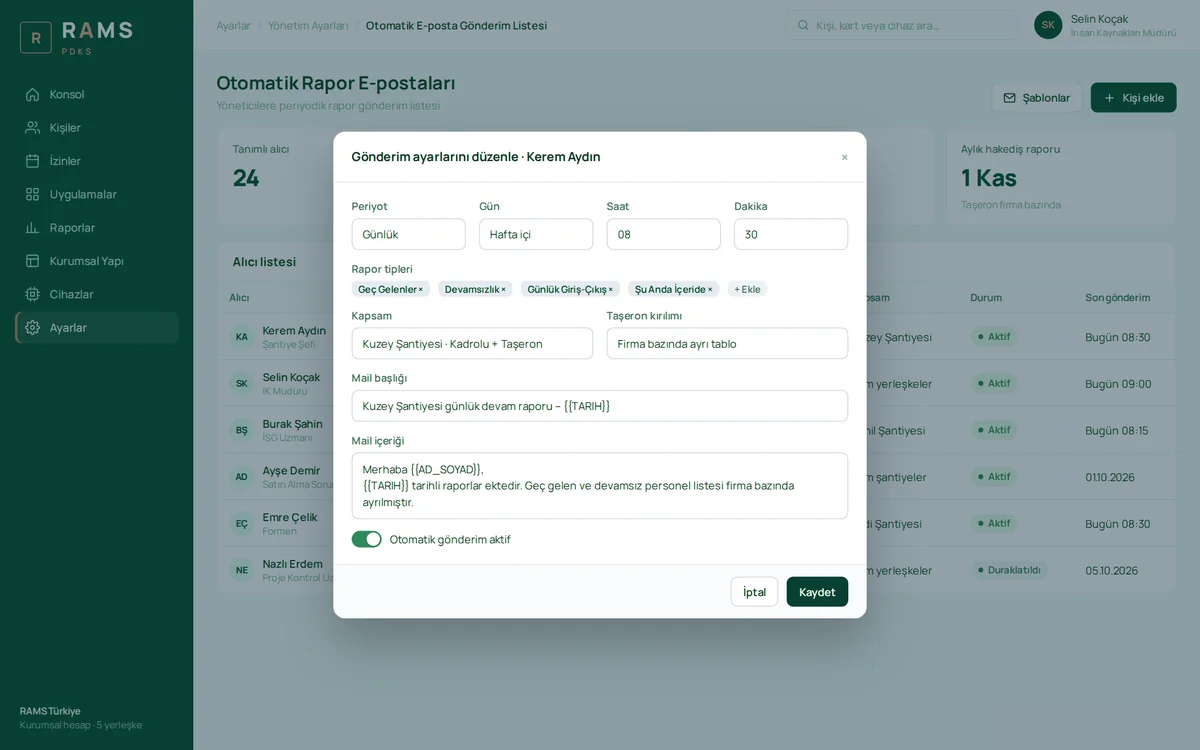
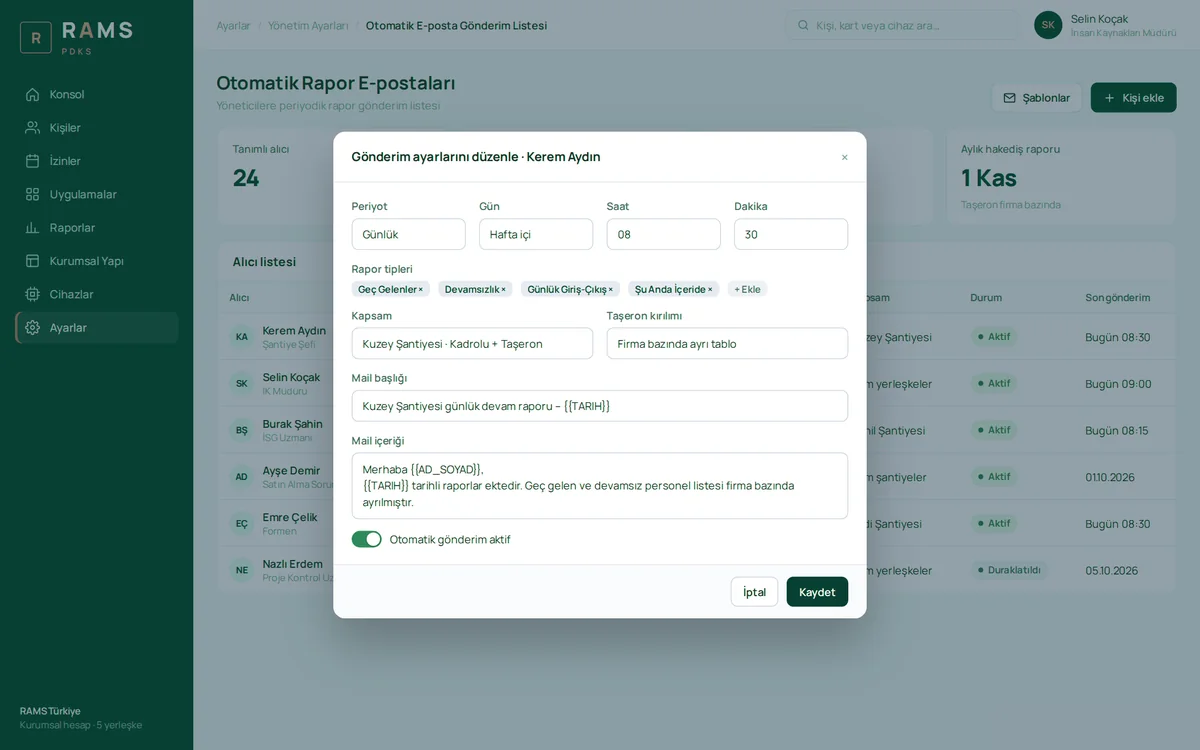
Automated Report Emails

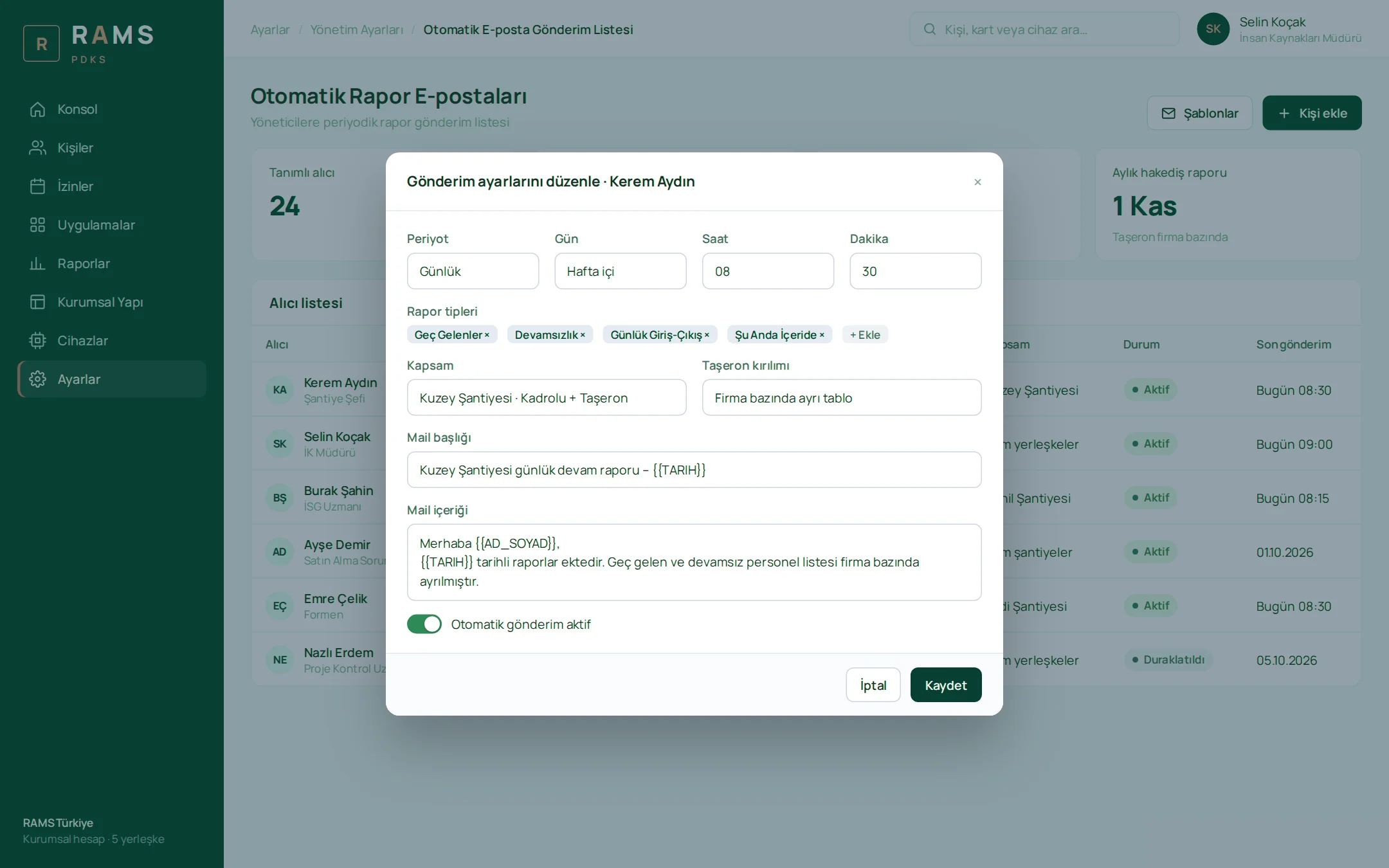
Which reports go to which manager, on which day and at what time, is defined per person. A subcontractor breakdown is added as a separate table; the monthly progress payment report reaches accounting at the start of each month.

Automated Report Emails

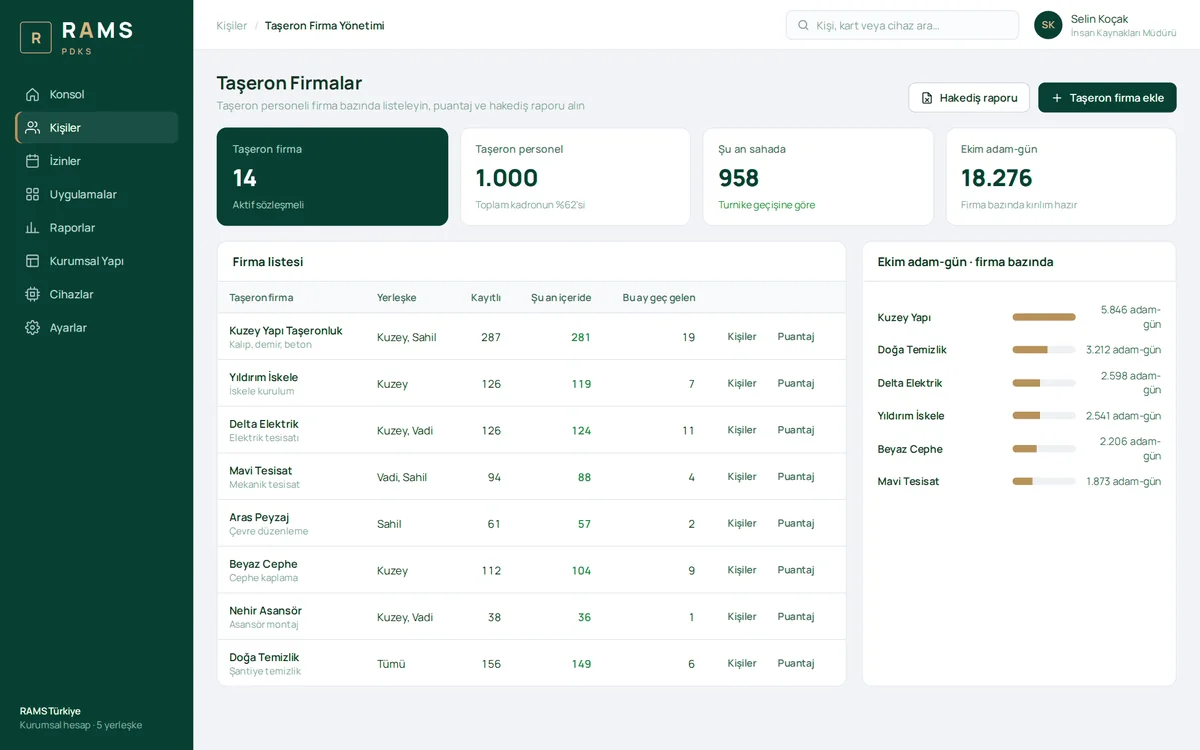
Subcontractors

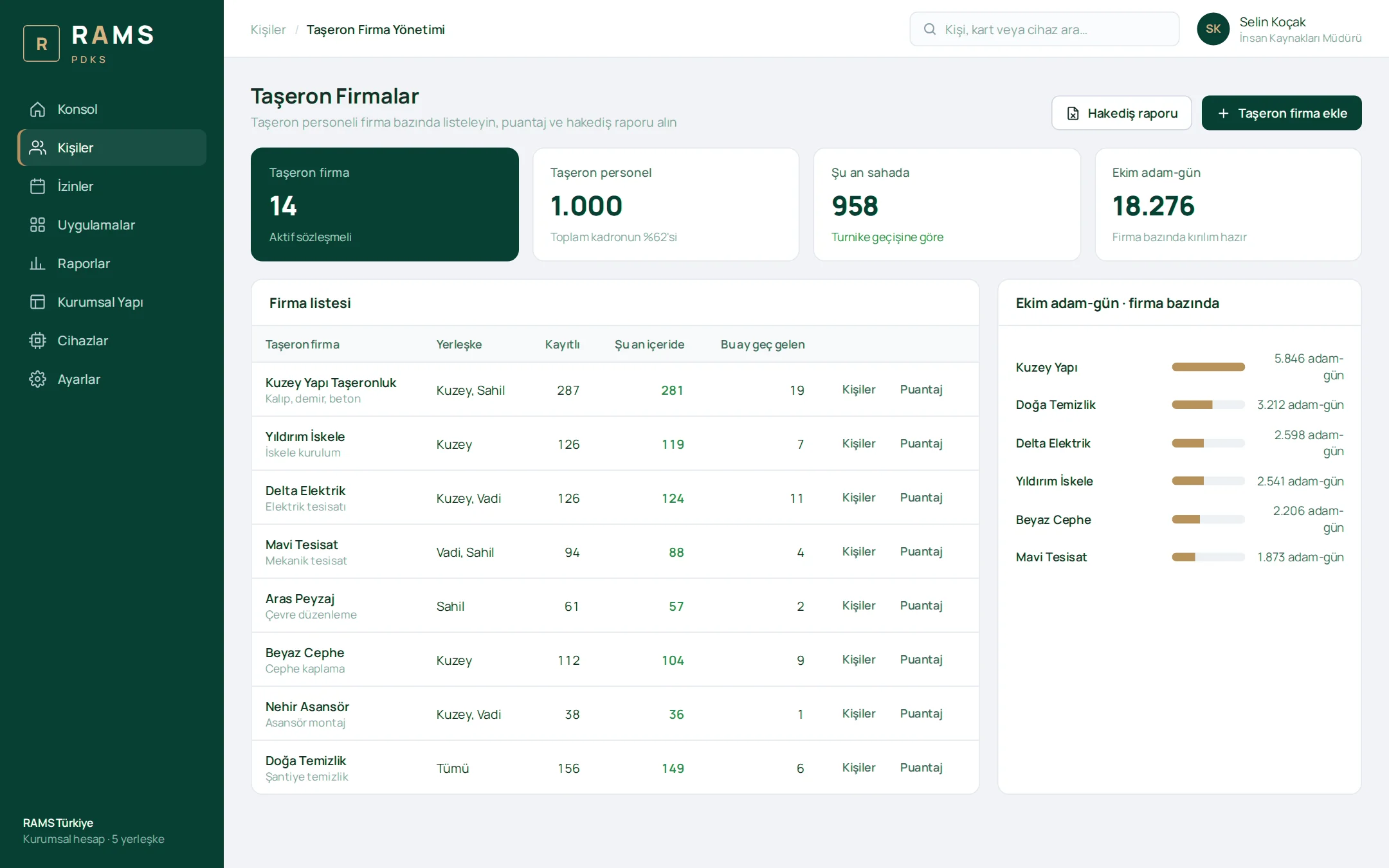
Subcontractors are listed with their registered staff, the people currently on site and their monthly late arrival counts. One click takes you to each company's person list, timesheet and man-day (progress payment) report.

Subcontractors

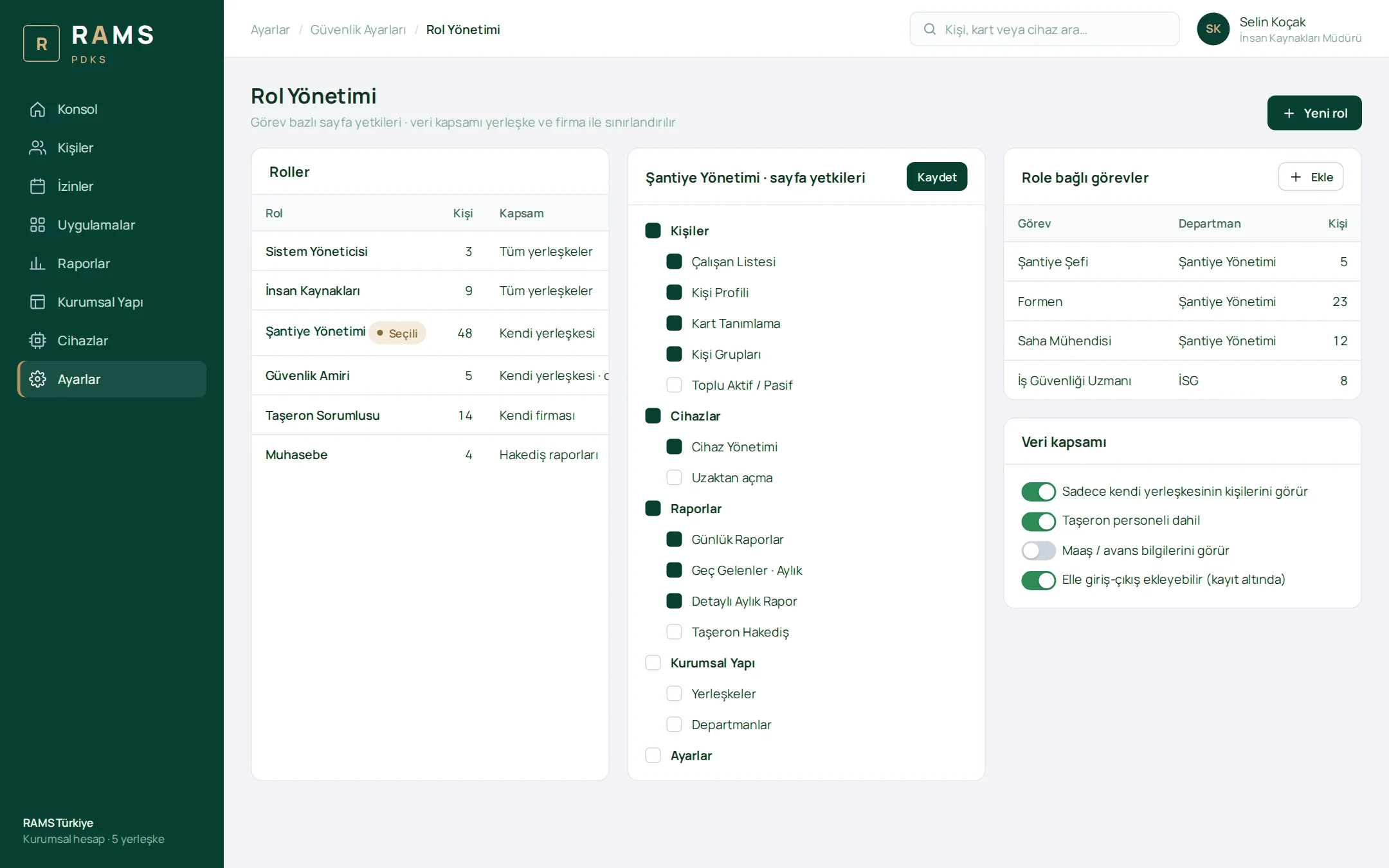
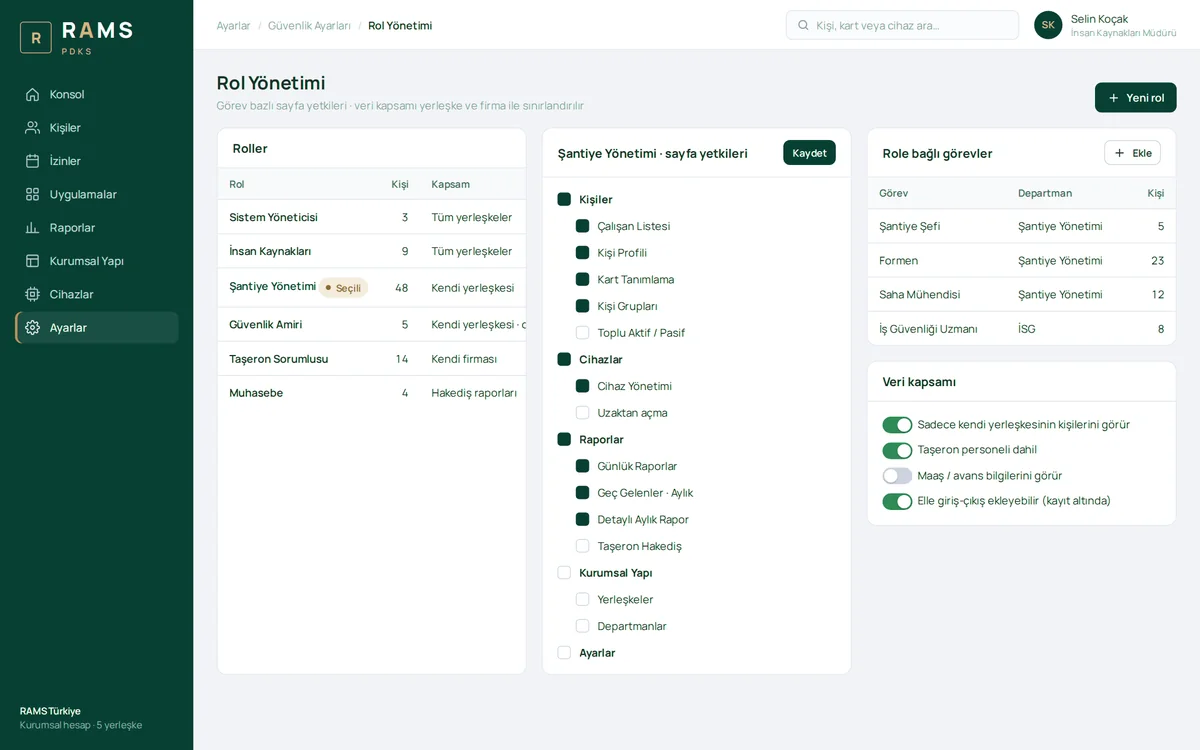
Role Management

Page permissions are restricted by position, and data scope by site and company. Construction site management sees its own site, the subcontractor supervisor sees their own company, and HR sees the entire organization.

Role Management

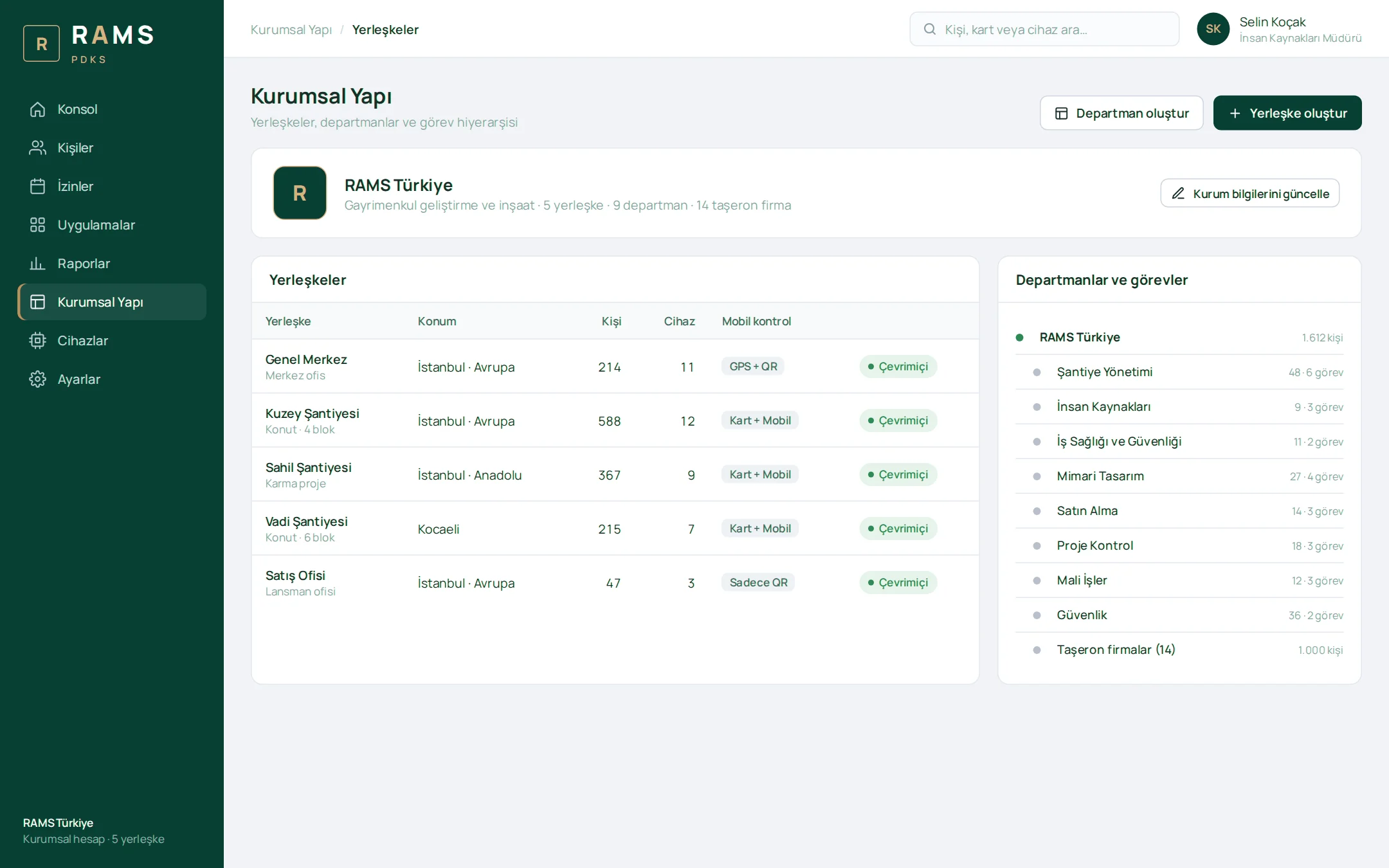
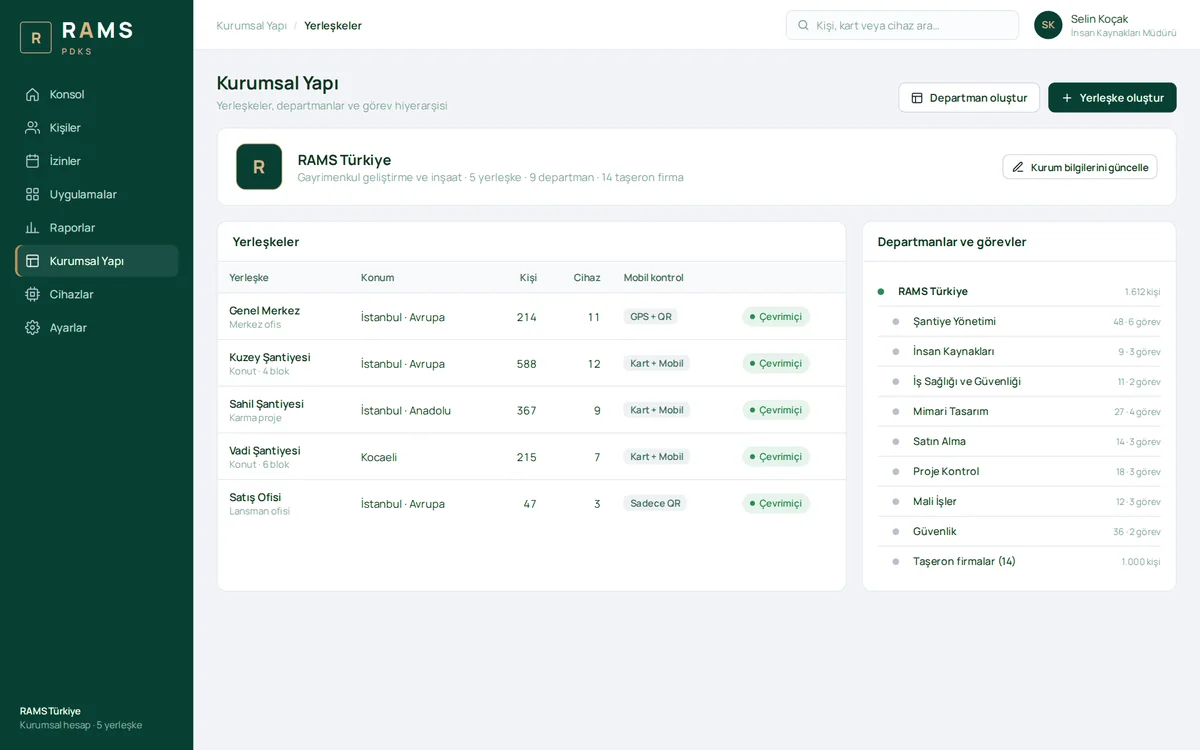
Organizational Structure

Sites, departments, positions and subcontractors in a single hierarchy. Each site's number of people and devices, as well as its mobile verification method, are shown on the list.

Organizational Structure

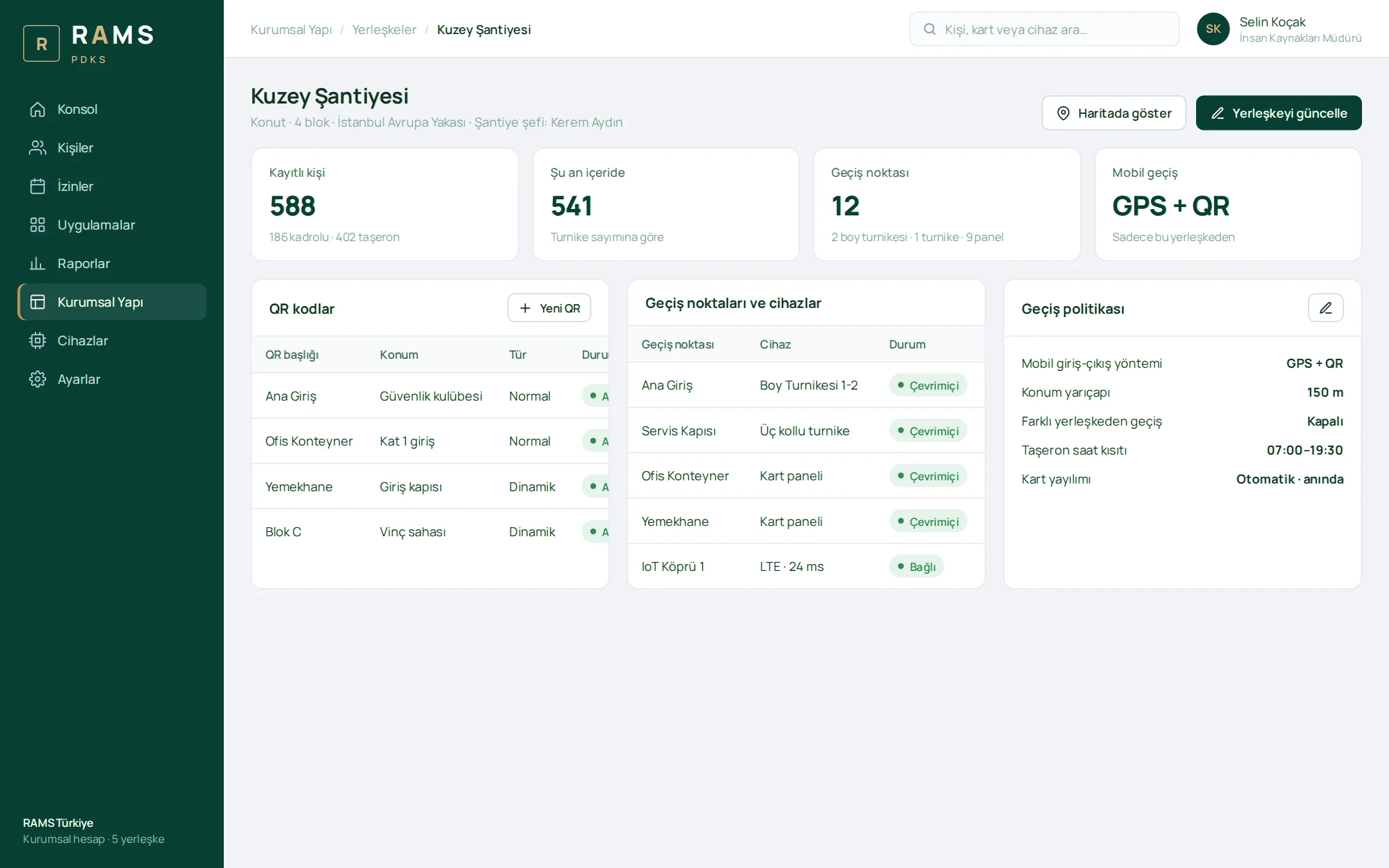
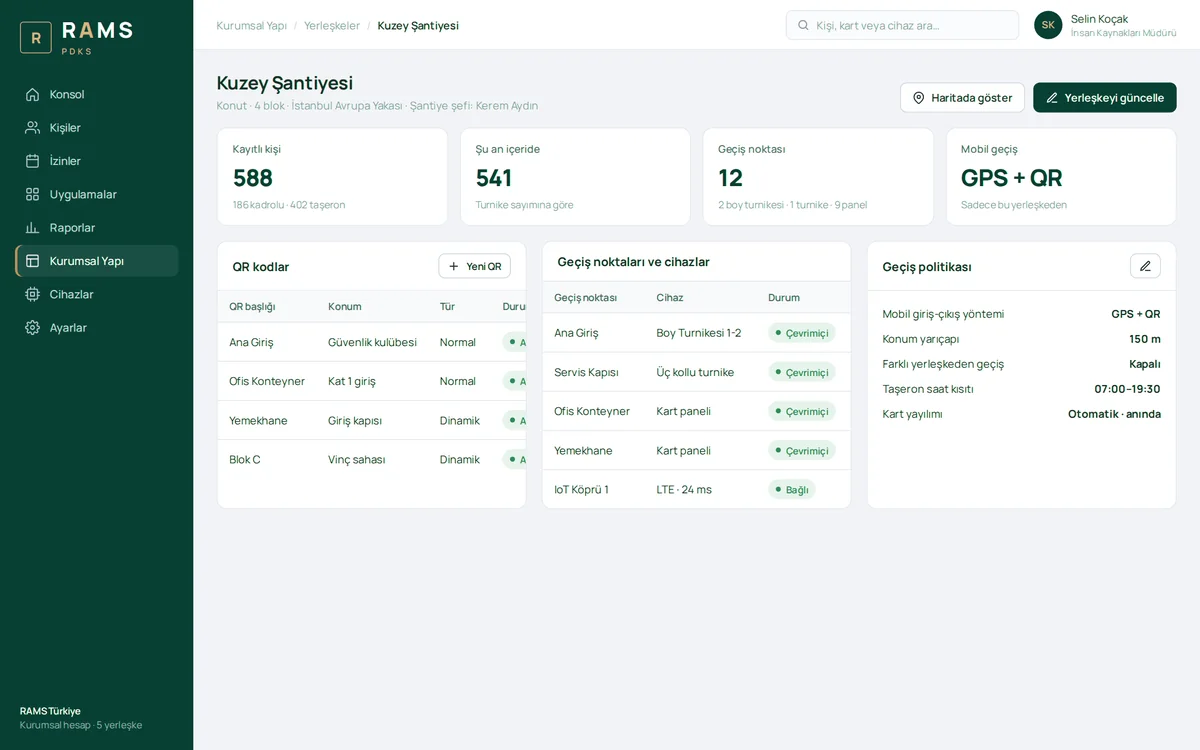
Site Details

A site's access points and devices, QR codes (standard and dynamic), mobile access policy, location radius and subcontractor time restriction are managed on a single page.

Site Details

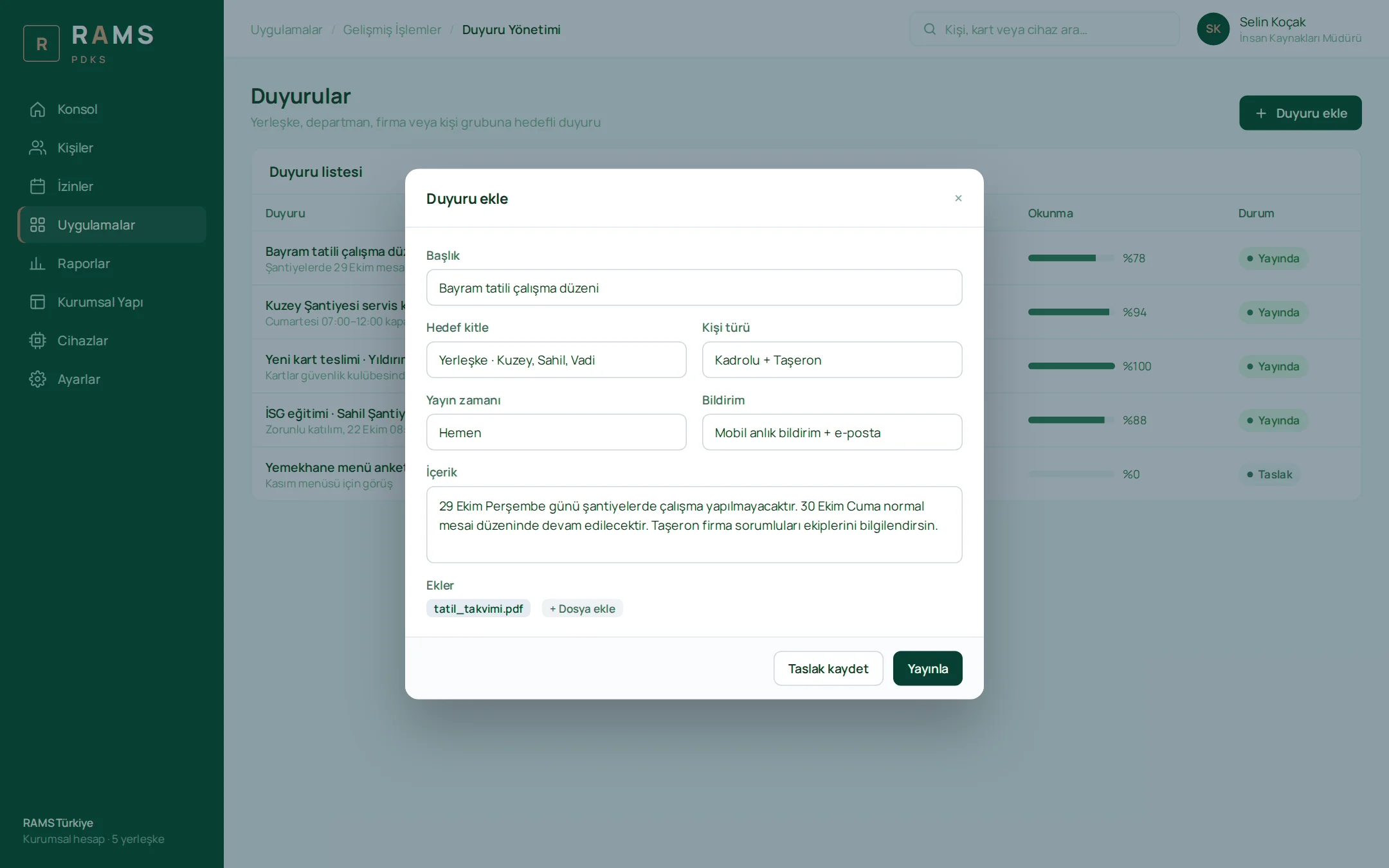
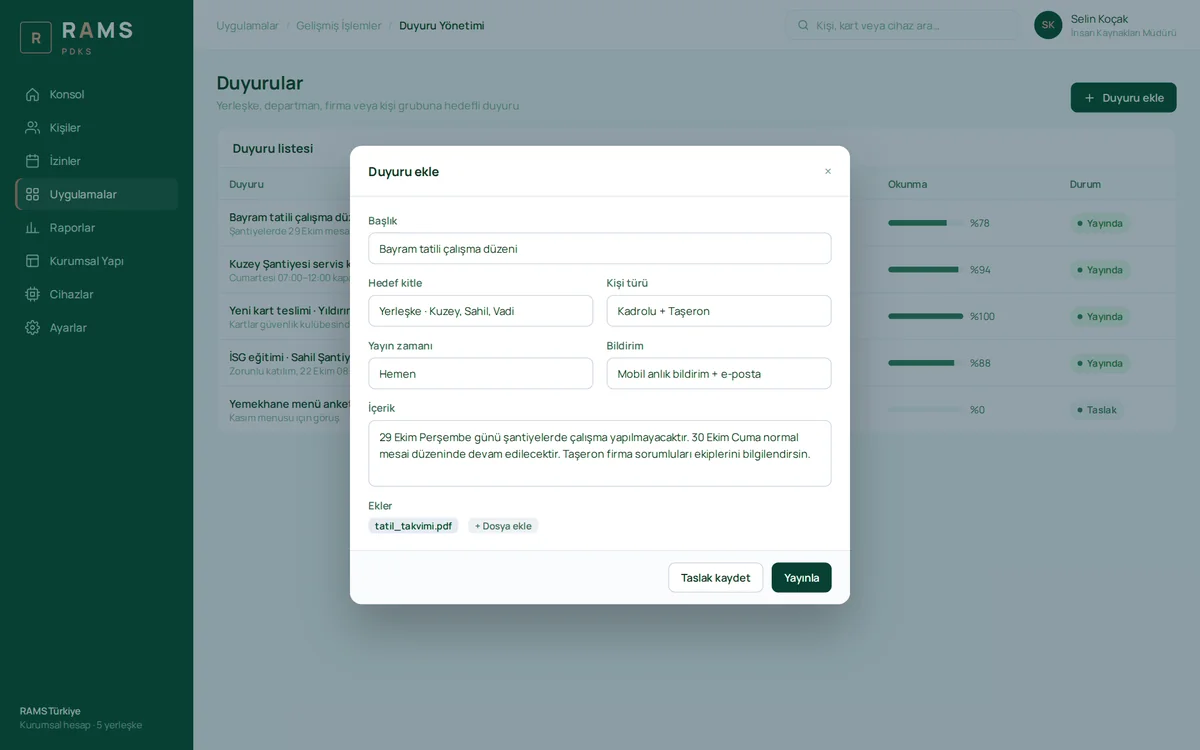
Announcements

Targeted announcements to a site, department, company or person group, delivered by mobile push notification and email. Read rates are tracked per announcement, and files can be attached.
Announcements

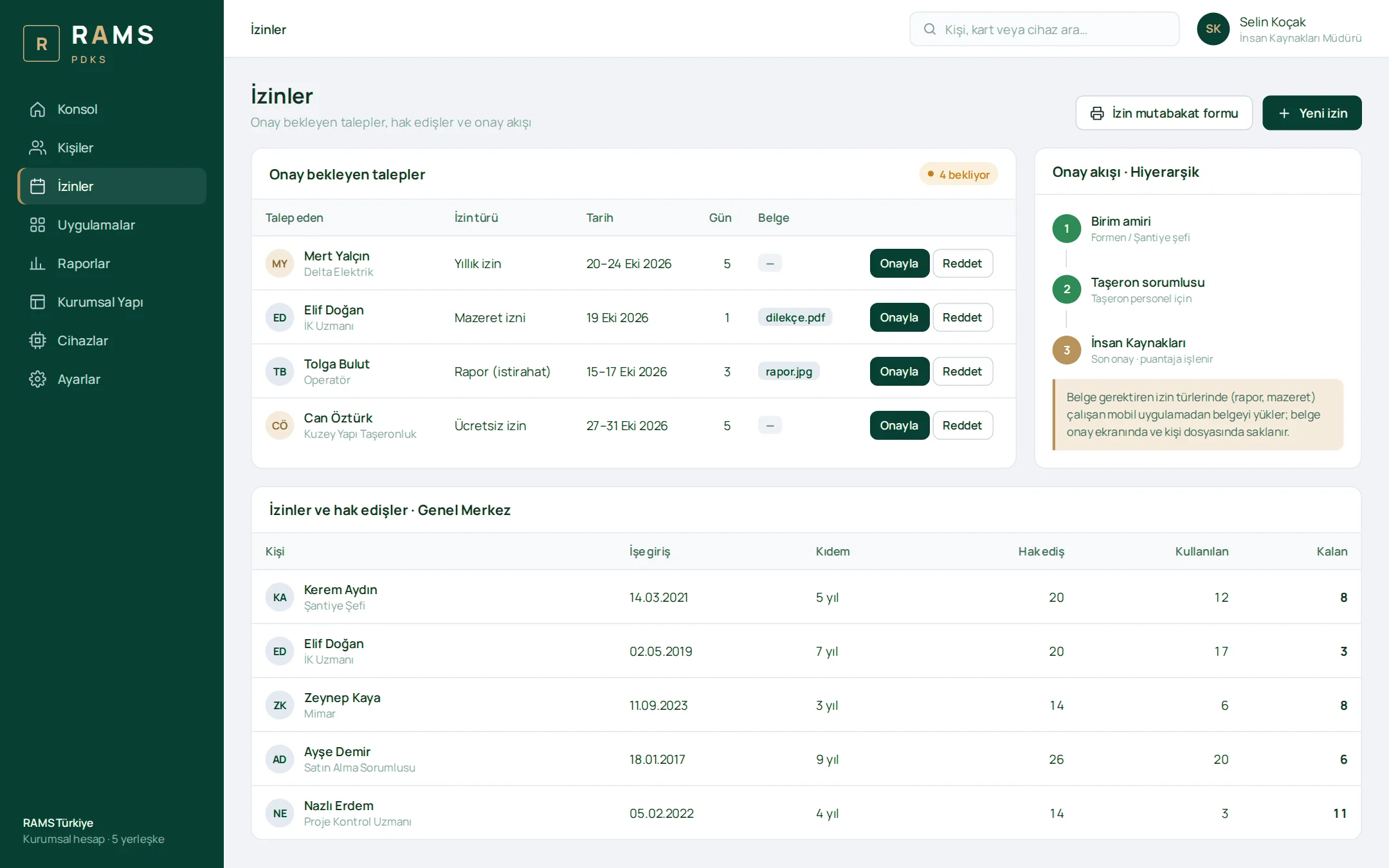
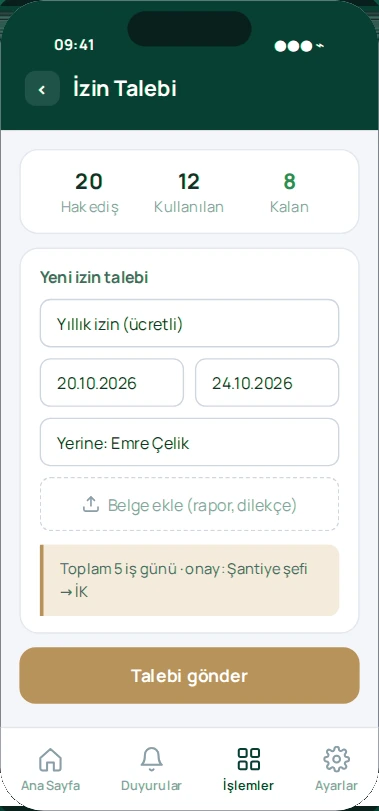
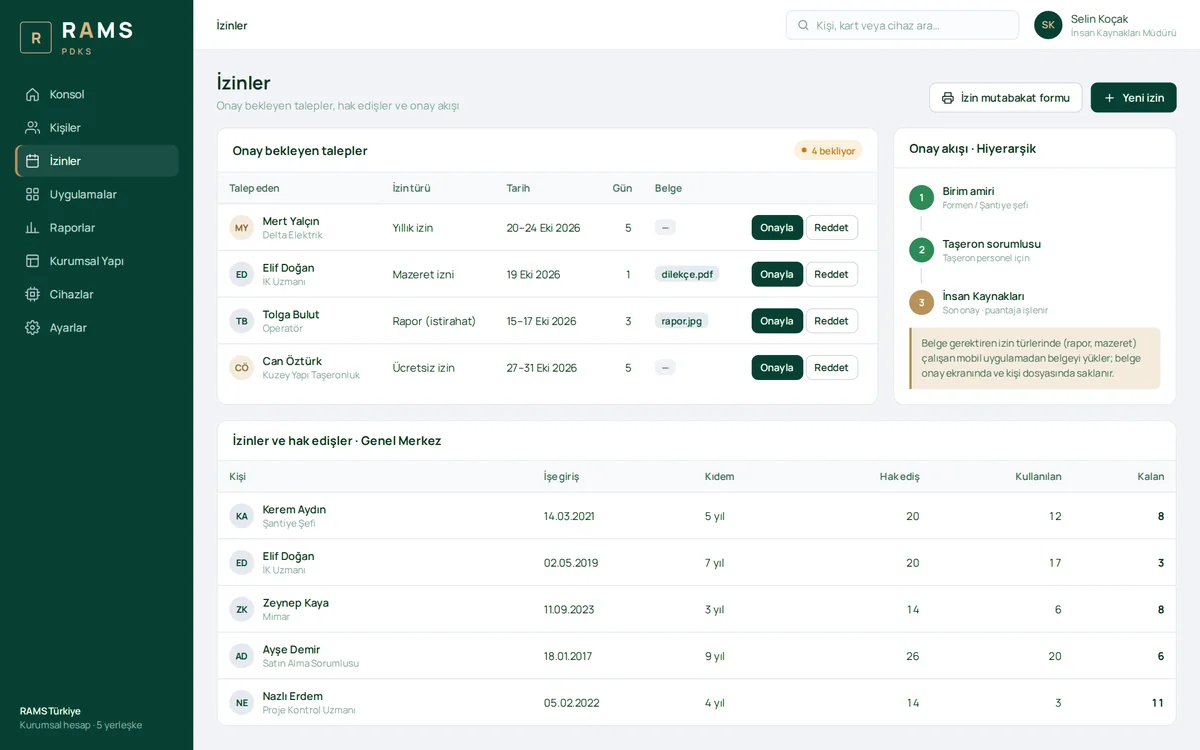
Leave Management

Pending requests, the hierarchical approval flow and the leave entitlement table in one place. For leave that requires a document, the medical certificate or written request the employee uploads from the mobile app appears on the approval screen and is stored in their personnel file.

Leave Management

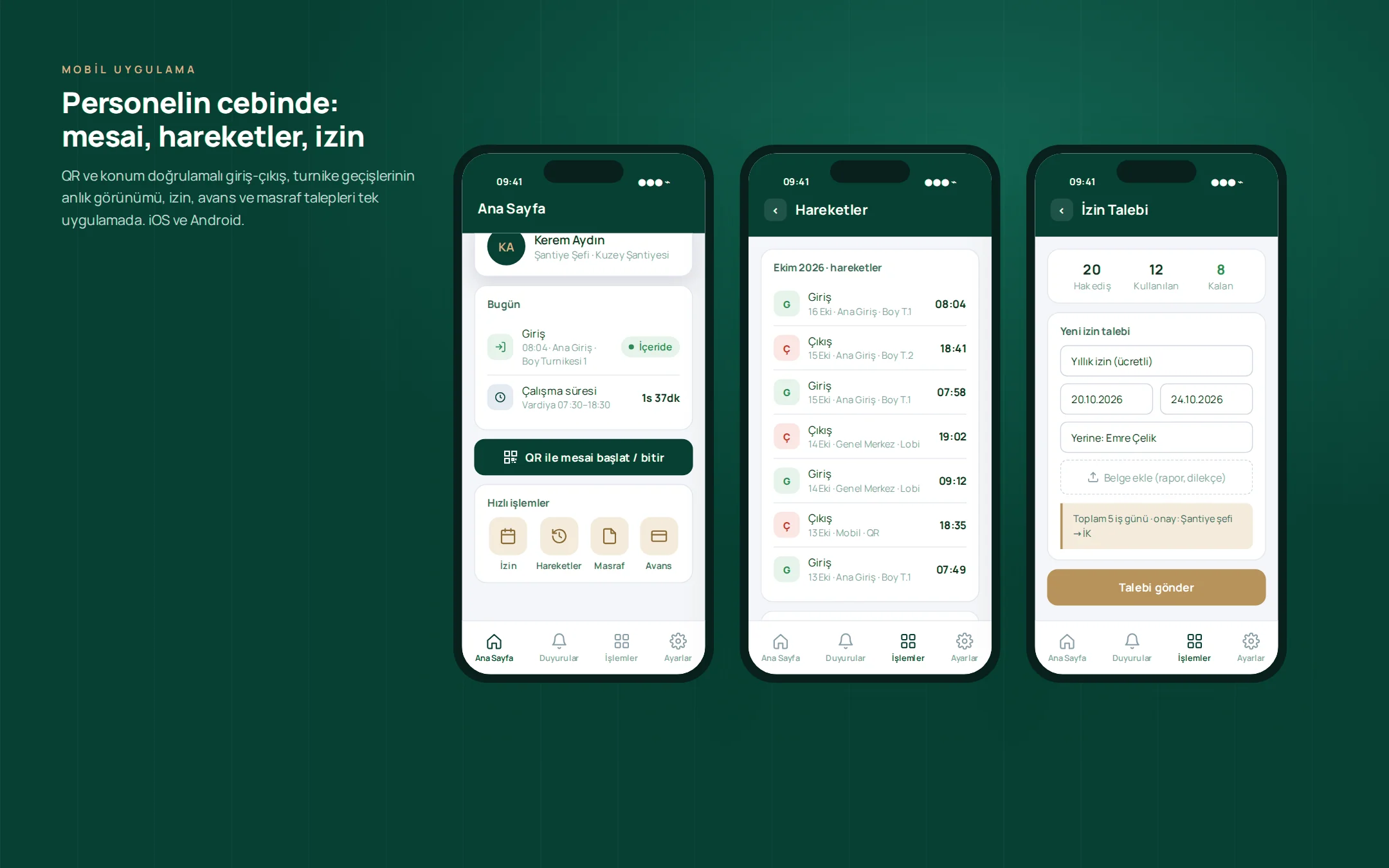
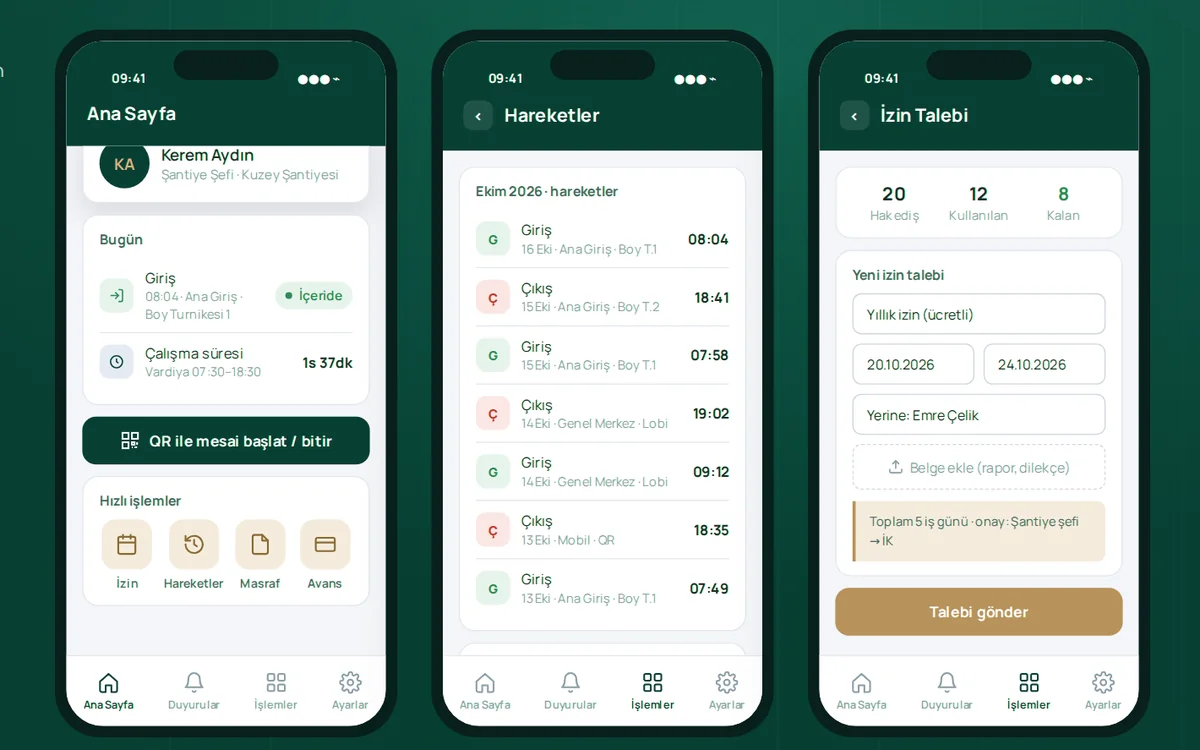
Mobile App

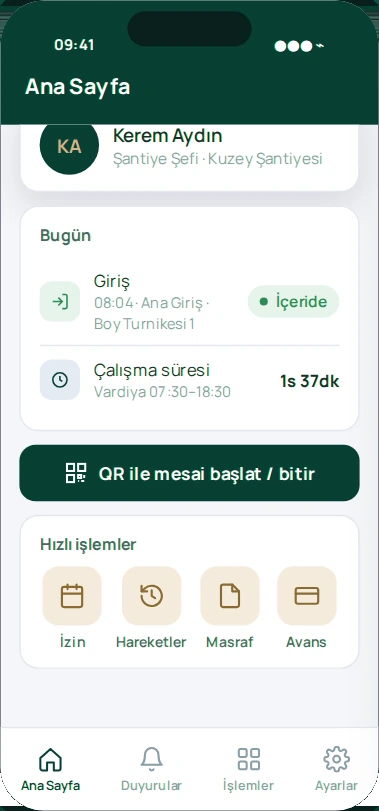
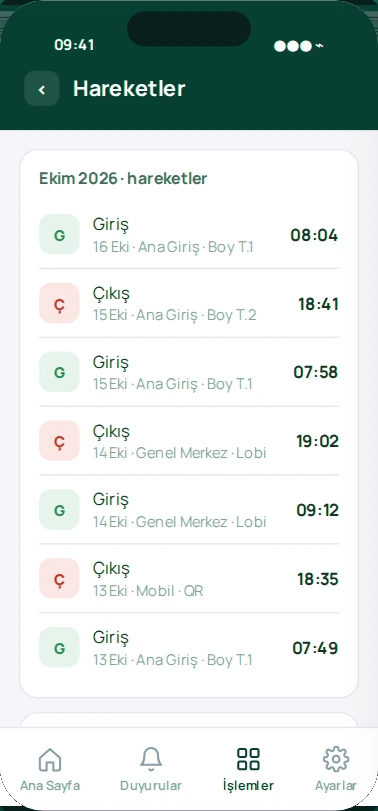
From a single app, staff clock in and out with QR and location verification, view their movement history including turnstile passes, and submit leave, salary advance and expense requests. iOS and Android.

Mobile App

A powerful mobile app, always at hand

Instant notifications and alerts, quick actions and live data: users and field teams get their work done from their phones, without waiting.

Features

Key features of the project

Card access, full-height and tripod turnstile support

Card access, full-height and tripod turnstile support

On construction sites, permanent and subcontractor staff clock in and out by passing through a full-height or tripod turnstile with their card; card reader panels are used at office doors.

Cloud connectivity without opening ports

Cloud connectivity without opening ports

The IoT gateway developed by Karatsoft connects all readers on site to the cloud without requiring a static IP, NAT rules, port forwarding or firewall configuration.

Card propagation within seconds

Card propagation within seconds

A new employee's card is transferred to the access devices as soon as it is enrolled; a departing employee's card is removed from the devices just as quickly.

Fully cloud-based architecture

Fully cloud-based architecture

No servers, licenses or on-premises installation; time and attendance devices integrate seamlessly with the cloud system through the IoT layer. Adding a new site requires no infrastructure changes.

Offline resilience

Offline resilience

When the connection drops, passes are stored on the device and transferred in full once the connection is restored.

Subcontractor management

Subcontractor management

Subcontractor staff are created under their company; lists, reports and the man-day progress payment report are broken down by company.

Person groups

Person groups

Access permissions, time restrictions and shifts are granted through groups; a person added to a group automatically receives all of its permissions.

Bulk actions

Bulk actions

Employees can be activated or deactivated, updated or assigned cards in bulk.

Bulk import from Excel

Bulk import from Excel

Branch, department, position and person records are imported from a single file using a field-mapping wizard.

Live management console

Live management console

People currently inside, daily entries, late arrivals and device health on a single screen, with passes flowing in live.

Device management

Device management

The online status, registered card count and last sync of turnstiles and panels are monitored; cards can be resent and turnstiles opened remotely.

Detailed monthly report

Detailed monthly report

Each cell shows the entry and exit time together with the point where the pass was made; overtime/undertime totals and Excel export are ready.

Monthly late arrivals report

Monthly late arrivals report

Delays net of tolerance, by person and day, with subcontractor and threshold filters.

Daily report set

Daily report set

Late arrivals, early leavers, absence, overtime, undertime, excess breaks, passes at a different branch and people currently inside.

Automated report emails

Automated report emails

Each manager receives their own site's reports by email on the set day and time, with a subcontractor breakdown.

Shift and tolerance management

Shift and tolerance management

Night shifts, flexible shifts, break and tolerance definitions; assignment to individuals and groups.

Leave workflows and document upload

Leave workflows and document upload

Hierarchical, single-approver or custom approval flow; documents such as medical certificates and written requests are uploaded from the mobile app and stored in the personnel file.

Profile photo and personnel files

Profile photo and personnel files

The person's profile stores their photo, contract, certificates and other personnel documents.

Role- and site-based permissions

Role- and site-based permissions

Page permissions are restricted by position, and data scope by site and company; all manual interventions are logged.

Mobile app

Mobile app

Clock-in and clock-out with QR and location verification, movement history, leave, salary advance and expense requests, announcements; iOS and Android.

Targeted announcements

Targeted announcements

Announcements for a specific site, company or group, with push notifications, email and read tracking.

Integration API

Integration API

Two-way sync with enterprise HR and ERP systems through person, branch, QR code and entry/exit services.

Keep scrolling

Project presentation

Presentation

Move between slides with the arrow keys or by swiping.

Full screen (opens in a new tab)

How we work

Your project could be next

This project was run on the same four principles; yours will be too.

  1. We start with analysis

    Scope, integrations and roadmap are written down and agreed in the first weeks; no surprises along the way.

  2. We don't touch your existing systems

    ERP, accounting, banking, e-invoicing: whatever you run, we integrate on top of it and your data stays where it is.

  3. Security is designed in from day one

    Role-based access, two-factor authentication, data-protection compliance and a log of every action are built into the foundation, not bolted on later.

  4. We're still here after go-live

    Maintenance, monitoring and new releases come from the team that built the project; someone who knows your system is always a call away.