


Sunday evening. A resident of Block B notices that the door of the basement-level car park won't close. In the past, this information would land in a messaging group, wait for someone to see it, and nobody knew who would take care of it. If there was no record, there was no one responsible either; usually it was the next complaint that told you when a job had been finished.
In Property Management Software, the same fault becomes a record that is tracked from the moment it is opened to the moment it is closed. In this article we describe the flow from the request to the work order, and from there to the technician's phone.
The project in brief
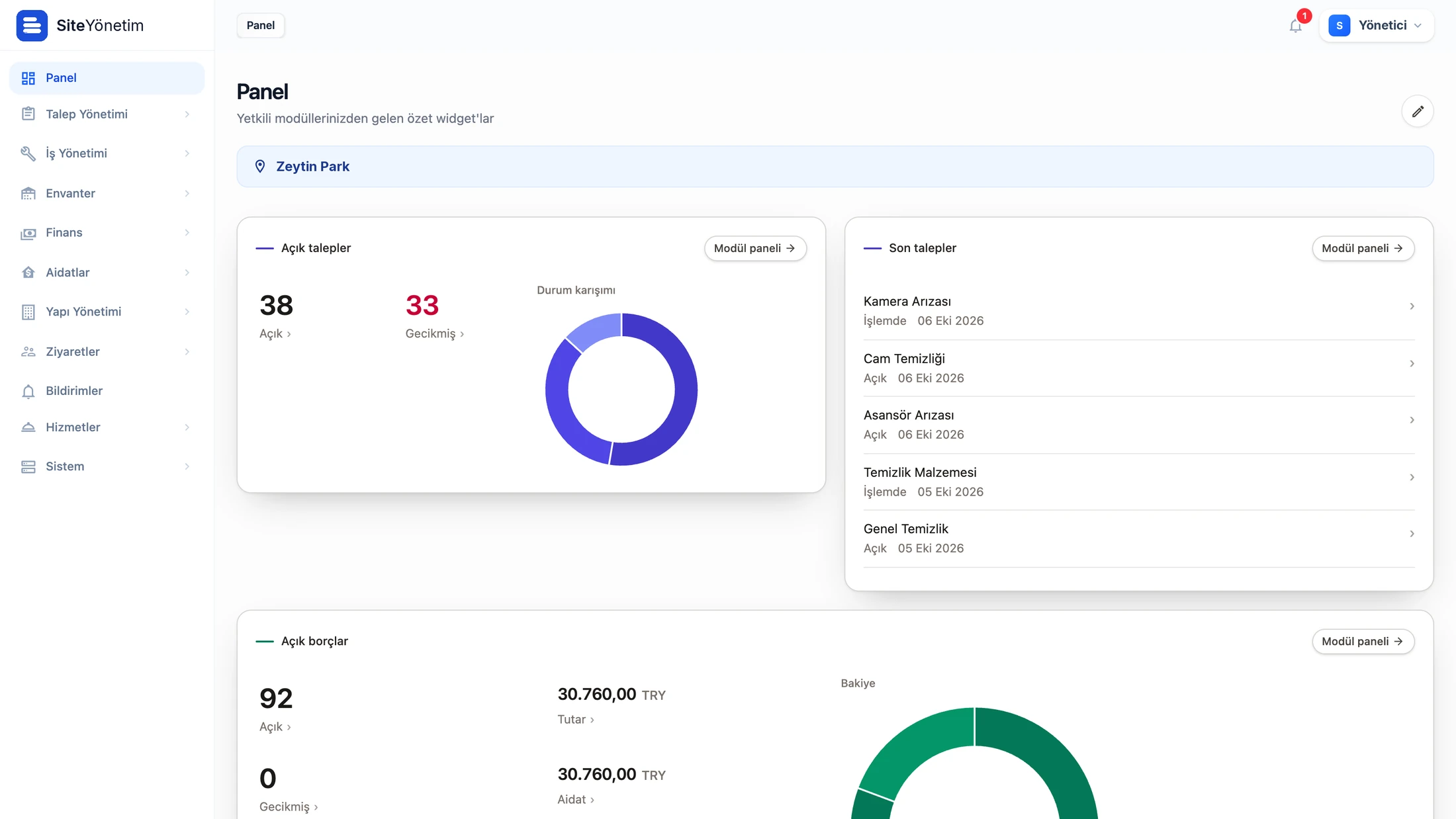
Property Management Software is an operations platform we developed for a client that manages a large number of residential and mixed-use projects under one corporate roof. It consists of a web admin panel and the resident, field and manager mobile apps. Request and complaint management went live in the first phase; fault–maintenance–work order and field mobile in the second. The finance and dues, reservation, visitor, inventory and meter modules also share the same data backbone.
The clock starts the moment a request is opened
The resident opens a request from the mobile app or the web: they select a category and subcategory, write a description, attach a photo or video, and set the urgency and the location. As far as possible, the location is selected from the complexes, blocks, units and areas defined in the system rather than typed as free text. This detail is about to become important.
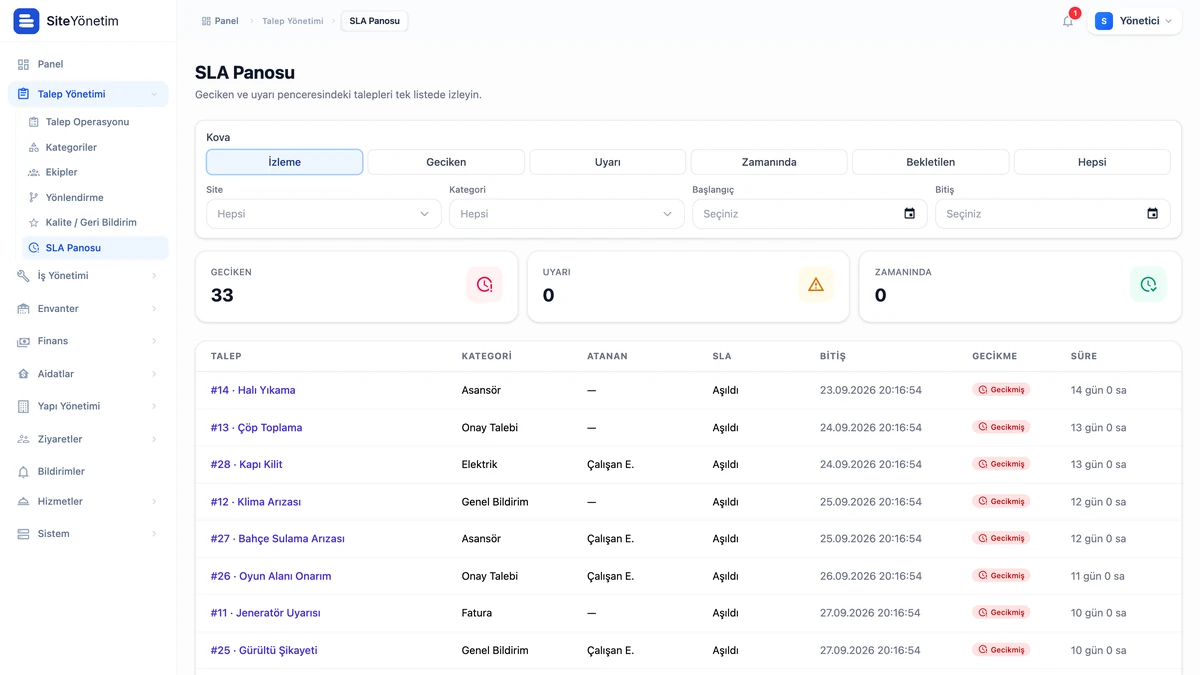
Every request category has its own SLA time. When a request is opened, the system calculates the target closing time, raises a warning before the time runs out and marks the record as a breach if it is overdue. The SLA dashboard shows the overdue, warning and on-time buckets in a single list; management sees at a glance which job is at risk.
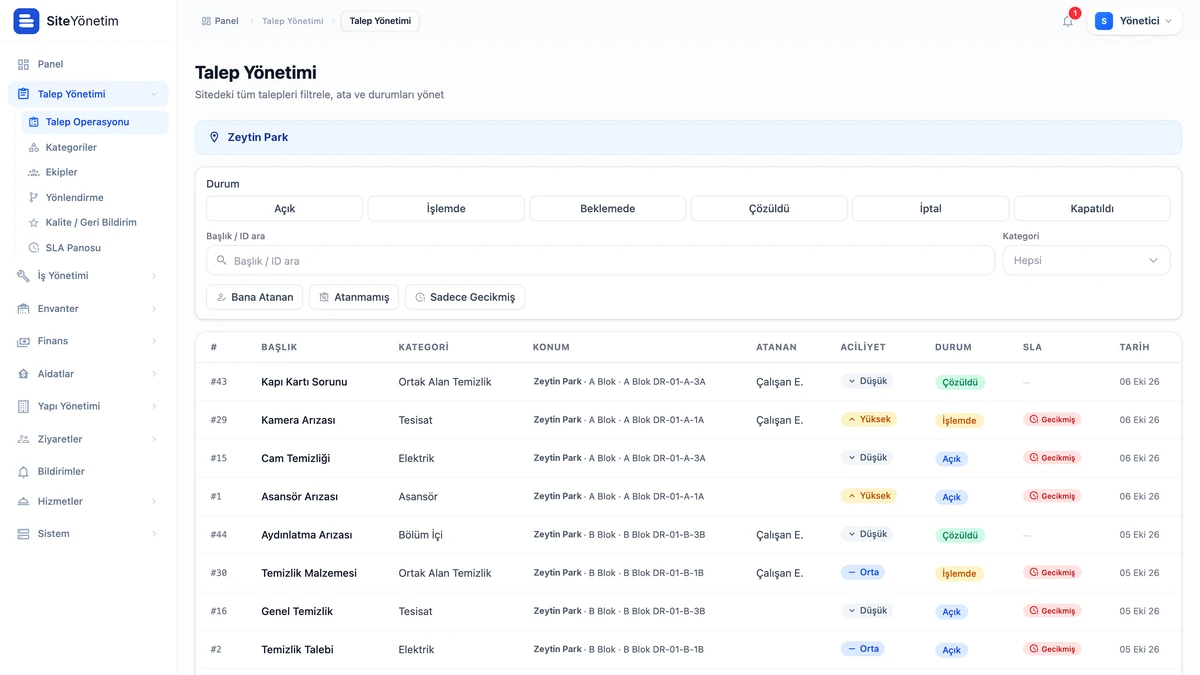
A request progresses through the statuses new, in progress, on hold, resolved or canceled. Status transitions are permission-controlled and every change goes to the resident as a notification; the resident side sees the technical intermediate statuses in a simplified form. Notifications are delivered as SMS, email or push notifications according to the user's channel preference; critical status changes are always delivered through at least one channel.
A simple rule that finds the right team
Routing rules defined in the panel decide who a request goes to. We deliberately kept the rules simple: the target is either a team or a person, and the match is determined by the specificity of the location and the rule order. First the area is tried, then the unit, then the block, then the complex, and finally the general rule; among rules at the same level, the one that comes first in order wins. If the target team is empty, the rule is skipped; if no rule fits, the request lands in the unassigned list and a manager assigns it by hand. When a person is selected from within a team, the member with the fewest open jobs is preferred.
A single permission is not enough to receive a request either: the permission to receive requests, membership of the request team at that complex and a link to the complex are all required together. Request teams and job teams are kept separate; the same technician can be in both, but membership of one team does not open the door to the other's queue.
The work order in the technician's pocket
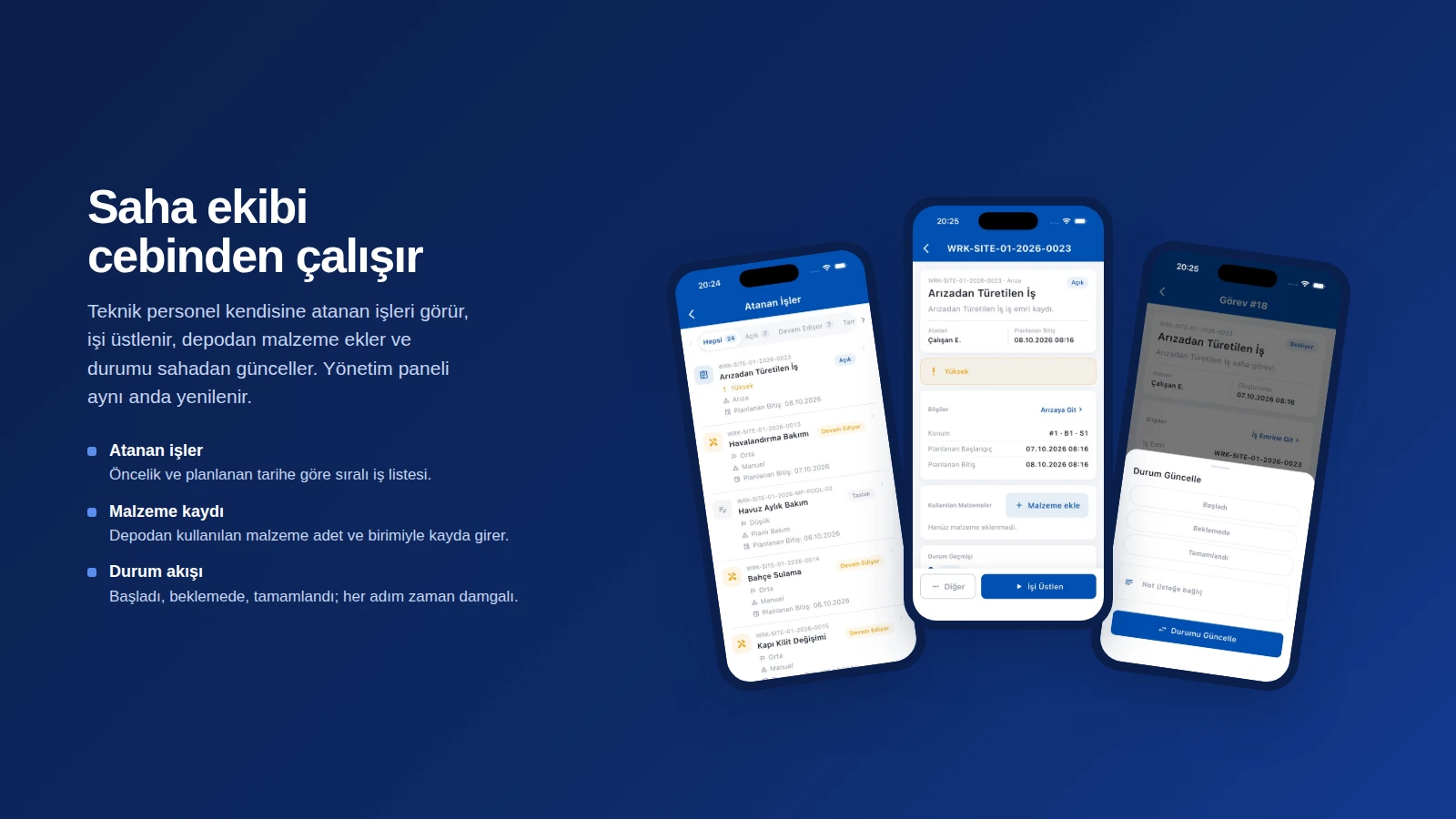
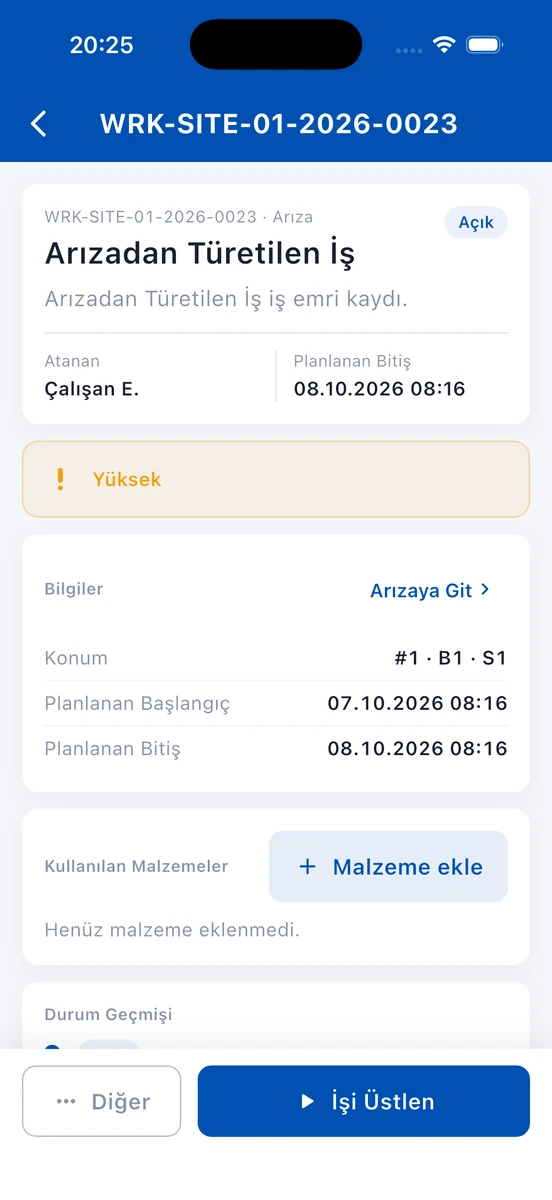
When a fault becomes a work order, the maintenance side of the second phase comes into play. The work order's number, category, assigned team or person, and planned and actual durations sit in the same record; the priority is one of low, medium, high and critical. Planned maintenance, in turn, is tied to the calendar with templates and checklists; the period can be chosen as daily, weekly or monthly, and overdue maintenance records are visibly flagged. Checklists attached to a job can be closed only when all their items have been ticked.
The technician sees the jobs assigned to them on their phone and receives a notification when a new job arrives. They take on the job, add the materials they used from the warehouse and update the status from the field; when they put a job on hold they enter the reason, and when they complete it they enter a note. Every step is recorded with a timestamp and the management panel refreshes at the same moment. Material, labor and supplier costs also accumulate on the same work order; estimated and actual costs, and internal and external services, are kept separate. The fault record can be linked to an asset, a technical area or a location, the criticality level determines the priority, and the start and close of the intervention are stored with timestamps. The manager can also give the work order approval and routing, together with user and visitor approvals, from the manager mobile app.
Basements and technical rooms are where connectivity is weakest. That is why we designed the field flows to be offline-ready and bound the behavior of the mobile apps during connection loss to rules from the start: a form draft is not lost, the user clearly sees that they are offline, and resubmission happens without creating duplicate records. The most important rule is this: an operation that has not been saved is never shown to the user as successful.
When the job closes, the cycle is completed with the resident. The requester rates the service out of five stars and leaves a comment; a second main rating cannot be made for the same request. This way the SLA becomes a measure not only of time but also of satisfaction.
What we learned in the field
- Do not leave the location to free text. When block, apartment and area are selected from the system, the routing rules also work correctly.
- Keep the rule simple. Rules based on location and order stay clear enough for a manager to understand and maintain.
- An unassigned job is also a status. A request the rule cannot place does not disappear; it lands in front of the manager.
- An honest interface in the field. An app that does not say “saved” when there is no connection lets technicians and management trust the system.
A request's closing time stretches most in the minutes when nobody owns it. When you tie ownership to a rule, the time becomes visible too.
How long does a fault's journey take in your complexes?
If you are coming from a setup where requests get lost in messaging groups, the work the field team does never makes it into the records, or the SLA cannot be measured, we can design together a flow that runs on your own rules. You can take a look at the Property Management Software project page or get in touch with us.
About the author
Zeynep Çelik
Digital Content Specialist
She is part of Karatsoft's digital content team and writes blog articles. She explains in clear language which need each project and product answers and how it works in practice.



Comments
0No comments yet. Be the first to comment!
Leave a Comment
Feel free to share your thoughts and feedback with us.